[App][Pro]Peblar EV Charger

Hello everyone,

I’ve been working on a Peblar charger app for Homey using its REST api.
It is working very well for me and would like others to test and provide feedback!

Screenshots


Current Features

  • Displays charging speed
  • Displays amount charged in current session
  • Displays current charging state (plugged in/out etc)
  • Ability to turn charging on/off
  • It uses Homey EV Charger template so you can start flows when charging start/stops or when the power changes etc.
  • Support for Peblars custom charging modes, require login password, set it up in app settings.
  • Widgets (Charge mode select & Set Amps directly)
  • Supports all Homey languages

How to add a device
On your mobile phone or computer go to your peblar charger and login,
go to settings, advanced and enable to REST Api with read/write access and copy the token.
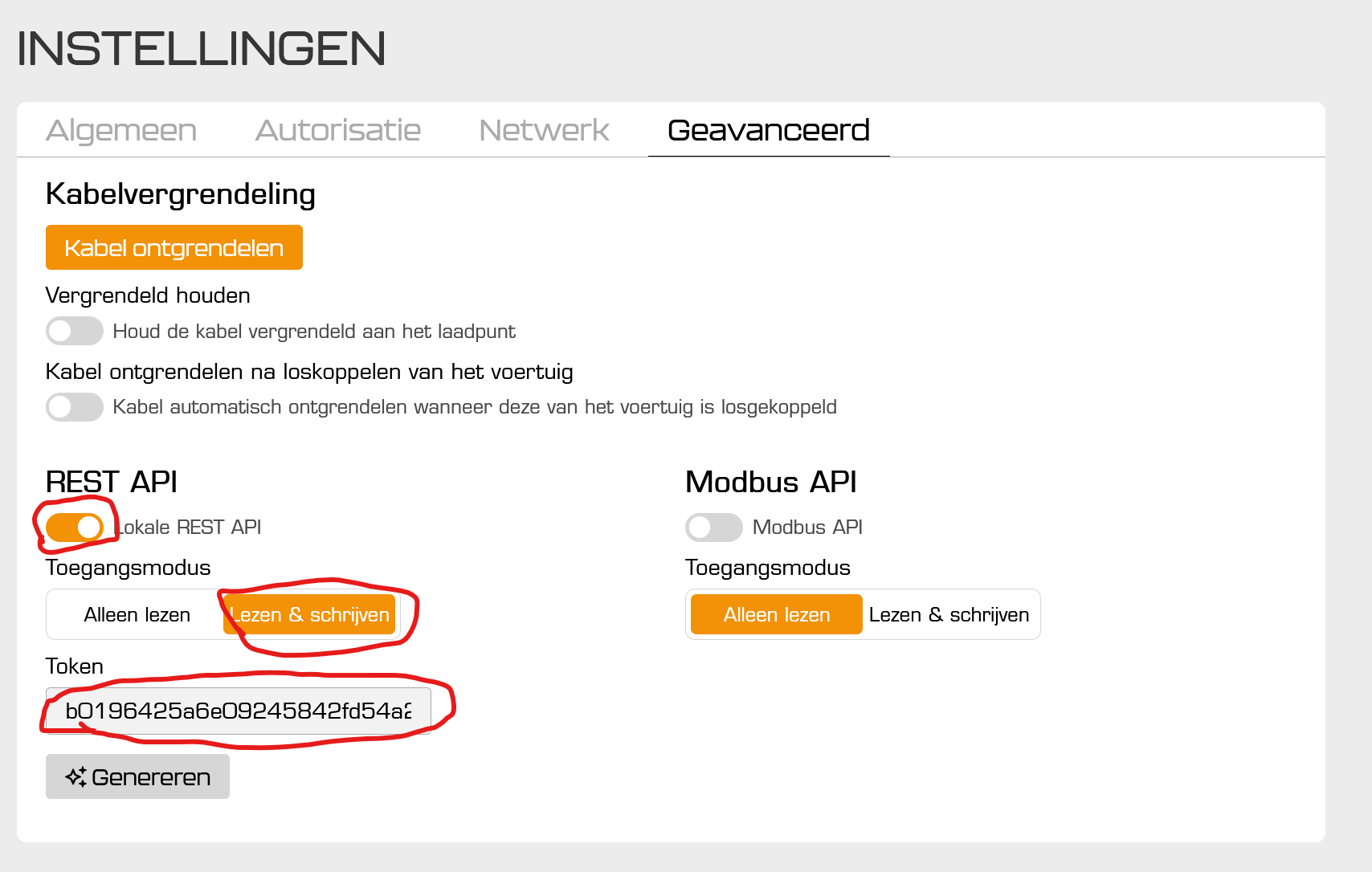

Then write the IP and token down or copy it over to the Homey app:
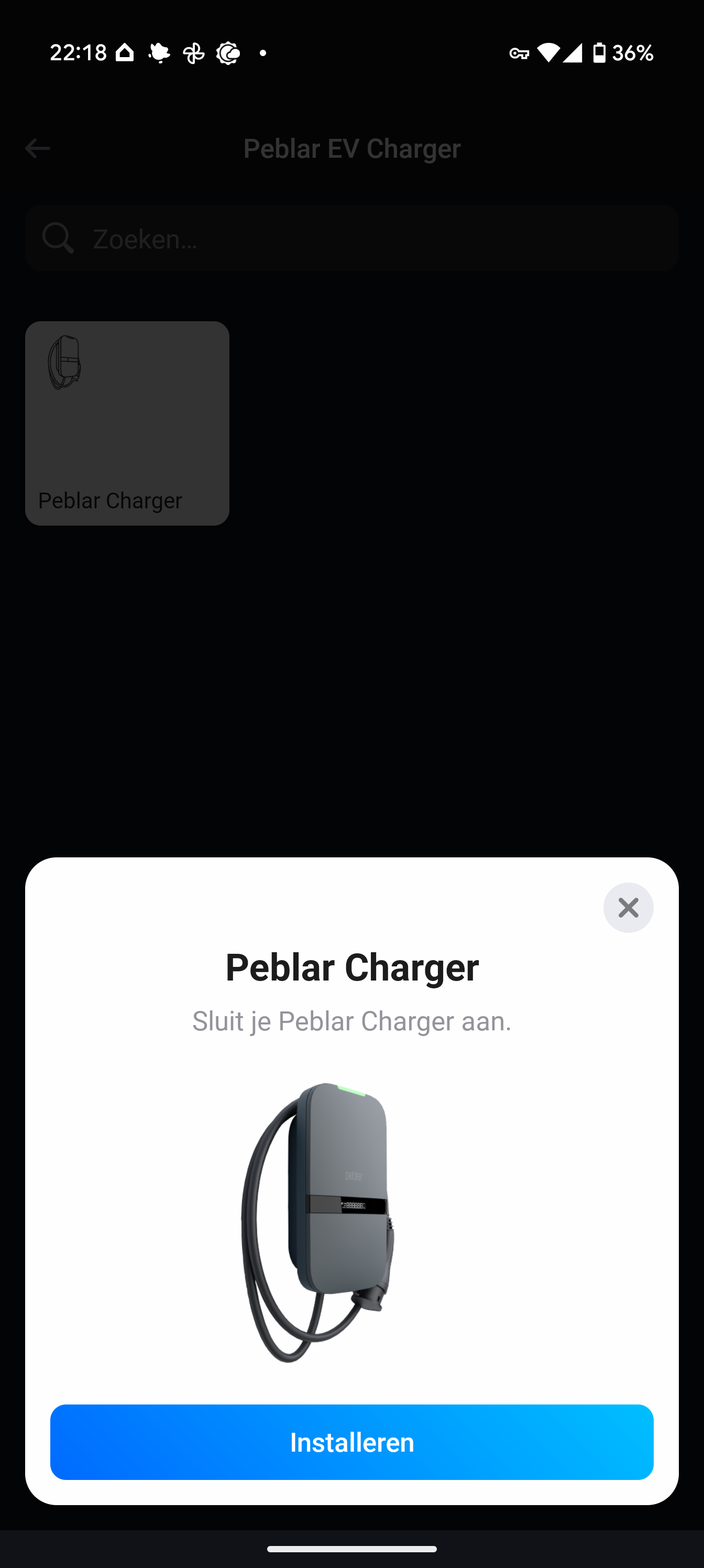

All feedback is welcome!

Link:

With the kindest regards,

Kyle Michiels

2 Likes

Current WIP Features

-None

Example Flows

Hi @Kyle_Michiels !

Thank you so much for this app, it seems to work nicely. Was not able to test it thoroughly (I’m in between cars at the moment) but I’ll let you know how it works once I start charging at home again.

Since you’re looking for feedback, one suggestion from my side:

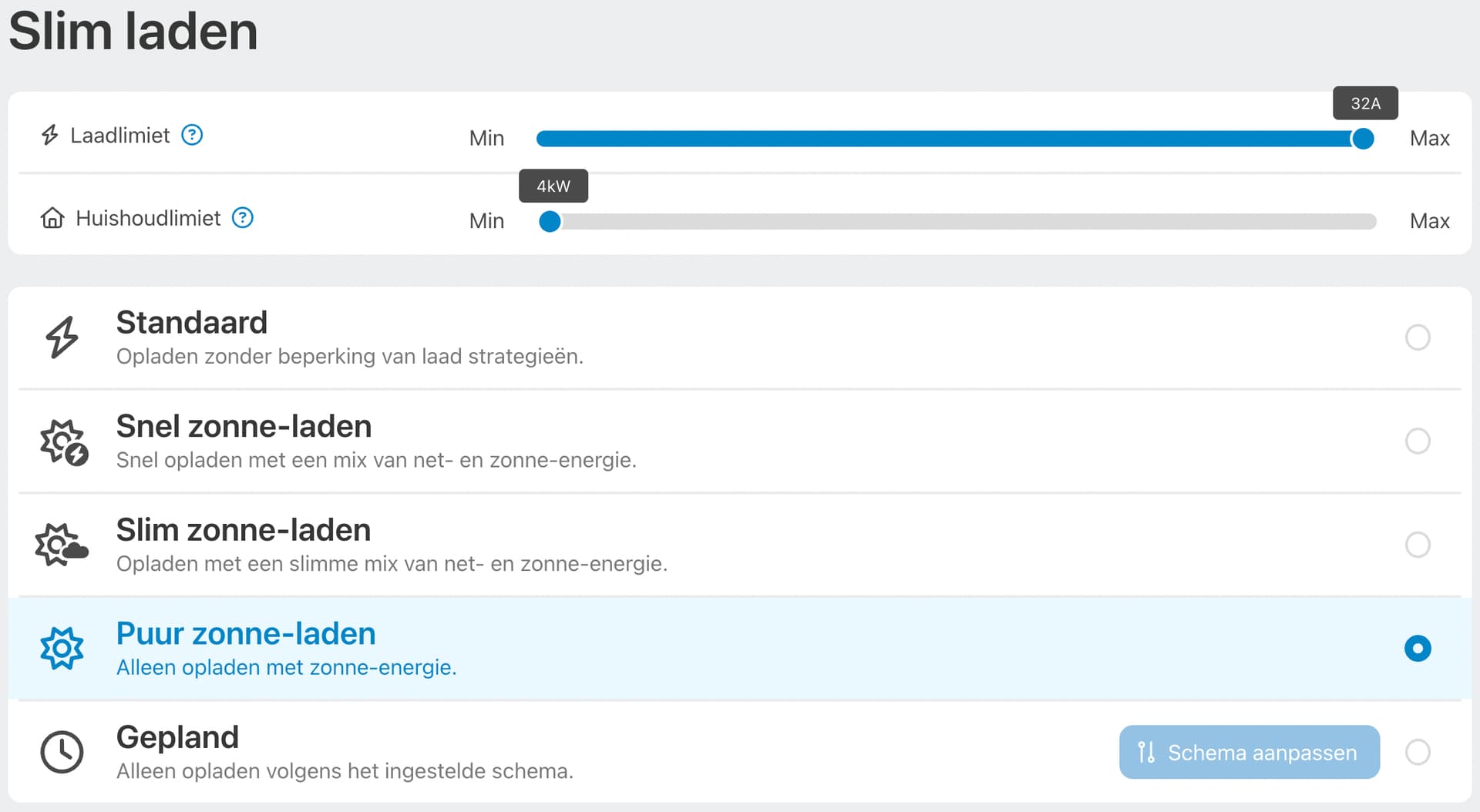
This charger has a bunch of useful smart charging sliders and modes.
Right now I’m using a Homey Script that logs in to the webinterface and manipulates these modes based on conditions outside of the charger (so for example when the prediction is sunny: switch to “pure solar charging” quicker).

Not sure how difficult this is to implement, but it would make this app infinitely more useful if users could pick charging modes and adjust charging sliders from inside Homey (instead of just turning charging on or off):

The Home Assistant integration has the option to change charging modes but not the sliders it seems, so there might be a technical limitation on the API for the latter.

Thanks again for your work on this app and let me know if I can help (testing?) somehow!

@Geronimo206
Thank you for being my first official user!
If you can alter the charging mode with HomeyScript I don’t see why I can’t do it with the app.
Changing the charging mode I get, but what do you mean with adjust the sliders?
The amount of A that is provided towards the EV?

I will definitely look into changing the charge mode as that is something that is on my list but from the API it seemed unclear if that was possible.

And the on/off button is not perfect right now.
I would like to know if it even has a use for Peblar? Since the only way I can turn it of is to set the A to 0.

My problem with this is that for example if your EV is fully charged, setting it to off won’t have any effect since it wasn’t charging anyways. Another problem I see is that if there is no EV connected at all, setting it to zero has no real effect except that if you would connect an EV it wouldn’t start charging.

How would you expect this button to work? Or should I just remove this button all together.

My pleasure, thank YOU for creating this app!

Sorry my explanation was not super clear. By “sliders” I specifically meant these:

It might be that you are not seeing these in the web interface yet, because they are part of a quite recent update.

Essentially what they do is:

  1. Laadlimiet: the actual hard limit of the charger. For example on one phase 32A would be around the recommended maximum (in Belgium). This amounts to a charging speed of around 7400W. This control is also in the Home Assistant integration:

    But to be fair, I have not found a good use for it yet, although I can imagine some crazy flows where you might want to adjust this dynamically? Or put the charging to 0 perhaps?
  2. Huishoudlimiet: This one is specifically to avoid extra costs for “Piekverbruik” in Belgium as I understand it. Essentially what it does is keep you household Watts under a certain limit (If I were to run my dryer while charging the charging speed would decrease so the Watts usage in the house stays on the same level). You can see this one as the defacto limit for the “Standaard” charging mode. Actually I’m also not changing this one as I like to keep my peak usage limited and almost always charge slowly.

So perhaps, long story short, the sliders might not be super useful to change trough homey. But if it’s easy to implement maybe it’s worth adding?

I mainly dynamically change charging modes based on a bunch of factors so that would be super useful. This is also in the Home Assistant integration:

On the topic of the button. I think your idea of it is as elegantly implemented as it can be, but maybe it’s a bit confusing for the user? The Home Assistant integration seems to have something more akin to a kill switch:

But actually I’m not convinced you really need it. It seems to be “on” in Home Assistant even when you’re not charging so that makes no sense to me. And you can’t really stop charging from the web interface either, there is no “stop charging” button available.

I think Peblar mainly expects you to stop charging from the car or set charging limits there, which is not very unconventional? And honestly the way I’m using it, I never have to manually stop or start charging point blank.

So my reflex would be to keep it stupid simple and remove it completely. And by adding the first slider I talked about earlier, the user can still turn the A to 0 and reach the same goal? So in that sense you’d make the interface more clear, more in line with the charger itself and not lose any functionality?

Something to think about…

Sorry, this became a huge wall of text.

Let me know what you think!

1 Like

when adding the charger as a device I get an error: “fetch is not defined”

any idea on how to solve this?

thanks

Very small other suggestion!

It might be useful to add the lifetime energy consumption of the charger:

This is also in the Home Assistant integration and is often more useful than the “session energy” (called “charged energy” in Homey now). Might also need to change the name of that last one in this case or it might get confusing?

I like all your suggestions!
I just need time, which I don’t have currently.
I discovered that there is a secret undocumented API which indeed let’s you change the smart charging mode.
Which I got from the Home Assistant version.
And a lifetime charged variable is a great idea.

1 Like

Thanks for the app, I was hoping that a peblar app would pop up.

Yesterday I installed it and tested it. I can see the charger and the status and power. However I van nog start or stop the charger. I get below error.

Hello! This is because you don’t have a write access most likely. Please check the first post to see how to turn it on.

It has to be set as below right?

Yes, are you also 100 procent sure your token is correct? Error 401 means unauthorized

I copied it, and I tried 2 different tokens. Could it be that authorisation is done via a third party? Manually I am able to change settings though.

Hoi Kyle, thanks a lot for your work on this!!

I’m getting a 405 error whenever I press a button or start it in a testflow. I set the tickmarks on the API as instructed (r/w on local restAPI). I do see the power consumption in the Homey tile in case I start charging from the Peblar page.

That’s interesting, it means the method is not allowed. What button do you press, can you provide a screenshot?

directly from the app via the tile, getting the same error when I press the button:

An update from my side. The app now works and does not give any errors anymore.

However the charger won’t charge with more then 3.5kW instead of the normal 10kW. Any tricks to adjust this?

Same here. The 405 error is gone, but when I trigger a charging action from Homey, it does so with 3.5 kW only.

Hey Guys,

I think I know the issue.

I fixed it localy and thought I published it but I guess not.

It is charging with 10 but displaying 3.5.

I will publish the fix soon I hope Im currently overloaded with personal items and work.

2 Likes

Thanks! Much appreciated, I’m trying to get charging based on dynamic prices working through Homey. The charger is more responsive than the car API.