Test version release. Please test out and let me knwo 
Thanks a lot, it working at my side as well. Am I pushing my luck if I say it would be nice if you can use formulas in the Card as well, Like {{Var1+20}}
You can’t use formulas directly because the cards argument is a number type and accepts only numbers and variables of type number, in its input.
You can however have some other flow or logic to update the variable used in the flow card.
That’s what I’m doing currently  thanks any way
Newbie here. I am trying to build a trashcan reminder of my own. What I have: an ical with four types of trashcans and a tuya LED strip. I want the LED strip to change its color the day before one of the trashcans are in the calendar and stay that way (ideally, the light would change back once a NFC is toggled, but that is the next project). I can’t get it to work, and I do not understand why.
Homey Pro is brand new, as is the App iCal. The App seems to import the events correctly (I can see them all via the new flow-test that was suggested in the tutorial).
Trashcans are all day- events. So the trigger I use is “Date and Time: Time is 12:00 (or 15:00) on Sun/Mon/Tue/Wed/Thurs/Fri/Sat” AND “iCal: Event that contains Paper in calendar Trash starts within the next 12 hours”, THEN “MegaLight set color to Blue”. Doesn’t work. Nothing happens. Nada.
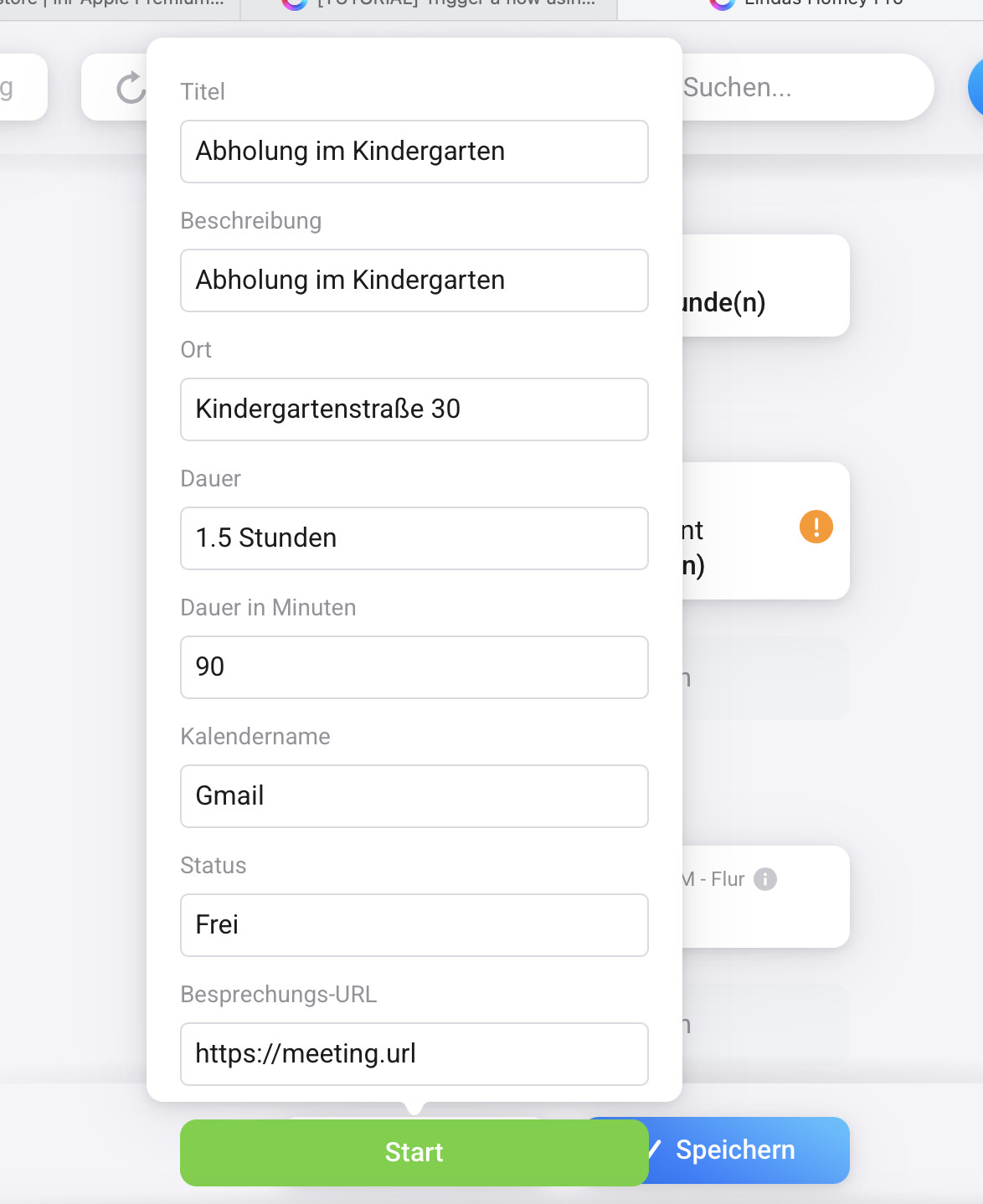
I tried IF “iCal: Event starts within 12 hours” AND “iCal: Paper begins within 12 hours”, to no avail. I don’t get the hang of the tags in this trigger and I certainly can’t find out where to change them at all. If I try to test run the flow, I am shown all of the tags with their defaults.
What should I try next?

Rune, could you elaborate on the Trigger you used? I want the flow to run automatically and the way I understand the “This Flow is started” trigger you need to start it manually? Which trigger would you recommend I use?
When I test this configuration, I get shown the available tags and then a potential problem is flagged. Problem: I can’t find out any details regarding the exclamation mark, whenever I hover over it, it just goes away. Clicking on it is impossible. I’m doing something wrong here, I just can’t find out what it is.

I used that trigger only to manually test the flow that the AND card is working as expected
You are mixing apples and organes in your flow. IcalCalendar’s triggers and conditions are not always the best way to use together.
The trigger you have chosen will trigger when any event starts within 12 hours, and the tags the card provides shows which event that is triggering!
So your flow triggers because an event will start within 12 hours, and the tags on the trigger card has the metadata you want to check.
With the condition card you are asking IcalCalendar if there is ANY event that will start within 12 hours.
You are double checking here, and in fact when the trigger triggers because the event will start within 12 hours, there’s not necessarally correct that the same event will start within 12 hours when you ask the condition card, because some milliseconds has passed.
Use the same trigger card as you are using now.
As the condition card, instead use a logic card which checks the Title tag from the trigger if the tag is equal to Bioabfallbehaelter
That was very helpful, thank you! These are my first flows and I’m not familiar with everything yet, but your solution works. Off to new adventures and empty trashcans!
Now the LED strip is not available, but that’s a problem for another forum…
New test version
See original post here: [APP][Pro] IcalCalendar - #305 by runely
