Hello, I like to use the zone overview in the iOS app. Unfortunately, you can’t sort it individually, but it is fixed according to the alphabetical order. So my suggestion would be that you should be able to sort it individually in the future.
For the time being just start with two digits in the order you wish. Not very handy but it works!
Yes, would be great indeed to be able to change the order of display. Currently, starting with Attic followed by Basement and having Garage, Ground Floor etc. is not ideal. Surely, adding numbers in front solves the issue but is not preferable- less characters in the screen is better…
I would like to freely configure the order of the zones.
When I installed Homey, I created zones for our house, one for each floor and then the rooms within it. This is probably how most users do it.
Homey sorts these zones/floors alphabetically, but this doesn’t correspond to the order in my house. I would like to sort the zones individually.
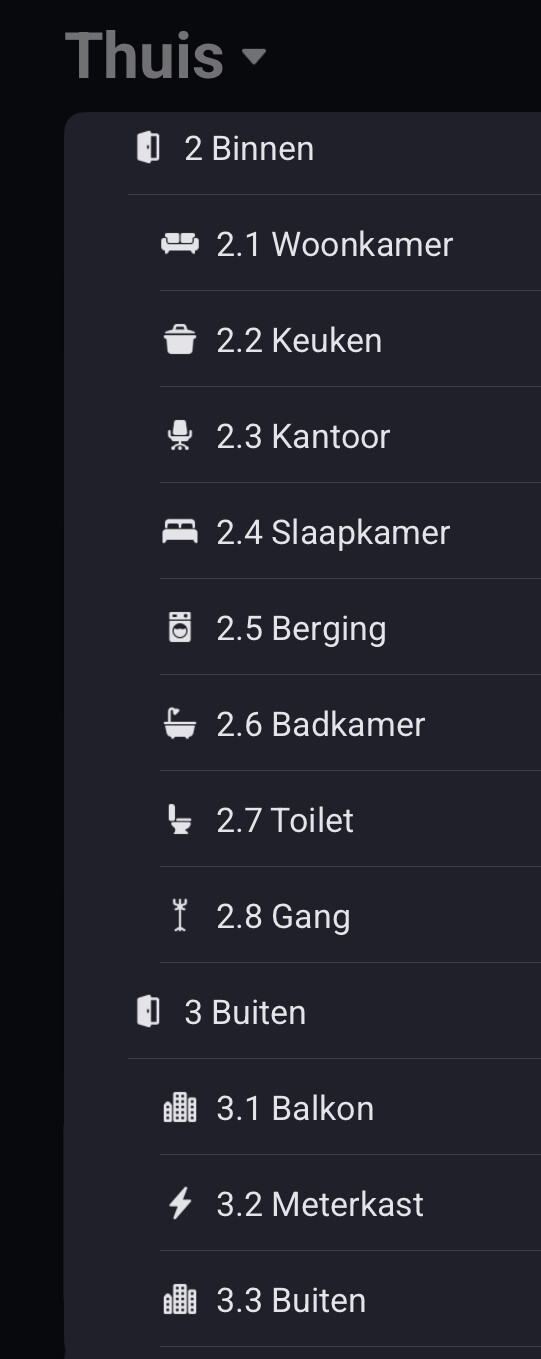
Glad to see Athom has a sense of history with their UX design choices.
. https://youtu.be/dQw4w9WgXcQ?si=kgyv9Tx3rnP5P53X
The same here but it’s making flow cards bad to read.
And the device calling out by Google Home.
Please give use free movement of rooms/devices with normal names.
Just an info that a similar request already exists. Maybe even more, I haven’t checked all the feature requests: Sorting zones individually in the Homey smartphone app
Why is this still missing..? Surely Athom too knows that sorting ones shit as one wants is a basic human right?
Suggest you create a support ticket at Support | Homey.
The more users do that, the more attention it will get from Athom.
The current Homey display for your home is to organize it alphabetically first by floor name, then by room name. In my case, the means that the “First Floor” shows up in the tree view before the Ground Floor does (as does the Garden). This is counter intuitive since a home already has a built in organizational structure (the floors, and then the rooms in the order in which they flow from the corridor).
It would be nice if Homey would allow you to organize your floors and rooms in a custom order that was not alphabetical. That way, I might organize my home as (1) Garden, (2) Basement (3) Ground Floor, (4) First Floor, (5) Second Floor, (6) Attic and (7) Roof. I know I could add numbers to them in this way to get the same effect, except that this might later cause a problem with having to use the room number with the name in voice processors. The same would be true for every room on every floor - just let us set the order of the rooms.
Finally, this is currently presented as a tree view, which is a kind of bottoms up way of looking at a home. Something that better represented the home starting on the bottom floor and going up might be visually easier. This might be a better display overall for your ‘devices’ page in IOS which seems to have a room only orientation (which gives me 3 guest bedrooms on different floors).
I’ll echo what others have suggested here. A killer feature would be to be able to upload a rough schematic of the home, and more precisely place each device. Coupled with your dashboards and some cheap android tablets, you could have an in-room control panel complete with a map of the room with each device and the control points. This would set you apart from almost all other products.
