That’s due to the Button + firmware and can’t be changed.
1 Like
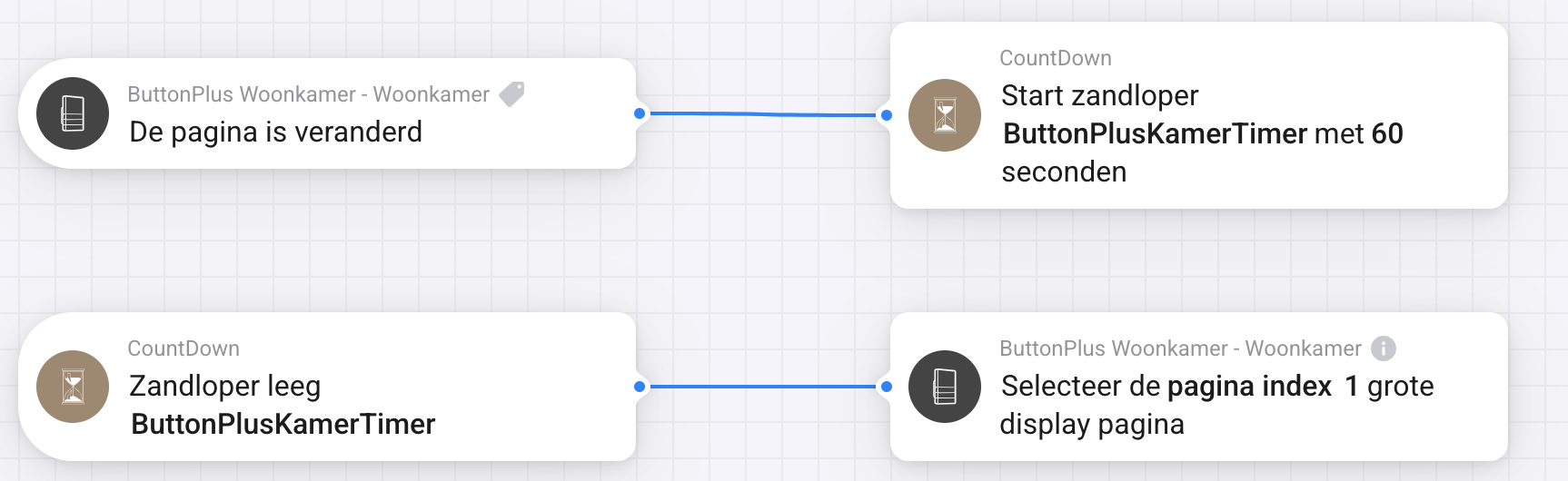
Hi all, I have a configuration with multiple pages. I would like to return to page 1 after a given time. I have created a simple flow which is triggered when the page buttons are used. It looks like the timer is working (checked with a timeline notification) but the button plus is not returning to the home page. What am I doing wrong with this flowcard?
I was long long long long looking for a decent MQTT thermostat and perhaps some display function and some button control and THIS IS JUST IT!
Why is there so little information on this device!? I only found it by accident searching for NSpanel tasmota (don’t go there, seriously).
I just ordered a “isplay module with 3 bar modules with base and power supply” and I’m so excited!
I don’t want to spoil your joy, but it’s “just” a display with button’s and an internal temperature sensor. To make ik work as a thermostat, you have to add the thermostat functionality and connection to your boiler yourself…. I suppose you know this?
Maybe you can share you’re setup when you’ve got it working?
1 Like
Hi @Torch1969
I am aware that it’s a device that needs customizations and configurations but I dont mind.
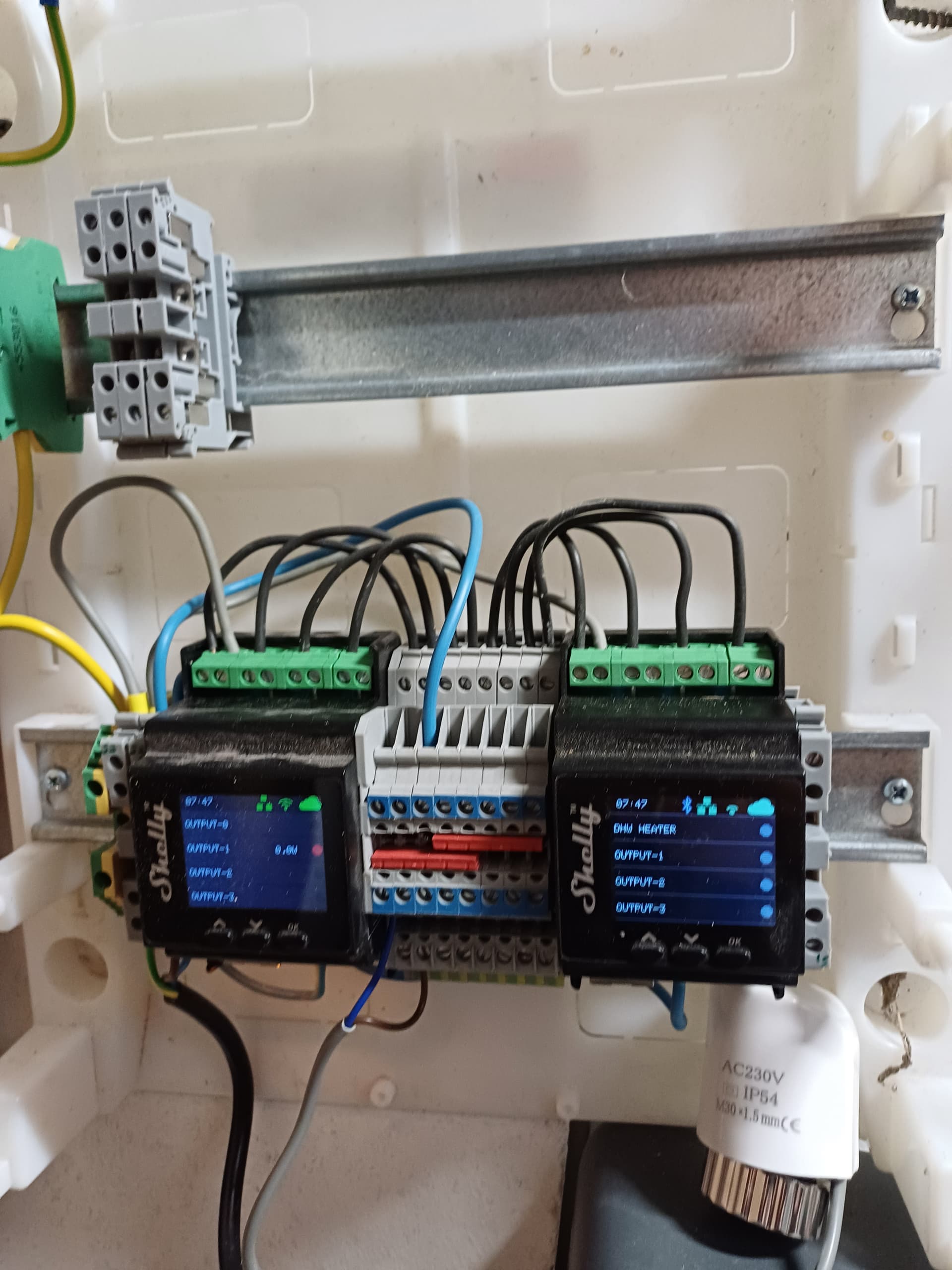
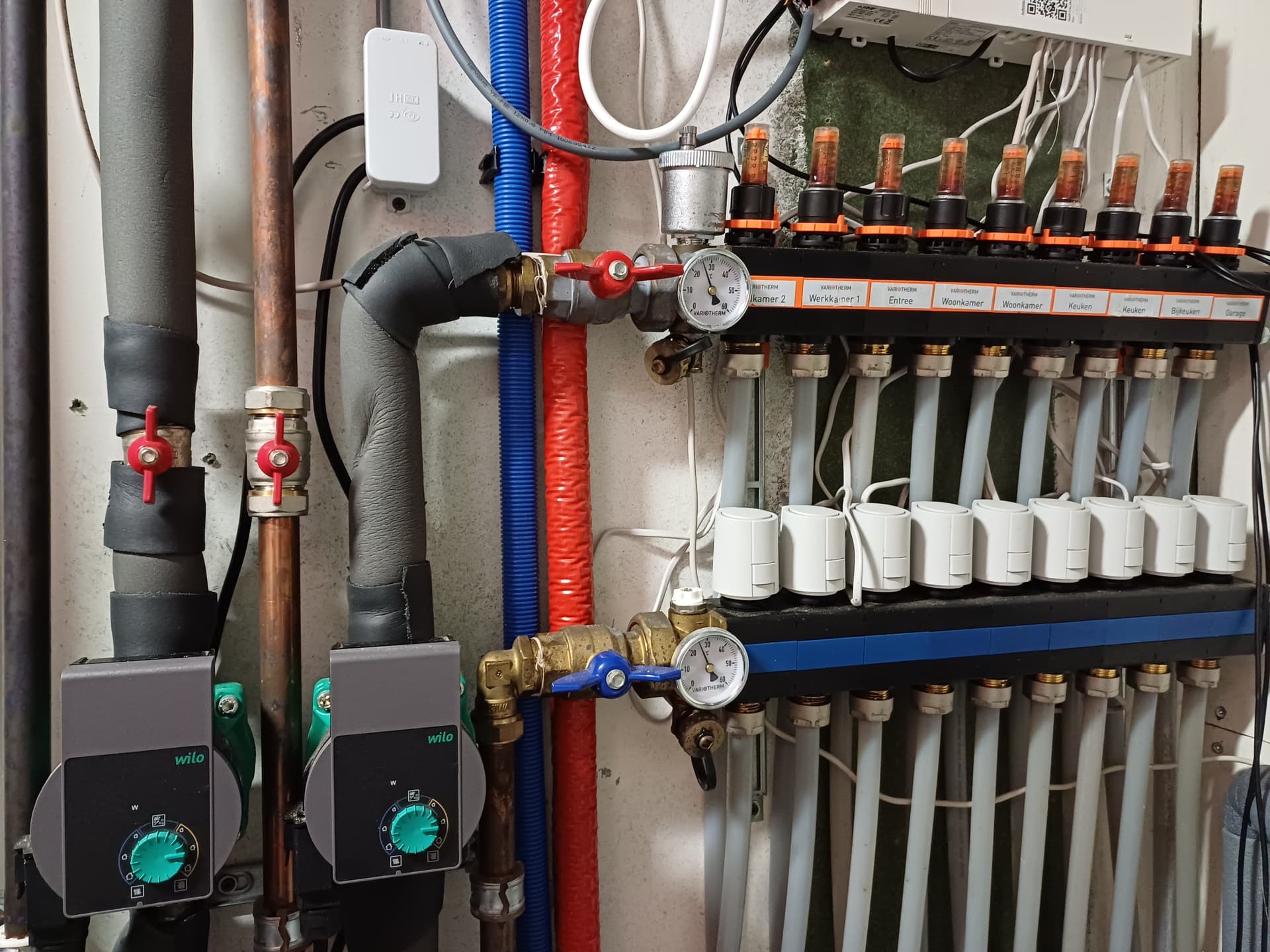
we now have zones controlled by a Homematic system. 12 floor valves for 8 zones (rooms) each with its own thermostat. Its a wireless system and we have lots of connectivity issues, especially with the OTA opdates that never complete. Groud level and 1st levels have its own dedicated circulation pump and manifold.
The system doesnt work properly, draining batteries very fast (40 batteries per year) and the communication fails so thermostats arent serviced properly anymore.
we’re using a lot of shelly devices and I have some Shelly 4PM laying around here, so usi g a MQTT broker I am already trying to setup a DIY heating/cooling controller.
I have a technical background the difficulty is to get decent parts. I have tried some thermostats now but they all deviated, had huge offsets, and there are a few that can be poweres by mains (230V) and work on wifi and support MQTT or are supported by a Homey app.
I tried, for example, the Shelly supported LinkedGo devices deviate a lot and have high offsets. And the configs are very limited. The target temperature is in steps of 1C. Also the temperature is far from stable (self-heated?) and the MQTT messaging is not properly documented. And looking at the price, is just a simple but expensive thermostat.
I had a long desire for local displays/visuals, for example using the NSpanel (pro) but that lacked some capabilities and takes a lot of time. With that I find the Button+ very interesting. It seems to have a very stable temperature measurement. AND a build-in PID controller!
I’m starting to do some tests now, and I’m waiting for the Buttons to arrive.
2 Likes
Well that’s a serious setup. Looks like you know what you’re doing.
Where did you read the new button plus has al PID controller. Because that’s the hard part in making you’re own thermostats….
Hi @Torch1969 ,
I read about the PID on the Butten+ site.
I assume that will be a topic for MQTT, can choose to take that one or just read the temperature values.
I’m waiting for the device, I’m very curious the PID ootion to be available in the configurations. Fot the PID i’d also need a (predefined) thermostat target (topic).
best regards,
I know nothing about any PID feature, so that is not in the app. I will investigate as maybe it’s a new feature of the next firmware.
copied directly from the website:
“You really don’t need an expensive Honeywell or Google Nest thermostat to control the temperature in your room. Just use the integrated PID thermostat function of Button+. Where many of the modern thermostats have poorly calibrated temperature sensors, Button+ has an ultra precise Sensirion STS35 sensor which is factory calibrated and has neglectable self heating. Special measures have been taken to prevent heat from the IC’s on the main board reaching the sensor.”
1 Like
I saw that, but it makes no sense to me as PID is a feedback loop system and as the button+ has no direct control of the actuator I don’t see how it can have PID. I have asked Ronald for more information about the claim as I think it’s incorrect terminology being used.
Ronald has said it’s not been implemented yet as you are the first to mention it.
why should it not make sense?
As I said, the PID only needs a reference value as the measurement is build inside (temperature).
So if the user can set a target temperature (using buttons or using a MQTT topic) then you can have a build in temperature controller sending out 0..100% valve values.
its not rocket science, but I’m also very curious what and how is implemented in the Button+.
The Button+ has a built-in temperature sensor, but it can only provide the current temperature reading. It has no way to set a target temperature that is required as the control point for the PID function. The Proportional, Integral and Differential gains calculate the control output based on the differences between measured temperature and target temperature over time. Also, most heating systems only have off/on control, so the output then needs to be a pulse width modulation system, which has to be tuned to the control mechanism for the pulse duration.
You probably could use Homey to do a form of control, I think there’s an app for it, but it’s definitely not available directlyin the Button+.
hi @Adrian_Rockall ,
I would assume that that do some fuzzy logic or standard practice as every (modulating) roomthermostat in the world is preconfigured for its P I and D, although every room and heatingsystem has different characteristics. They “autotunr” over time.
As I posted before, the capability is written on the site. I’ll see what that’s worth. for now I dont expect to much of it. Building my self would also be fine.
in the past I had a simple thermostat with an exponential function of the temperature error and an offset as a function of the outside temperature.
D= (inside-outside)*A + ((target-measurement)^2)*B
or
D= A* (inside-outside) * ((target-measurement)^2)
when outside 10C, target 20C, measurement 19.9 and A=1 would be 10*0.01=10% dutycycle.
when outside 0C, target 20C and measurement 19.8, then the dutycycle would be 80%.
with that you’ll allow a small static error as there is no integrator but its simple, fast and pretty effective.
And the PID isnt that difficult either.
1 Like
I don’t mean to be negative, but the simple fact is the Button+ has no PID or any temperature control, it only has a temperature sensor that reports temperature.
Also, I will bet that most room thermostats only have a simple system that switches on when the temperature is below the set point and off when above, with a bit of hysterisis to prevent oscillating. We use PID temperature controls in our thermal cabinets and they each have to go through a tuning process of heating and cooling cycles that can take hours to learn the temperature profile, and that’s in a well contained environment. In a typical room that has many external factors affecting the conditions, PID would probably be unstable.
I really hope the Button+ works for you, but I didn’t want to miss lead you into believing it has something that it doesn’t.
I know Adrian,
I was programmer in the realtime domain for about +10 years with control bandwidth in 100khz. I’ve used several control algorithms and lead/lag compensations, auto tuning and fuzzy logics. I know that every PID test takes (the process) time but you also know it can be simulated within seconds using the right tools.
But thats not the point here. Button+ states they have it, its written on their site. We can argue here that it is/cant/will/should etc but i dont see the point of that.
Maybe you have more direct info on the Button+, I dont know. I’ve send a message to Ronald for explanation and perhaps some documentation.
I dont prefer to use a self made PID loop in homey, because of the tuning of the system and the characteristics of different rooms. But neither an on/off implementation as that also leads to overshoots. Thats why I used the exponential functions before, and as its not perfect it works ok.
Ok, forget the pros and cons of PID, but I can categorically say the current Button+ doesn’t have it. I helped Ronald on bits of the version 1 firmware while writing the Homey app for it. I haven’t looked at the v2 code, but I asked Ronald and his exact answer was:
It has not been build yet, until now nobody asked about it.
So maybe he will add it later, but I know it will be a challenge for him to fit it in.
thank you for verification by Ronald,
its a pity as its written as available functionality.
1 Like
I see a first beta of the new v3 firmware is relased for Buttton+:
Does this require an update of the Homey app, @Adrian_Rockall ? Or should it work fine with the current release?
Anyone have the new firmware installed already and using it with Homey?
I’m not sure as I haven’t tried it yet, so I will update one of my panels ASAP.
1 Like
