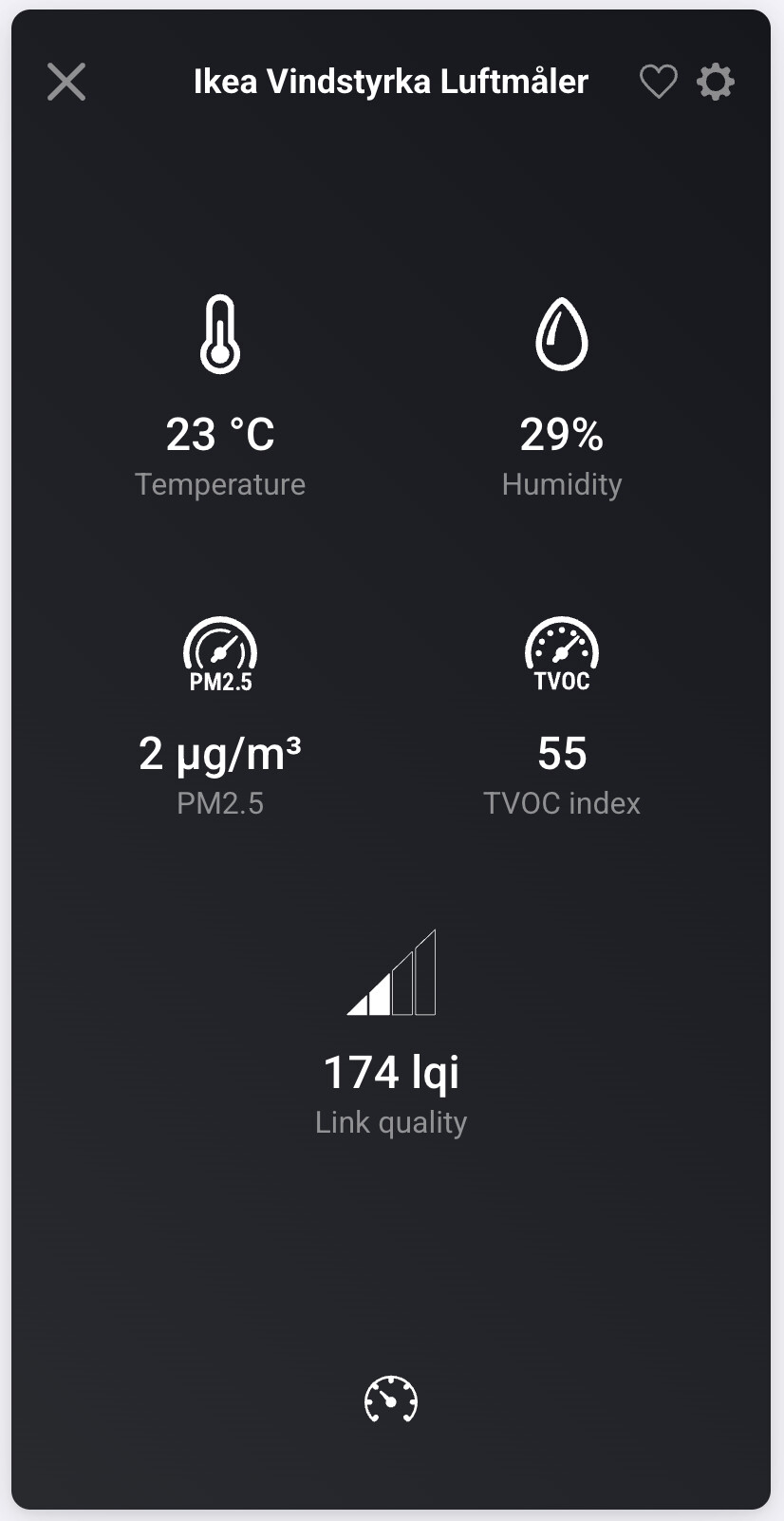
First of all thank you very much for making this app. The built in zigbee implementation is not stable enough with many devices. And it is a pain to add lots of hubs and end up with lots of zigbee networks. Zigbee2mqtt support a wide range of devices and is a very stable and powerful system. Being able to integrate it into Homey is very nice!
I have added a lot of different devices, and most of them works fine. Currently there are some problems with specific Ikea remotes, but this is a problem in Zigbee2mqtt and not the app for Homey.
But I have one request: I added the Vindstyrka air quality monitor from Ikea. It exposes temperature, humidity, PM2.5, VoC and link quality to Zigbee2mqtt. But only temperature, humidity and link quality all the way to Homey. Would this be possible to fix in a future version?
By default, with a brand new contactor the device_mode is set to auto (then state depends on wire inputs, cannot be defined via mqtt). I had to set it to switch manually (via a mqtt command line tool), and then it works fine in the app.
Recommendation: when changing state, if device_mode is set to auto, set it to switch. Or allow user to change device_mode.
Note: an electrician set up those devices for me in the electrical panel, do not recommend doing the contactor on your own if you’re not an electrician, as serious juice can go through it and it’s in the electrical panel.
When I add a Philips Hue light via Zigee2MQTT to Homey I have an option to change the ‘effect’ as well as the ‘Power on Behavior’ within the list selector of the device itself. But when I add an ‘Then’ card for that light, I can only select ‘Set Power On Behavior to’ and don’t have an option to change the effect. Would it be possible to add this card to the app?
Great, flowcard works fine for setting the Valve opening degree. So instead of an on-off regulation I could implement a PID regulator. But… I’m no expert in PID, do you have it implemented for yourself? Care to share it?
I noticed that I can also change the effect with “Set payload to” then card. That helps with setting up the effect. Unfortunately this card isn’t available for groups. Could this card also be made available for light groups?
Devices that become unavailable. It might be a Home Assistant-only thing, but the only thing that changed is the z2m version, and 2.1.2 introduced a very big change (that in theory is really cool: it greatly decreases the amount of memory used by z2m) that might have introduced these issues.
Issue reports are popping up both on the HA forum and on the z2m Github issue tracker.
EDIT: it’s related to another change, and it’s causing lights that support colors to fail. More info here.
I noticed that I can also change the effect with “Set payload to” then card. That helps with setting up the effect. Unfortunately this card isn’t available for groups. Could this card also be made available for light groups?
@Gruijter Would it be possible to create a “Set payload to” card for groups? That would really help with the flows I’m trying to build
which reports only “on” for all on-buttons 1-4 and “off” for all off-buttons 1-4.
But is it reporting a different “action_group” for each set of on-off buttons 1-4.
on/off buttons 1: 6401
on-off buttons 2: 6402
etc.