I have solved the issue above temporarily by making a scene in Smart Life and calling this scene in my advanced flow with the then card ‘start legacy scene’ with the Tuya cloud app.
Hi, that’s great! I can control all devices (lights, thermostat, power sockets, etc.) from Homey Pro 2023, but I’m not receiving any events back. I’ve already set up IoT twice, and the statuses of the lights are not updating correctly. For example, if I turn off a table lamp with a physical switch, it still shows as “on” in Homey Pro. I’ve enabled event logging with the card “text” and then “message to timeline,” but nothing is appearing. Does anyone have an idea what might be causing this?
Hi there, thanks for this app. Works great with most of my devices.
There are 2 devices that won’t work. I have shutter controls from Ali:
https://a.aliexpress.com/_EJLuwN9
I can add them in homey as a device but they won’t trigger the shutters.
To set my AC I use IR bridges from Ali. They have built in thermometer which is great to use in homey. But I can’t add the device to homey.
https://a.aliexpress.com/_Ewfn2NV
Is there a way to get this devices working and read temperatures?
Hi Everybody,
I setup why tuya cloud and linked it to the app. I have added a on/off switch to Homey which works fine. Yesterday I received some temperature and humidity sensors from aliexpress and add them to the Tuya app. I see the devices in the cloud and try to retrieve the informations of the sensors with raw commands. I see the temperatures changing in the cloud but it isnt triggering my easy made flow (just to notify when data is received).
What do I miss? Thanks for the answers in advance!

Are you sure you will receive a Text message from Tuya Cloud? It might be a Numeric message.
I tried both of them… Have two flows running, one for text messages and the other one for numerics,
Perhaps you already did, but you could first log all incoming messages (via a flow) into Homey Timeline Notifications to actually discover which messages come in and how they look like, for text, numeric and boolean. Make sure you also log the ID, function name and value. Don’t keep this running too long, as you can potentially get a lot of messages.
App works fine for the lights, although I can’t get the wifi sockets to work. Error message when I want to add them to my Homey pro 23 is: status is not iterable. Anyone has some ideas?
Same here, i did not get any change of notification from Tuya. I created a new project, added all th services, reconnected the app but nothing… I have a 7 inch touchscreen and need the button triggers of it in Homey. Also tried ifttt but same problem. I can start flows but i do not get notificiations of triggers when a tuyda device changes
Found it… In your iot project go to service api, view details iot core and possibly your account is expired, you can renew it for 6 months for free
But if that one still works, you still use the old API…
The card ‘Execute scene’ is aimed at the iot official API and should work when you set everything up per instructions @ post #1

Afaik all messages can be received as text messages, so also when you’re ‘sniffing’ the generated messages.
So, a “Received text message” card does not skip numeric / boolean messages.
Using the cards “Received numeric message” or “Received boolean message” is only for your convenience, while the value is in the right format already (as [numeric] or [yes|no] tag) for use in your flow.
@MikeyB Keep in mind, Logic cards “[tag] is exactly …” are case sensitive. So a T is not the same as a t
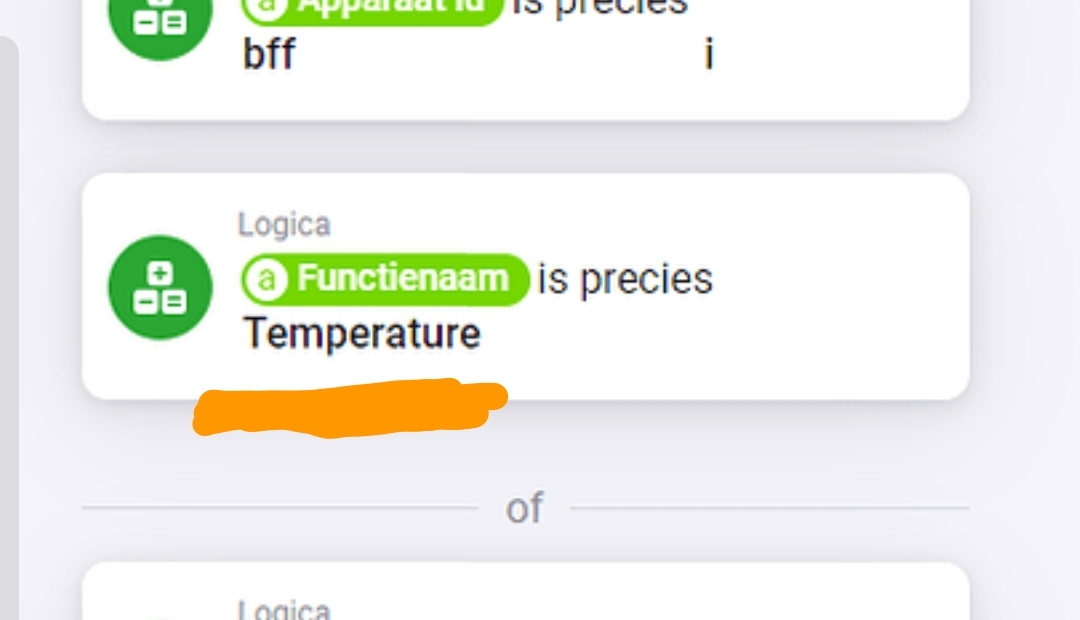
Yeah, read post #1, then you’ll know.
(spoiler alert: RAW commands)
My apologies, I was sleeping. I’ve managed to get the sensors working. I’ve also got the blinds working. I’ve even managed to set it up so that a double press on the physical button triggers a flow and the blinds come all the way down. I can also control the air conditioners using the Tuya IR device through “execute scene.” I just need to figure out how to transfer the IR device from Tuya to Homey. So that I can fully control the air conditioner in Homey. The strange thing is that my IR device in Tuya has created an air conditioner, but I can’t find it in the Homey app.
1 Like
Thanks for that… Got it working now.
You’ll have to create a tap-to-run scene for every individual button of the IR device, and then control it by an advanced virtual device combined with flows.
I did not receive any RAW commands messages while pushing IR device buttons in the Tuya phone app. So, this is one of the exceptions, and can’t be used with RAW.
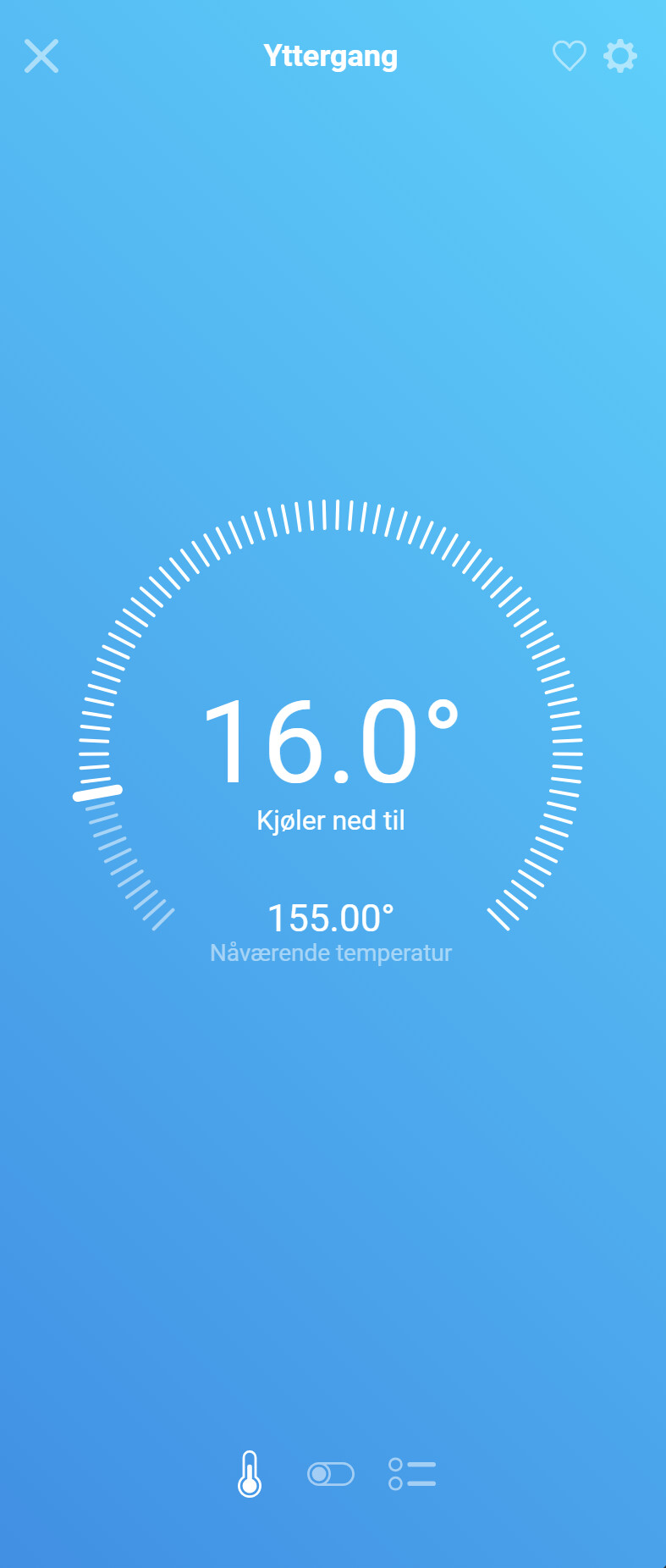
The temperature is displayed incorrectly in Homey. When the measured temperature in the thermostat is 15.5 degrees, homey shows that the temperature is 155.00 degrees
Experimenting with this great App a while. Having mainly Tuya devices which are not standard integrated in the App, I managed to send some simple commands (like ON/OFF) to Tuya ioT devices.
For some reason I cannot find out why I don’t receive any status changes from Tuya Cloud on Homey. Although I created multiple flows which are triggered on receiving a text/num/boolean change from any device from Tuya Cloud and then sent a push message.
What could be the fix to receive statussen as well in Homey from Tuya Cloud?
Hi Tirrazo
Did you find a solution on the power values update? I have the sam issue. Must restart the app to get the lates readings.
Regards Bård
Use HomeAssistant 
