I have added Tuya Cloud to Homey and linked the Smart Life app to Tuya Cloud. However, I can’t find any of my devices in Homey when trying to add a new device. I have Tuya Wi-Fi devices that are not listed in Tuya Cloud in Homey. Will this not work?
Question: Does anyone else have a limit of 10 controllable devices due to the 10 device limit of “Iot Core”? All my other devices are just “read”, so I can’t change the status (turn on or off). Also: does anyone have a solution for this?
I tried the Tuya cloud app to find devices on my network. I followed the instructions to create a Tuya project in the Tuya cloud and my heater devices are added to the project.
Once I try to register the Homey Tuya cloud app in the project it returns an error message 1106 ‘permission deny’. Is there a better soulution?
No, not at the moment.
When you follow instructions exactly, you won’t get a 1106 error.
Possible fixes for error 1106:
Also,
- Did you enter the country telephone code in the correct format, as shown below?
- Did you select the corresponding Mobile app?
- Did you enter the correct username (= emailaddress) and password, the ones you use with the phone app (TuyaSmart/SmartLife) ?
Some solved the errors by changing that particular password…
Thanks for the support. I succeeded to make the connection.
Hello,
I was on Eedomus (already with Tuya Cloud system) and now on Homey since 1 week.
I can’t link my device with Tuya Cloud…
Each time I try to link a new device (Heater, Thermostat…), i have the answer “Please configure the app first”. But the app is already configurated.
I check the “type of device” on Tuya Platform and it’s a heater.
Do you have any idea of what can be wrong?

Thank you
Hello David, welcome.
A few posts back I posted this info (You can read “configure app first” for “error 1106”.)
Somewhere down the line you forgot to follow some instructions correctly.
For a howto in Dutch, here’s a link:
Hi Peter,
I really don’t understand what I didn’t do previously but it works so thank you!
My tuya wifi curtain stopped working a couple of days ago, i have reinstalled and configured my app, checked the tuya dev platform and everything looks like it should but it wont work. Anyone else experiencing similar problems?
No, not that I noticed. Can you still control the curtains through the Tuya app?
And additionally: any error msgs?
Operating the curtains per web app shows more detailed error descriptions, if any.
Just installed one of my curtain motors as a test, it works fine.
Oh getting crazy about Tuya…
It worked well, but expired. Wasn’t able to extend: created a new account with a new project.
But this time I don’t manage to get it working.
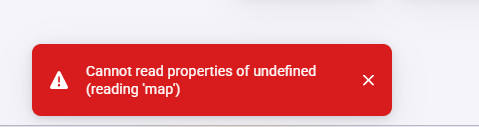
The app on my phone is working. All scenes do work when I tap them.
In de Tuya IoT I see all my devices, so the connection with my app is working.

Also the Homey Tuya Cloud app is filled in right I think:

Also “bought” the Smart Home basic service
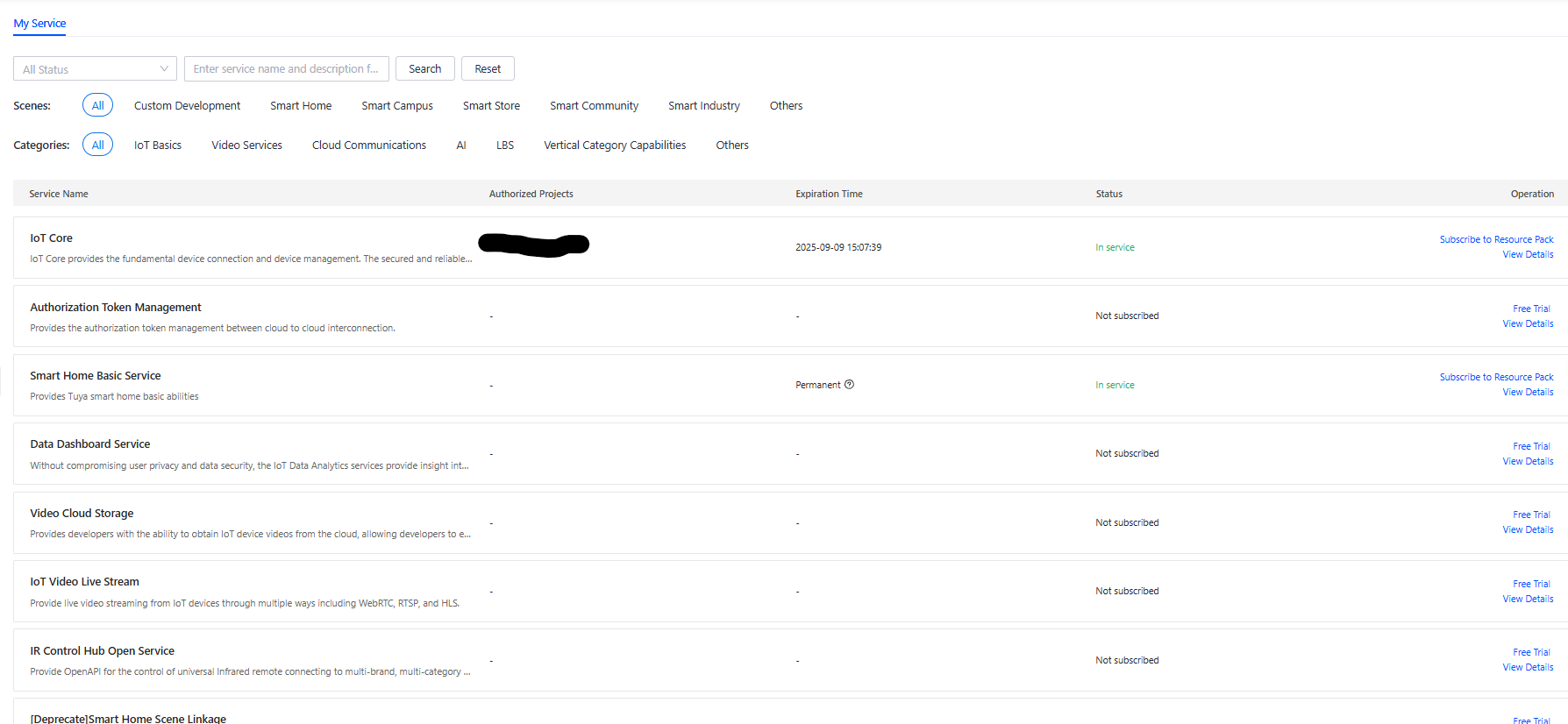
When I started at Tuya I didn’t subcribe all services. Did I made a mistake then?
Is there something else I did wrong?
This is not a misconfigure error, but a device error of some kind?
-
Can you execute any scene from Homey?
If so, the Tuya Cloud app works fine. -
Did you link the app account?
-
Do you use phone app SmartLife or TuyaSmart?
This should reflect here:


- Why not? If it was in an extendable state: just extend, enter the details, wait for a confirmation and that’s it.
Did you ditch the previous project, or is it still available?
Extending is the easiest way out of here imho.
- When I execute an existing flow which starts a Tuya scene, nothing happens, neither do I get an error.
- Yes, I linked the app with the QR-code and all my devices show up on Tuya IoT website.
- I use the TuyaSmart app on my phone.
- As far as I remember I got a message that I had to pay. Perhaps because I marked it as business?

As this is topic is in English: Pls translate your screenshots (piece of cake with Google Lens app), or add the translated text of the screenshot to your post, thx.
No clue, but you should select the 6 months trial period. Don’t select a paid option, it’s very expensive.
Did you select the right datacenter? For NL: Central Europe.
Selecting Western Europe seems the logic choice for Dutchies, but it is the wrong one according to Tuya.
Follow instuctions to the letter pls.
I managed to get it working again and I think I know what went wrong.
In the video (thanks @Peter_Kawa) I saw that I somehow missed 3 services which are probably essential.

As I wasn’t able to add them so I would have to make a new project. I decided to look at the renewal first.
I got an email with an expiration notice and I followed the link. Two services appeared, I clicked the second which lead to a payed renewal of 1 month and I quited. Today I looked at the other line and that one could be extend for 6 months.
My old project was stil there. After I connected to this project with the Tuya Smart app and updated the id and pw in Homey, all flows worked again.
So my problem is solved
I’m glad it now works, JaapJan.
When you have any improvement on the manual, please share your thoughts.
The needed services are quite clearly described imho:
New version 1.1.25 published to test. Martijn De bont added by PR Temperature and Humidity Sensor & RGB Light type
