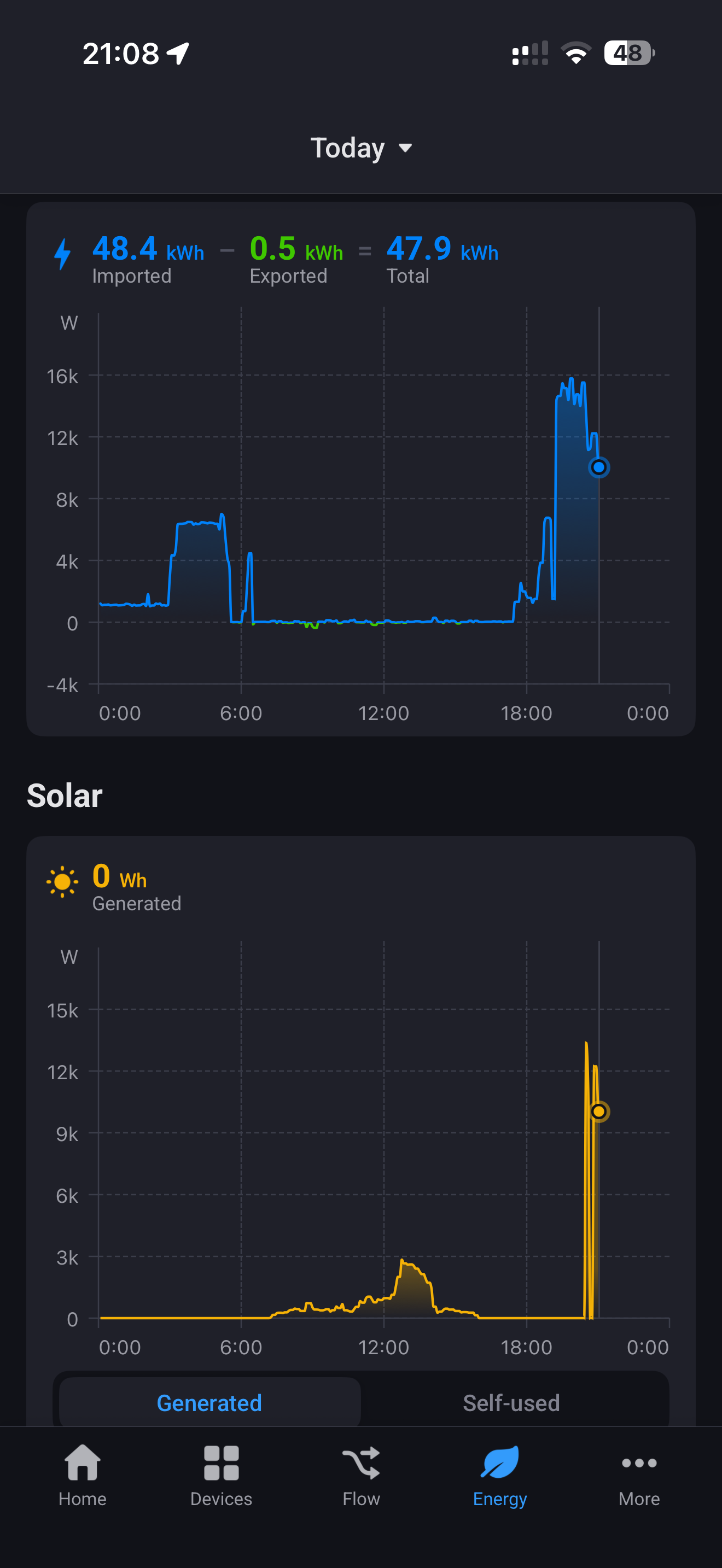
Evening @RonnyW i’ve enabled the energy integration awhile ago but it turned it off as I had been previously using a Home Assistant for my solar and house meter. Today I switched those off and reenable Tesla energy integration ( disabled exclude from energy) but I’m seeing a weird impact to the solar graph. As you can see from the image solar is showing at 9 o’clock in the evening, and seems to be tracking the site energy, but if I open the historical in the Tesla Solar card it shows correct information.
Just want to check if I’m doing something stupid or completely missing something.
The solar chart in HomeyEnergy is showing your production from 12 to 14:00. In the eveneing, another device seems to report energy. The chart is showing measure_energy value of devices with class ‘solarpanel’. Do you have other dehices with this class (virtual devices, HA imported devices etc.) that have energy data with that amount?
Completely deleted the existing solar and meter from HA.
Deleted and reinstalled the Tesla energy devices.
Reset the energy dashboard, deleted all data.
After a little wait for the data to start showing, I’m getting the same thing. Removed power meter (Energy site) and left solar, still showing. Removed solar and all not showing. Finally added site energy only back, get the issue. Will leave overnight / tomorrow and see what happens.
Can you please first check if the solar panels are the only solar device? Homey Developer Tools
Search for “solarpanel” and check devices with this atribute:
Do you see a corresponding value for the ~1kW up to 1,4kW?
Is there a value similar in Tesla mobile app?
I wil check the app later to see if a solar capability is somehow filled wrong.
You already registered a client_id for your Homey. If you try tonise a second client_id for a second car…that’s not working. You have to use use first used client_id for the second car, too.
It’s a technical restriction caused by the car key assignment where the public Homey URL is registered to the client_id.
If you have a second Homey. you could use a second client_id.
The car is idependent from your app definition (the client ID in Tesla developer account).
I think you already reloved the car device from Homey.
To add a new car, use your already existing client_id. The client_id is ‘your’ Tesla developer account app for your subscription (or the 10€ free usage).
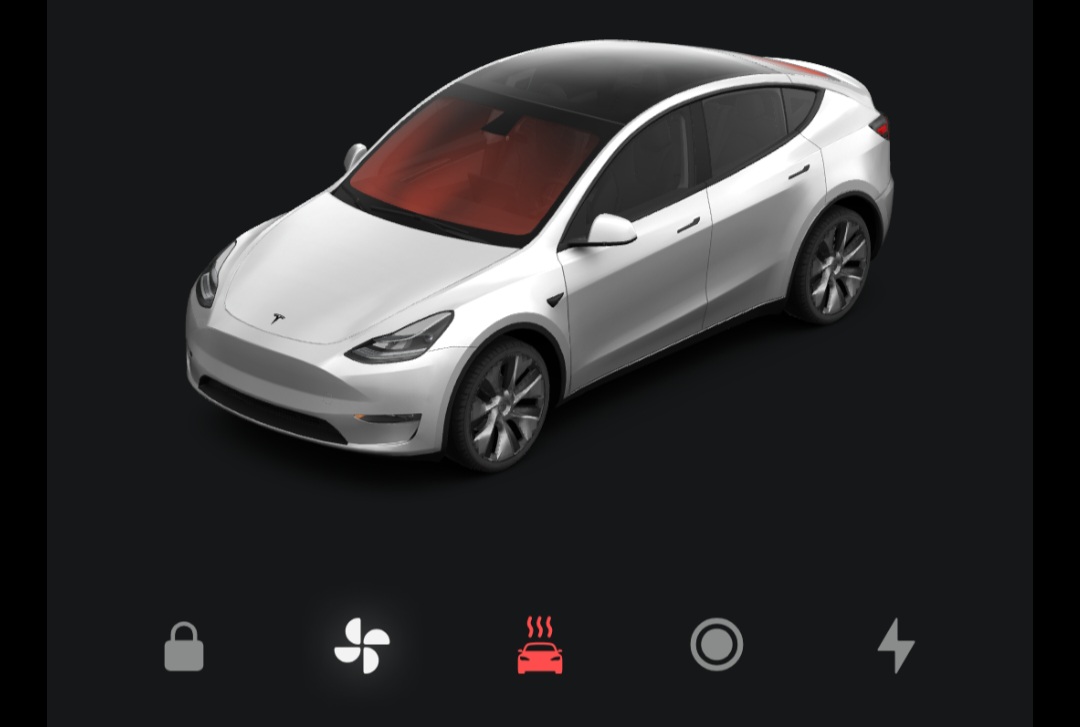
Is there a max defrost function in the Homey app? Using the defrost function, the car only defrosts at medium fan mode/heat. If I use the native Tesla app, the button «Avis Bil» (Norwegian) sets max defrost, which is much more efficient than the defrost from the Homey app.
This flow was intended to remove ice from the car, but no chance. Easier to manually open the Tesla app and press «Avis Bil».
Setting the temperature at max (28°C) fixed it, then it says max defrost and the fans are working full mode.
So a defrost flow will continue defrosting «forever», and I would need another flow to disable defrost and climate after a certain amount of time? My plan is to set a daily timer, if the temperature is below a certain number and it’s a week day, then run flow. Some days I won’t leave at «15 minutes after running flow», so it would be stupid to let this go on forever.
I dod not set the temperature via flow. I only activated defrost via flow. Then all is done by the car
The command is doing the same like the defrost button in Tesla app. So defrost should go on to keep temperature if temperature is reached (I think). But did not try yet. It could also be that defrost is heating longer to get away ice and snow.
It seems that setting a temperature card didn’t do any good. Defrost alone sets the temp at max, which also makes the fans go full speed. Setting the temperature below max «cancels» the (full) defrost, so to say.
Good afternoon, is it possible to turn off the beep that warns you when you’re speeding via Homey? For example, as soon as you put the car in drive, that it disables the beep using a flow?