@RonnyW Hey again. So I see why the doors are not opening. I’m getting the error code: BLEServer: Failed to find advertisement with ID: S1e7e3f9027a2644bC
Funny cause it worked before
@RonnyW Hey again. So I see why the doors are not opening. I’m getting the error code: BLEServer: Failed to find advertisement with ID: S1e7e3f9027a2644bC
Funny cause it worked before
That’ the not so funny BLE in HomeyPro. It works for some hours after a Homey restart and stops working. The Bridge is more reliable but not without similar issues.
Yes, that’s why I am going to put my Homey back to its original place. It seems that distance to cover for BLE is not the issue.
Any luck in reaching out to Athom on this matter? Would it help if others would do the same?
Probably yeah
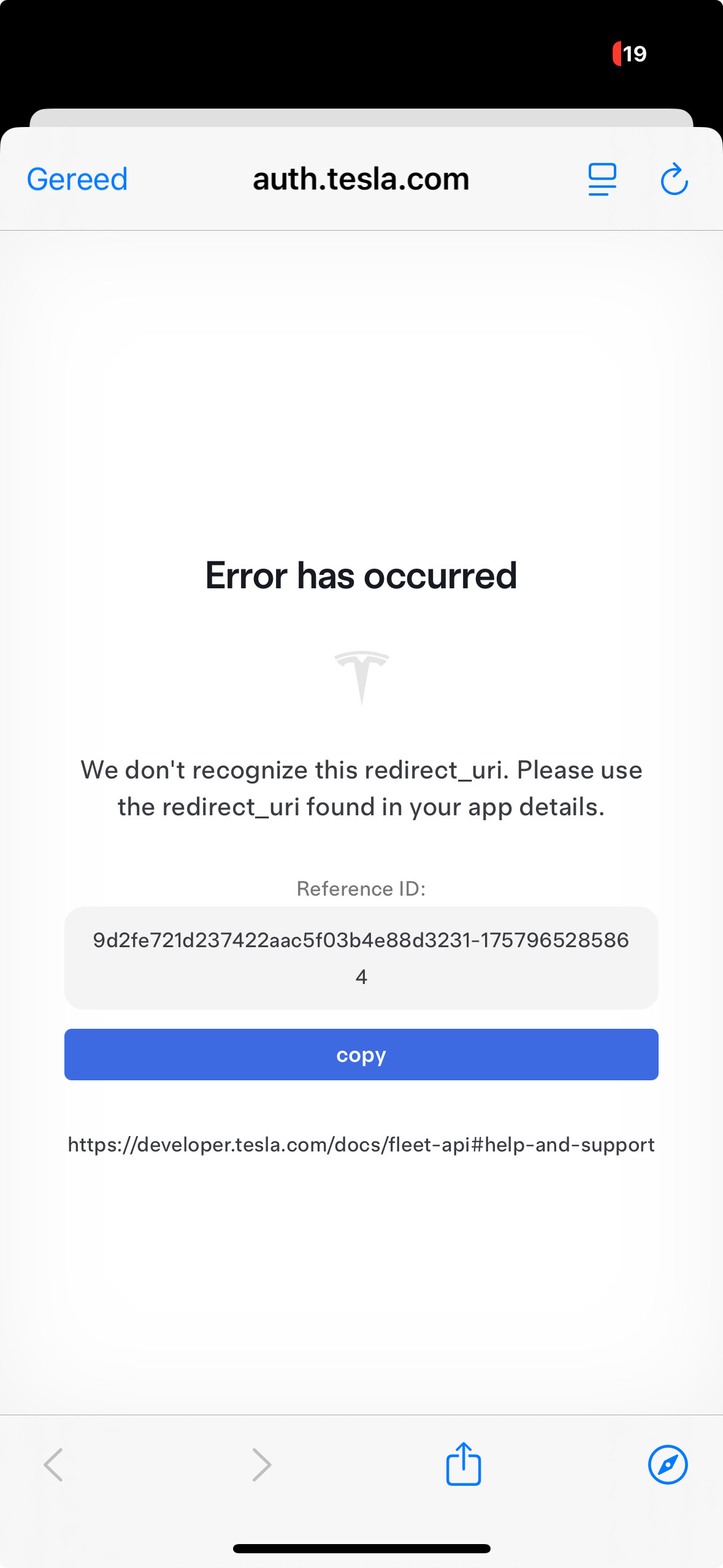
A main cause is a copy/paste issue of client_id and/or client_secret. Please try to copy/paste the IDs again from your Tesla account into Pair screen.
Hey Ronny that was a simple solution! Thanks
Hello Ronny,
I just tested the geofencing function and… it didn’t work…?!
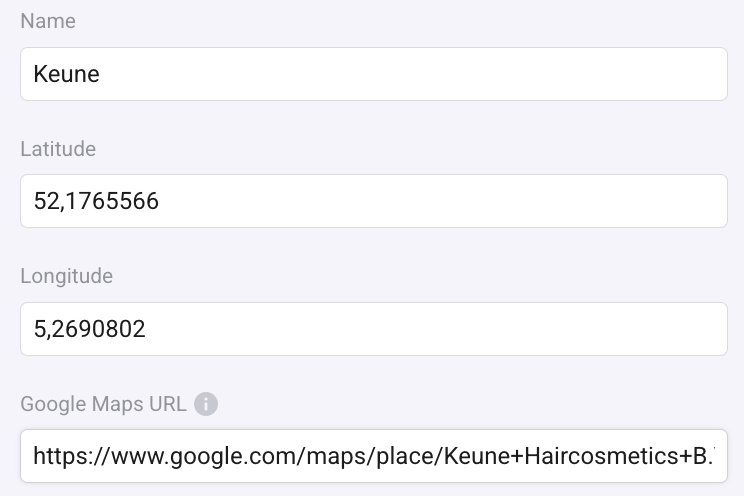
First I added a location nearby in the Tesla location ‘device’:
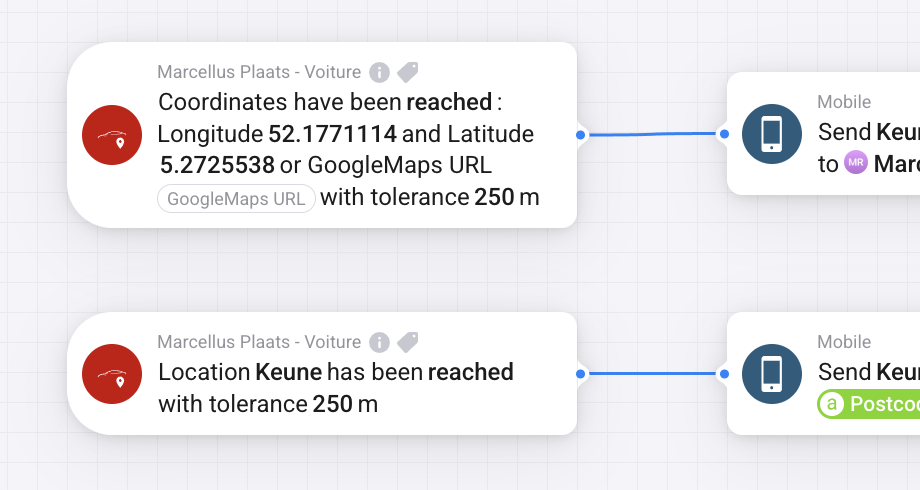
After this I created a simple flow:
And to test I drove to the location (and waited a couple of minutes as well). Nothing happened. I also tested other locations and both with my car and my wife’s car (of course, in case added a location to her Tesla ‘device’ in Homey). Result is same: no notification.
By the way: it works when I use the Homey Home location.
What can be wrong?
Marcel.
What poll interval is set? Did you just drive around? Perhaps the location was not updated after leaving the location.
You can check the location in location device details. To update, you can also tap the “refresh” button in car device details. Just to be sure the car data is refreshed.
And FleetAPI is activated, not only BLE-only?
I also tested on my wife’s car reaching/leaving her work location. She stays there for hours every day. But still, after two weeks, no notification…
Polling rate can’t explain (her Tesla is set on 12 minutes when offline, 5 when online, so ‘hours’ on the work location should be sufficient anyway). We only use FleetAPI (BLE doesn’t work properly unfortunately, so that’s deactivated).
Any other suggestions/explanations?
(by the way: the location of both Tesla’s is updated, I see correct location when opening the location device).
I found a difference in your settings. You are using a comma instead of a point in your coordinates.
There are two possible ways ro set the location:
I just noticed that the URL from GoogleMaps mobile app (share location) is different and not working.
Please exchange the comma with a point and try if that is working 
The strange thing is: I used dots. But it’s automatically replaced by a comma when saved (on a Mac, using Chrome). No matter if I enter coordinates or url, after saving and re-opening the dots are replaced by commas. However, when I open on my phone the coordinates are displayed with dots (so, it’s saved the proper way?).
I also tried in two different ways:
I drove to the location and waited a while: after about a minute (expected due to polling frequency) I got the notification using the ‘location’ card (second), but didn’t get for the card with coordinates (exactly same coordinates used). I had expect two notifications.
Quite strange… Do you have an explanation?
By the way, I used url form Google Maps browser version, so that should be fine(?)
Best, Marcel
When using a Google Maps URL in settings, the coordinates are updated on save. If you reopen settings and coordinates are set, then all is fine.
About first flow card: The card has fields für longitude/latitude. As I see now, they should be shown in opposite order to fit the standard way or writing coordinates. Just exchange the content of both fields for now.
And location trigger (device settings) is working now?
New test version 3.2.2:
“Coordinates reached” flow car has now latidute/longitude fields in correct order.
There is a difference between shared GoogleMaps URLs for a POI or for a selected place. URLs for POIs did not work yet. Both are working now.
What does this mean?
As of late I let Tibber control the charging of the car, but would be interested in maximizing the solar panel usage again.
Previously, the car state was online/offline/asleep.
Because of BLE usage and connection issues, the state switched between offline/asleep if car is asleep dependent on connection type (BLE no connect = offline; BLE connect = asleep; API = offline or asleep).
Now only offline/online is used to reduce state changes and easier flow handling.
It has no other effect than the car state capability value.
Hi all,
Today I got a Tesla Fleet API Limit Exceeded Alert. I was surprised, as according to the Homey app I had used $ 7,25, not $ 10 Tesla claimed. So, I tried to figure out what caused the difference and, more important, how to reduce the use of the API. I couldn’t find why Tesla calculation differs from ‘Homey’: maybe it’s because the Tesla data is not updated real time to Homey?
I was able to optimise a lot of flows used (incl. removing the nice to have / fun flows, probably consuming a lot of data).
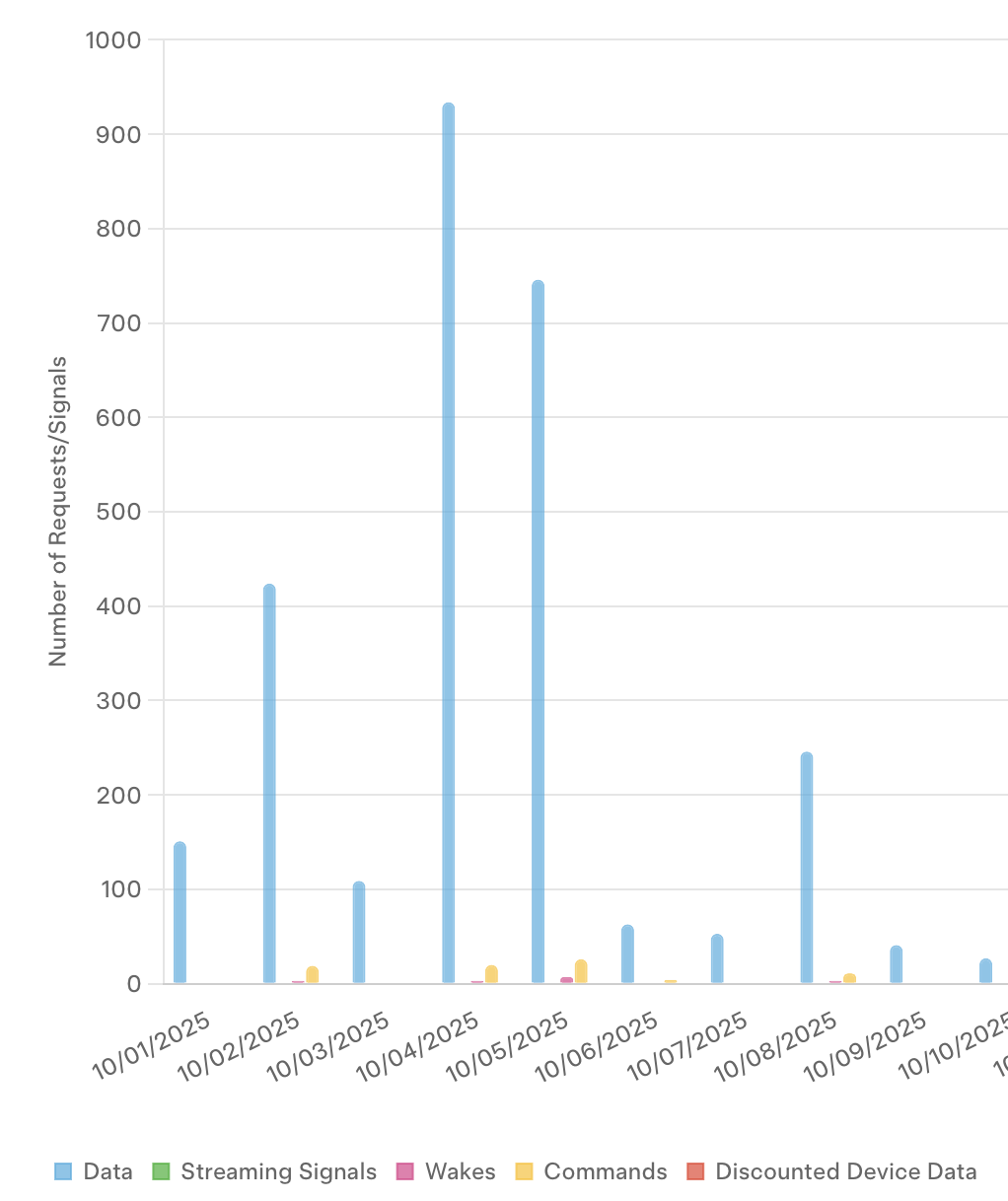
Remaining:
I see Data. Streaming Signals, Wakes, Commands, Discounted Device data.
In general: how are different flow-actions charged by Tesla?
Please check the car device settings if the amount of calls is correct. Im first version, the values were wrong (swapped).
The answers:
Hi Ronny! Nice app. 
I have a Tesla Model S 2019. As I understand it, the end-to-end encrypted communication used to send commands to the car is only available for Model S after 2021. Does this mean that I am not able to send commands to my Tesla Model S 2019 using your app?
Or am I just able to “read” data from the car, but not send commands?
This is all a bit unclear to me, so I appreciate all help.
Best,
Even
Hi,
I’m not 100% sure if older cars still don’t use the signed commands.
You can try which version is working for you. You can change the API in car device settings.
Try REST API to send simple http requests to your car. If this is working, then your car still supports unsigned commands.
It this is not working, switch to Command API. Then sync the car key in repair view of car device and try to send commands then.