I probably not use this as intended because my credits is ended already about the 10th every month.
I have a suggestion, is it possible as an option to implement to use the Teslamate API as a datasource instead?
Then you are using a too short interval.
Every data reading is summed for your app id and if your car is awake a long time (charging, sentry), all the wake time the data readings are done.
Just increase the interval to 5min or more. Or use the flow action for car device to set it dynamically. There are some example flows doing this.
My example: I increase the interval to 10min if the charging cable is connected and the type is IEC. If disconnected, the interval is set back to 1min. This prevents unneeded calls during PV charging. But you can use a personal logic that fits your needs.
No, I won’t mix up different brands in one app.
Hi ! Thanks for all the work done !
I just have one problem. When I connect the charging cable on my car, the card “Charging state is” with the state “connected” never return “true”.
I try to use the card “Refresh car data” to refresh the charging state to connected but it doesn’t work.
Do you have an idea ? Thanks !
What state is shown in device details (sensor view). The condition card is checking the capability value.
The condition card returns true for state “Connected” if the capability value is not “Disconnected”.
Many thanks for your work!
I’m having problems reconnecting to my MX 2018
If someone could help me out, I can’t find a how to for the old API I still need to use
Thanks again
What issue do you have in detail? The connection itself (data reading) is equal for all cars. It’s using Fleet-API with individual Tesla developer account (and app registration).
The different API affects only commands. I don’t know if the “old” cars (X/S) still don’t support signed commands or if they got updated already. If the car doesn’t support signed commands, you can chose “REST API” in car device settings.

Thanks for your reply
Have not used the app in a while, was working great
Now the connection seems lost and I dont know how to repair (using rest API)
None of the Tesla devices are working anymore
Its not clear to me if the rest api should still be used for older vehicles?
74a6e55d-3961-4cb8-bed7-efb4f1b1ede4
Error when trying to switch on Tesla audio as an example:
400 Bad Request: {
“error”: “invalid_request”,
“error_description”: “The ‘client_id’ parameter is missing. Include client_id in the request.”,
“referenceID”: “1480b6e8-2fa6-4fdc-a8e4-f9c147be78f7-1743673370831. For more information, visit: https://developer.tesla.com/docs/fleet-api#help-and-support”
}
Which would lead me to think its not trying to use the rest api?
I do have rest API selected thinking I have to with my 2018 car
Do I need to use the other newer connection type?
Please let me know if you need any other Info
Cheers
Please read the 1st post of this thread. Tesla changed the API pricing. You need a developer account and a app id. You will find a manual in the blog post linked in 1st post.


New test version 3.0.0
This is big step forward…adding Bluetooth (BLE) support for local car access 
In addition it also includes the update HomeyEnergy to show the car state.
How it works:
The app offers the possibility to connect to your car.
In device settings you can choose, if BLE should be used of not (or only).
If active, the app first tries to connect via BLE. If that is not possible (car is not at home), then the FleetAPI is used.
This can reduce the API costs for all charging at home.
What is needed:
- Your Homey must reach your car via BLE. You can check in developer tools if you can find a device starting with “S” and ending with “C”.
- The app must be added a car key (in addition to your FleetAPI key) in repair view.
Details will be added to the Blog soon. For now it’s just to try for the beta users.
Just report issues or ask if you have questions…
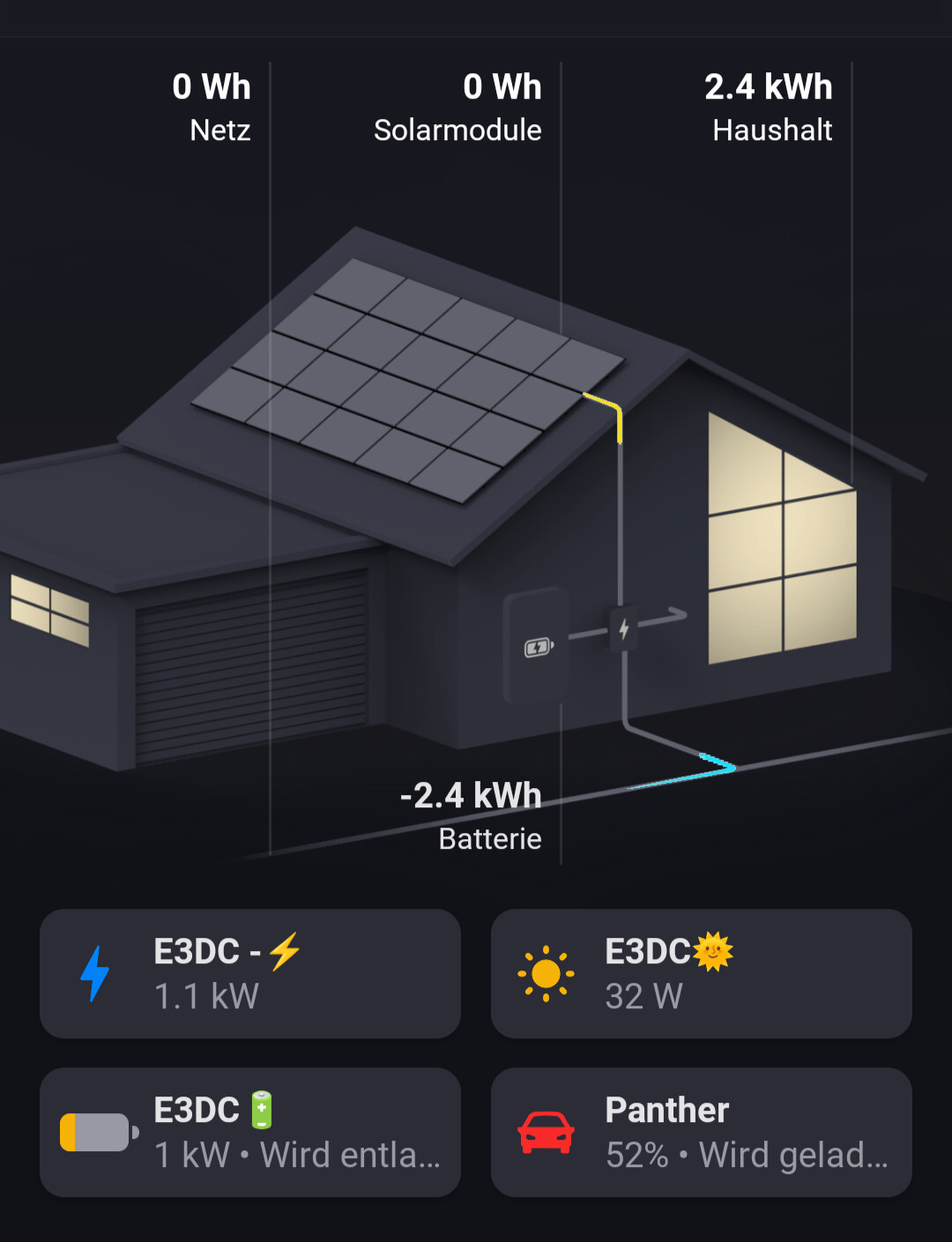
Is there any way to check how the command was sent?
The garage is controlled by the EV charger.
The car only appears as a button with SoC and charging state.
The ev charger is a house installation and is shown idependently of a connected car. You could charge another car, too.
You can see the statics of sent commands and errors in device settings and insights.
BLE errors also include connect errors (e.g. if the car is not at home), so this can get a high amount.
If API readings are raising slower while the car is at home and BLE commands are raising, then it’s good.


The advertisement error means: the device is not found to connect (discovering all BLE devices in range).
Timeout means: Homey got no response on a BLE request (streaming car data). Perhaps your car is close to BLE range or something else disrupts the connection.
Thanks for your reply
I was under the impression that the new Fleet API was not to be used for older cars like mine
It seems there are 2 API’s,
one for sending commands (I still need to use the rest API)
and the tesla fleet API (should be used by everyone)
All sorted now
Sorry for the misunderstanding and thanks again for your help and great app!
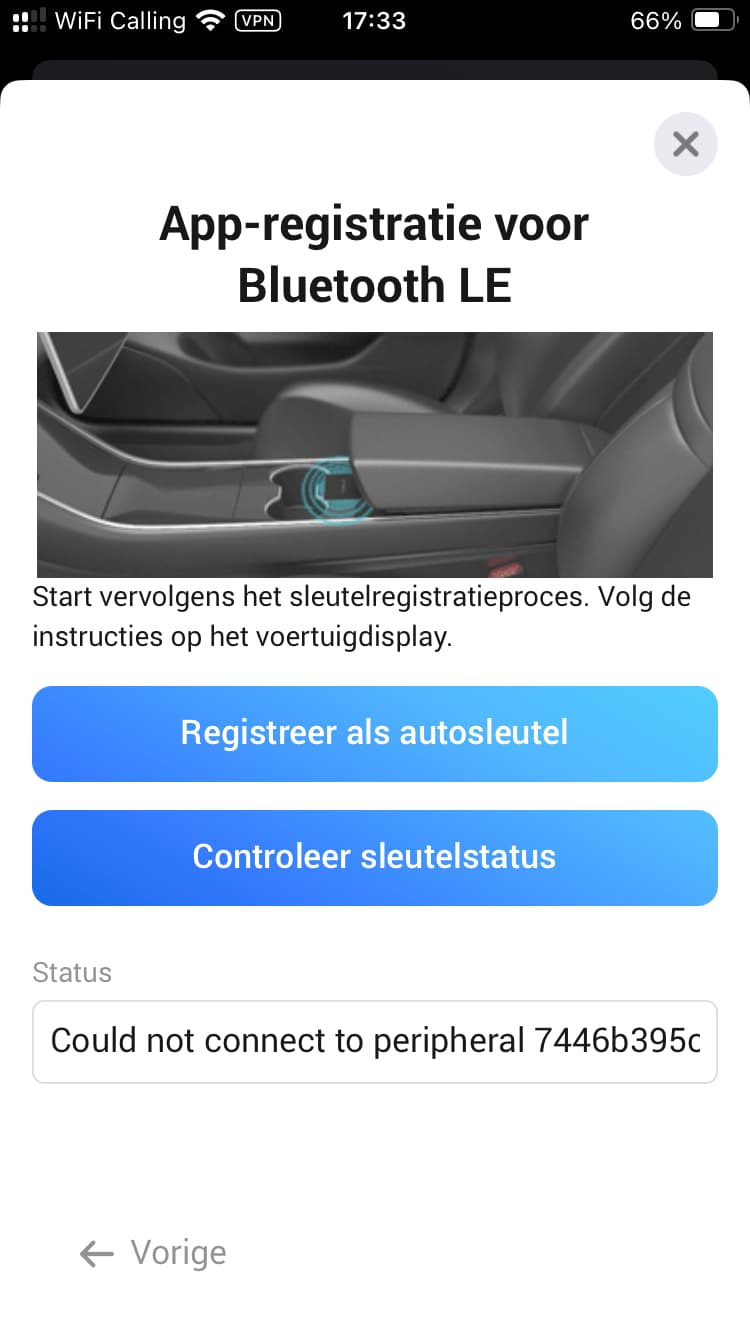
It seems the device is found via discovery but Homey could not connect.
The car can handle only 3 parallel BLE connections. Some connected phones can be a reason.
But it’s hard to say. BLE is a bitch.
Sharing my experience with adding the BLE key:
I don’t know if it was a coincidence or the solution, but after many attempts resulting in this error that I mentioned before or the errors that copiis also obtained, I decided to restart my homey. After restart and new attempt to connect the BLE, I got the popup window on my Tesla screen asking to add the new key.
After hitting the ok button on the Tesla screen, I however got a timeout message in the app indicating that the response was not received. I tried that several times, every time the popup window, but resulting in a timeout response.
Then I tried the “controleer sleutelstatus” (check car key status) button, and surprisingly that gave me the response that the key is whitelisted. I suppose this means that adding the key was successful despite the timeout warnings?
