First of all it’s not clear to me how/why but the various sensors are updated at different intervals for the car. E.g. inside temp 17min ago, outdoor 4 hours ago, GPS 14 hours ago.
Advanced settings I’ve left as default (e.g. 60 data fetch interval, GPS accuracy 250m) until I understand how they work clearly.
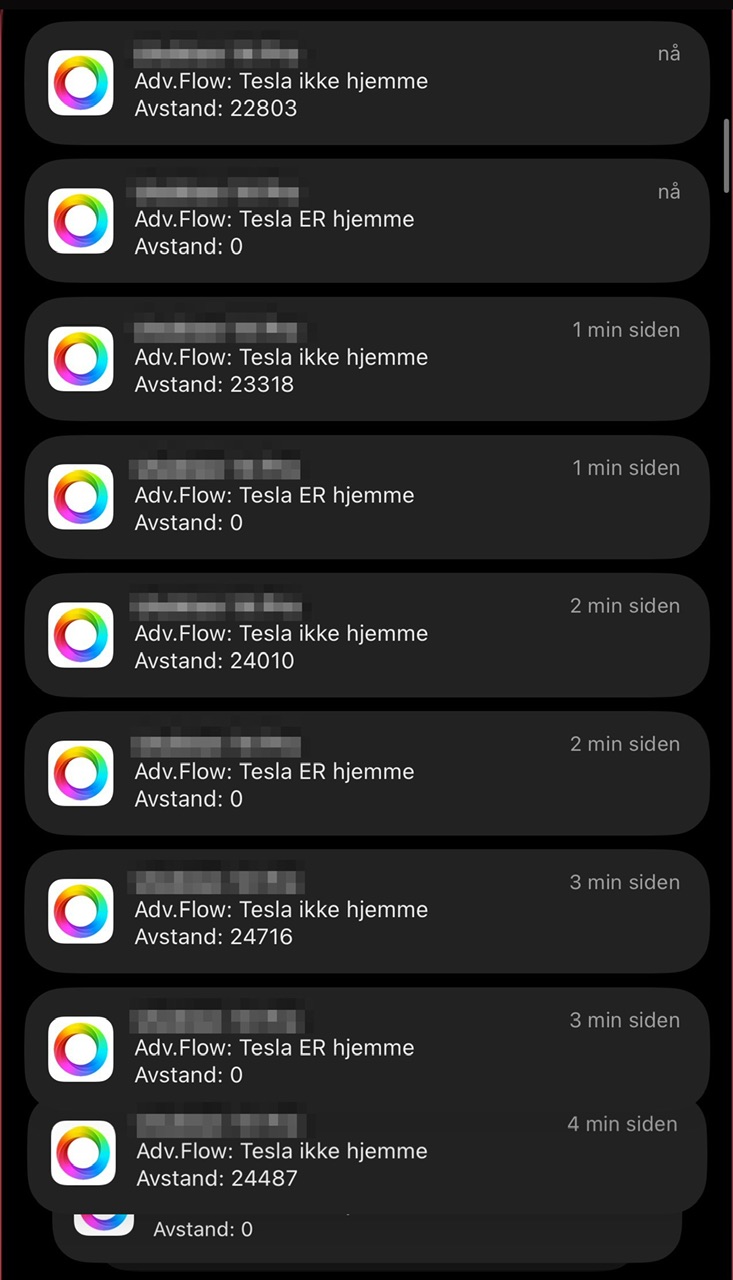
I tried creating a simple testflow that when vehicle has left home (with distance_from_home is greater than 250 send me a push notification with the distance.
As I experiemented with setting a lower data fetch rate (1min) I got the textmessage closer to 250m, as compared to when it was an hour and I’d driven a bit far away.
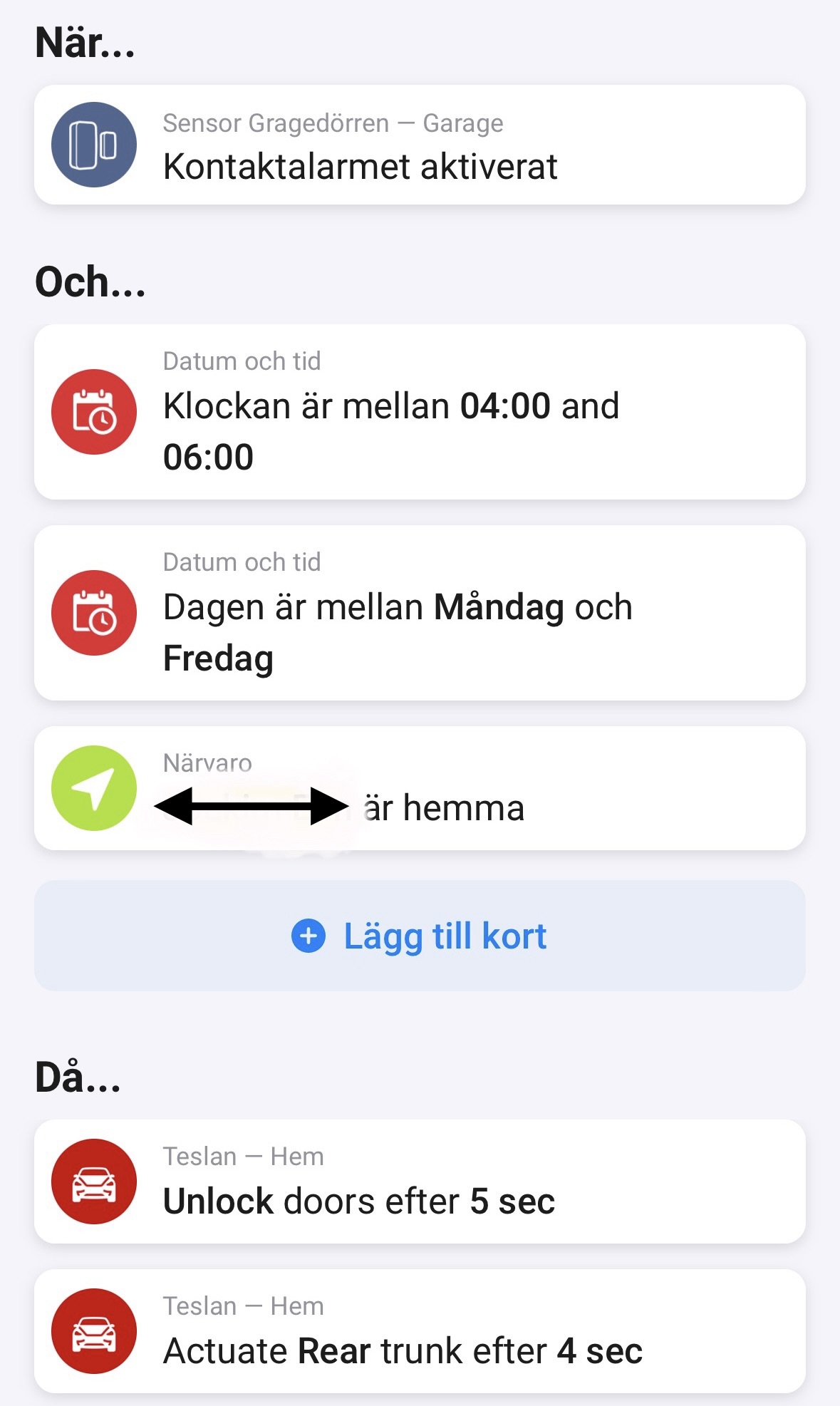
Since my goal was to have garage door automatically open/close when I leave/get home with the car I guess closing 1min after I’ve driven from home could work, but sitting home and waiting up to a minute after crossing 250m from home does not spark joy.
Ideally I’d like to pull location more often when driving (and/or trigger to check if me or why arrive home with our phones/apps - which seems to work fairly quickly with the geo-fencing).
I also tried a few examples yesterday with setting up the advertised verison “remind me if I should plug in the car”.
By using: “If Battery becomes less than 60%” and “Time is later than X” and tesla is not plugged in send me a message that I should plug it in". I set the time to 1 minute in the future and waited but no luck (I assume if I’d waited an hour or adjusted the data rate it would work better, but will test tonight possibly).
We have two M3, one is recently updated to 2023.38.4 the other one is still on 2023.32.9. We have lost the position of the updated one on Homey. Tesla app and Tibber still gets the correct position of both of the cars. I assume we will lose the positioning of the other as well if we update the software in it.
Had the same issue. Turned out this was Sentry Mode, not any app.
I now have this app running with status checks, and the official Tesla app plus one more on the phone.
My car sleeps for hours as long as Sentry Mode is off.
Has anyone made a flow that can help with making sure that I don’t go above the kWh limit i’m trying to stay below?
Any tips on how to get startet with such a flow?
@balmli
Looks like the new Homey Pro 2023 is too fast…
I have had to add a 1sec delay in several of my flows doing calculations as the next flow cards starts up before the calculations finishes.
This might be what is happening with the locations not being calculated right?
I have.
I use Tibber Pulse and check the total power I’m using.
If it exceeds my settings I calculate how many Amp I am over and subtract this from the Tesla charging Amps.
Then if the total power drops below a set point I calculate how many Amps I can adjust up but not exceed my max power usage.
My flow is actually way big and takes a lot of things into consideration.
Are you using standard flows? Then all THEN cards are processed parallel.
If using AdvancedFlows, the logic cards return the result as tag and this you can use in the following cards. If placing the flow cards one after another, they are processed sequential.
Exception:
If flow cards get processed parallel nevertheless, the developer uses async tasks without awaiting the result (perhaps it’s not possible to await a result in case of async APIs).
Yes, this is only a ‘problem’ in the standard flows.
My advanced flows wait for each card to finish unless I purposely set them to execute in parallel.
Awsome! Thanks… hurts my head a little just to look at this, but I have to try to duplicate this I need ChatGPT integration to be able to describe what I need, and have it made automatically for me
Hi. Great app. Is it possible to change the times for charging days and times in the settings (like in the tibber power up). I´m not using the car for daily work, but for sparetime acitivies. I would like the possibility to set times for each day and the tesla to charge at the lowest hours the coming days until next activity. Like this.
Time for departure:
Monday 18:00
Tuesday none
Wednesday none
Thursdag 16:00
Friday 14:00
Saturday none
Sunday none
Same issue here. I see this today for the first time. Last night my M3 updated to 2023.38.6. The issue might well be connected to the Tesla software version as @MrNickNoldus suggests. Hopefully @balmli can solve this. Thanks for all the work invested in this app anyways!
Edit: I do have 3 Homey environments (1x 2019, 2x 2023) and all of them show this Unknown value for location as of today after the Tesla software update last night.
Edit2: Some more info: It seems that the latitude/longitude capabilities of the car have the correctly updated values. It is just the textual location capability that reports an “Unknown, Unknown” value. And moreover the saved geofence locations don’t work anymore. They don’t get triggered (Tesla entered location When-card) and checking if the car is in a saved location (Tesla is at location And-card) reports false although lat/lng is within set radius of the saved location. I hope this info helps @balmli to find and fix the problem.
Thanks for a great app!
I have a request for a when card to “open door” (not unlock)if it’s possible. Winter is coming and I guess the door handles on MY will be hard to open when it will be snow and ice on them…
Instead of unlock doors, I want the when flow to open selected (in my case left) door (same as the function open door in the Tesla App).


 I need ChatGPT integration to be able to describe what I need, and have it made automatically for me