Stromer | Homey
Hi all,
Excited to share a new app built for Stromer riders who want deeper insight and smarter automation around their speed peddler bike.
What’s inside:
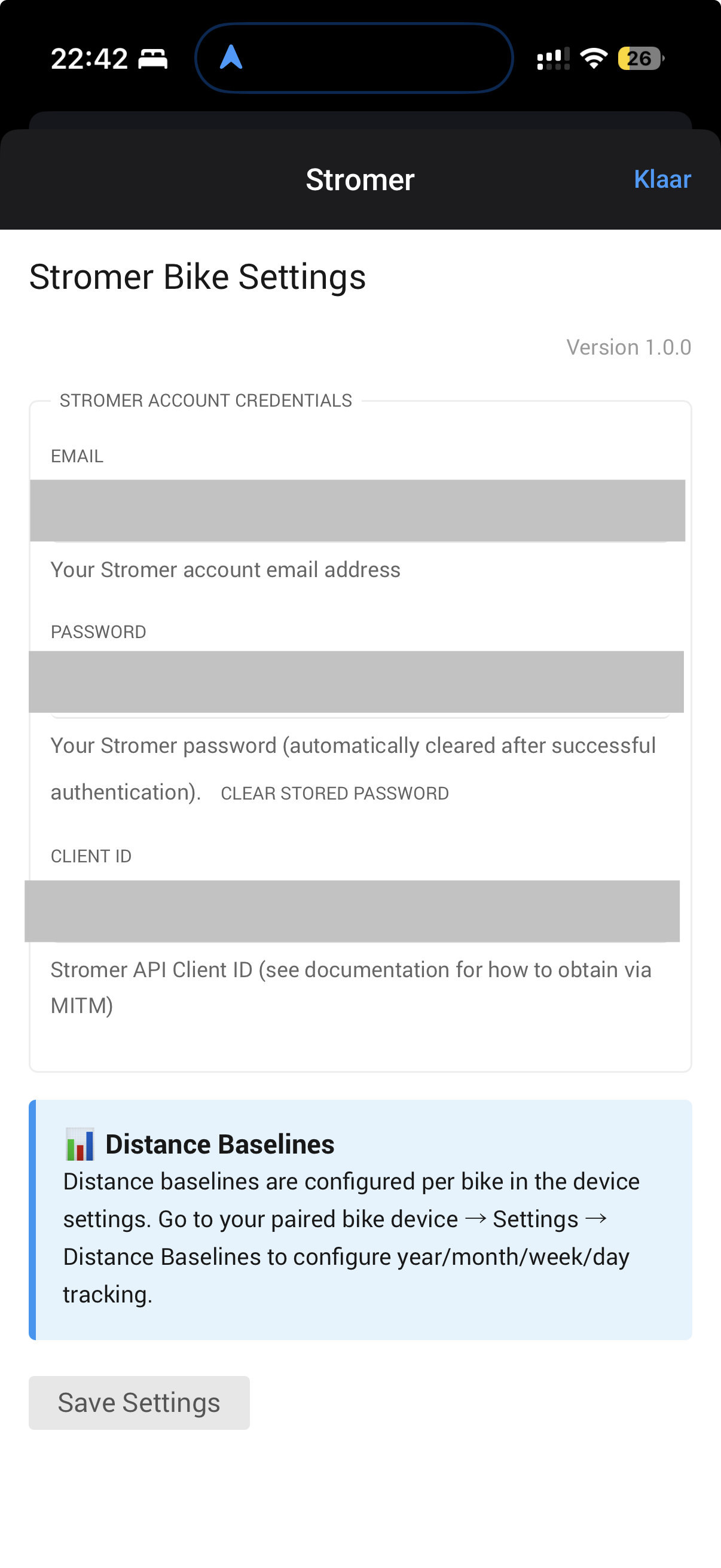
OAuth2 login with full support for both v3 and v4 Stromer APIs Multi-bike support for those with more than one Stromer in their account20+ capabilities including battery, temperature, trip data, GPS location, range and moreAdaptive polling : 10 minutes by default, automatically switching to 30 seconds when the bike is active Flow cards : 6 triggers, 6 conditions, 5 actions for flexible automationHomey Insights : all key data logged over time for trend analysis and performance tracking
This app is built for riders who want real-time awareness, smart rules, and tighter integration between their Stromer and their home ecosystem.
Feedback, feature ideas, and edge-case reports are more than welcome.
Enjoy the ride!
To use this app, you need to retrieve your Stromer API credentials. This requires intercepting the login request from the official Stromer app. Here’s how:
Step 1: Install Charles Proxy
Download Charles Proxy from https://www.charlesproxy.com/
Install and launch Charles
Accept the trial or enter license key
Step 2: Configure SSL Proxying
In Charles, go to Proxy → SSL Proxying Settings
Click “Add” under SSL Proxying
Enter:
Host: api3.stromer-portal.ch
Port: 443
Click OK
Step 3: Install Charles Certificate on iPhone
In Charles, go to Help → SSL Proxying → Install Charles Root Certificate on a Mobile Device
Follow the instructions to configure your iPhone to use Charles proxy
On iPhone, go to Settings → General → About → Certificate Trust Settings
Enable full trust for Charles Proxy certificate
Step 4: Configure iPhone Proxy
On iPhone, go to Settings → Wi-Fi
Tap the (i) icon next to your connected network
Scroll to HTTP Proxy → Configure Proxy → Manual
Enter your Mac’s IP address (shown in Charles)
Port: 8888
Save
Step 5: Intercept Login Request
Open Stromer OMNI app on iPhone
Log out if already logged in
In Charles, clear the session (Ctrl+K / Cmd+K)
Log in with your Stromer credentials
In Charles, find the request to api3.stromer-portal.ch → /mobile/v4/o/token/ or /o/token/
Click on the request → Request tab
Look for the JSON body containing:
{ “grant_type”: “password”, “username”: “your@email.com ”, “password”: “yourpassword”, “client_id”: “YOUR_CLIENT_ID_HERE”, “client_secret”: “YOUR_CLIENT_SECRET_HERE” // Only for v3 API }
Copy the client_id (and client_secret if present)
Step 6: Clean Up
On iPhone, go back to Wi-Fi settings → HTTP Proxy → Off
Remove Charles certificate from iPhone (Settings → General → VPN & Device Management)
Step 1: Install mitmproxy
brew install mitmproxy # Mac # OR pip install mitmproxy # Linux/Mac
Step 2: Start mitmproxy
mitmproxy --listen-port 8080
Step 3: Configure iPhone Proxy
Settings → Wi-Fi → (i) → HTTP Proxy → Manual
Server: Your computer’s IP address
Port: 8080
Step 4: Install Certificate
On iPhone, browse to http://mitm.it
Install the certificate for iOS
Settings → General → About → Certificate Trust Settings → Enable
Step 5: Capture Credentials
Open Stromer app on iPhone
Log in with credentials
In mitmproxy terminal, press / to search
Search for token
Press Enter to view request
Look for client_id and client_secret in request body
Is the Stromer ST2 supported?
yes should, however I used to ride on a ST2, but not able to test this bike since I am a happy ST3 Stromer rider by now… If you would be able to test, then if something happens send me a note… Just updated for another person to version 1.03 Stromer | Homey
I don’t have access to my Stromer at the moment. As soon as I have it back, I’ll give it a try.
@Lamkram I hope I have the right Mark Lamping, thank you for the great compliment:
Blockquote Wout, Prachtig dat je deze app hebt ontwikkeld. Het achterhalen van de klant-ID van de Stromer is voor mij een enorme uitdaging. Heb jij een eenvoudige handleiding hoe ik dat voor elkaar kan krijgen? Hoor het graag van je. Groet Mark”
Unfortunately the MITM attack sucks to be honest, took me also some time to set-up, did not find any other solution (also on HomeAssistant forum and Speed peddelec forum) no better alternatives… This will be a long Christmas …I checked by the way also with my Bike shop If they would have it in their stromer portal and they don’t have it either..
Lamkram
December 23, 2025, 10:12am
10
Wout,
Je hebt de juiste Mark. Jammer dat het niet eenvoudiger kan. Ik heb er helaas geen tijd voor om hier druk mee te zijn. Ik hou het in de gaten en wellicht is er een betere oplossing in de toekomst.
KrAck
December 30, 2025, 5:33pm
11
Hi,
Tried adding my bike and followed the instructions to add my credentials and client id first via the app, but the app won’t let me add my bike
Made following diagnostic report: e0a25cf2-3243-46ed-bb9d-bd983eebdcee
Would you mind send me a DM with some details (can’t find the crash report)
Is this: api3.stromer-portal.ch → /mobile/v4/o/token/ or /o/token/ no longer open in OMNI4.1? - cant find it.
Hi all,
I’m building a small charge time estimator for Stromer batteries and would love input from the community before expanding it further.
Goal: estimate how long a battery needs to reach 80% and 100% based on the current SOC (%) .
Initial assumptions:
Most bikes use the CR246 (246W) charger
Effective charge power ≈ 240 W
Charging is roughly linear up to ~80%
The last 20% is slower (modeled with +18% time)
Current model:
time_to_80 = max(0,(0.8 - SOC/100)) × battery_wh / 240 × 60
time_to_100 = time_to_80 × 1.18
Supported batteries:
BQ618 – 618 Wh
BQ814 – 814 Wh
BQ983 – 983 Wh
BQ1440 – 1440 Wh
Before I expand this further, I’d really value feedback:
1. Real-world data
Charging sessions (SOC start → SOC end + time)
Differences between batteries
2. Variables worth adding
temperature
charger variants
battery age / degradation
taper curve instead of fixed factor
3. UX ideas
what would be the most useful output?
time to 80% , 90% , range added , etc.
If you have charging logs or observations , sharing them would really help improve the app.
mhhhh, I don’t get it. What means “correct client_id” - my email and my password? I’m stuck here. There is no mobile/v4/ or o/token - nothing about token…
Can you elaborate a bit more? What are you doing, what do you encounter, are you in this process?
https://www.charlesproxy.com/
Install and launch Charles
Accept the trial or enter license key
Step 2: Configure SSL Proxying
In Charles, go to Proxy → SSL Proxying Settings
Click “Add” und…
Sorry, I’m a bit tired. I have installed Charles and I’m at Step 5. Point 4: I am logging in my Stromer App and Charles shows me the requests. I think i dont know how to use Charles the correct way.
Hi @Ingo_Boddeling still having the issue?
 New App Release: Stromer Bikes for Homey