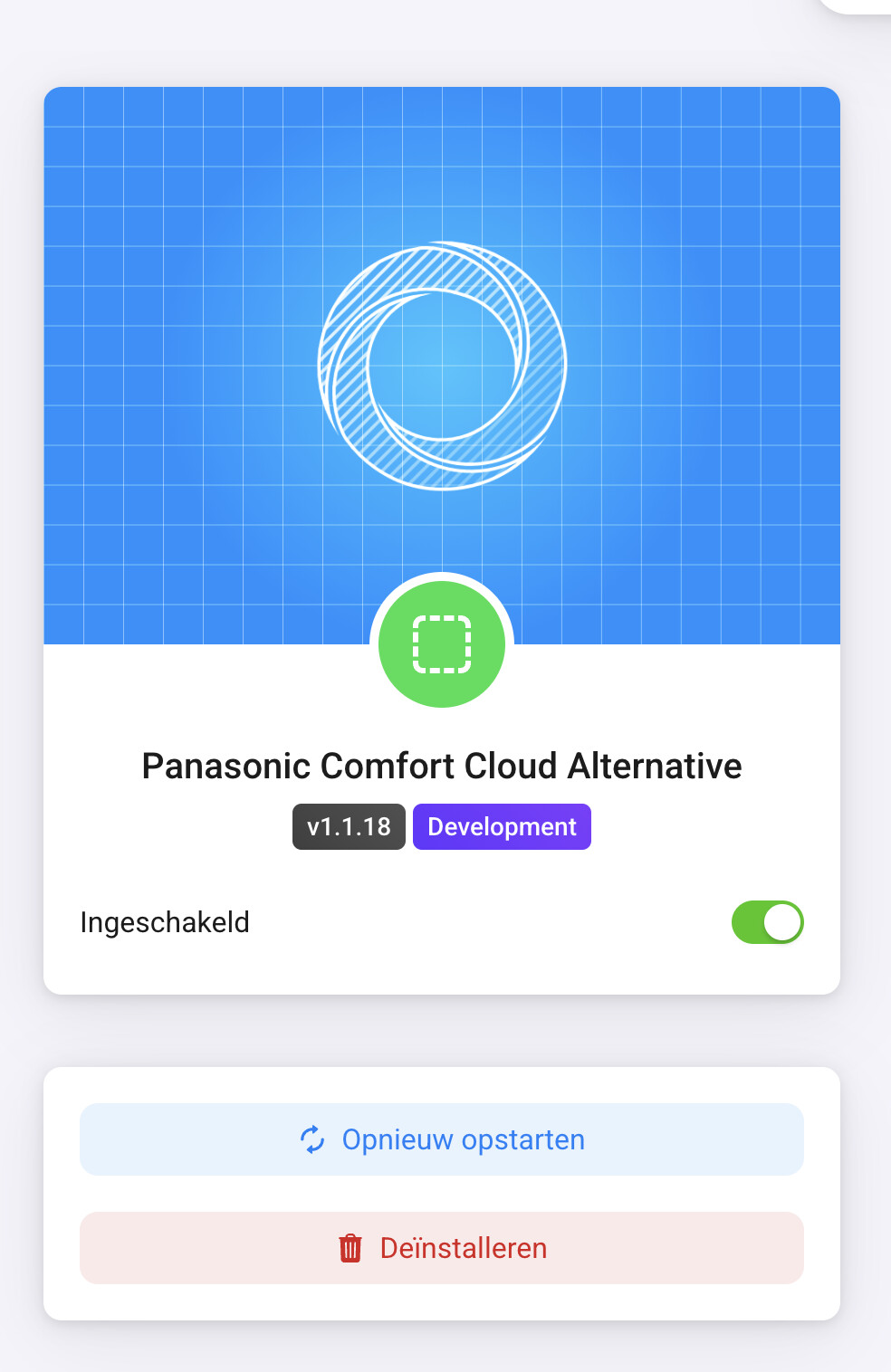
I have the latest now 1.1.16, but same error.
How do I get app log? I cant find that.
(Edit: I think I found it, I have sent you all at GitHub)
I have the latest now 1.1.16, but same error.
How do I get app log? I cant find that.
(Edit: I think I found it, I have sent you all at GitHub)
@Robert_Schmidt thank you for the app.
Is it possible you add the app (and future updates) in het new community store?
Probably - I’ll need to test it out a bit.
Edit: I’ve published the latest version (1.1.18) now, but it is entirely untested via HCS. (Personally, I’ll wait till I have my replacement Panasonic wifi-module.)
(I will not answer questions about how to use HCS.)
I have 1.1.19, and still get the same error.
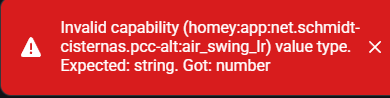
Anyone else having troubles with these error messages?
025-09-01T06:41:59.350Z [log] [ManagerDrivers] [Driver:aircon] [Device:35434015-3b21-4364-875f-1139de3002a2] setCapabilityValue(measure_temperature_inside, 18)
unhandledRejection:
Error: Invalid Capability: operation_mode
at Remote Process
at HomeyClient.emit (/node_modules/@athombv/homey-apps-sdk-v3/lib/HomeyClient.js:44:23)
at Object.emit (/node_modules/@athombv/homey-apps-sdk-v3/manager/drivers.js:78:54)
at Object.emit (/node_modules/@athombv/homey-apps-sdk-v3/lib/Driver.js:126:50)
at MyDevice.addCapability (/node_modules/@athombv/homey-apps-sdk-v3/lib/Device.js:460:25)
at MyDevice.setCap (/app/drivers/aircon/device.js:27:18)
at MyDevice.fetchFromService (/app/drivers/aircon/device.js:130:24)
at process.processTicksAndRejections (node:internal/process/task_queues:95:5)
at async /app/drivers/aircon/device.js:149:13
2025-09-01T06:41:59.369Z [log] [ManagerDrivers] [Driver:aircon] [Device:35434015-3b21-4364-875f-1139de3002a2] device action cards have been initialized
2025-09-01T06:41:59.371Z [log] [ManagerDrivers] [Driver:aircon] [Device:35434015-3b21-4364-875f-1139de3002a2] Device ‘CS-TZ20WKEW+4756834677’ has been initialized
2025-09-01T06:42:00.378Z [log] [ManagerDrivers] [Driver:aircon] [Device:af94b681-6560-4c6a-b867-05ac02d8e24a] setCapabilityValue(measure_temperature_inside, 19)
unhandledRejection:
Error: Invalid Capability: operation_mode
at Remote Process
at HomeyClient.emit (/node_modules/@athombv/homey-apps-sdk-v3/lib/HomeyClient.js:44:23)
at Object.emit (/node_modules/@athombv/homey-apps-sdk-v3/manager/drivers.js:78:54)
at Object.emit (/node_modules/@athombv/homey-apps-sdk-v3/lib/Driver.js:126:50)
at MyDevice.addCapability (/node_modules/@athombv/homey-apps-sdk-v3/lib/Device.js:460:25)
at MyDevice.setCap (/app/drivers/aircon/device.js:27:18)
at MyDevice.fetchFromService (/app/drivers/aircon/device.js:130:24)
at process.processTicksAndRejections (node:internal/process/task_queues:95:5)
at async /app/drivers/aircon/device.js:149:13
2025-09-01T06:42:00.394Z [log] [ManagerDrivers] [Driver:aircon] [Device:af94b681-6560-4c6a-b867-05ac02d8e24a] Device ‘CS-TZ20WKEW+4756834685’ has been initialized
Not sure what’s causing it, I just updated, when I open the device in homey web app I also get:
Getting a lots of errors, using v1.1.20. But most commands gets thrue anyway.
unhandledRejection:
Error: Invalid Capability: operation_mode
at Remote Process
at HomeyClient.emit (/node_modules/@athombv/homey-apps-sdk-v3/lib/HomeyClient.js:44:23)
at Object.emit (/node_modules/@athombv/homey-apps-sdk-v3/manager/drivers.js:78:54)
at Object.emit (/node_modules/@athombv/homey-apps-sdk-v3/lib/Driver.js:126:50)
at MyDevice.addCapability (/node_modules/@athombv/homey-apps-sdk-v3/lib/Device.js:459:25)
at MyDevice.setCap (/app/drivers/aircon/device.js:28:24)
at MyDevice.updateEnergyConsumption (/app/drivers/aircon/device.js:95:18)
at MyDevice.fetchPowerConsumption (/app/drivers/aircon/device.js:64:20)
at process.processTicksAndRejections (node:internal/process/task_queues:95:5)
at async /app/drivers/aircon/device.js:108:17
at async MyDriver.invokeClient (/app/drivers/aircon/driver.js:90:24)
2025-10-02T09:29:29.307Z [log] [ManagerDrivers] [Driver:aircon] [Device:99236813-5a6e-405b-8b31-d25d8d0787b2] setCapabilityValue(measure_temperature, 17)
unhandledRejection:
Error: Invalid Capability: operation_mode
at Remote Process
at HomeyClient.emit (/node_modules/@athombv/homey-apps-sdk-v3/lib/HomeyClient.js:44:23)
at Object.emit (/node_modules/@athombv/homey-apps-sdk-v3/manager/drivers.js:78:54)
at Object.emit (/node_modules/@athombv/homey-apps-sdk-v3/lib/Driver.js:126:50)
at MyDevice.addCapability (/node_modules/@athombv/homey-apps-sdk-v3/lib/Device.js:459:25)
at MyDevice.setCap (/app/drivers/aircon/device.js:28:24)
at MyDevice.fetchPowerConsumption (/app/drivers/aircon/device.js:69:18)
at process.processTicksAndRejections (node:internal/process/task_queues:95:5)
at async /app/drivers/aircon/device.js:108:17
at async MyDriver.invokeClient (/app/drivers/aircon/driver.js:90:24)
at async MyDevice.fetchFromService (/app/drivers/aircon/device.js:105:22)
2025-10-02T09:29:29.347Z [log] [ManagerDrivers] [Driver:aircon] [Device:99236813-5a6e-405b-8b31-d25d8d0787b2] device action cards have been initialized
2025-10-02T09:29:29.350Z [log] [ManagerDrivers] [Driver:aircon] [Device:99236813-5a6e-405b-8b31-d25d8d0787b2] Device ‘CS-NZ35VKE+4971211991’ has been initialized
2025-10-02T09:30:28.080Z [log] [ManagerDrivers] [Driver:aircon] [Device:99236813-5a6e-405b-8b31-d25d8d0787b2] postToService: { thermostat_mode: ‘Heat’ }
2025-10-02T09:30:28.087Z [log] [ManagerDrivers] [Driver:aircon] [Device:99236813-5a6e-405b-8b31-d25d8d0787b2] postToService: { fan_speed: ‘Auto’ }
2025-10-02T09:30:31.120Z [log] [ManagerDrivers] [Driver:aircon] [Device:99236813-5a6e-405b-8b31-d25d8d0787b2] postToService: { onoff: true, target_temperature: 21 }
Thank you, @Robert_Schmidt !
I just installed this app, following your instructions (easy and quick), and it_just_works. I am running a NZ25 dual split model, and both heads are picked up correctly. Havent tried out all features yet, but even getting this far is fantastic.
Lets hope Panasonic gets their sh*t together and opens up their API for official integrations, some time in the future, so personal projects like this (even though greatly appreciated) are not necessary.
Thanks again!
I’ll get the message “Authentication failed, edit credentials in app settings”.
If i update the credentials, the messages stays the same.
It has workt till today
How can i fix this?
Panasonic server which the Homey app communicates with was impacted by the world-wide Azure issues yesterday evening. It started working again late yesterday. A simple restart of the Homey app should fix the issue.
Ahh….you’re the best.
Thanxs!
Inside the app I get a better bug trace:
TypeError: Cannot read property ‘decimals’ of undefined
in DeviceThermostatControl
in Connect(DeviceThermostatControl)
in RCTView
in Unkown
I see the same error with v1.1.20 on my new Homey Pro 2023 which I just set up and installed this APP on. The error pops up when trying opening the device dashboard. App (slightly modified from master) is running without issues on my old Homey (which has been restarted multiple times).
Currently debugging the changes between master (failing) and my branch to find the cause.
There is a known issue in latest version. Fix is in progress. See issue #55 at github.
Fixed in version 1.1.21.
Hi
I followed the instructions to install the app and everything went well until the final step to install the homey app and I get the following output from the Windows Powershell.
✓ Pre-processing app…
Added FlowCard change-air-swing-leftright for type actions
Added FlowCard change-air-swing-updown for type actions
Added FlowCard change-eco-mode for type actions
Added FlowCard change-fan-speed for type actions
Added FlowCard change-operation-mode for type actions
Added FlowCard device-change-air-swing-leftright for type actions
Added FlowCard device-change-air-swing-updown for type actions
Added FlowCard device-change-eco-mode for type actions
Added FlowCard device-change-fan-speed for type actions
Added FlowCard device-change-operation-mode for type actions
Added Driver aircon
Added Capability air_swing_lr
Added Capability air_swing_ud
Added Capability eco_mode
Added Capability fan_auto_mode
Added Capability fan_speed
Added Capability measure_avg_consumption_wh
Added Capability measure_temperature
Added Capability measure_temperature_inside
Added Capability measure_temperature_outside
Added Capability nanoe_mode
Added Capability operation_mode
✓ Typescript detected. Compiling…
× Error occurred during while running tsc
drivers/aircon/device.ts(3,145): error TS1479: The current file is a CommonJS module whose imports will produce ‘require’ calls; however, the referenced file is an ECMAScript module and cannot be imported with ‘require’. Consider writing a dynamic ‘import(“panasonic-comfort-cloud-client”)’ call instead.
To convert this file to an ECMAScript module, change its file extension to ‘.mts’, or add the field "type": "module" to ‘C:/Users/ggsmi/Downloads/homey-panasonic-comfort-cloud-alt-master/package.json’.
drivers/aircon/device.ts(60,36): error TS2339: Property ‘getDeviceHistoryData’ does not exist on type ‘ComfortCloudClient’.
drivers/aircon/driver.ts(2,55): error TS1479: The current file is a CommonJS module whose imports will produce ‘require’ calls; however, the referenced file is an ECMAScript module and cannot be imported with ‘require’. Consider writing a dynamic ‘import(“panasonic-comfort-cloud-client”)’ call instead.
To convert this file to an ECMAScript module, change its file extension to ‘.mts’, or add the field "type": "module" to ‘C:/Users/ggsmi/Downloads/homey-panasonic-comfort-cloud-alt-master/package.json’.
× Error: Typescript compilation failed.
at App.transpileToTypescript (C:\Users\ggsmi\AppData\Roaming\npm\node_modules\homey\lib\App.js:108:13)
at process.processTicksAndRejections (node:internal/process/task_queues:95:5)
at async App.preprocess (C:\Users\ggsmi\AppData\Roaming\npm\node_modules\homey\lib\App.js:881:7)
at async App.install (C:\Users\ggsmi\AppData\Roaming\npm\node_modules\homey\lib\App.js:809:7)
at async exports.handler (C:\Users\ggsmi\AppData\Roaming\npm\node_modules\homey\bin\cmds\app\install.js:25:5)
Any help would be appreciated.
Just a quick question (That I can’t find in the history).
Will this still work on a Homey Pro 2016 - or should I just save the time 
Kind regards Dennis