How did you contact Hyundai?
The local importer in the Netherlands of KIA.
Hyundai users can fill in this form: Bluelink Contact Us | Hyundai Connected Mobility
Please make sure that you mention that this is for the myHyundai App with Homey App.
Hope that this will help.
Hallo,
What happens if I am ‘locked out from using their service? I created a flow to automate charging of my EV. Worked perfectly for a few weeks. But now my credentials are not accepted anymore. I did not change the default polling parameters… if so, will I be locked out permanently? Do you have a solution?
Unfortunately, Kia has changed the API please read the earlier messages.
“Within Tibber the powerup for Hyundai is discontinued for new pairings due to technical dificulties. Only cars connected at the moment will be able to use the connection. It might change in the future”
I am afraid this is not good news for external Hyundai (and Kia) api inregrations like Homey.
I have personally informed Kia that I will no longer purchase vehicles from Kia/Hyundai.
The lack of API is similar to hotels still charging for internet access today. It is simply standard practice. The old API functioned excellently until Kia decided to discontinue it.
I have now also written Hyundai. My complete charging control had worked great for a short time. Has anyone received a response from Hyndai yet?
@Abe_Haverkamp did you receive any update from Hyundai/KIA?
Conversations are still ongoing!
Hi, I don’t want to keep bothering you constantly, but is there anything we as a community can do to wake up Kia?
Thanks in advance for your effort.
GR Mark Stevens
How long can these conversations take? (from now? weeks, months, years?)
Keep in mind that Hyundai/KIA is a massive company, and combined with the Korean business culture, things don’t always move very quickly 
We’ve had several meetings with their team, and right now they seem cautiously open to offering an official API for vehicle data and limited controls like air conditioning. That said, there’s still quite a bit of internal decision-making left before anything is confirmed.
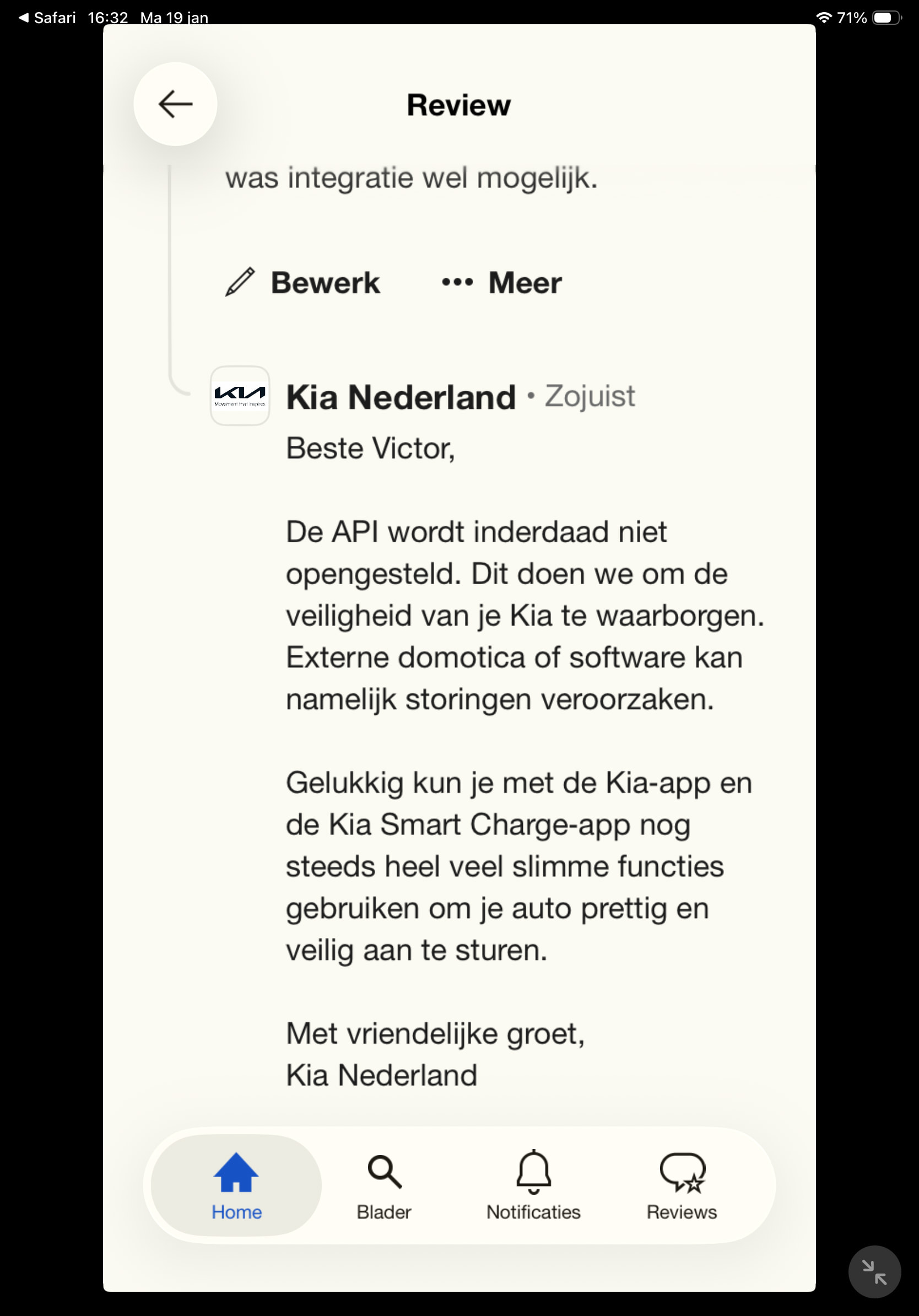
The fact that an external smart home platform could cause disruptions says more about the quality and security of the API than anything else. Frankly, that’s a weak excuse
The only thing you are enabling by not opening up your APIs is inviting people to find backdoors in your system which can be exploited.
Drops mic
I know, my team built hundreds of API’s for an extreme sensitive environment, open for our customers. It’s an awful bad excuse!

All right, so my next car won’t be a Kia. Then I’ll have to look into HA. It’s very complicated, but it seems to work with a token. They seem to have already found a backdoor.
My next car definitely wont be a Hyundai… My Ioniq 5 hasnt recevied any good SW update since I have bought that car in 2022… 
Honestly, not that hard. Familiarity is the biggest hurdle. YAML is not a requirement.
- The Raspberry Pi installation is the easiest DIY way to get a full installation
- To get the Kia UVO / Hyundai Bluelink integration, you first need HACS (Home Assistant Community Store)
- Follow the instructions to download and install the Kia UVO / Hyundai Bluelink integration
If you install the full HA installation, you will have the Add-On store, and so you can very easily also install the Homey SHS Add-On for Home Assistant. Then you can use the two different HA community apps to get items from HA > Homey, or Homey > HA. There are MANY HA integrations that are very useful to share with Homey.

I’ve been using HA for 10 years. What makes you think I need instructions? Getting the Kia/Hyundai app to work via HA is a complicated pain in the ass. My virus scanner immediately kicks in with this method and prevents the procedure from being completed.
Besides, I don’t want Kia to change the API again in a few weeks and have to start all over again. Kia is simply out of the question when buying a new car.
