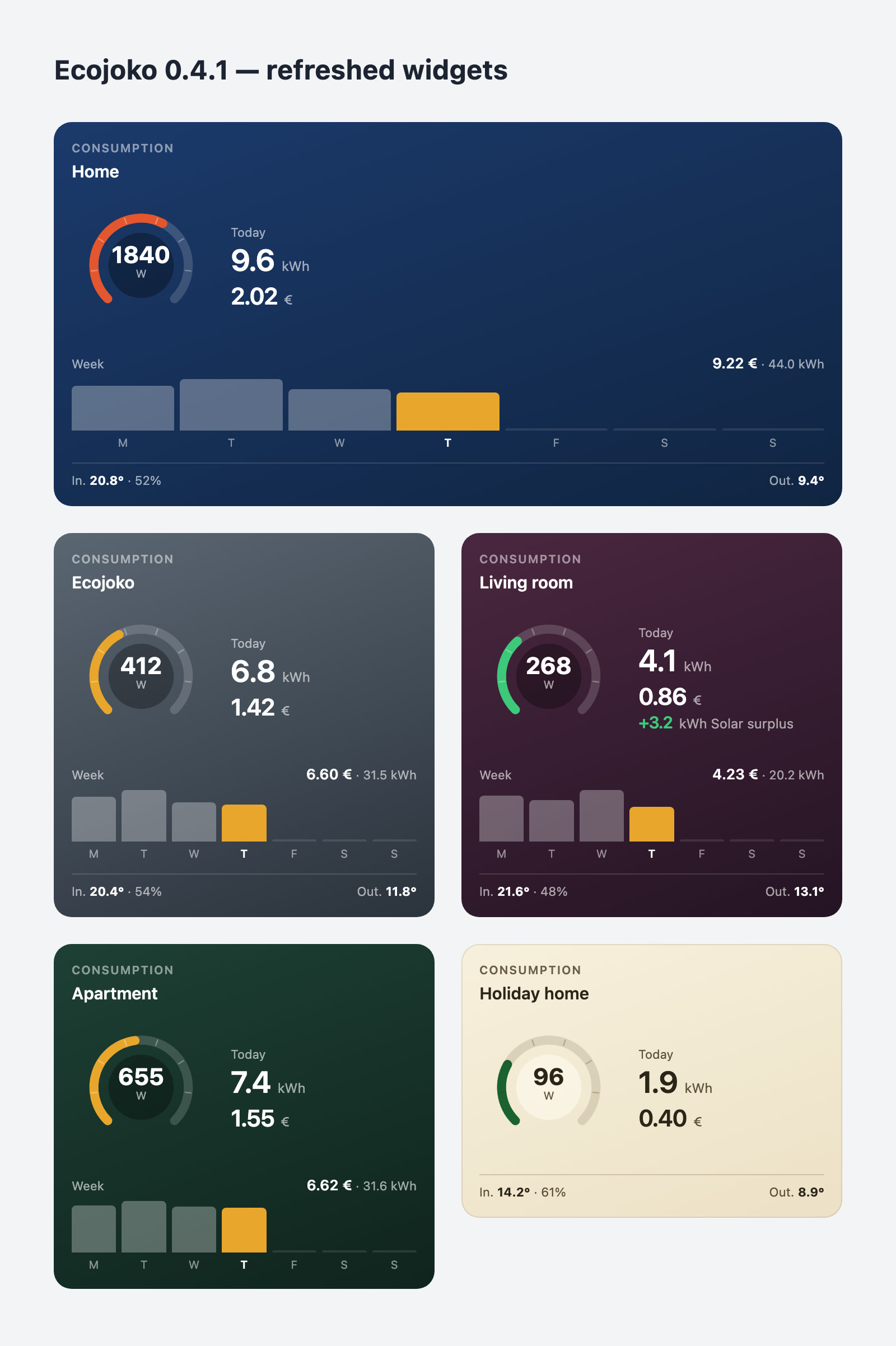
A small one, and it is all about the Consumption widget. The way the app reads your Ecojoko does not change: devices, Flows and Energy carry on exactly as before.
The tile now follows the same layout as my other apps’ tiles, so they look like they belong on the same dashboard:
At the top, “Consumption” and the name of your meter.
In the middle, the live power gauge, with today’s energy and today’s cost.
Below, the week.
At the foot, the indoor and outdoor sensor readings, on a line of their own.
Numbers also follow your Homey’s language now: 9.6 kWh in English, 9,6 kWh in French, as it should have been from the start.
If you have solar panels, the solar surplus shows under today’s figures whenever there is one. When there is none, it says nothing, which is also information.
To set it up: add Consumption from your dashboard. Today’s kWh, today’s cost, the sensor and the week can each be turned on or off, and the tile adjusts its height to what is left. The cost is the one Ecojoko works out from the tariff in your account; the app does not second-guess it. Then pick a background: Deep blue, Slate, Plum, Forest or Sand.
If something looks off on your dashboard, or you would like something else on the tile, reply here with a screenshot.