Hi Sunbeech,
I have this setting already “on”. Still same result
Thx for helping!
Chris
Hi Sunbeech,
I have this setting already “on”. Still same result
Thx for helping!
Chris
Additional info: when I switch on the wifi after I got the correct gauge via 4G, it keeps working for another few hours/day.
When I do the same as Celal_Esgin, this is reproducable by me. So when I connect the Ipad wifi to the Iphone hotspot, it is working also (and keeps working also for a while after switching the ipad back to the normal wifi network which didn’t work before).
Did you update to the latest version? Based in the change log version 0.9.3 includes an initial fix, if I understand the log correctly.
I have automatic updates on. Currently at 0.9.4
I’ve tried changing the text size in the accessibility settings, but it doesn’t change anything.
I have attached a photo of my Progress Bar setup. A couple of questions.
If you use the DataVista Range flow card as the source for your progress bar, then you can override the displayed temperature with something custom. Like a combination of some text, the min/max temperature value and the timestamp.
My assumption is that the timestamp is available already as a data element. If not then an option would be to update a variable holding the latest min/max timestamp, and testing and (if necessary) updating that whenever the temperature changes (and at the start of a new day).
@Erikvl87 re my other question below; is this possible? Or could it be addressed in a future release? I changed the accessibility settings on the device but they weren’t reflected.
Unfortunately, currently there isn’t a setting available to enable or disable bold font. I’ll consider looking into that for an upcoming version.
Hi @ODE, thanks for your feedback on DataVista! Could you let me know which widget you’re referring to? It would also be great if you could share a screenshot to help me better understand the issue and your suggestions.
Thanks @Erikvl87 … I’m on an 11” ipad (in portrait landscape), it’s placed about 4 meters away, the aim for me is to use it as global feedback in the room (like an information ‘radiator’). but it’s impossible to read anything at this distance. the ideal would be to have this font size option on all widgets. but as a first intention Label, progress bar
thank you for your passionate work
Thank you
Pleeeeeeeeeeeease 

Hi Erik,
I use Datavista a lot. At my homescreen I use a few labels to summerize different kinds of messages of devices. Is it possible to set a colour of the background?
Hi Erik,
don’t know if this was already asked…
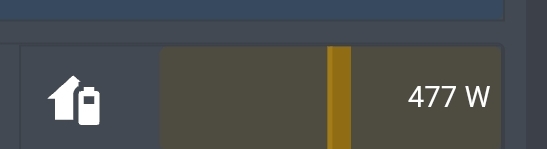
I tried the range widget to show house battery usage (power usage in/out) with a range of -5000 to 5000.
For such use cases, it would be nice to show the bar starting from 0.
So a negative value (charging) is showing a color bar from 0 to the value a the left side, a positive value is showing a bar from 0 to the right.
Currently it’s starting at the left.
Example:
Hi @RonnyW, currently that’s not possible since I can’t safely assume (without additional options) that 0 is the safe starting point for a “progress” bar.
I created a tracking story for your request: Add option to the progress bar widget to start from 0 · Issue #4 · Erikvl87/nl.erikvl87.datavista
I do have an open request (Custom Scale with Colors for Progress Bar Widget · Issue #3 · Erikvl87/nl.erikvl87.datavista · GitHub) to set the colors for a progress bar dynamically via a flow, just like the advanced gauge. If that makes it into the app, you could change the range from 0 to 5000 and from 0 to -5000 with applicable colors respectively. Would that also work for you?
Hi Jan, that’s currently not possible. As a workaround you could use the status widget instead with a fixed color but it doesn’t support long text. Would that be a possible solution?
Hi, I do not want that, I love the labels. But no problem, it is a nice to have…
I’ll make a note of it and see what I can do. I need to maintain a good balance between ease of configuration and the number of options available for edge cases.