Hi all,
Note: Homey companion app is now approved and it is available here.
LIVE app
TEST app
The car app passed Google’s review and is now on the Play Store in closed testing. Google requires a few testers for a period before full public release — every tester counts, and joining takes two minutes:
- Join the testers group: https://groups.google.com/g/car-dashboard-testers (with the Google account logged into your car)
- Accept the test: https://play.google.com/apps/testing/com.barradas.cardashboard
- In the car’s Play Store, install Car Dashboard: https://play.google.com/store/apps/details?id=com.barradas.cardashboard
Pair with your Homey Pro. Then use it and share any issues you face. (You’ll need a car with Google built-in — see “Which cars work” below.
PM with your Gmail if self-service fails.)
I’ve been working on this for a few months and it’s now at the point where I’d like a few more people to try it.

Short version: it lets you control a handful of your Homey devices from the car’s own screen. Not Android Auto, not the phone. My car (a Volvo) runs Android Automotive with the Google Play Store built in, and quite a few newer cars do the same, so I wrote a proper car app that talks to Homey.
There are two parts. The Homey app runs on your Homey Pro and that’s where you set everything up. Then there’s the car app itself, which you install from the Play Store in the car. The car app doesn’t know anything about your Homey except what you’ve chosen to show it.
What it does
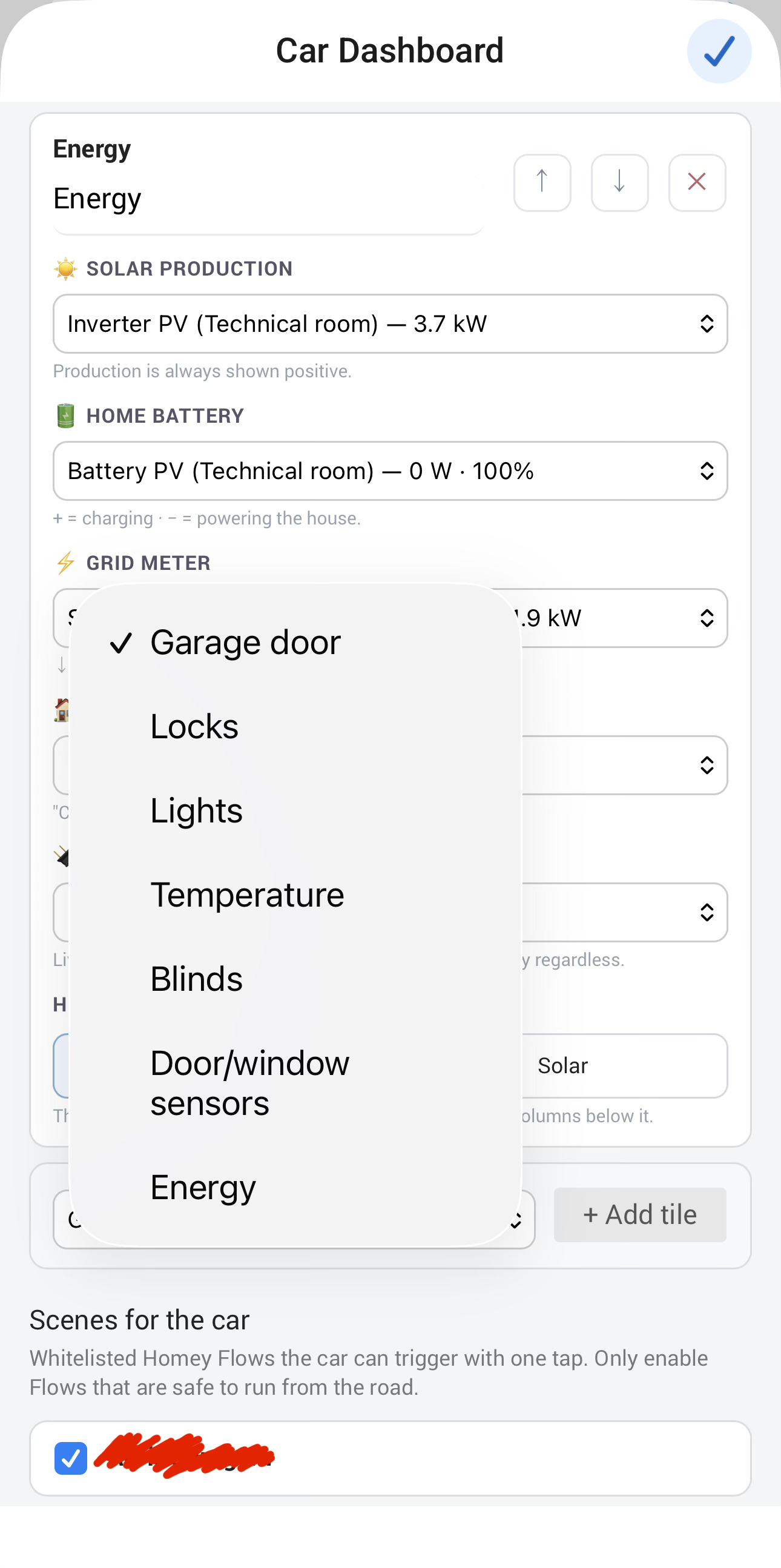
The main screen is a grid of big tiles. You pick them in Homey: garage door, gate, front door lock, alarm, the EV charger, whatever makes sense for you. They show the current state and one tap toggles them.
There’s a lights tab with your lights grouped by room, on/off per light or the whole room, and a proper level screen for dimmers with steppers and presets. No sliders, Google doesn’t allow them while driving.
A scenes tab shows the Flows you’ve picked as buttons.

The part I’m most pleased with is the garage warning. The car keeps a geofence around your home (coordinates come from your Homey’s own location setting). If I drive off and the garage is still open, a notification appears in the car with a Close button. When I come back and it’s closed, I get an Open button. Pressing the button just does the action and the app doesn’t even have to be open. Been running on my car every day since mid-summer and it has been reliable, including with the car off overnight and after Play Store updates. You can leave this off if you don’t want the car using location.


Setting up
Everything is a whitelist. In the Homey app settings you tick the devices you want as tiles, tick the lights, tick the Flows, and drag the rooms into the order you like. Nothing else is visible to the car.
Pairing works with a code: generate one in Homey, type it in the car. The code is good for five minutes, and it locks after eight wrong tries. Every paired car gets its own token, and you can see them all in a small list in the settings with the car model, software version, last seen time, and buttons to rename or revoke. Handy if you have two cars or two driver profiles for the same car.
Privacy
The car talks to your Homey through the Homey cloud API over HTTPS with the pairing token, and that’s it. I don’t run a server and I don’t receive anything. Location is used on the car only and never leaves it. The Homey app needs the homey:manager:api permission because that’s how it reads device states and starts Flows for the car, and the geolocation permission to know where home is.
How to join the internal testing of the AAOS (Car app) - Google Play Store soon
You’ll need a Homey Pro and a car with Android Automotive and the Play Store on the centre screen. Google currently lists sixteen brands with Google built-in: Volvo and Polestar (most models from 2020 on), Renault (Mégane E-Tech, Scenic, R5, Austral and others), Chevrolet, GMC, Cadillac and Buick (2022 on), Honda and Acura, Nissan and Infiniti, Ford and Lincoln (the newer Digital Experience system), Mazda (2026 CX-5), Mitsubishi in Europe, and BYD on some export models since 2025. Not every model of every brand has it. Quite a few cars run Android underneath but without the Play Store, and those won’t work: Mercedes (MB.OS), Audi, VW, Porsche and BMW have their own app stores, and so do Stellantis, Lucid and Rivian. The simple test: if there’s a Play Store icon on your car’s screen, it qualifies.
Quite a few cars run Android underneath but without Google built-in — BYD on most models, smart, MG and others — and the same goes for aftermarket Android screens and add-on computers like the Screenmate One for Tesla. Those run regular Android, not Android Automotive, so they won’t work with this version. A native version for exactly these systems is on the roadmap, same tiles and features; if you own one of them and would like to test it when the time comes, say so in this thread.
If something breaks or you have ideas, this is the place.
Thank you everyone and cheers
Changelog
1.4.18
Sep 3, 2026Car-release support (Homey name, optional Timeline via API key) · class-based gate/garage/lock pickers · install guide on the Cars tab.
1.4.17
Sep 2, 2026Settings redesigned with tabs (Tiles, Scenes, Rooms, Cars) and collapsible tile cards; new users land on pairing with a getting-started guide; scenes now sort alphabetically on the car; groundwork for upcoming car features.
1.4.16
Sep 1, 2026Linked the community topic and the GitHub repositories.
1.4.15
Aug 30, 2026New Garage and Gate tiles are automatically named after the device you pick — editable as always.
1.4.14
Aug 30, 2026The Save button now stays visible at the bottom of the settings screen, with an “unsaved changes” indicator — no more scrolling past every device to save.
1.4.13
Aug 30, 2026Gate tiles now select exactly one gate — one gate per tile, each with its own name, notifications and departure behaviour; add a tile per gate. Tiles that had several gates selected keep working on the first until re-picked, with a note in settings showing which. Tile names are now clearly editable (pencil icon) and capped at 20 characters so they fit the car screen. Added a short description on the Gate tile explaining how it’s meant to be used.
1.4.12
Aug 29, 2026Sockets and switches assigned as lights in Homey (virtual class) now appear in the Lights picker — thanks to Simone Di Maio for the report.
1.4.11
Aug 29, 2026Fixed the layout of the new notification and auto-close controls on Garage and Gate tiles — the choice buttons are now properly sized and readable.
1.4.10
Aug 29, 2026New Gate tile type for driveway and garden gates (garage-door or lock devices), one-tap from the car. Per-tile settings for arrival/departure notifications and automatic closing on departure. Fixed device switches in settings not responding visually; energy tile improvements (EV charger role, house-only consumption, loads-before-sources order).
1.4.9
Aug 27, 2026First public test release
 ”
”


