Maybe… But… I really dont believe that there are televisions, even older ones that are using 75watt or more in standby… 
No clue hehe, but if there existed one, I certainly wouldn’t have bought one of those 
I think the issue with my tv was that it doens’t really have a standby mode, it just turned the screen off while the OS just kept running. And it then completely shut down after X hours of inactivity, but this varied a lot.
Also newer models have a higher standby usage if network standby is on.
I most cases you need network standby to turn in the TV via API.
The SonyTV for example can be woken up via WoL. And if it’s online you can control it via API. I added this to the SonyTV app so the TV can go to deep sleep without network standby.
Perhaps the AndroidTV app could do similar things if the other AndroidTV support WoL.
Allright. Is that not just a setting? I don’t know how old your TV is but most tv’s of the last 10 years have eco settings… Maybe you can take a look into the settings.
Hey everyone,
While making my new flow for a movie night I discovered loads of cool functions that this app can do. Thank you for those! Now I wanted to make a flow that when I paused a movie, my lights would turn on, but I am missing a ‘when paused’ trigger flow card. Is it possible to code this in?
Thomas,
Hi Thomas,
While it’s great to see your enthusiasm for the Android TV app and its functions, unfortunately, a “when paused” trigger isn’t currently available due to limitations in the Android Remote API we rely on. This API doesn’t provide play state information, and because this is a reverse engineered client we lack access to the necessary documentation for verification.
For a potential workaround, you might want to consider installing the Chromecast app, which in some cases can provide the play state information you’re looking for. If you have any more questions or need assistance with other aspects of your movie night flow, feel free to reach out.
Thank you for the quick response, I will look into the Chromecast app.
Hi there,
Hope you’re doing well. I have a question. Over the last year (maybe longer) the app worked perfectly, but lately the connection with the tv keeps disconnecting, and I have to repair it again. I didn’t switch from any router or something. I tried to give it a static IP adress, but that also didn’t work. The weird thing is that it works for 5 days, and than it disconnect itself.
I do have a flow connected to it for the motion sensor and the lighting, so when the TV is not connected, the flow doesn’t work. Does anyone know a solution?
Thanks in advance!
Hi @Rutgert and @Bono_van_der_Pasch,
It seems like the issue you’re experiencing with Homey’s connection to your Android TV could be related to a crash in the Android Remote Service.
This service is a critical component for communication between your Homey and your TV. When it crashes, it will lead to the app no longer working.
To address this, a hard reboot of your Android TV could be an effective solution. Here’s what you should do:
- Power Down: Use the remote control or the power button on the TV itself to turn off your Android TV.
- Unplug: After turning off the TV, disconnect it from its power source. Wait for about 30 seconds to a minute. This step is important as it helps to reset the internal components of the TV.
- Reconnect and Power On: Plug the TV back into the power source and turn it on.
- Check the Homey App: Once your TV is back on, the Android TV Homey app should work again
This procedure helps to reset the Remote Service on your Android TV, which can resolve the disconnection issues you’re facing. Additionally, this solution is also mentioned in the Homey Android TV app FAQ, which you can find here for further reference: Homey Android TV FAQ.
By following these steps, you should be able to restore the connectivity between your Homey and your Android TV.
Hello @lucasvdh,
Congrats for the app. 
For me works almost at 100%… Just the volume don’t. I’m testing in a Google Chromecast TV 4K.
Volume don’t go up or down, and also don’t mute.
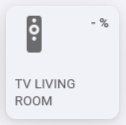
I also choose Volume as status indicator, but as you can see in the image, there is no info.
Same issue sometimes @lucasvdh
Hi @lucasvdh ,
The issue was on my side.
The remote settings was set to control the TV Volume not Google TV dongle.
After changing that setting, all buttons on your app started to work.
But please come back to us with more features… It would be amazing.
Thank you.
Device unavailable. Even tried uninstalling and reinstalling app. Connected, but got device unavailable right away. Three shield devices.
baa52a46-8efe-46ff-94cf-c219fa471760
My Nvidia Shield used to work fine, now it says Device Unavailable. When I try to repair, the code appears on the TV but after pressing ok it doesn’t pair, even though it says pairing successful…
Hi @lucasvdh.
First of all thanks for the app!
Maybe you can work on the stabilty of the app?
One of the earlier apps was stable.
Now my TV’s is constenly i not available.
Note that i have tried this a cuple of times:
Best regards
Niller
Does anyone know the deeplink for F1 TV on Android TV ?
Hello Lucas,
Really thanks for the app. I also had a big 15W standby power consumption with my Philips tv. In this state I think that the motherboard goes to sleep state and also remaines usb power.
It turned out that this was probably due the fact that I enabled a remote function to control the tv by or the original Philips android remote control app for phones/tablets or when I played around the settings a long time ago when I tried your previous homey Philips TV app.
I turns out that when this settings is once enabled you can not dissable it unless you do a factory reset. I performed that and during install I disagreed with the remote app function. Since then when I turn off the TV my power usage is around 0.3W.
