With Example 2 you mean the Fantross Example AVD right?
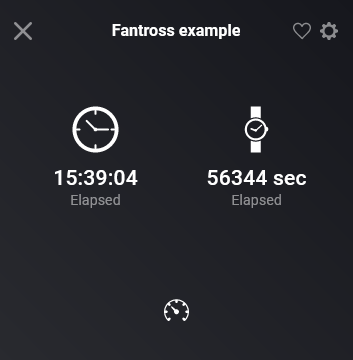
That’s just to show you HOW example 1 would look like, well, the Timer/Stopwatch part of it.
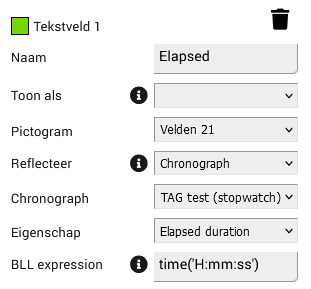
Example 2 is this line from Example 1:
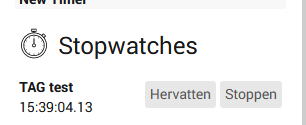
Creating Example 2 as it is, would indeed be pointless, because Chronograph already can create a device for stopwatches/timers/transitions.
But that would create an extra device tile, which is what i don’t want!
Especially for devices that run on a timer and are grouped, i right now have multiple device tiles (and still not any timer information because i don’t create the extra devices…) for sensor, lux, and control.
Like explained in example 1, i will convert certain (timered) groups into one Single AVD tile.
Perhaps Example 2 was a bad example, but i wanted to keep it short and retricted to the implementation of a Chronograph.
But the whole point of this reflection is: Lesser Device Tiles, Lesser Flows.
About the performance, i have let it test on HP2023 and HP2019 the whole night, with multiple timers and stopwatches and Variables being changed, this morning, memory usages aws lower then last night, so there are nog instabilities. At least multiple variables and multiple timers and stopwatches were being updated each second the whole night.
The inclusion of BLL and Chronograph is “the option variant”, meaning, it doesn’t build up a framework and is not dependend on it. It just listenes to realtime messages from the AppAPI’s and executes, when requested in the app, a few AppAPI-calls (like, on startup, DC/AVD’s will check if there are reflected Variables in use, and if so, it will retrieve the variables through the already existing api-call that BLL has.
Also, when no reflection is used, DC does still get’s updates from BLL and Chronograph, but doesn’t do anything with it.
Now, when you indeed let BLL/Chronograph connect with DC, there is about 1MB memory increase per app (more apps = lesser growth).
Now, for people using the functionalities, this is not a lot (keep in mind that it will keep flows from being triggered and the memory usage that comes with that).
Ofc, If you do not have BLL or Chronograph installed, there is no memory increase, because it doesn’t connect and get’s no notifications/changes.
And for the (few?) people  that do have Chronograph and/or Better Logic Library installed, but want to save the memory usage, i will create a toggle’s in the Device Capabilities App Settings, so you can switch the connecting with optionally included apps off. That way, you can f.i. disable inclusion of BLL, and than it will not even initialize the BL object: there is no memory overhead than, nothing build, nothing listening.
(Perhaps i could automate this, based on the usage off apps in Reflection in AVDs)


 )
)