[APP][Pro] Fronius Control

Fronius Control — control a Fronius inverter and its battery from Homey over Modbus TCP.

Solar power is worth the most when it is used, not when it is sold. This app lets Homey decide what your Fronius system does with it: charge the battery when electricity is cheap, discharge it when it is expensive, keep imports below your fuse rating, and hold production back on the hours when feeding the grid costs you money instead of paying you.

App Store:
Test version:

What it works with

  • GEN24 inverters, with or without a battery. A GEN24 with a battery is added as two devices, a battery and a solar panel, so Homey Energy counts production and storage separately.
  • SnapINverter models on a Datamanager 2.0: Symo, Primo and relatives. Production reading, production limiting and zero export.
  • A Fronius Smart Meter is needed for anything that reacts to what passes the grid connection: peak shaving, import-capped charging, zero export.

Before you add a device

Modbus is switched off on a new Fronius inverter and no app can turn it on for you. Open the inverter’s web interface first.

GEN24, under Communication - Modbus:

  • Mode: TCP Server
  • SunSpec Model Type: int + SF
  • Modbus Port: 502
  • Meter Address Offset: 200
  • Allow Control: on
  • Restrict Control: off, or add Homey’s IP address

Two of those decide whether it works at all. int + SF is not what Fronius ships with, and the battery device reads a fixed set of addresses that only exist in that mode. On float you get “Modbus polling failed” and nothing else. Allow Control is what permits the inverter to accept a command instead of only answering questions.

Datamanager 2.0, under Settings - Modbus:

  • Data output via Modbus: tcp
  • Modbus port: 502
  • Sunspec Model Type: either one, the app detects which is in use
  • Inverter control via Modbus: on, if you want production or export limiting

Then add the device, enter the IP address and press Test connection. The app reads the model, serial number and power ratings out of the inverter itself, so there is nothing to look up in a datasheet. Unit ID is 1 on a GEN24. On a Datamanager it is the inverter number shown on the inverter’s own display, which is also 1 unless several inverters share one Datamanager.

What it can do

Battery: charge and discharge limits in watts, forced charge and discharge, hold (solar charge only), charging capped by grid import and by per-phase fuse size, peak shaving.

Production: production limit in watts, zero export, and handing control back to the inverter’s own export limit.

Known limits, and what is untested

  • The zero-export loop has never been run against real export. It needs actual surplus to test honestly.
  • Float mode is handled for SnapINverter but not for the GEN24 battery device. Use int + SF there.
  • Primo is handled in the code but has never been tested against real hardware.
  • Multiple Inverter Control writes to the same registers as this app. Don’t run both.
  • A Fronius inverter accepts roughly two Modbus connections at a time, so another Modbus master competing for them will cause trouble.

Reports are welcome, particularly from hardware I don’t have.

Great and thanks! within a few days I am going try it with my Gen24 12, smartmeter and Reserva battery.
1 question: You mention ‘multiple inverter control’: i don’t know what that means and how I could check if, and where, it could be running.

Good question — it almost certainly doesn’t apply to you.

Multiple Inverter Control is a Fronius feature, not part of this app. It’s for
sites with several inverters behind one smart meter: one inverter acts as master
and writes the production limit to the others. That limit uses the same Modbus
register (WMaxLimPct, 40233) as this app’s export and zero-export cards, which is
why both can’t be active at once. With a single GEN24 12 there’s nothing to
collide with, so you can ignore it.

What is worth checking on your setup: in the inverter’s web interface (browse to
its IP address) go to Safety and grid regulation → Feed-in limit. If Fronius’ own
Export Limit Control (Soft Limit) is enabled there — for example a cap required by
your grid operator — it regulates that same register continuously and will fight
the app’s export cards. Battery charge/discharge cards are unaffected either way;
this only concerns export limiting.

For the record, the app does support several inverters — you’d add one device per
inverter, each with its own IP.

New testversion out Fronius Control | Homey

IT WORKS!!! I made all the settings in Fronius-modbus exactly as Andreas wrote, including “restrict control” with my Homey’s IP adress.
Than installed Andreas’ Homey app: ‘Fronius GEN24 Modbus control’
Put in IP adress of the GEN24, and kW specs of Solar and battery.
Then tested a few cards and VOILA: they worked.
Thanks @Andreas_Kjork

Edit 20 min later: It does not work flawless, though. In the advanced settings tab of the device I can see values like battery status, power and energy charged/discharged.
In the device tile these values are missing.
AND: I do not see the Fronius as PV in Energy. EDIT 2: The inverter is in Energy now. no values there.
Fixable Andreas?

I don’t know what causes that. I see them under energy. Looked under advanced settings if it exclude them?

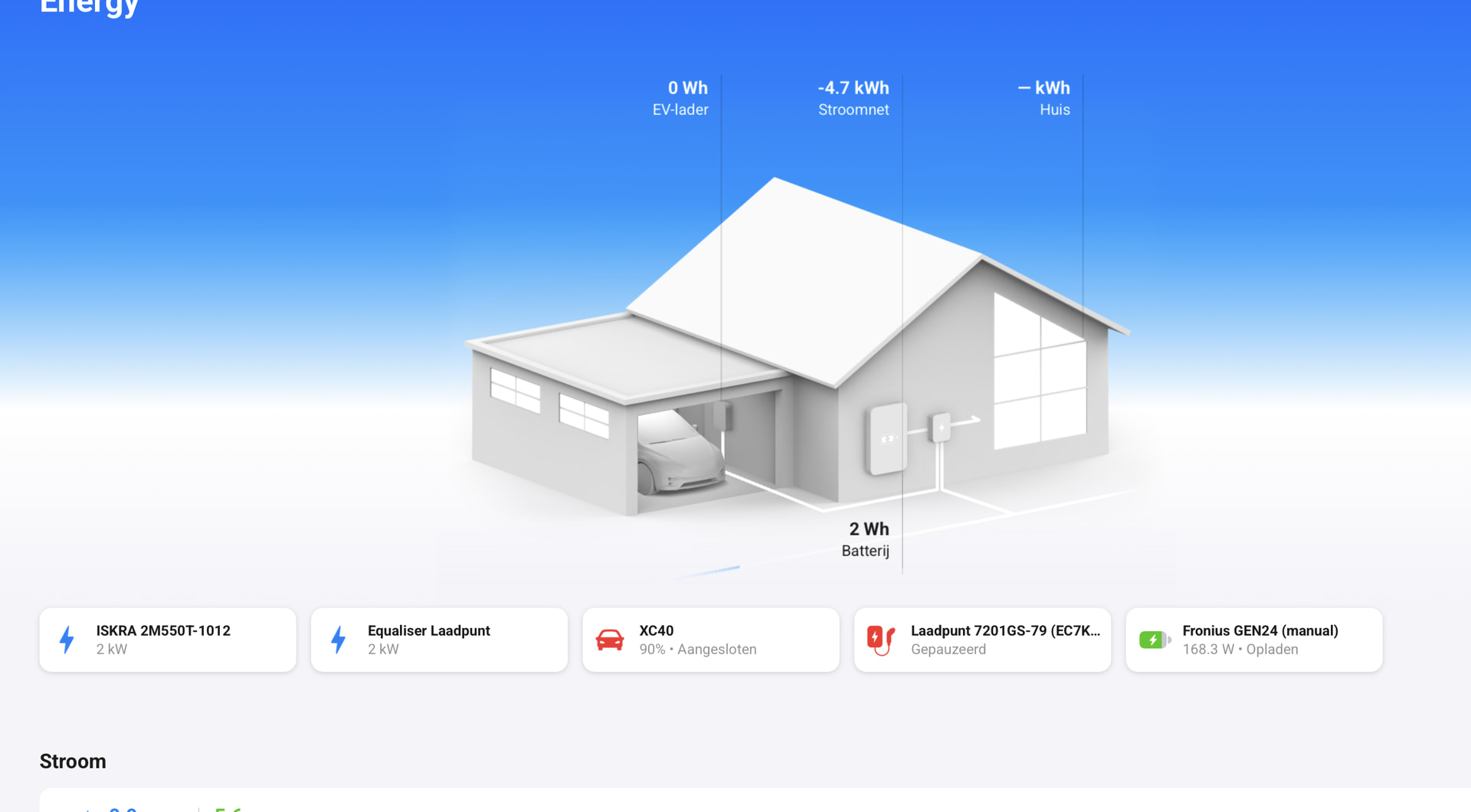
I see the Fronius Gen24 (Manuel) tile in Energy, but not the Smart meter and not the fronius Battery either; no tiles for those 2, like in your screenshot. And, there is no value of the solarpanels like in your screenschot.


The device values show in the tile, but not in the device-information.

I could only add 1 device, the GEN 24 modbus, I could not install Smart Meter or Solar Panels. Energy is not excluded in the settings.

What happens when you try to add the smartmeter and solarpanels? When you try to add and inte fails. Send me a report. Settings → apps → Fronius. Also try not to restrict controll i Gen24 settings.

I tried to add Smart meter and Solar panels with this app. No options to select SmartMeter or solar panels, only the inverter. See screenshot:


Result is the same after unchecking ‘restrict control’ in the settings of the Gen24
Report, after unchecking ‘restrict control’: ff460e9e-df7c-4102-a7cc-1f163b19d86b’

Thanks. i can se in the report that you use an older version of the app. try this one. Fronius Control | Homey

OK, thanks. I’ll try this one. I was set on the wrong foot, as theis app-page gives a warning that the app could not work. This used to be the message when apps were not upgraded yet. It is not fully approved yet I see. Hope there is no risk in this…

It works now. Thanks a lot!
I see that i should read carefully, before acting. You were clear that the app was a testversion.

Hi Andreas,

Thank you, very usefull app!! By far the best Fronius app out there, even considering the Homeassistant integrations.

  1. Would it also be possible to add the SoC as a trigger? For my automations, it is a crucial element that is missing. In the current version (1.4.7) it is not available as a trigger or condition for flows. e.g. charge a battery to a preset SoC value OR start if SoC < treshhold.

  2. I really like you publish detailed data on the individual trackers. Unfortunately, the entity “Total produced” is only showing the energy produced since the app was installed. Would it be possible to change this for the “total produced energy” as shown in the Fronius API?

  3. The charging power available in a card, is the individual battery charging power, not the overall gird input. Is it possible to have the grid power as an input variable, rather than the battery charging power?

Hi. Thanks for your feedback and I understand exactly what you mean with the soc trigger card. I will add it to my to-do list. For now you can use for example every 5 minute and logic card with the soc. If the soc is greater or lower than.

Question number three.

You set what’s the max W you want to charge and it includes your house total import. Both total import and per fuse.

Thank you for your feedback.

It was indeed my HomeAssistant Fronius Modbus integration that was interfering. I confirm the set “charging up to xx W” is indeed taking the total grid import into account.

Great app you made there! The only integration out there that has a straight forward means to force grid charging.

I’ll buy you a beer, but I have to update my Paypal first :slight_smile:

Swedish but i just want to let you know that i just submited this and waiting for certification

Any chance in having the SoC in the “AND” category as well? I now use a “logic” card to start charging the battery AND stop charing when the stored capacity exceeds a logic > 6kW.

It works just fine, but having SoC in the “AND” would be the cherry on the cake :blush: