I’m excited to announce the release of MELCloud Optimizer, a new app that connects your Mitsubishi Electric heat pump with Homey to optimize its operation based on real-time electricity prices and weather conditions.
MELCloud Optimizer automatically adjusts your heat pump’s target temperature based on electricity prices from Tibber, helping you save money while maintaining comfort. The app features:
Smart Price Optimization: Increases temperature during cheap hours and decreases during expensive hours
Advanced Thermal Learning: Uses a data-driven model that adapts to your home’s specific characteristics
Weather Integration: Incorporates weather data to adjust temperature based on outdoor conditions
Comfort Profiles: Adjusts temperature based on time of day and sleep patterns
Hot Water Tank Control: Optimizes hot water tank temperature based on electricity prices
How It Works
The app runs on two main schedules:
Hourly Optimization: Every hour, the app fetches current electricity prices, weather data, and indoor/outdoor temperatures to calculate the optimal target temperature.
Weekly Calibration: The app analyzes the past week’s data to refine its thermal model, making it more accurate over time.
Requirements
Homey Pro (SDK 3.0 compatible)
Mitsubishi Electric heat pump connected to MELCloud
MELCloud account credentials
Tibber account with API token
Installation
Install from the Homey App Store
Configure your MELCloud and Tibber credentials
Set your preferred temperature range and comfort settings
All data is stored locally on your Homey, and credentials are only used for API calls to the respective services.
I’d love to hear your feedback and suggestions for future improvements!
Great work! Unfortunately I just changed energy company, from Tibber to Frank Energie (NL) . Any chance you might add support for other energy suppliers in the near future? Unfortunately there seems to be no public api for Frank Energie. There is a Homey app though..
Very nice, I’ll give it a try and report back with my thoughts! I have Geodan at home and Ecodan in the cottage. I’ve configured the app and am starting to test it at home. Before that I was using MELCloud (by Olivier Zalmanski) on Homey which I then controlled as a Smart Thermostat in Tibber (still using it on my Ecodan so it will be exciting to compare).
Ps! Are you planning any kind of GUI and Insights for the app?
This is hard to find the problem. Can you send me the logs from the app so I have this to look at.
If not you can make a test user at your melcloud and give me the login and then after I have tested the problem delete the user so I don’t have access more.
MELCloud Optimizer - Advanced Heat Pump Optimization for Homey
I’m excited to share the latest version of MELCloud Optimizer, which has evolved into a comprehensive heat pump optimization system that significantly reduces energy costs while maintaining optimal comfort.
What’s New & Improved
Advanced Device Driver: Direct integration with Mitsubishi Electric heat pumps through a custom device driver, providing seamless control and real-time monitoring within Homey’s native interface.
Enhanced Analytics & Algorithm: The optimization engine now uses sophisticated machine learning algorithms that continuously adapt to your home’s unique thermal characteristics, delivering more precise temperature control and better energy savings.
Intelligent Price-Based Optimization: Automatically adjusts your heat pump operation based on dynamic electricity prices from multiple energy providers, pre-cooling or pre-heating your home during low-cost periods.
Key Features
Smart Thermal Modeling: Advanced algorithms learn your home’s heating/cooling patterns and thermal mass for optimal efficiency
Multi-Zone Support: Individual optimization for different areas of your home
Weather-Aware Control: Integrates outdoor temperature, humidity, and weather forecasts for proactive adjustments
Comfort-First Design: Maintains your preferred comfort levels while maximizing savings
Hot Water Optimization: Intelligent scheduling of hot water heating during low-price periods
Real-Time Monitoring: Comprehensive analytics dashboard showing energy usage, cost savings, and system performance
How It Works
The system continuously monitors electricity prices, weather conditions, and your home’s thermal behavior to make intelligent decisions every few minutes. It pre-conditions your home during cheap energy periods and reduces consumption during peak pricing, all while ensuring your comfort preferences are never compromised.
Requirements
Homey Pro
Mitsubishi Electric heat pump with MELCloud connectivity
MELCloud account
Tibber
Installation
Simply install from the Homey App Store, add your heat pump as a device, and configure your energy provider credentials. The system starts learning immediately and typically shows noticeable savings within the first week.
Your data remains secure on your local Homey device, with API credentials used solely for authorized service connections.
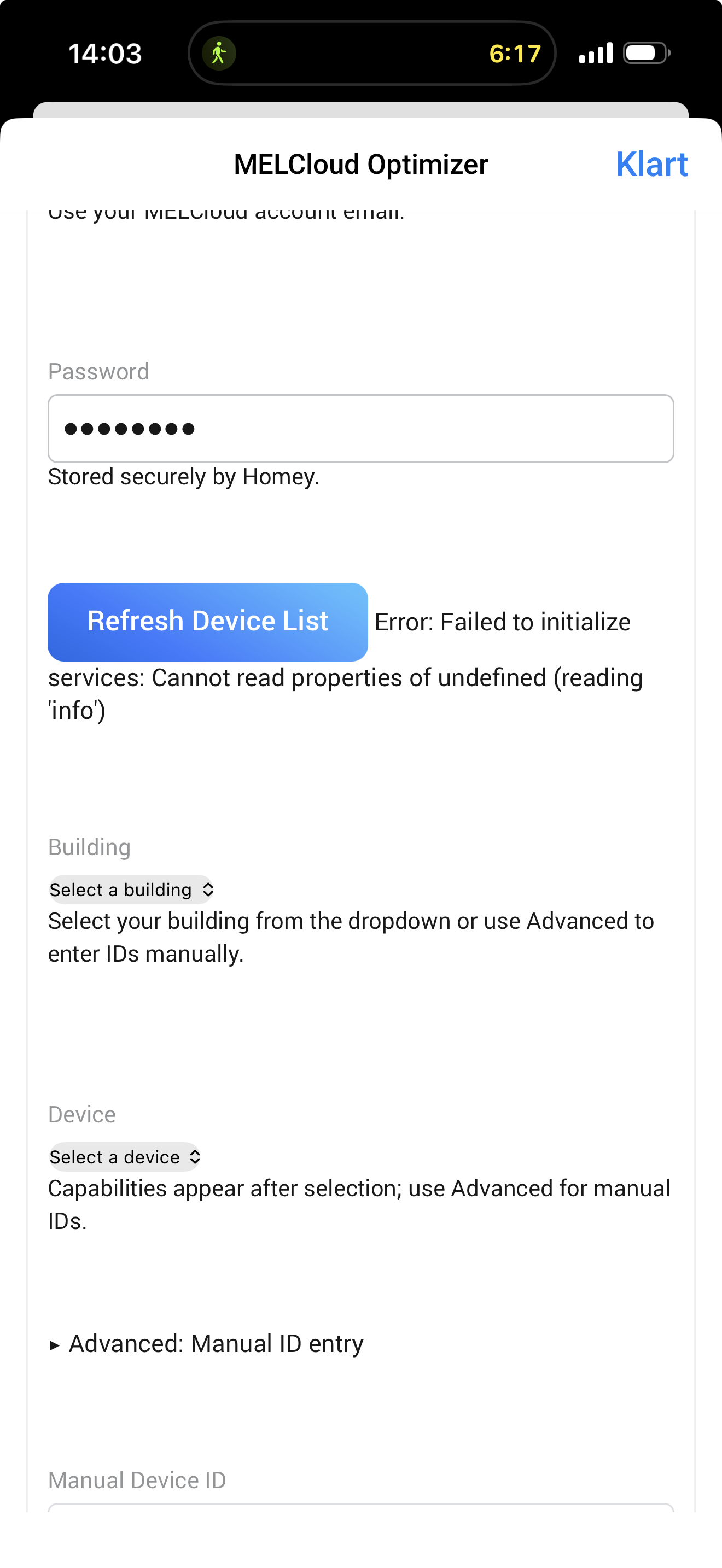
I think I have a similar problem. I use the same login as for Melcloud (old version) but I can’t get my installations to show up (I have two). I’ve been using Optimizer for a while but I’ve been fiddling around and I wanted a cleaninstall so I reinstalled the app and then this happened
I just Installed this app had Some difficulties with login in but now its up and running. But i have Some questions. In which mode tapwater have to be? And in which mode the normal heating?
De only temp reading the unit has is in the technical room and is a bit high in correlation to the rest of the house. The thermostats only control the heating zone’s. Could this be a possible future problem?
Everything should be set up as normal – you don’t need to change any settings on your system. Run heating on curve and hot water as usual. The Optimizer app will take care of the rest using its algorithm and optimization logic.
I wouldn’t change that settings, except if you’re traveling away for several days. The system won’t benefit from frequent changes since the optimization runs on an AI-based algorithm that learns your house and usage patterns.
this is a fully automated system that will save you lots of money as it runs

 . Any chance you might add support for other energy suppliers in the near future? Unfortunately there seems to be no public api for Frank Energie. There is a Homey app though..