Unfortunately this only works in ‘classic’ homeyscript.
Things have changed since HS uses homey-api instead of athom-api for new scripts (source)
uri and id are now combined as id:

(source of screenshot)
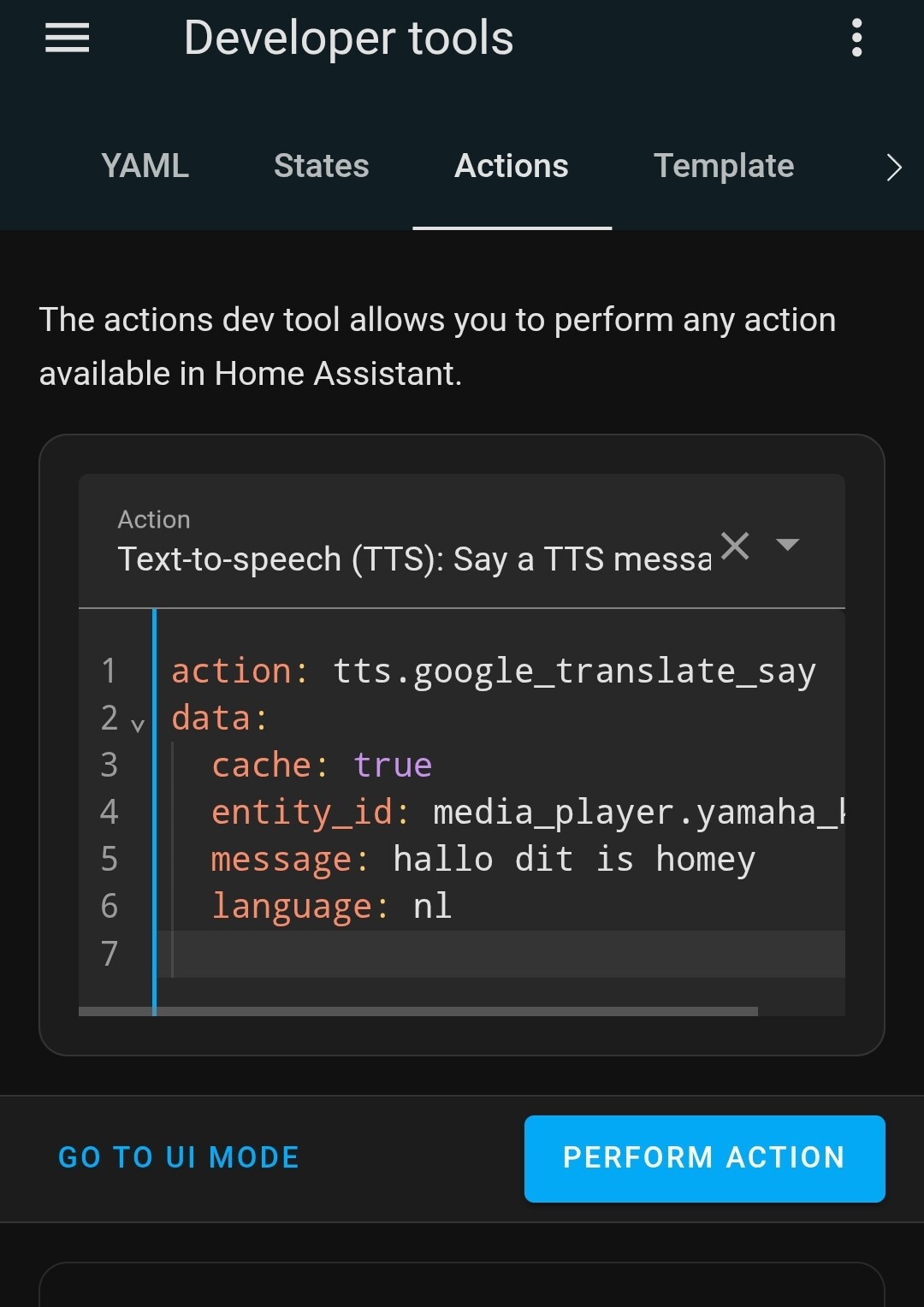
Second, I always first create the service (called ‘action’ nowadays) in the ‘Actions’ tab of HA Developer tools, to make sure it works:
Next, I check if this works with a real flow card:
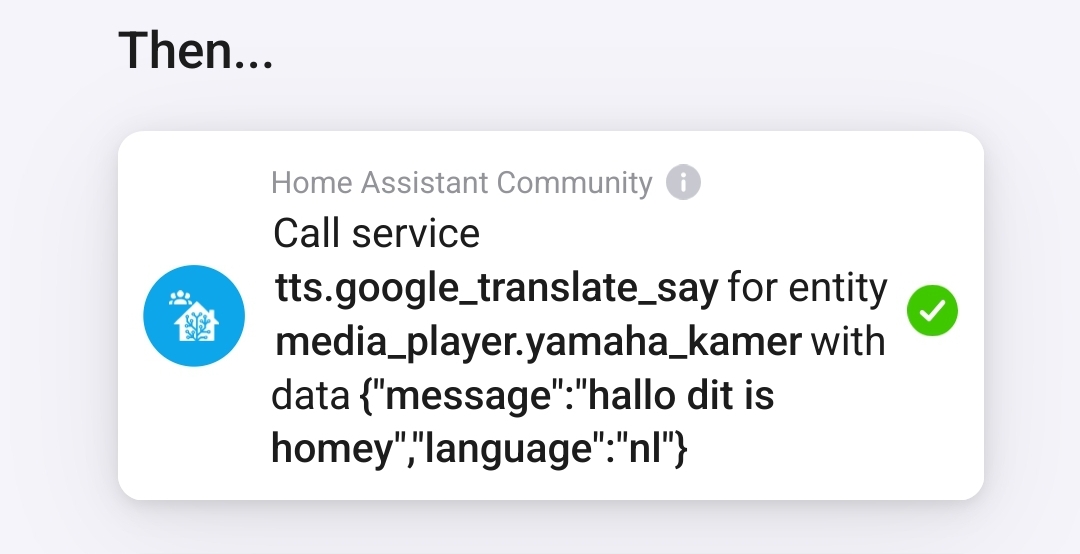
So far, so good.
However, I can’t get the script to run successfully
This one errrors:
const test = await Homey.flow.runFlowCardAction({
    id: 'homey:app:io.home-assistant.community:callServiceEntity',
    args: {
      service: 'tts.google_translate_say',
      entity: 'media_player.yamaha_kamer',
      data: {
        'message':'hallo dit is homey',
        'language':'nl'
        }
    },
});

console.log(test);
Error:
{
  returnTokens: null,
  usedTokens: {},
  error: { message: 'Unexpected token o in JSON at position 1' },
 }
The issue seems to be the data part. The JSON should be converted to a string
So I tried toString, and the JSON.stringify Arnt used, but it’s not working yet;
This one errors as well:
const test = await Homey.flow.runFlowCardAction({
    id: 'homey:app:io.home-assistant.community:callServiceEntity',
    args: {
      service: 'tts.google_translate_say',
      entity: 'media_player.yamaha_kamer',
      data: JSON.stringify({
        'message': 'hallo dit is homey',
        'language': 'nl'})
    },
});

console.log(test);
Error:
{
  returnTokens: null,
  usedTokens: {},
  error: { message: "Cannot read properties of undefined (reading 'split')" },
}
I’m no coder or expert in this, I think I’m close but no cigar apparently  .
.
I’m out of ideas here.
This works fine however:
const test = Homey.flow.runFlowCardAction({
  id: 'homey:manager:mobile:push_text',
    args: {
        user: {
        id: 'xxxxxxxx-xxxx-xxxx-xxxxx-xxxxxxxx',
	    athomId: 'xxxxxxxxxxxxxxx',
	    },
	    text: 'Test push notification from HomeyScript'
        },
     });
console.log(test);

