5 seconds before me 
 OK is always there on the null devices, when you change from battery alarm to accuniveu in homey app it will show you no information. This is what is causing null%. It just can’t read it. I have 2 Xiaomi / Aqara doorsensors with round edges that don’t work, a friend of mine has the same devices but with the less round edges and they show battery information just fine.
The dashboards checks for a measure_battery capability and if it’s there it takes the value of that capability.
Can you go to developer.athom.com logon and then go to https://developer.athom.com/tools/devices
Then filter for the devices that show null, scroll down and look at the capabilites, it should look a bit like this:

Also please post what brand/types the devices are.
Capabilities
| Capability | Type | Value | Edit value | Last Updated |
|---|---|---|---|---|
| alarm_contact | boolean | false | 44 minutes ago | |
| measure_battery | number | null | 3 months ago | |
| alarm_battery | boolean | null | 3 months ago |
This is from the 2 devices I have. Both are Xiaomi / Aqara Door/Window Sensors. I’ve never seen battery level info on these devices, so the information is right.
The sensor alarm (orange exclamation mark) is to show there is -a- device in alarm state. It triggers on any device, not just the ones in your favorites.
The battery alarm is shown when any measure_battery value is below 20.
Unfortunately some devices seem to have a measure_battery capability but have no value and some devices have a measure_battery capability but are actually mains powered (like the Ring Pro)
The dashboard just shows the information that’s in Homey, I will see how I (and if) I can easily filter devices that act wrong.
What browser are you using btw? It looks ok for me in Safari and Chrome, is that Firefox?
I have it running on my Synology. In the web directory, I created a new directory named homey-ink. I placed the extracted files in there. The URL that works for me:
http://192.168.1.21/homey-ink/app/index.html?token=XXXXX&theme=web
You also have the end swapped…
Those devices should show a battery value if I’m not mistaken. But battery status and alarms were added later to the (Xiamoi Aqara) app so it could be you added those devices before the app was capable of retrieving the information.
Is it to much trouble to remove the device and re-add it? (You will have to fix your flows)
I will see if I can filter out devices that have a measure_battery that is null.
(And will have to answer questions why this and that device doesn’t show up for some users… 
 )
)
I’ll give it a try and let you know in a bit.

I’ve also uploaded a new version that filters out devices with measure_battery null. Can’t test it however because all my devices behave normally
Re-added the device, but same battery status. I think I need to buy the other version 
I’ll test the status null in a bit and let you know. Thanks again!
Edit: @DaneedeKruyff I can confirm, null status devices are gone now.
Solution was given like 6 hours ago. And swapping the theme or token is no problem at all.
Sorry for trying to help.

left. A friend of mine has the right ones and they work fine.
Ah, ok. That explains it.
The one on the left is a Xiaomi MiJia, the one on the right is Xiaomi Aqara. For the Aqara’s I know the battery information is working.
(You just gotta love how Xiaomi names their brands/devices and how most sellers on AliExpress mix them up)
Right for me have dinner now but after that I will test the new version
You’re absolutely right. I checked and it doesn’t say anything about it being MiJia or Aqara and I didn’t know they were different, till my friend told me that his battery status works fine…Still considering to change them for the Aqara version 
@DaneedeKruyff @Andre_Prins OK I updated the version, checked again and yes see no Null values now anymore so filtering works.
The message from the alert stays on and also the battery indicator is still visible, see below no alerts and no battery issues that I can see?
I don’t know if you also fixed this in this version, but now when refreshing, and even opening the dashboard on an other Mac or window will show the correct status from the sensor, even sensors that are in alarm now show correctly the orange status! love it, thanks!

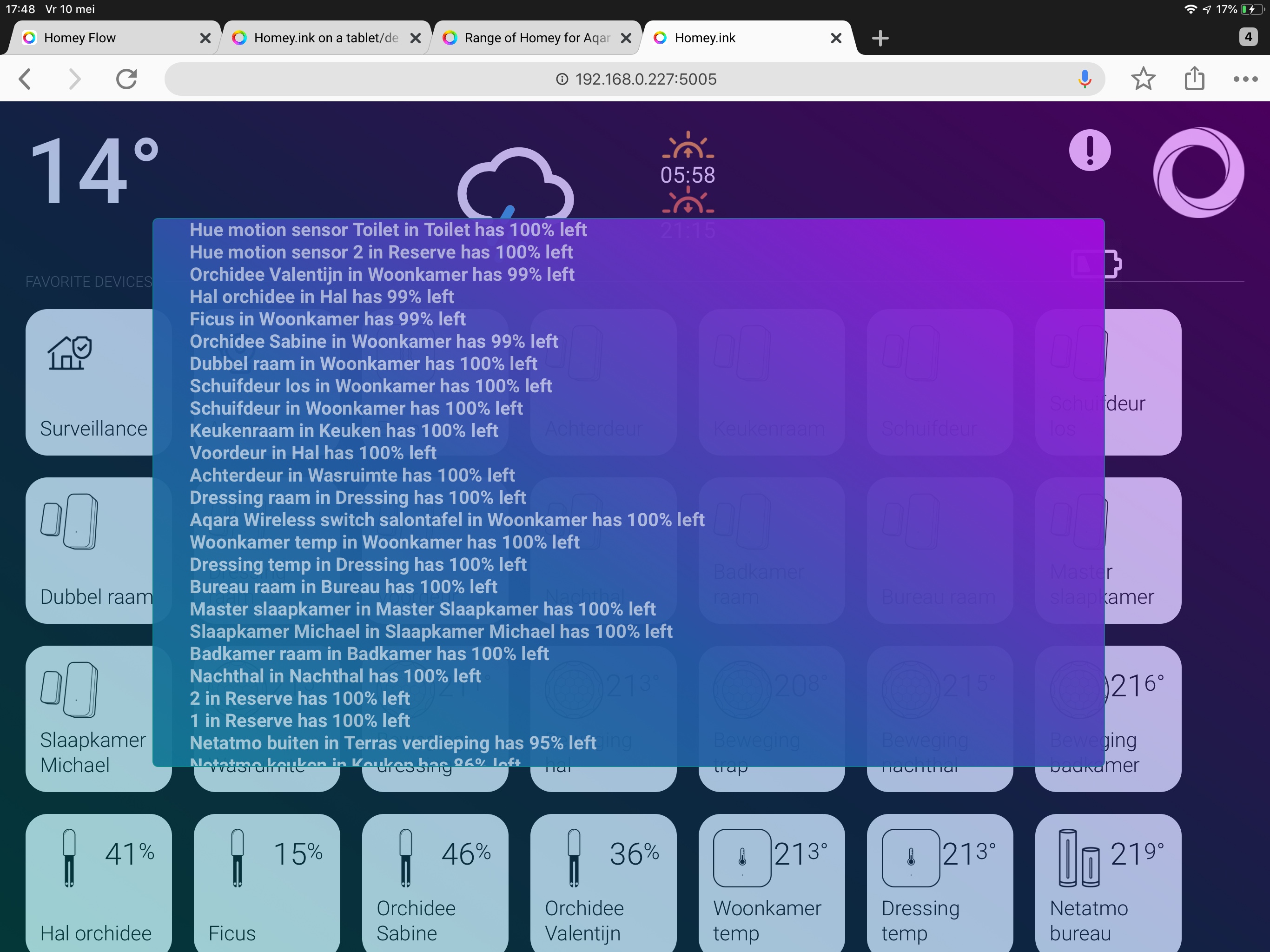

But that’s correct. When something is wrong the icons turn orange instead of white. Maybe they should be green instead and red if something is wrong?
You see my status, one error, because my doorbell is by default in alarm state (should be the other way around). A ticket with Athom is already open for this.

Hi @Andre_Prins, yes but before this version when you didn’t had the dashboard open on for instance your iPad and you had already a sensor in alarm, for instance door/window open then was this not visible in the dashboard that you opened on the new device, this is now the case, well is new for me for sure
Like you mentioned in a previous post, is fixed now!
Blockquote Thanks. I only noticed it’s changing to orange when the dashboard was active and I opened the door. When the door is open and I start the dashboard it will not change to orange. Also when it’s orange and I do a refresh of the dasboard it turns back to white. That’s also why I didn’t notice the colour the first time.
