whohoeee, it works again, all devices added and controlable
So, what was the solution?
For some none of my devices are reacting anymore. I already tried repairing it, that didn’t help. Also restarting the app didn’t do the trick.
So what can I do further?
Maybe re-log in to your Tuya account in the Tuya app’s settings.
How can you re-login in the Tuya-app in Homey? I only see restart the app
I don’t know what happened, but after I restarted the tuya-app in Homey again it worked again…
As far as I recall, you can retrigger the log in process (in which you have to scan a QR code from within the SmartLife app) in case you were logged out, by trying to add a new Tuya device device.
Good to hear. A restart of the app and:or repair of a device tends to solve it in most cases.
I am having the same problem as some others. My devices randomly stops working and are “unavailable”. It can happen 1-3 times a day.
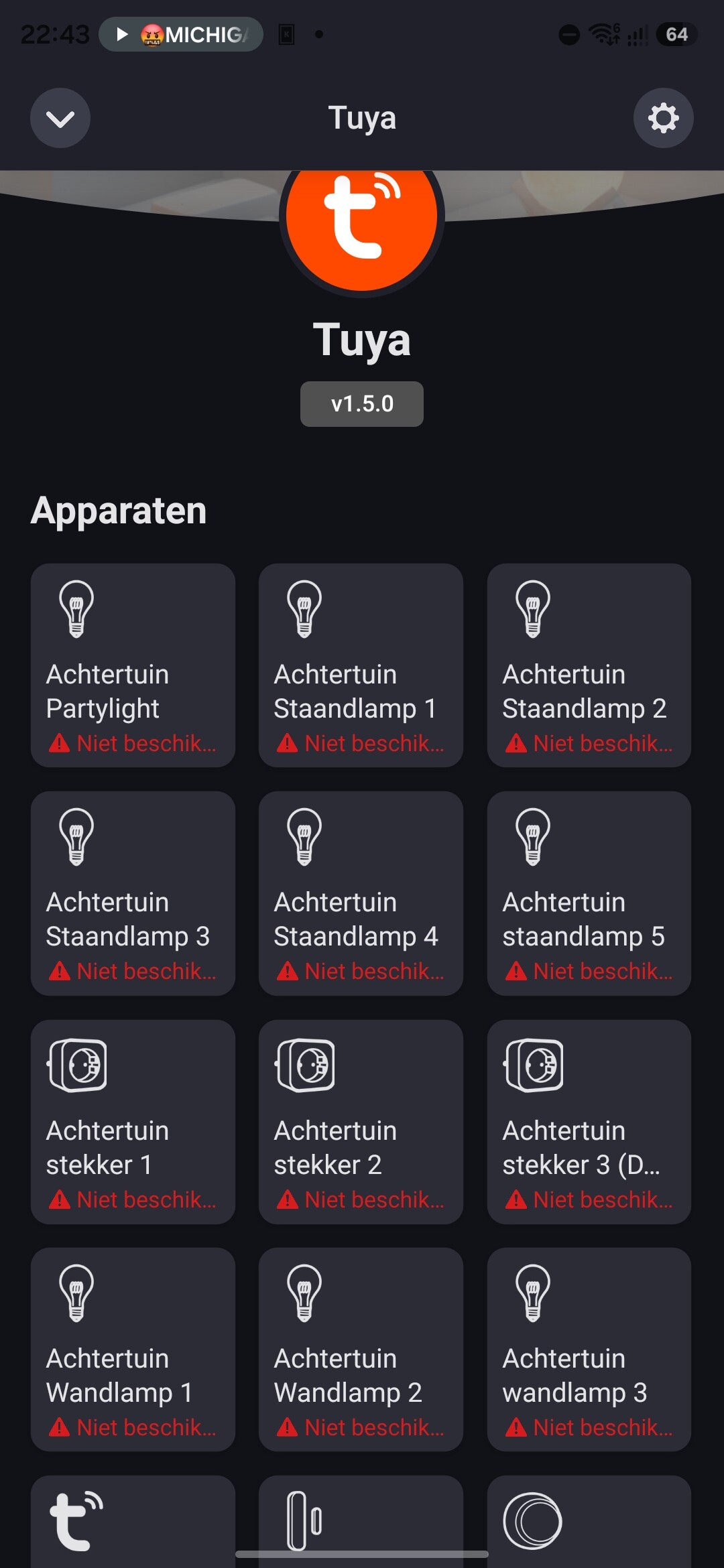
Repairing works sometimes but sometimes it doesn’t. Restarting Tuya app makes everything go crazy.

So I tried repairing devices again but restarted Homey. This time it took nearly 10 minutes to fully boot and connect with the Homey. It took a few tries but eventually it worked again.
What is happening?
I didn’t do anything special, I just waited and tried if it worked from time to time.
Im guess there where some server problems, that are resolved after a while.
it might take a different time for everyone
FYI, all my Tuya devices are not working again, getting a timeout.
I have the same problem for about 24 hours. All devices are non-responsive and some show as unavailable. If I login again (try to repair a device, login with QR code etc) some work for a few minutes but then they all fail again. Restarting the app doesn’t do anything positive.
Any ideas anyone?
Same problem here :x
I had to restart the Homey Tuya app twice to get my devices back. First time cleared the ‘device unavailable’ message but turning on a switch, for example, changed the icon, nothing happened and the icon changed back a few seconds later on its own. Second restart restored full function. Then the issue happens all over again a few hours later.
As it happens, I found one of my smart plugs refused to connect, was very warm and buzzing. It had failed. I don’t think that was connected, given others have the same problem.
I can confirm the Android app and Alexa continued to work OK. I tried googling for HA issues and it seems they don’t have the same problem which indicates it’s Homey-specific.
Andy
I’m having the same issues as reported above.
The developer of the Tuya-app mentioned on Homey’s Slack channel regarding Tuya that:
Their cloud is unstable from time to time, which seems to trigger a bug in the OAuth library causing it to forget the refresh token.
So the app loses the login credentials and cannot access the Tuya cloud anymore. The work-around is to restart the Tuya app on Homey and then repair one of the Tuya devices (via the Try to repair-option in the Maintenance menu in the device tile).
Thanks for this tip. My devices seem to be working OK now - fingers crossed.
I didn’t know about the Slack channel. TBH, I didn’t know about Slack at all!
Try re-pairing the device and then restart the app, that solved it for me.
Finally, that seems to be working. Hope it stays stable now.
* Edit
It was short-lived.
It is an official app. Has anyone had a response from Athom yet?
I have created a script that should repair the problem if it occurs again.
Havent tested it yet, because everything works atm
and did had to message myself through a webservice, becouse my (old) homey doesnt allow communication towards flows.
If anybody has ideas, hints or anything else, please let me know, even if this is totally crazy
async function notify(subject, message) {
  try {
    await fetch('http://192.168.178.2/services/sendmail.php', {
      method: 'POST',
      headers: { 'Content-Type': 'application/json' },
      body: JSON.stringify({ subject, message })
    });
  } catch (err) {
    console.log("API-fout:", err);
  }
}

const devices = await Homey.devices.getDevices();

const tuyaErrors = Object.values(devices).filter(d =>
  d.driverUri &&
  d.driverUri.includes('tuya') &&
  d.available === false
);

if (tuyaErrors.length === 0) {
 // await notify('Tuya OK', 'Tuya-check: geen fouten gevonden');
  return 'OK';
}

await notify('Tuya fout', `Tuya-fout gedetecteerd bij ${tuyaErrors.length} apparaat/apparaten`);

try {
  await Homey.apps.restartApp({ id: 'com.tuya.cloud' });
} catch (err) {
  await notify('Tuya fout', `Tuya-app kon NIET worden herstart: ${err.message}`);
  return 'App restart failed';
}

let repaired = 0;
let failed = 0;

for (const d of tuyaErrors) {
  try {
    await Homey.devices.repairDevice({ deviceId: d.id });
    repaired++;
  } catch (err) {
    failed++;
  }
}

if (failed === 0) {
  await notify('Tuya herstel', `Tuya-herstel voltooid: ${repaired} apparaten gerepareerd`);
} else {
  await notify('Tuya herstel', `Tuya-herstel gedeeltelijk gelukt: ${repaired} OK, ${failed} mislukt`);
}

return `Repaired: ${repaired}, Failed: ${failed}`;
