@Seinuh the fix is almost ready!
New app update ( TEST: 1.27.1):
Changelog:
NEW:
1: NEW: [Widget] cleanup old chats
2: NEW: [Widget] only cache for active widgetsFIXES:
1: FIX: App crash due to widget caching
If you find any issues, send a report via the mobile homey app
More - apps - Whatsapp - settings wheel right top - send diagnostic report (put your email in the input field to make it easier)
Issue list: [APP][Pro] WhatsApp - Simple. Reliable. Private - #3 by martijnpoppen
@Seinuh can you test the above? 
Also, are you using the new dashboard widget or not?
Up and running 
Let you know if it’s stable
@Seinuh I cleared all widget caches before starting so I expect it won’t give a memory error anymore. I forgot a check to see if the chat should be cached for a widget.
So Probably in your case you have no widgets or some but there are a lot of messages going trough the app. Resulting in a huge cache which Homey doesn’t like
It’s running stable 15 minutes so i think you solved it ! Sent you a small donation  thanks @martijnpoppen
(Not using widgets at the moment)
@Seinuh Nice! Glad this fixed it
And thanks once again man! 
Still crashing.
52933a65-3c57-4909-86db-5f9bca300f24
@Bjorn_Schalks please try to repair the whatsapp device
It also looks like you created 21 widgets for WhatsApp. So my guess is the cache is full
Athom doesn’t have a way to tell if a widget exists. So I cleanup all old ones. But there are still 21 widgets in cache
So repair is your only option here…
@martijnpoppen
I’ve no WhatsApp widgets installed.
Everything is uninstalled.
Looks like everytime a widget is deleted, its still on the Homey.
@Bjorn_Schalks hmm that’s interesting
I’ll provide a clear all chats button
==== moved to the correct thread ====
@Bjorn_Schalks did you try a repair?
@Frekel sorry I don’t really understand your issue. Is it a WhatsApp issue or a find my apple issue?
@martijnpoppen no it’s not possible to repair.
On mij homey 2023 and homey 2019 i pushed both backups, still crashing.
Also repairmode screen does not work
@Bjorn_Schalks i Will try to create that flush button today. In the hope that will work
@martijnpoppen Sorry. Was as “Find my Apple” issue. Moved the message to the correct topic!
New app update ( TEST: 1.27.3):
Changelog:
NEW:
1: NEW: add clear widget button to deviceFIXES:
1: none

If you find any issues, send a report via the mobile homey app
More - apps - Whatsapp - settings wheel right top - send diagnostic report (put your email in the input field to make it easier)
Issue list: [APP][Pro] WhatsApp - Simple. Reliable. Private - #3 by martijnpoppen
@Bjorn_Schalks Please use the button as shown above
@Mikl see above update for the clear chats button
Hello @martijnpoppen !
Thanks for the addition!
I see that after a flush of the conversation, authentication is required again:
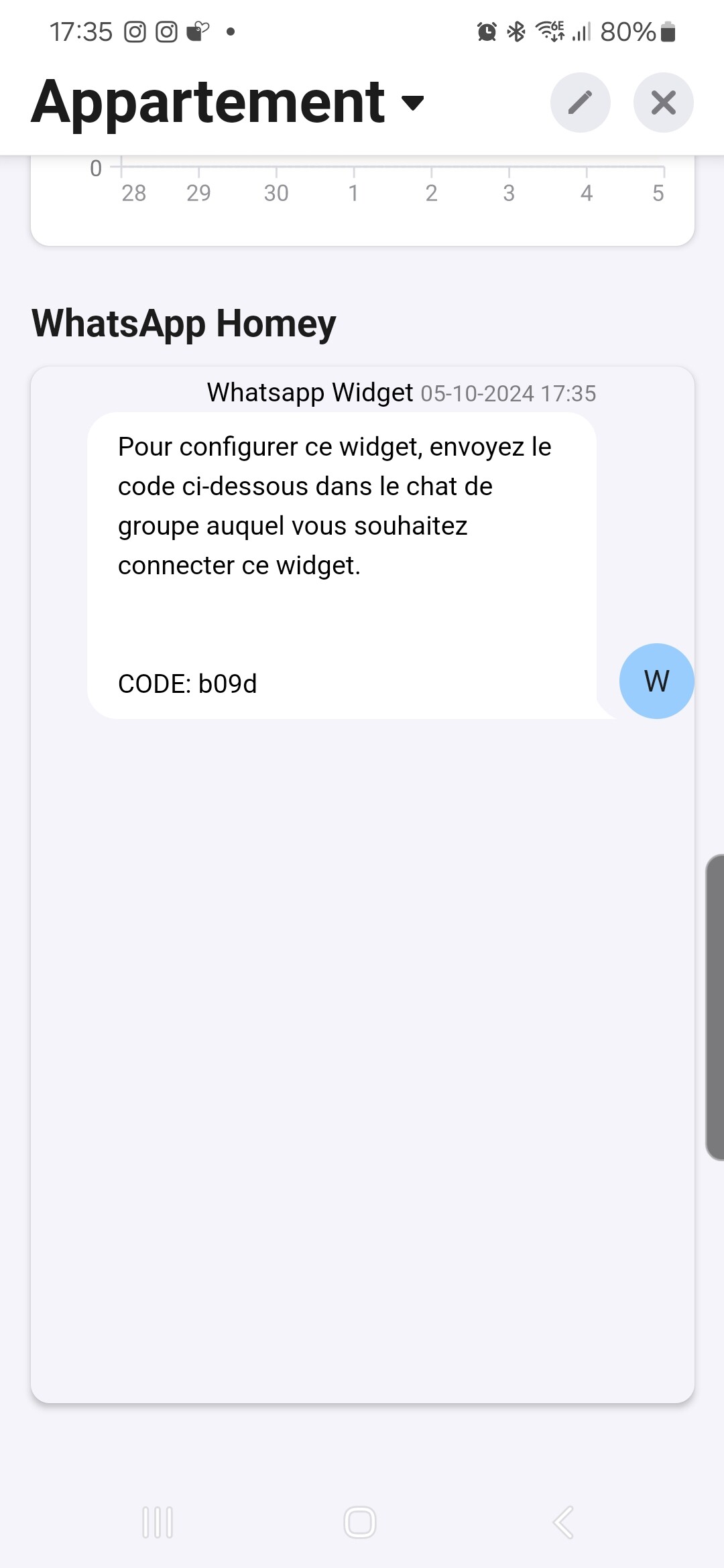
Also, it would be nice to be able to do the action from a flow as well.
By the way, very good idea to have added the button in the device 
