That was the missing piece of info, got it sorted. Thanks! 

The first part is Ronny’s flow, which increases the access interval when charging, because the car is constantly online while charging.
In the second part, I calculate the quota for the month. On the first of the month, the values are reset. Then, 0.23 cents are added every day—that’s 10 €/$ divided by 31 days. If the used quota is lover than calculated by Tesla, the access interval is increased by one minute every day. If the quota is higher than calculated by Tesla, the access interval is decreased by one minute every day at 3 a.m. until it reaches 1.
Thank you for sharing your flow! I just copied it. I actually didn’t know that the car was constantly online while charging, so I used up the free 10€ halfway through the month…
Hopefully will never happen again with this flow
Thank you so much for the help! It worked now.
Skickat från min iPhone
Connection lost 2018 MX
Have not used the app in a while, was working great
Now the connection seems lost and I dont know how to repair (using rest API)
Its not clear to me if the rest api should still be used for older vehicles?
74a6e55d-3961-4cb8-bed7-efb4f1b1ede4
Error when trying to switch on Tesla audio as an example:
400 Bad Request: {
“error”: “invalid_request”,
“error_description”: “The ‘client_id’ parameter is missing. Include client_id in the request.”,
“referenceID”: “1480b6e8-2fa6-4fdc-a8e4-f9c147be78f7-1743673370831. For more information, visit: https://developer.tesla.com/docs/fleet-api#help-and-support”
}
Which would lead me to think its not trying to use the rest api?
Thanks for any help
Cheers
@RonnyW what happens or do I something wrong because I got invoice from Tesla with to many request send.

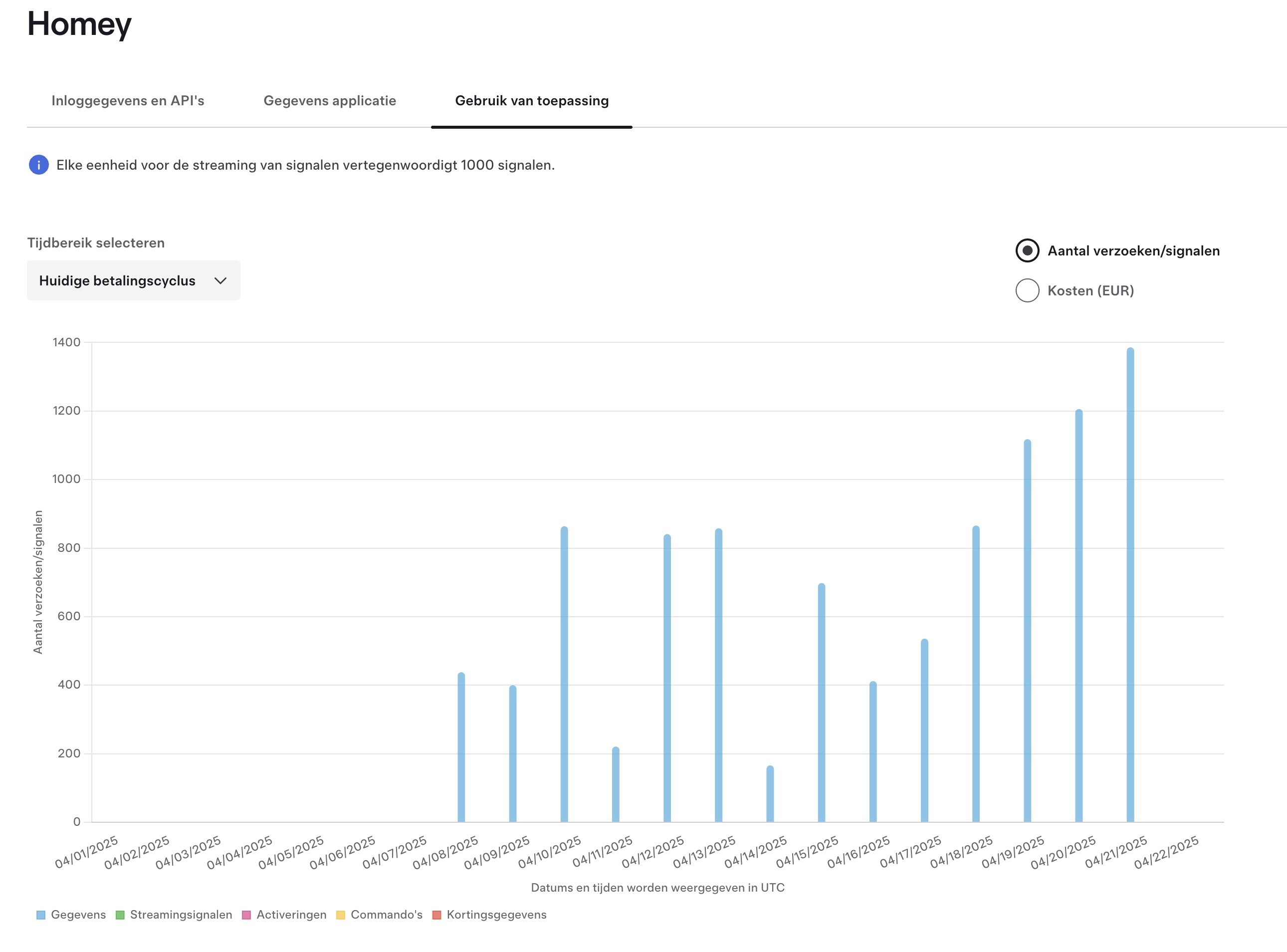
Invoice or rate limit mail?
You will only get an invoice if you set a payment/credit card and raised the limit above 10€/$.
Else you just get a mail that your account is rate limited until next month.
Got invoice. But why so many request, for example on 21/4 almost 1400 requests ? Can I manage it within the app or so ?
it depends on your interval set in device settings. If car is awake, every call counts. Manage it via flow, chabge the interval if needed (while PV charging etc.). You can find some examples some posts above.
How can I reduce the number of requests? I don’t think I can set it lower than 1 per minute. I can currently use it for half a month, so I should be able to set it to 1 every 2 minutes or 0.5 every 1 minutes, but I guess that’s probably not possible 
Check the car device settings 
And for dynamic changes there is a flow card.
Sorry, but that’s going too fast. Could you be a bit more specific? I would really appreciate it if I could solve this. I’ve only just started using the app, mainly to turn on the heating or air conditioning and to open my garage when I get home — nothing more. But it’s still annoying when it stops working after just two weeks.
Every device has a settings view:

There you can set the polling interval.

If the car is asleep, it doesn’t count.
If the car is awake, the data re read from the car - and this counts as a data request.
Every command is also counted as a command request.
You can dynamically adjust this also with a flow (by time or by other triggers). I use a higher interval while charging, because then the car is awake a long time.
Hi @RonnyW ,
I noticed that when I send a command to set the charging current, the API command counter increases with +3 instead of +1. For instance screenshot below: changed to 32A, counter increased from 849 to 852, while no other commands were sent.


This is the case in your Tesla app, but also in the Tesla dashboard. So it seams that when setting the charging current, 3 commands are sent instead of 1.
Is this a known bug?
Steven
In normal case, only one command should be send.
I the car is asleep, a wake command is sent before.
Is ‘retry’ active for commands in car device settings? This can result in retries if the car needs too long to respond.
Hi
the car was not asleep because it was charging, and I also didn’t see an increase in the wake command counter. But indeed, the “retry” was active.
If I try to change the charging current without “retry” being active, there’s only an increase with +1. So that seems indeed to be the cause.
Is there a setting to change how long the app should wait before a retry is sent? I’ll check next time I charge my car, but I have the impression that this retry for setting the charging current happens rather frequently. This is the only command I’m using, so I don’t know whether that’s true for other commands as well.
thanks
Steven
The retry wait time is hardcoded (about 10sec I think).
You can try the flow without retty. Add an exception handling (output at the card bottom) to see if the single command fails (and why).
Hello,
I just received the email alert too, with wayyyyyy too much (thousands) “Datas” used. My flow
only uses commands : 0 to 6 commands / per day. Which should add the same amount of “Datas”, right ?
I’ve seen your post regarding the Data retrievals and the “Polling is active” option.
Question : If I set it to NO, it will stop requesting Datas? (and ONLY send commands), correct ?
My use is the following : When my Zendure solar battery is over 90% charged, start : Charging Tesla (1 command), and Set Amper to 9 (2nd command). When Zendure Battery goes under 10% : Stop the charging (3rd command of the day).
Thanks for the help
Yes, you can use only commands and deactivate the data reading.
If the car is asleep, a wake command comes in addition.
But in this case you can’t use car states as trigger or condition. If that’s ok, you can do it that way.
I have a Model Y Juniper, but I only get the error “Command API is only for test pursposes.” on all commands.
Waking up the car and retrieving information from it is working just fine, but the commands I just can’t seem to get working.


The key is paired to the car, and I can see it in under Controls - Locks in the car as well.
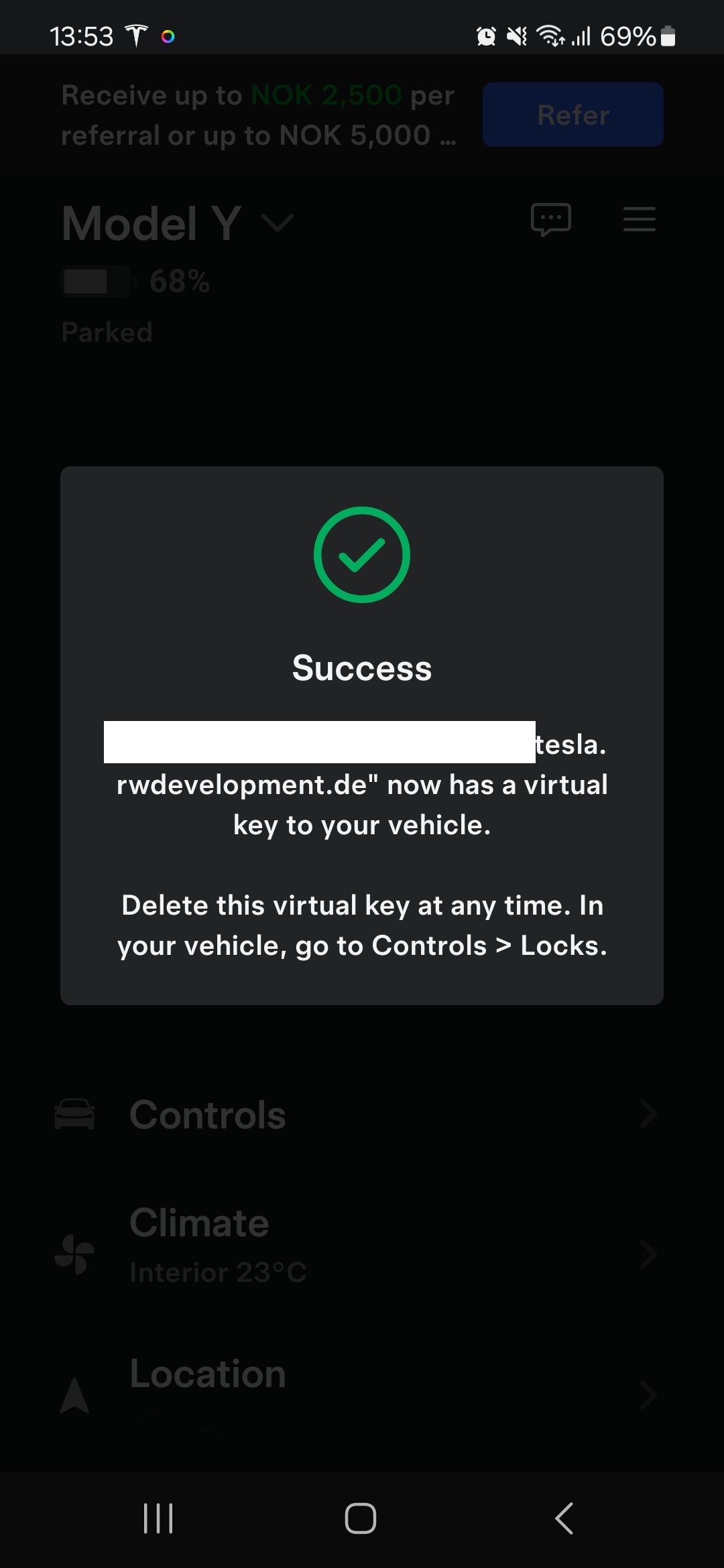
And it’s also stating it’s paired in the homey app.

I’ve set the app permissions in the tesla developer portal to accept commands in addition to retrieving information.

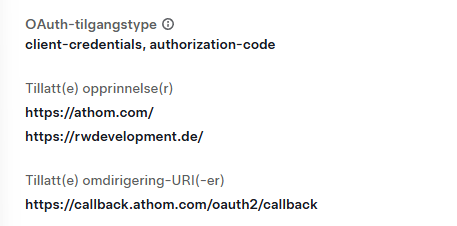
Anyone have any idea what I’m doing wrong?
