Hey! Thanks for quick reply!
Yes IP is ok and I configured in Fritz!Box WLAN Router, that the samsung TV always get the same local ip.
Default after connect device is “No”. I also tried to change this setting to “yes” and save this. After a few seconds on samsung I get tv several messages if I want to accept homey. I accept all three messages and homey is listed under authorized devices list as well. But if I check the setting after this, secure connection is disabled again. I tried to deactivate IPv6 and also change the setting “show message on new connected devices” to no. But this doesn’t help. I was wondering that when I try to activate secure connection again after this setting changes, the messages from homey (want to accept device) appeared again.
{
  "device": {
    "FrameTVSupport": "false",
    "GamePadSupport": "true",
    "ImeSyncedSupport": "true",
    "OS": "Tizen",
    "TokenAuthSupport": "true",
    "VoiceSupport": "true",
    "countryCode": "DE",
    "description": "Samsung DTV RCR",
    "developerIP": "0.0.0.0",
    "developerMode": "0",
...
    "ip": "192.168.178.22",
    "model": "18_KANTM2_UHD",
    "modelName": "UE65NU8009",
    "name": "[TV] Samsung TV 65",
    "networkType": "wireless",
    "resolution": "3840x2160",
    "type": "Samsung SmartTV",
  "isSupport": "{\"DMP_DRM_PLAYREADY\":\"false\",\"DMP_DRM_WIDEVINE\":\"false\",\"DMP_available\":\"true\",\"EDEN_available\":\"true\",\"FrameTVSupport\":\"false\",\"ImeSyncedSupport\":\"true\",\"TokenAuthSupport\":\"true\",\"remote_available\":\"true\",\"remote_fourDirections\":\"true\",\"remote_touchPad\":\"true\",\"remote_voiceControl\":\"true\"}\n",
  "name": "[TV] Samsung TV 65",
  "remote": "1.0",
  "type": "Samsung SmartTV",
  "uri": "http://192.168.178.22:8001/api/v2/",
  "version": "2.0.25"
...
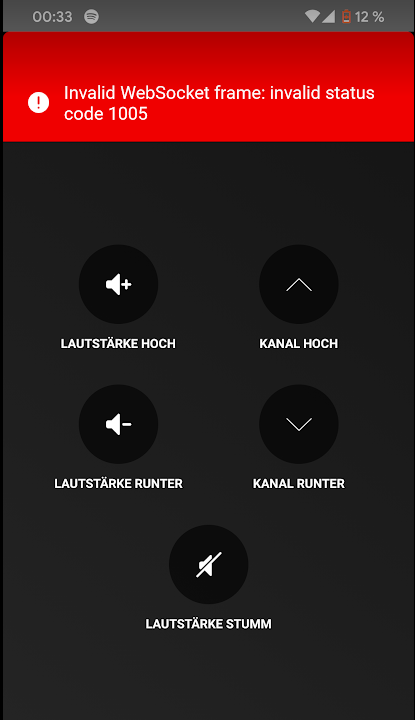
For example (tried to reduce volume - tv on):