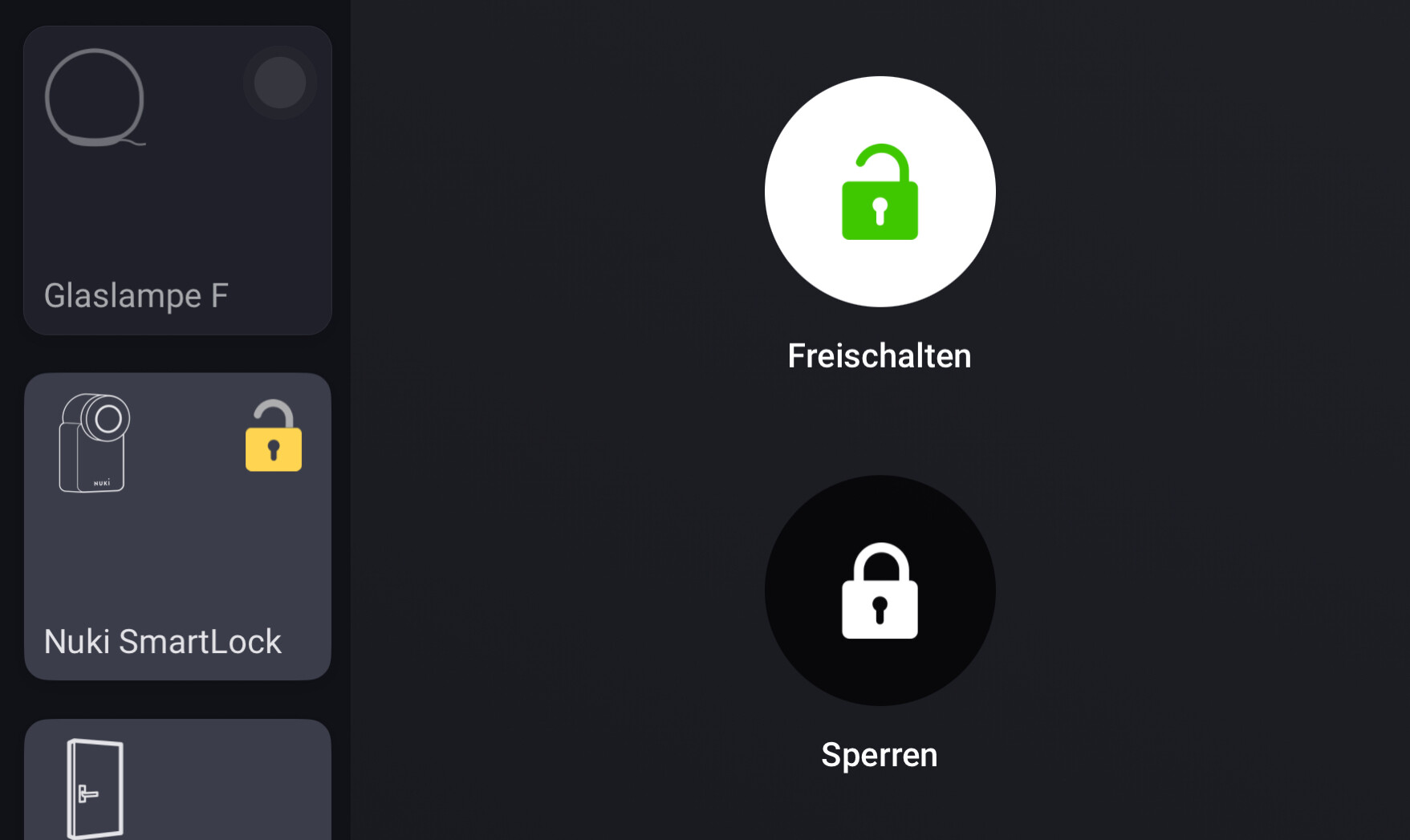
Thx Arie. @KaiF , it should show an opened / closed icon with class “lock”. But as Arie already wrote, the difference is just veeeery subtle.
With an AVD you can use a text field as status indicator, and through a flow card, you can use emiji’s for instance, and or “open” “CLOSED” text
Example:
Flow:
Results:
Peter_Kawa:
With an AVD you can use a text field as status indicator, and through a flow card, you can use emiji’s for instance, and or “open” “CLOSED” text
Plus @KaiF and @Peter_Kawa , if you use reflection, you wouldn’t even need the flow to set the value, just use a BLL expression:
$value?'locked 🔐' :'Unlocked 🔓'
Man, this is magic. Thanx!!
I now can “recycle” many flows which are still being used to set the status field (with 0 some_text) of many AVD’S
Does anyone know a way to install the AVD now? I can’t find any workable links to this app.
Thank you in advance!
Its in the app called: Device Capabilities.
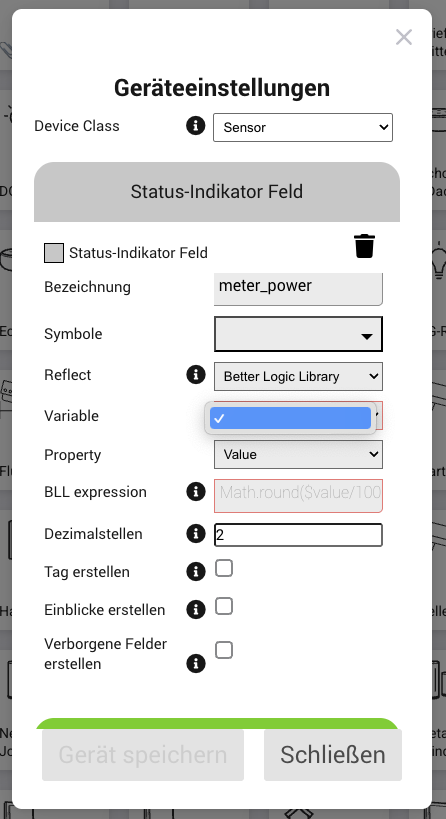
I try to set up a virtual device based on a variable and selected Reflect: “Better Logic Library”, but the dropdown wit variables is empty
Did you create a variable in the Beter Logic Library app (via it’s settings screen)?
Now i did, and i was able to select, but it is not setable. When i try to set a value i get:
It’s readonly inside an AVD.
How are you trying to set it? When do you get this message?
I created a flow which starts on value change of one of my power meters and executes a script. The goal is to get a virtual meter which only hold the rest of the currently consumed kWh after substracting all sub measuements:
// IDs deiner realen Geräte
const EgId = 'caf4c9eb-4271-4f98-bf65-4fa35381bf0d';
const Netz = '8a389ff0-6577-4401-92c2-ed844baf791f';
const NetzBueg = 'd1922f7c-9fce-4ea8-a16a-369503af9d62';
const NetzKuech = 'ed9c43ad-1eb7-4839-bba5-8abaeaa798a3';
const NetzSchlaf = '9a742ff4-d538-42c5-b6e7-6e921a772324';
const NetzWohnz = 'a501162e-a070-4b22-a7d5-3b48f2e1eb39';
const WohnzTv = '04303be3-bd22-44f4-a100-9699b8be6e20';
const KuehlSams = 'fa60698b-8b69-4fb2-87ee-a73bc0a430d1';
const KuelhlDrink = '7f8b4b25-4bc5-4e0e-9cc7-171a451de1b5';
const Gefrier = 'eb1c42a9-6875-400b-848c-123fc78dab01';

// IDs of the real devices
const EgRest = 'd41df970-4758-4789-af8a-8940f0cb412b';

async function main() {
  const deviceA = await Homey.devices.getDevice({ id: EgId });
  const deviceB = await Homey.devices.getDevice({ id: Netz });
  const deviceC = await Homey.devices.getDevice({ id: NetzBueg });
  const deviceD = await Homey.devices.getDevice({ id: NetzKuech });
  const deviceE = await Homey.devices.getDevice({ id: NetzSchlaf });
  const deviceF = await Homey.devices.getDevice({ id: NetzWohnz });
  const deviceG = await Homey.devices.getDevice({ id: WohnzTv });
  const deviceH = await Homey.devices.getDevice({ id: KuehlSams });
  const deviceI = await Homey.devices.getDevice({ id: KuelhlDrink });
  const deviceJ = await Homey.devices.getDevice({ id: Gefrier });

  const virtualDevice = await Homey.devices.getDevice({ id: EgRest });

  const valueA = deviceA.capabilitiesObj['meter_power'].value;
  const valueB = deviceB.capabilitiesObj['meter_power'].value;
  const valueC = deviceC.capabilitiesObj['meter_power'].value;
  const valueD = deviceD.capabilitiesObj['meter_power'].value;
  const valueE = deviceE.capabilitiesObj['meter_power'].value;
  const valueF = deviceF.capabilitiesObj['meter_power'].value;
  const valueG = deviceG.capabilitiesObj['meter_power'].value;
  const valueH = deviceH.capabilitiesObj['meter_power'].value;
  const valueI = deviceI.capabilitiesObj['meter_power'].value;
  const valueJ = deviceJ.capabilitiesObj['meter_power'].value;

  // calculation
  const diff = valueA - valueB - valueC - valueD - valueE - valueF - valueG - valueH - valueI - valueJ;

  await virtualDevice.setCapabilityValue('measure_Status.status1', diff);

  return `Differenz gesetzt: ${diff.toFixed(2)} kWh`;
}

return main();
The error appears on: virtualDevice.setCapabilityValue
at: Homey Developer Tools
As Peter said you should assign your ’result’ to the variable you created earlier by using a BLL-card or in script which is more complicated. It will then show in AVD status.link for script assignment
@Michael_Fritzsche
http://HOMEY_IP_ADDRES/api/app/net.i-dev.betterlogic/VARIABLENAME/VALUE //Please ensure that the value matches the type, otherwise it will not be set.
Writing a value to an AVD field should be possible like this:
let dcApp = await Homey.apps.getApp({ id: 'nl.qluster-it.DeviceCapabilities' });
await dcApp.post({
  path: 'setvalue',
  body: {
    device: 'c34dc5b4-3c30-48a9-8a4e-014aea93d00d',
    field: 'measure_power',
    value: 501,
  },
});
Where did you find this comnand? Just curious…
Peter_Kawa:
let dcApp = await Homey.apps.getApp({ id: 'nl.qluster-it.DeviceCapabilities' });
await dcApp.apiPost({
  path: 'setvalue',
  body: {
    device: 'c34dc5b4-3c30-48a9-8a4e-014aea93d00d',
    field: 'measure_power',
    value: 501,
  },
});
this leads to an error:
when i use .post instead of apiPost i get:
My code example came from ChatGpt
[EDIT] Got it running! Thanks
I missed this comment apparently
There were some changes in Hscript a while ago, when thay made it using Homey api:
Eric_B
May 27, 2025, 8:07pm
732
Hi all,
I use this to control and see the status of my NUKI lock.
Eric
DirkG
May 28, 2025, 9:55am
733
I control my NUKI Smart Lock 3.0 Pro via MQTT and have also created an AVD for it. On my iPhone, the lock symbol is displayed correct opened or closed depending on the status:
Closed
Opened
Device Capabilities App: v2.15.4 (test version )