If you can make a flow like this:

And send me the mesage from the notification I will look at the problem.
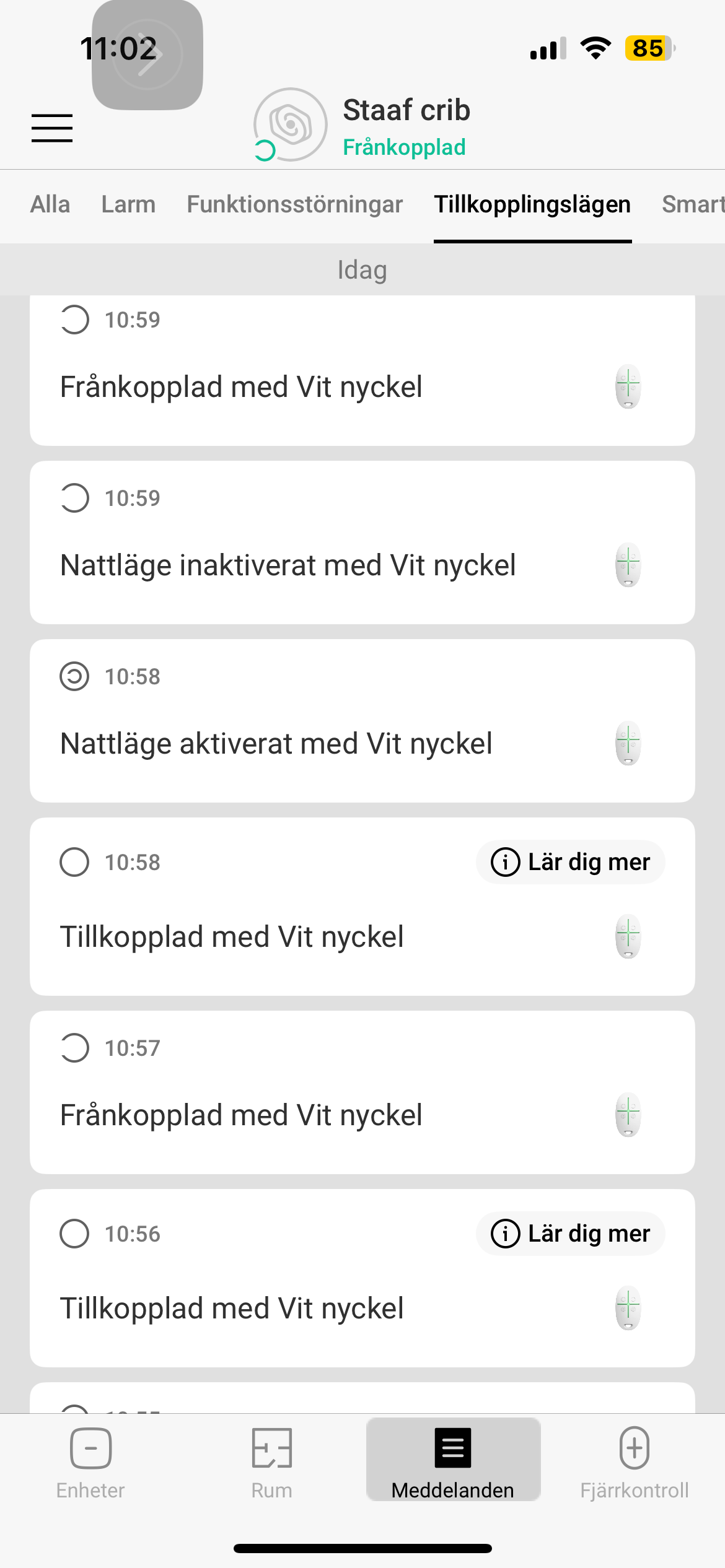
If I do the disarm after a perimeter mode i get the disarmed and the state is changed..
Niels
Yes, I have the same issue… new changes don’t seem to be going through…
@niels, sry, did not have time yet to further debug this for you
grtz
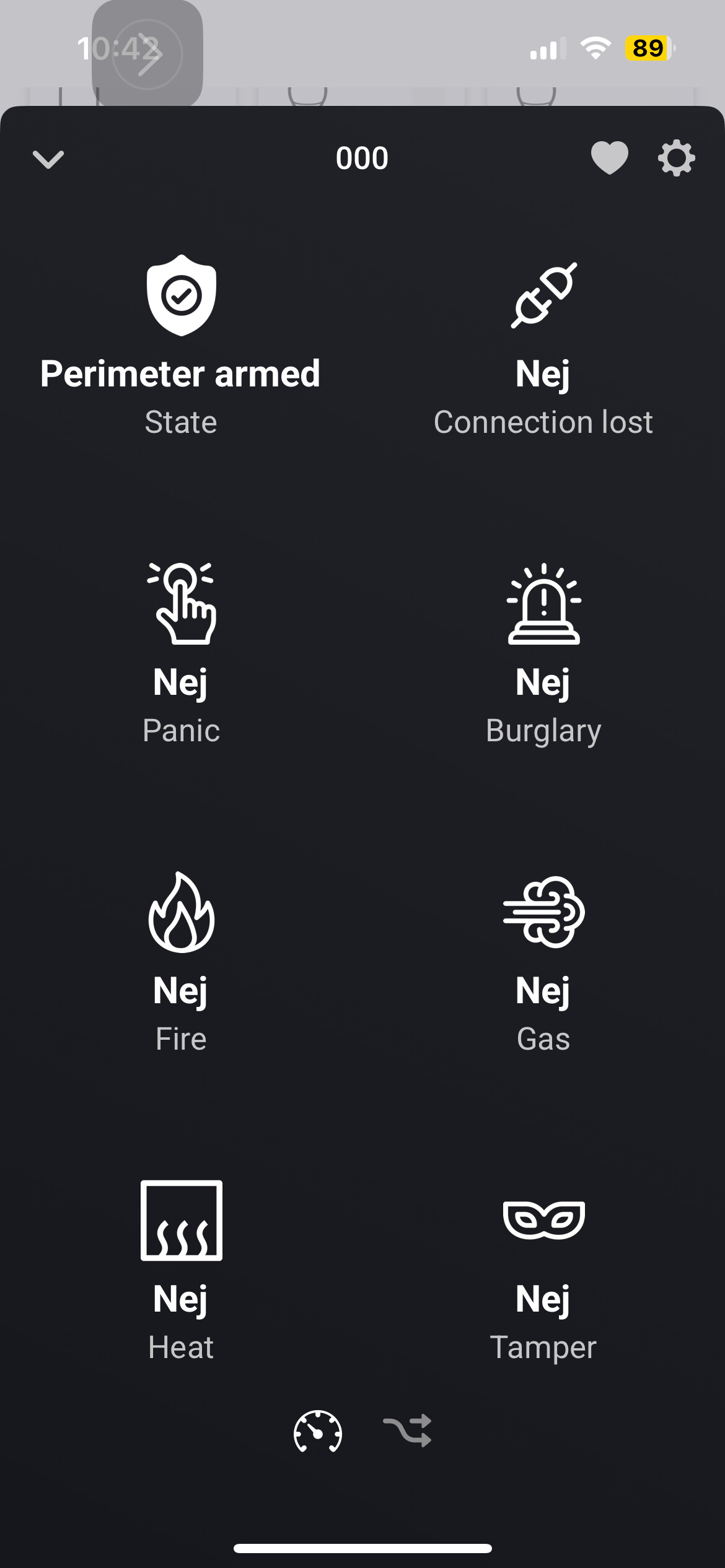
Further to the matter, when in this app state I made full arming and the state changed accordingly. I could also after this disarm and status changed accordingly.
Trying this again failed and status is stuck in perimeter armed. Something unstable?
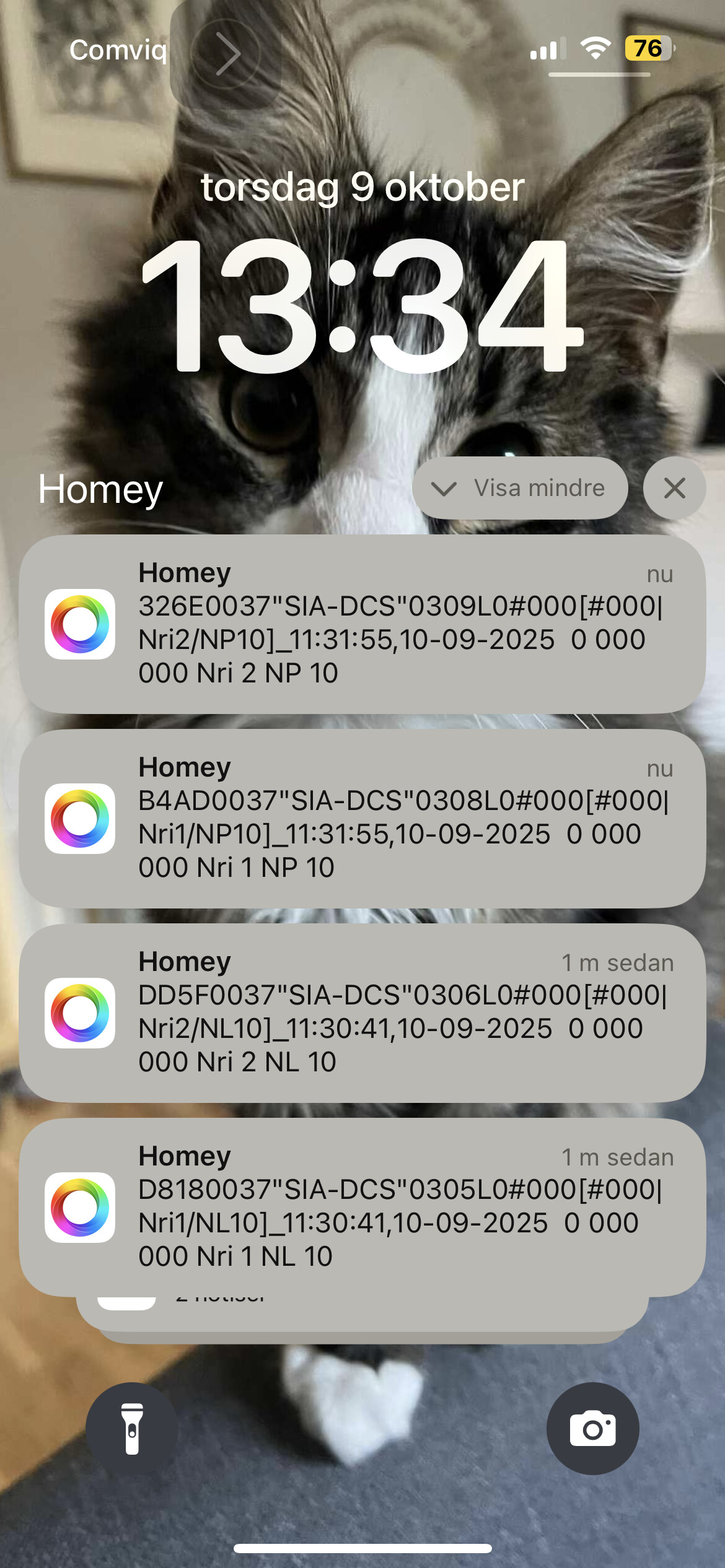
Noting also that I get two messages. Maybe I pushed disarm twice on the key fob. See attached picture.
And no notification for the disarm?
I see the disarm in the last screenshot. So the disarm is received. Also see the code “OG“ which means disarm. So the disarm is received well. I do also see the NP messages. are that power failures?
Can you please remove all homey messages and make only new screenshot with only the notifications for arm perimeter and a single disarm
Niels
If I do the same I receive the disarm and the state is shown Disarmed. Did the disarm came after the alarm was triggered? I checked and see that some alarm systems send the disarm then as a “OR“ message and not “OP“. I fixed that in the next version
Niels
Hi,
I see that the NP code for disarm. I have checked the SIA documents and I don’t see the NP code. But I added NP as disarmed.
The new app is published but Athom must review the app. If the new app is published in the store the disarm should work. If you want to test directly you can download the app using the test-link from above.
Niels
Hi I tested v 1.1.3.
From
Unarmed to armed and back: works
Unarmed to partially armed and back: not ok, stays on partially armed
Guess yet another code to add?
Grtz
Verzonden vanaf Outlook voor Android
I tested with v1.1.4 and disarmed → perimeter armed → disarmed works fine.
Cheers, Fredde
Hi,
Just retested with 1.1.4 and the partially arm/ disarm now works. Great 
Thx
Verzonden vanaf Outlook voor Android
Maybe a silly question in between, but how do I force the app to update to the latest version? Mine is stuck on 1.1.2 and I can’t find any option to update it manually.

Good morning, I’m quite satisfied with the app.
However, the notification for a burglary alarm doesn’t work for me.
Is this something on my end? Please see the attached screenshot, this is the part that isn’t working.
Does it work for you?