@martijnpoppen Since I can imagine a lot of people might be using this script soon (with the arrival of Homey SHS with no migration option), I thought maybe it’s worth updating the post at the top to show an easier way to get the IDs for each device at steps 1 and 5. Go to the Homey web app > Devices > Right click on the device to show context menu > hold down Alt / option key on keyboard > Select “Copy ID”.
@Jonathan_Draper will do!
Hi Martijn!
Would it be possible to replace moods as well? (asking for a friend)
I know these are not devices, but they do have an ID 
I just gave it a go, but only the first time during a softrun it ‘looked like’ it worked: it found the correct flow and the ‘old’ mood ID was found

But any run or softrun tests afterwards only showed
------------------------------------- as result:

I switched the old & new ID’s a few times to no avail.
I found the Mood ID’s by executing Homey.moods.getMoods(); in the playground
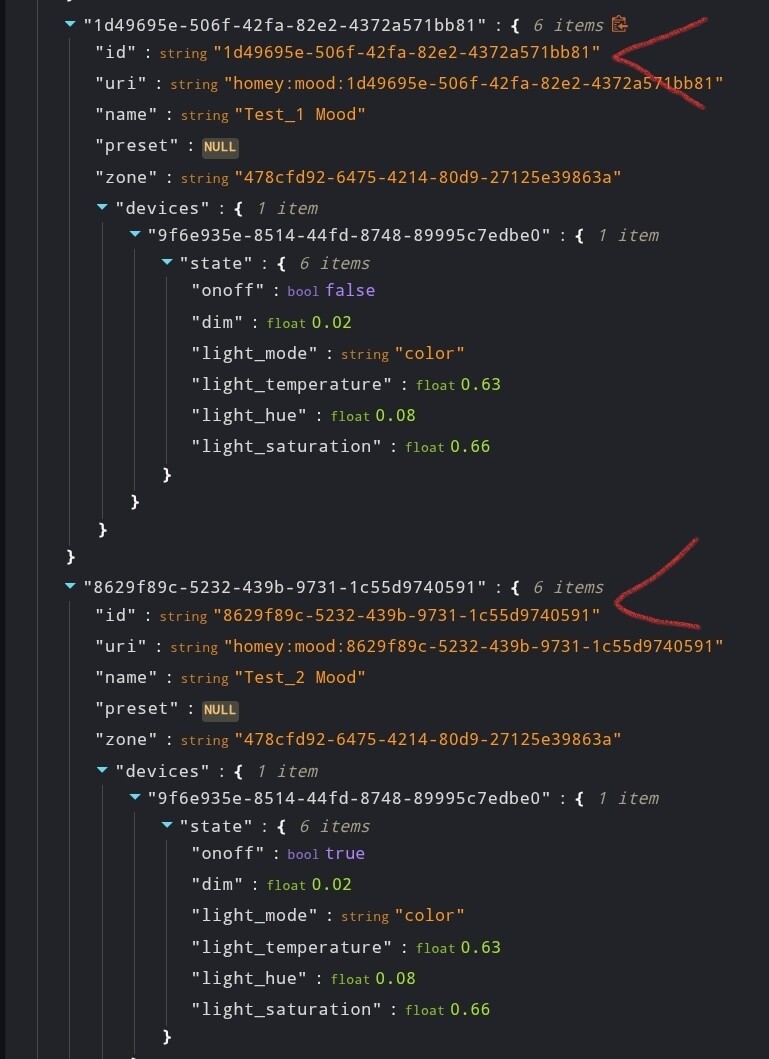
Cheers,
Peet
Hey @Peter_Kawa
Hmm I think that might work. Will check !
Thanks again for this script! Today I changed all of my scripts to use the devices added through the new Tuya app rather than the old Tuya Cloud app. This is such a breeze with this script!
What a life-saver, had to rebuild my z-wave network and your script saved me a lot of time! I have spirit z-wave TRVs that sometimes need to be re-included, so this is going to help me in the future as well. Thanks for sharing your script!
Thanks @HansVee
And thanks a lot for your kind donation! 
 Now this is also available as a app: [APP][Pro]Flow Converter !
credits to @late4marshmellow
I get the approach.
Pretty sure (you never know) I did follow the rules.
No errors (..request took xy ms).
No success.
Homey Pro (2026)
Version 13.1.5
However, maybe a Version specific thing.
Scrolling in the feed, I saw [APP][Pro]Flow Converter - Apps - Homey Community Forum - which did it with not trouble.
Can only thank both authors!
Cheers,
Ralf
@Ralf_Huelsmann thanks a lot for your kind donation!
With the script it’s automatically set to soft run
Not sure if you changed that while running it?
I did, as someone with IT background usualy does:
- soft run first
- no errors?
- “hard” run
Works like a charm.
