The “is changed” trigger is based on the Homey device capability. If the TV was on this input befort it was turned off, the you won’t get a trigger in turning of if the input is the same.
If it was the same before turning off and expecting flow 2 is also a ‘is changed’ trigger, this would mean flow 2 would not give a result too (HDMI4 = Playstation) ???.
The TV is set to always start with Google TV.
But most important: I have a working flow and understand better how it works 
Hi there, i have a problem with adding the Sony KD-43XH8599. I read the instructions. I installed the app. Set the settings in my Sony TV. I applied a preshared key.
The app discovers the TV. But when i add the preshared key the apps says the preshared key is wrong. I know for sure it is right. How can i check this?
With regard
Mark
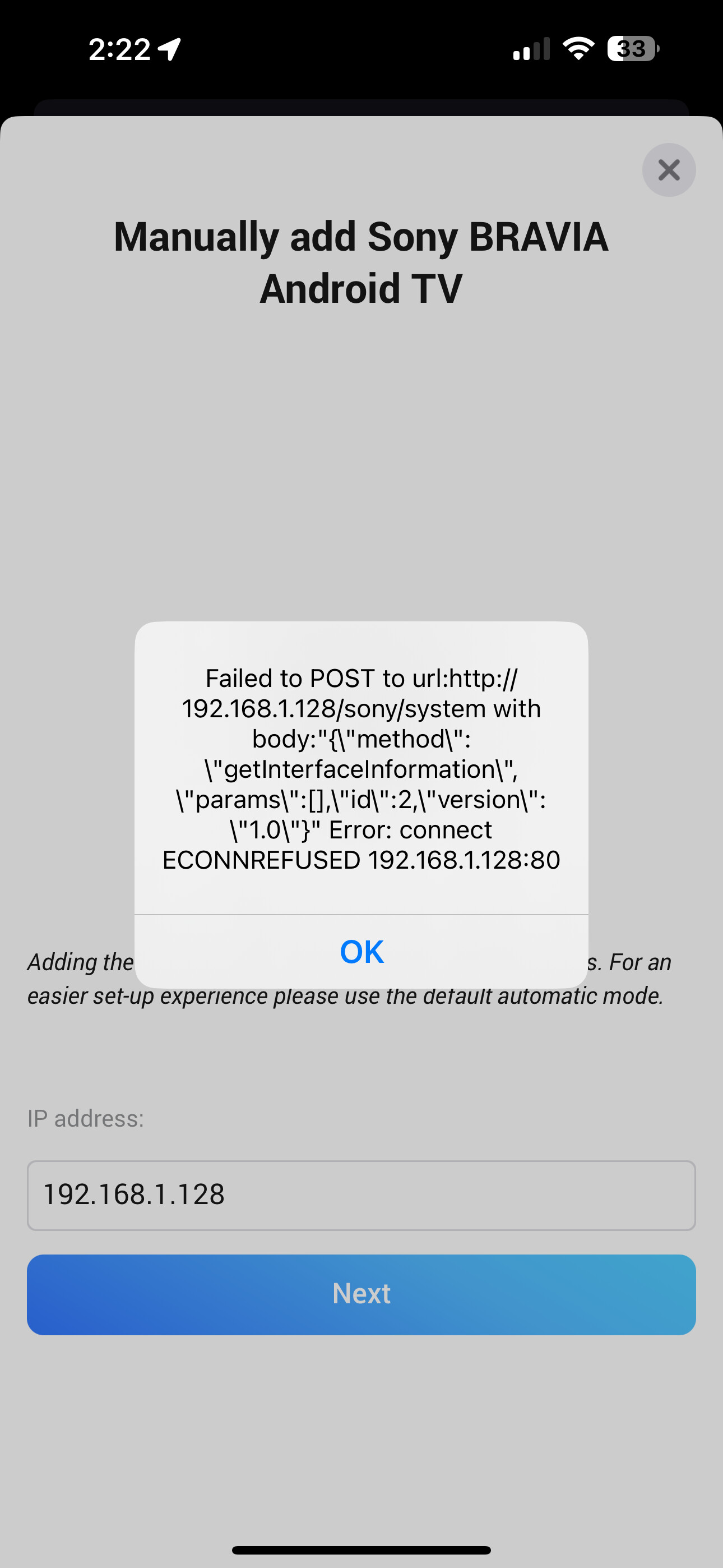
Homey can’t connect to that IP and Port.
Do you have different (V)LAN’s?
I don’t know what that means, so I don’t think so? I’m able to connect the TV through HomeKit, but I don’t really use that and there’s no great way to have Homey trigger a HomeKit device.
There can be a lot of reasons… at the end, Homey can’t connect to the IP.
What’s the IP of your Homey? 192.168.1.xxx ins the same LAN/subnet? Is Homey connected to Wifi? If yes, mak sure it’s not a restricvted Wifi like Guest Wifi (where normally clients can’t connect to each other).
Same LAN. 192.168.1.60 is the Homey. Not guest WiFi.
It actually connected one time, and then the app crashed, and I had to restart the process. Since then, it hasn’t worked.
You can send me a diagnostics report after an app crash. I hope I can get some insights…
How many TV’s can you add?
I have a 40” installed and works fine.
Now I try to install a second TV (65”), but it says device already exist when trying to add it. But I only see 1 device (40”). So i guess only 1 device can be added?
I think your TV uses a new MDNS name and is not discovered while LAN check. It perhaps it’s not on or it’s in another subnet?
If it’ not found, you should be able to add it via IP.
But it would be nice to know the MDNS IDs. I have to check if this information would be transmitted in a disgnostics report.
Hello Ronny,
Both TV’s have fixed IP’s and are in thesame domain, even on the same switch. The 65” is an oldy Pro Monitor tho. Would it help to send the model to you?
I never add them automatically, but using IP with a key.
Let’s try first:
- start discovery
- when it’s finished, open app settings and create a diagnistics report.
Hopefully I can see some descovery details.
In first post, you talked about discovery. I think in this case, only one TV is found automatically.
Then you added the second one. It’s not found. Then you used manually mode and entered the IP.
And then then message “no new devices found” came up?
It’s possible then that the TV not an Android TV or does not respond correctly on the request.
So please send me over the model/type. Perhaps I can find some details.
No, it said something like: device already exists. In Dutch it says: Het geselecteerde apparaat is al toegevoegd.
But im pretty sure its not.
And I have to fill in the pre-shared key and the right IP adres to get that far, so i’m pretty sure it’s responding.
The model is Sony Pro Monitor KD-65X8505B.
45783da6-e6dc-468b-84ce-f3fc8f83bfc3
Hello, I’ve been using the app for a year to control and check the status of my Sony Bravia TV, but now I haven’t been able to control it for a few days. Any ideas what it could be? The IP is fixed and hasn’t changed.
New test version 2.0.23
- Added discovery log.
If no device is found, a SSDP discovery log can be displayed showing the network devices. This can help to identify attributes of newer Bravia models.
Hi there and thank you for your great work ! Is it possible to add to the possibilities in a flow to change the picture mode ? For example from cinema pro to game.
New test version 2.1.0:
- Added picture mode flow action

Test version:
@blutch32 FYI and test. The API supports picture settings. I added mode selection via flow action as a subset of possible picture modes.
Awesome !! Thanks a lot, now I am finally able to change the picture mode depending on my avr input source 
