Nope… Works for weeks on daily basis for me
Same for me.
After a couple of hours, it looks like when the device was a couple of hours in standby, the device gets unresponsive and I have to add it again.
I have a fixed IP address, so that shouldn’t be the issue.
I don’t think this issue is IP related. For some reason the ID changes.
You could check here if the ID is different every time you add it: Homey Developer Tools
I also got errors “Could not get device by id”. I can install it but i get this error direct after.
I will try to reinstall the device and see if the ID changes
The ID changes every time i reinstall the device. I have a Chromecast with Google TV 4K.
I am using this app in combination with my Google TV streamer device. For some reason, Homey sometimes doesn’t pick up on on the Google TV streamer being turned on. Which is an issue, since I use that event to trigger other power plugs to turn on as well. Without the event the powerplugs won’t turn on and watching TV doesn’t work. I can easily fix this, but it’s having an impact on the wife acceptance factor, not to mention the in-laws 
I don’t really know where to start looking for an explanation. The only thing I can think of is that both devices are on different subnets right now; is that supported? I have the same set-up for a lot of other devices which communicate to Homey, none having similar issues.
I have 1 TV (Philips) which reguarly is unreachable for the app.
When I click on it it always needs to be repaired..
All other devices in my network have no issues, execpt this one (and this is the most important one ofcourse).
Is this a bug why it keeps disconnecting or a setings somewhere?!
When I repair it it also needs 1 or 2 tries (it shows the pin but Homey still displays not connected) before it reconnects.
My HA also connects to android TV devices, HA never disconnects from this TV…
Is it possible to vote for apps to be included in the predefined list..?
Here in Norway there are around 5-7 major tv/streaming providers with own apps, it would be great to for instance be able to have the TV go straight to one of these after startup.
One major tv provider in Norway is “Altibox” who has its own app for Google TV called “Altibox TV”.
My father in law is not very technical but I have a Homey at his place and it would be great to make a flow that would open “Altibox TV” when he turns on his TCL smart tv with built-in Google TV. This would resemble an old style TV which I believe would be of great help to many senior citizens…
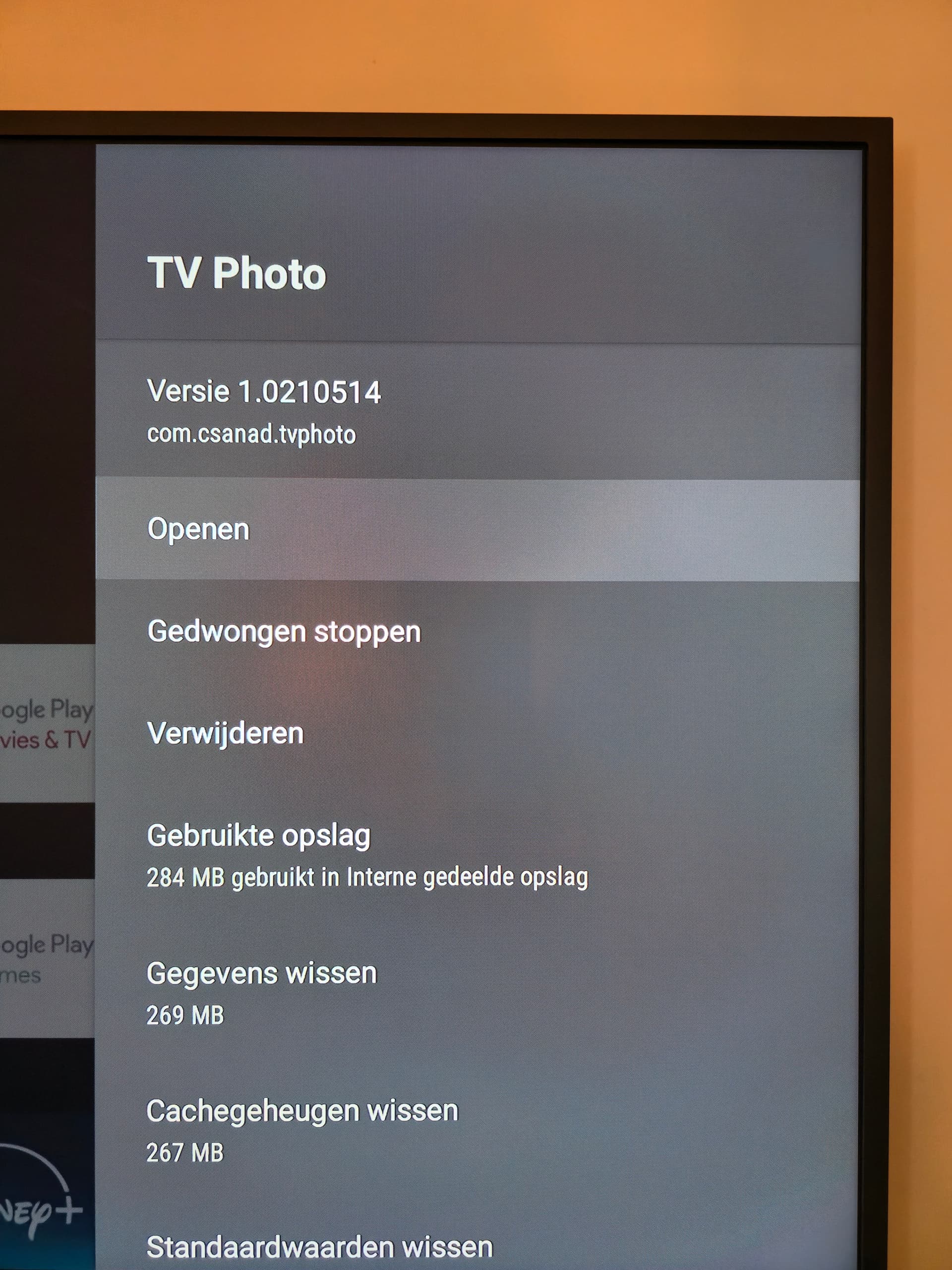
I wasn’t aware that this app supports starting apps directly. What makes an app appear in the list? I currently have a pretty complex flow to navigate the menu of my Samsung The Frame and Mi Box S after that to start a slide show on the “TV Photo” app, but I don’t see that one in the list.
@grenness , is that the predefined list you are talking about? I think it is not a matter of limitation by number of apps
All we need are the app package names to add them to our predefined list. Netflix, for example, uses com.netflix.ninja.
It’s worth noting that we won’t be adding every app out there, as we want to keep the list manageable. That said, if there’s enough demand for a specific app, we’re definitely open to including it.
Hey @Doekse my device goes offline if i switch away from the google tv and i have to repair it?

I use the Android TV app for my google tv streamer 4k.
Best to make a diagnostic report or get in touch with the support email linked on the app store page for the Android TV app for Homey. That way the developers can directly get in touch
Yeahh i did and i figured it out, i had to update homey to newest version to fix the google assistant exclude/include because homey duplicated them back into google home, which duplicated them back into homey again.
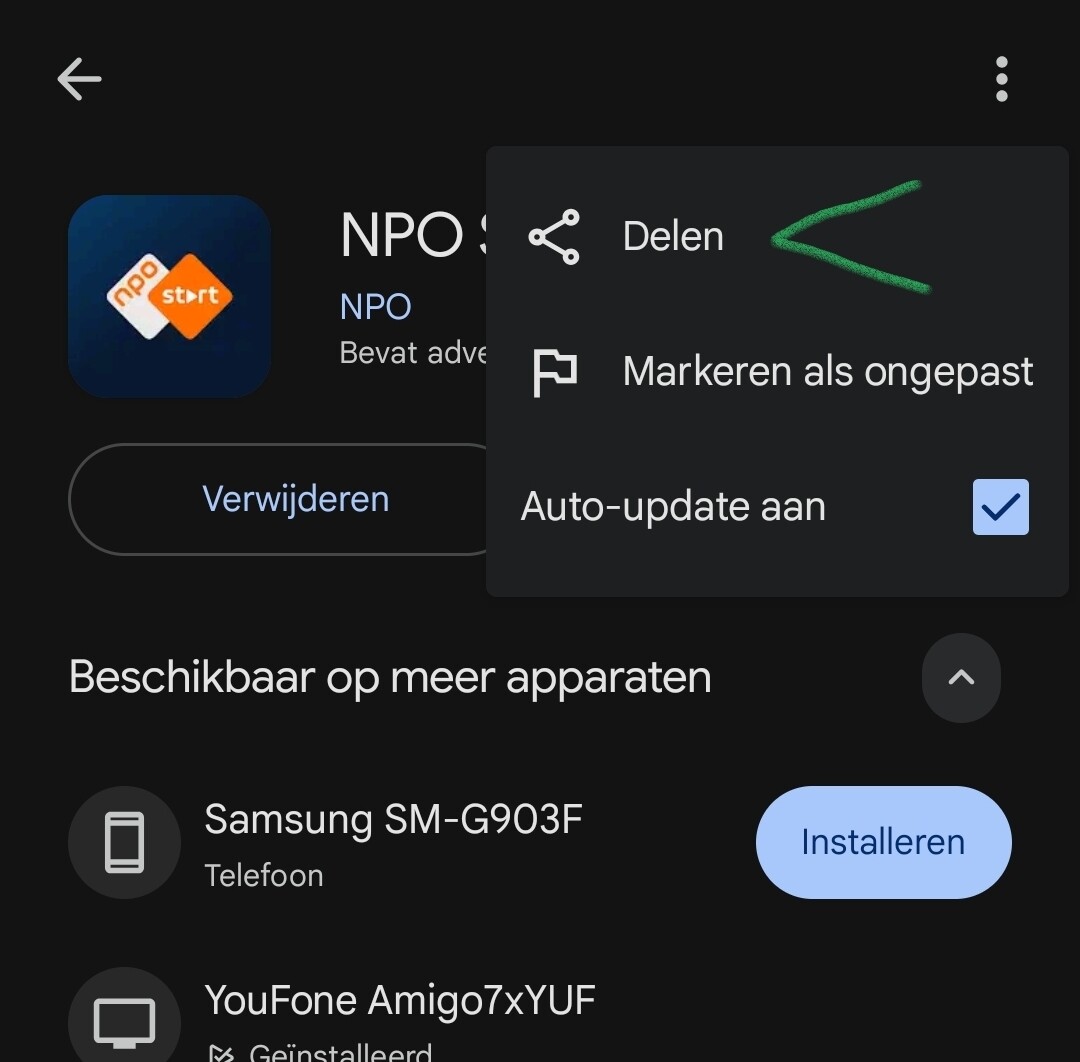
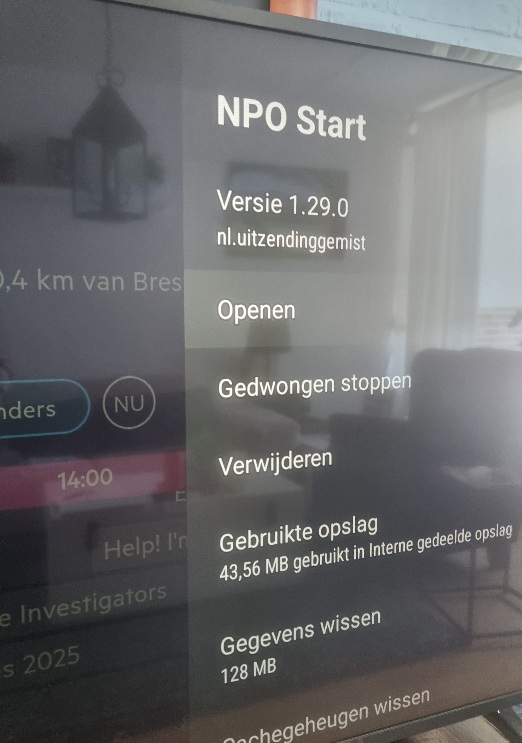
Where can I find this name? With the previous version of the app I tried all sorts of paths com.TVPhoto etc etc. But nothing worked. The app can be started directly from the home screen, so I would assume you can start it through the Homey app as well.

Hi,
I was successfully able to connect and use my Philips 55OLED807 TV using the Android TV App. I’m now trying to connect my Samsung HW-Q990B Soundbar. The Android TV App does find the device fine as shown in the image but it requires a pin code shown on screen to continue. This type of Samsung soundbar has no on TV screen menu. The setup menu is on the Samsung device using a small display menu on the front side of the Samsung soundbar. While connecting it does not show a pin code on the Samsung display. Has anyone been able to connect such type of sound bar with Android TV?
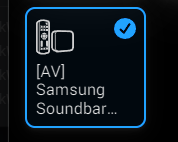

It looks like this is a soundbar with Google Cast built in, which is why it also shows up in the Android TV app. As noted in the app description, the Android TV app only works with devices running Android TV or Google TV, and it requires the remote service to be installed on the device.
For your soundbar, please try the official Google Chromecast integration instead. That integration is designed to control speaker devices with Google Cast built in, such as your soundbar.
@Doekse Now that also Android TV is officially supported, are there any plans to release a specific UI Components for remote controls?
I have the same problem on my Philips 805 tv
When he is stand-by for serveral houts the app does not see the tv anymore.
I tries to find the Alexa app. But its not in my Google store 
