# "When" any air conditioner is "not off", then
**URL:** https://community.homey.app/t/when-any-air-conditioner-is-not-off-then/49020
**Category:** Flows
**Created:** [July 2, 2021, 9:33am UTC](https://community.homey.app/t/when-any-air-conditioner-is-not-off-then/49020 "2021-07-02T09:33:10Z")
**Posts on this page:** 7
**Page:** 1
### Author:  [@Alessandro\_Rossi](https://community.homey.app/u/Alessandro_Rossi)
#### Post date: [July 2, 2021, 9:33am UTC](https://community.homey.app/t/when-any-air-conditioner-is-not-off-then/49020/1 "2021-07-02T09:33:10Z")
Hi there!!
I’m trying to create a Virtual Device or Group that shows if any air conditioner is ON.
Since all of my 4 Daikin devices as Operation Mode have “OFF” plus other modes (Dryer, Cooling, Heat, Fan, Auto).
I succesfully created a Virtual Device to control all the Air Conditioners togheter, but I can’t get how to manage this…do you have any hint?
Thanks in advance, ciao!
---
### Author:  [@Peter\_Kawa](https://community.homey.app/u/Peter_Kawa)
#### Post date: [July 2, 2021, 1:28pm UTC](https://community.homey.app/t/when-any-air-conditioner-is-not-off-then/49020/2 "2021-07-02T13:28:53Z")
Good day Alessandro,
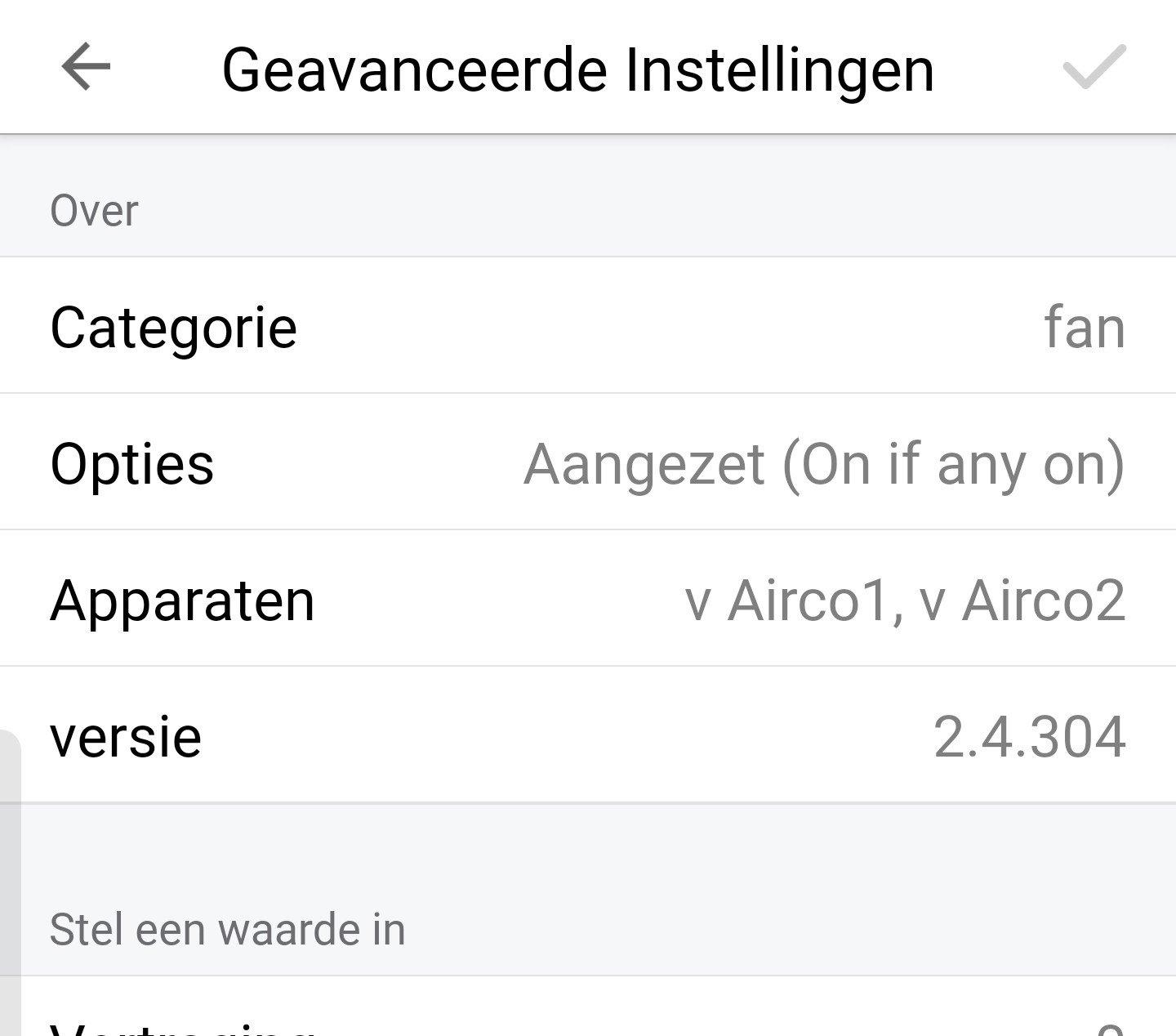
With the group app you can add an airco group device. I used device type “_fan_” for this.
This way you can control all airco’s together (switch all on at once, and switch any airco which is on to off).
AND, it can show the status:
If any airco is on, then the device tile is active.
If all airco’s are off, the device tile is inactive.
It responds to the on/off state of your individual airco’s.
No flow needed.
> Setting of airco group device (ON if any on)
>
> 
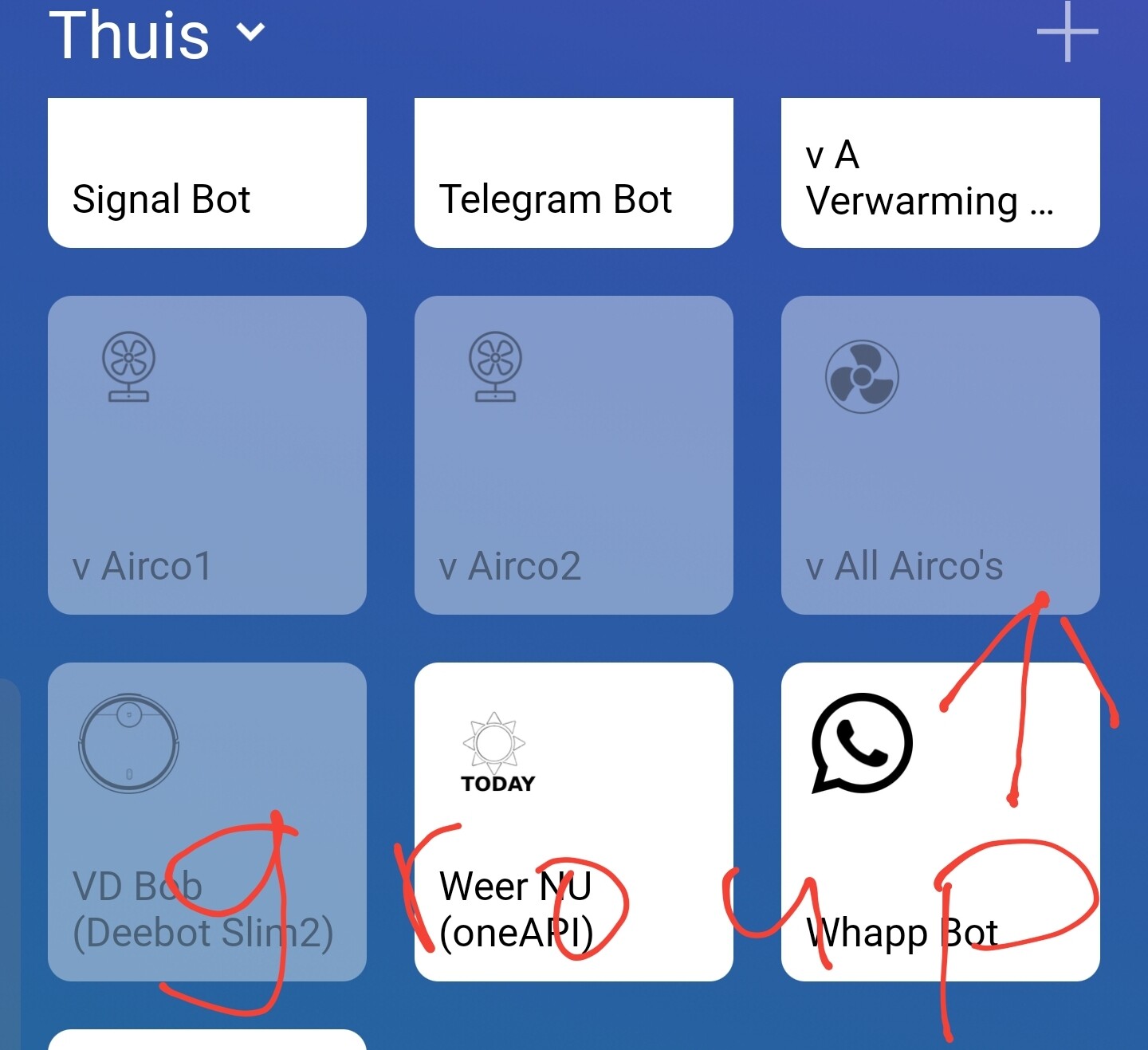
> Device tiles view, the group device is on the right.
> State shown: The two airco devices are off, so the group device is also off.
>
> 
> If one (or more) airco device is switched on, the group device also gets the ON state:
>
> 
I hope this gets you going!
---
### Author:  [@Alessandro\_Rossi](https://community.homey.app/u/Alessandro_Rossi)
#### Post date: [July 2, 2021, 1:57pm UTC](https://community.homey.app/t/when-any-air-conditioner-is-not-off-then/49020/3 "2021-07-02T13:57:15Z")
Hi Peter, thanks for your reply!
This way was the first I tried, but when I select the “fan” type in app, it gives me the following capabilities to choose:

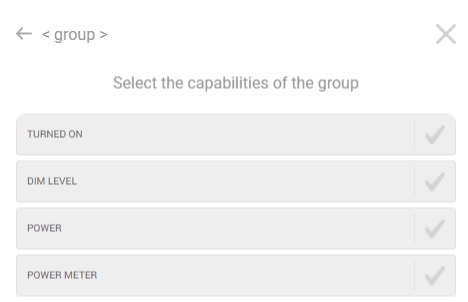
If I select “TURNED ON”, the App shows me some of my devices but the air con’s.
---
### Author:  [@Peter\_Kawa](https://community.homey.app/u/Peter_Kawa)
#### Post date: [July 2, 2021, 2:21pm UTC](https://community.homey.app/t/when-any-air-conditioner-is-not-off-then/49020/4 "2021-07-02T14:21:52Z")
YW!
Oww that’s a pity Alessandro. I expected the airco devices should at least have the on/off capability.
You can try with type “smart plug” f.i.
Maybe then your airco devices do pop up when you select the on/off value.
You can find all used capabilities of your airco devices [here](https://tools.developer.homey.app/tools/devices); enter the airco device name at the search bar at the top.
An example view (of a thermostat):

---
### Author:  [@Alessandro\_Rossi](https://community.homey.app/u/Alessandro_Rossi)
#### Post date: [July 2, 2021, 3:49pm UTC](https://community.homey.app/t/when-any-air-conditioner-is-not-off-then/49020/5 "2021-07-02T15:49:37Z")

Thermostat Mode also includes “OFF” and I tried to use this capability, but in the app my devices aren’t listed when I select this capability.
---
### Author:  [@Peter\_Kawa](https://community.homey.app/u/Peter_Kawa)
#### Post date: [July 2, 2021, 4:34pm UTC](https://community.homey.app/t/when-any-air-conditioner-is-not-off-then/49020/6 "2021-07-02T16:34:19Z")
I think `special_mode_pwr` is the AC on/off capability.
While it is not a Homey standard capability, it is not available in both Virtual Devices and Group apps.
An alternative way is:
Using a virtual device as indicator: any AC on / all AC off, just like your initial idea.
Flow1
I use Better Logics, and created Boolean vars Airco1 to Airco4
The virtual device is called “All Airco’s”
_The `?` signs should show BL tags [Airco1] to [Airco4]_
Flow 2 to5:
To set the vars, for each Airco On/Off flow the corresponding var has to be set to true or false.
Example for Airco1:
Alternative to flow1 using JavascriptLogic:
_The `?` signs should show BL tags [Airco1] to [Airco4]_
---
### Author:  [@Martin\_Zijderhand](https://community.homey.app/u/Martin_Zijderhand)
#### Post date: [July 3, 2021, 7:21am UTC](https://community.homey.app/t/when-any-air-conditioner-is-not-off-then/49020/7 "2021-07-03T07:21:16Z")
Make for every airco a flow.
First card: When Airco Workmode is changed off
Other cards: And airco1 workmode is off, next and airco2 workmode is off, next and airco3 workmode is off
Then set mode (Virual device) mode off without trigger.
else set mode (virtual device) mode on without trigger.
Like this:
