# Verifying my email?
**URL:** https://community.homey.app/t/verifying-my-email/142606
**Category:** Questions & Help
**Created:** [September 4, 2025, 10:30pm UTC](https://community.homey.app/t/verifying-my-email/142606 "2025-09-04T22:30:13Z")
**Posts on this page:** 15
**Page:** 1
### Author:  [@Fredrik\_Tingdal](https://community.homey.app/u/Fredrik_Tingdal)
#### Post date: [September 4, 2025, 10:30pm UTC](https://community.homey.app/t/verifying-my-email/142606/1 "2025-09-04T22:30:13Z")
I’m trying to submit a request for a new device and the website is requiring me to log in. Once I provide my credentials it takes me to a screen which says you must verify your email first in very small type. Can’t figure out how to verify my email.
---
### Author:  [@Peter\_Kawa](https://community.homey.app/u/Peter_Kawa)
#### Post date: [September 5, 2025, 12:17am UTC](https://community.homey.app/t/verifying-my-email/142606/2 "2025-09-05T00:17:08Z")
> [@Fredrik\_Tingdal](#):
>
> the website
Please, we can’t read your mind (yet)
---
### Author:  [@SunBeech](https://community.homey.app/u/SunBeech)
#### Post date: [September 5, 2025, 5:29am UTC](https://community.homey.app/t/verifying-my-email/142606/3 "2025-09-05T05:29:01Z")
Maybe you got an e-mail from the website in your mailbox (or spam folder) that includes a confirmation link you need to click in order for you to be able to login.
---
### Author:  [@Peter\_Kawa](https://community.homey.app/u/Peter_Kawa)
#### Post date: [September 5, 2025, 9:06am UTC](https://community.homey.app/t/verifying-my-email/142606/4 "2025-09-05T09:06:20Z")
It appears to be about request-a-brand.homey.app;
As answered to your other similar post:
> [@Better support for Ring devices](https://community.homey.app/t/better-support-for-ring-devices/142607/5):
>
> That’s odd, while you’re supposed to login with the account you use for this forum. Or did you try to create another account solely for request-a-brand.homey.app ? AFAIK that’s not needed.
---
### Author:  [@Fredrik\_Tingdal](https://community.homey.app/u/Fredrik_Tingdal)
#### Post date: [September 16, 2025, 11:19am UTC](https://community.homey.app/t/verifying-my-email/142606/5 "2025-09-16T11:19:35Z")
Hi SunBeech,
Thanks for getting back to me. I’ve looked in my Junk email folder to no avail. Others appear to be confused about where this message is coming from. There are help articles that show you how to verify your email with Homey, but the directions in those articles don’t match the app that I’m looking at. Perhaps those are instructions for a prior incarnation of the software? In any case, most systems that require verification of email have some way of re-sending the invitation - I just can’t find it, and no-one here has suggested to me where I can find it?
---
### Author:  [@Fredrik\_Tingdal](https://community.homey.app/u/Fredrik_Tingdal)
#### Post date: [September 16, 2025, 11:22am UTC](https://community.homey.app/t/verifying-my-email/142606/6 "2025-09-16T11:22:23Z")
This is the message I get when I try to use the request-a-brand page. I get this after I fill out the details of the request and am forced to ‘log in’ once again (even though I was already logged in).
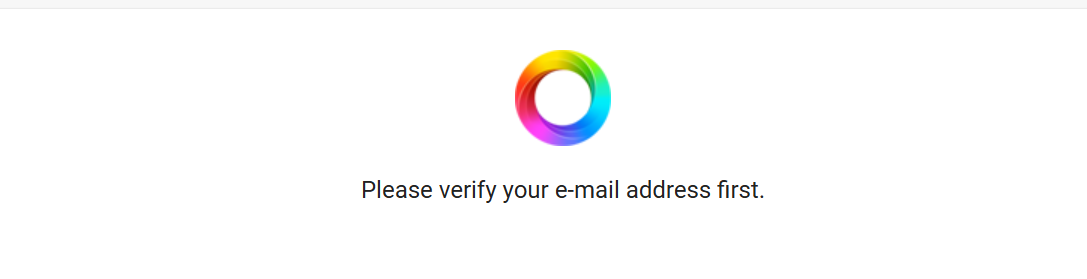
Any suggestions as to what I can do to get around it?
---
### Author:  [@Peter\_Kawa](https://community.homey.app/u/Peter_Kawa)
#### Post date: [September 16, 2025, 12:02pm UTC](https://community.homey.app/t/verifying-my-email/142606/7 "2025-09-16T12:02:43Z")
I think you should report this to Athom support if you didn’t already.
This is what Homey bot suggests:
```auto
"It sounds like your Homey account email hasn’t been verified yet, which blocks access to the Request-a-Brand portal.
Quick steps to resolve
1. Find the verification email:
* Search your inbox (and spam/junk) for subject: “Verify your Homey account”.
* Open it and click the verification link.
2. Didn’t receive it?
* Go to [https://accounts.homey.app](https://accounts.homey.app/) and sign in.
* If prompted, choose to resend the verification email.
* Check spam/junk again after a few minutes.
3. Wrong email on the account?
* You can change it here: https://homey.app/account (Your e‑mail → Change your e‑mail address), then verify the new address.
4. Forgotten which email you used?
* Search your mailbox for “Verify your Homey account” to see which address received it.
Once verified, you should be able to log into the Request a Brand page:
* https://request-a-brand.homey.app/boards/request-a-brand
If you’ve verified the email but still see the message, please tell me:
* The approximate time you verified it
* The browser you’re using and whether you tried an incognito window
* Your region I can then escalate or create a support ticket to investigate"
```
---
### Author:  [@Fredrik\_Tingdal](https://community.homey.app/u/Fredrik_Tingdal)
#### Post date: [September 16, 2025, 1:13pm UTC](https://community.homey.app/t/verifying-my-email/142606/8 "2025-09-16T13:13:16Z")
Hi Peter,
Thanks for getting back to me. How does one contact Homey support? The ‘Support’ page provides no contact information - only a series of links to help articles.
When I follow the links provided above, I’m able to log in, but I get to the following page:
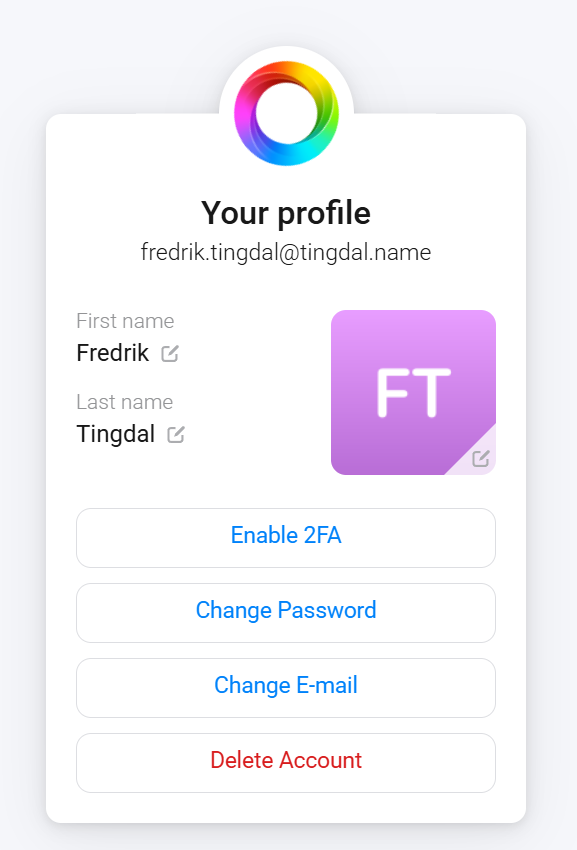
Still no option to verify my email there, and I did not get prompted to send a verification email before going to this page.
---
### Author:  [@Fredrik\_Tingdal](https://community.homey.app/u/Fredrik_Tingdal)
#### Post date: [September 16, 2025, 1:15pm UTC](https://community.homey.app/t/verifying-my-email/142606/9 "2025-09-16T13:15:25Z")
Sorry Peter, I left off the details that you requested.
I tried it just now which is 9:10 AM Eastern Standard Time
I’m using Microsoft Edge, and I’m not in incognito mode.
I’m located in Massachusetts, USA.
Hope that helps.
---
### Author:  [@SunBeech](https://community.homey.app/u/SunBeech)
#### Post date: [September 16, 2025, 3:29pm UTC](https://community.homey.app/t/verifying-my-email/142606/10 "2025-09-16T15:29:32Z")
You can contact them via [Support | Homey](https://homey.app/support/).
---
### Author:  [@Peter\_Kawa](https://community.homey.app/u/Peter_Kawa)
#### Post date: [September 16, 2025, 4:04pm UTC](https://community.homey.app/t/verifying-my-email/142606/11 "2025-09-16T16:04:55Z")
At [https://accounts.homey.app](https://accounts.homey.app/) you’d hit “Change email” and just enter your email address.
To test, I entered my actual account’s email address, and it returned:
“Your email is now confirmed”
Hope this solves it.
---
### Author:  [@Fredrik\_Tingdal](https://community.homey.app/u/Fredrik_Tingdal)
#### Post date: [September 16, 2025, 4:09pm UTC](https://community.homey.app/t/verifying-my-email/142606/12 "2025-09-16T16:09:32Z")
That did the trick. Thank for your help. I was finally able to use that page.
---
### Author:  [@Peter\_Kawa](https://community.homey.app/u/Peter_Kawa)
#### Post date: [September 16, 2025, 4:11pm UTC](https://community.homey.app/t/verifying-my-email/142606/13 "2025-09-16T16:11:50Z")
Cool! I didn’t expect entering my existing email address to be accepted. But it did.
---
### Author:  [@Peter\_Kawa](https://community.homey.app/u/Peter_Kawa)
#### Post date: [September 16, 2025, 4:28pm UTC](https://community.homey.app/t/verifying-my-email/142606/14 "2025-09-16T16:28:17Z")
Some follow up questions from support (to try to fix this bug) , if you would be so kind to answer the following (also fine by PM/DM):
1.Exact Windows and Edge versions
2.Whether the Homey account was newly created or previously verified
3.If the issue reproduces in a different browser/incognito
Oh, and please mark [my earlier post](https://community.homey.app/t/verifying-my-email/142606/11) as solution, thx.
---
### Author:  [@phat](https://community.homey.app/u/phat)
#### Post date: [January 25, 2026, 9:29pm UTC](https://community.homey.app/t/verifying-my-email/142606/15 "2026-01-25T21:29:56Z")
This fixed it, it also fixed problems with by backups via the cloud subscription I just bought.
Thank you!