# Turn off led strip but only if its green
**URL:** https://community.homey.app/t/turn-off-led-strip-but-only-if-its-green/95218
**Category:** Flows
**Created:** [November 20, 2023, 1:12pm UTC](https://community.homey.app/t/turn-off-led-strip-but-only-if-its-green/95218 "2023-11-20T13:12:56Z")
**Posts on this page:** 10
**Page:** 1
### Author:  [@Tobias\_Franzen](https://community.homey.app/u/Tobias_Franzen)
#### Post date: [November 20, 2023, 1:12pm UTC](https://community.homey.app/t/turn-off-led-strip-but-only-if-its-green/95218/1 "2023-11-20T13:12:56Z")
Hi!
New here but not new in home automation.
I had a quite simple automation in Hubitat wich I find impossible to do here.
When my dishwasher is finished a led stripe turns green. During the program it’s blue. Sometimes you forget some forks or whatever and open the dishwasher during washing. This ends up in the led strip turns off. I only want it to turn off when it’s green.
Help would be nice 😊
---
### Author:  [@Vincent\_Verbon](https://community.homey.app/u/Vincent_Verbon)
#### Post date: [November 20, 2023, 6:50pm UTC](https://community.homey.app/t/turn-off-led-strip-but-only-if-its-green/95218/2 "2023-11-20T18:50:12Z")
I’m not completely clear on your description yet.
_when my dishwasher…blue_ - I’m guessing the led strip is the subject of the automation right ? so it’s separate from the dishwasher and you’re trying to use it as an indicator for program running or finished.
So then I’m thinking -
state 1: dishwasher program active - led blue on
state 2: dishwasher program finished - led green on
now you’re describing the state where you open the dishwasher and the led indicator turns off:
state 3: dishwasher open while program running - led off
and you’re saying - I don’t want state 3.- if the program is running I still need it to be green until finished.
So thinking of your usecase; you’re not going to add forks or whatever past a certain point in the program right ? because it’s not going to be clean. So you could insert a timer in the flow from start blue led which prevents it from turning green until the timer runs out. and then you just use the trigger you use now to determine program finished (energy consumption ?)
Cheers,
Vince
---
### Author:  [@Tobias\_Franzen](https://community.homey.app/u/Tobias_Franzen)
#### Post date: [November 20, 2023, 7:40pm UTC](https://community.homey.app/t/turn-off-led-strip-but-only-if-its-green/95218/3 "2023-11-20T19:40:12Z")
First of all, thanks for quick answer.
I realize that I was explaining to bad. So here is the more detailed explanation.
When I start the dishwasher my led strip turns blue. The led strip is a light that I have under the cabinet.
When dish is ready it will turn green. So far no problem. But I also have made a flow that turns off led strip when dishwasher is opened. Because when it’s ready and someone opens the dishwasher I hope that person will empty it. Therefor can the light turn off.
But if you open the dishwasher at any other time, for example when dishwasher is running I don’t want the led strip to turn off. Or if I use the led strip for any other reason I don’t want it to turn off when you open the dishwasher. Hope this was easier to understand 😉
---
### Author:  [@Vincent\_Verbon](https://community.homey.app/u/Vincent_Verbon)
#### Post date: [November 20, 2023, 8:08pm UTC](https://community.homey.app/t/turn-off-led-strip-but-only-if-its-green/95218/4 "2023-11-20T20:08:13Z")
Well - I do understand what your intent is now slightly better. And did you consider my suggestion ?
- State 1: dishwasher program active - led blue on, activate countdown timer (say 20 minutes)
Action; door open. consider timer. if timer is still running then the dishwasher was opened to add some dishes - within the ‘grace’ period. Do not turn led off
Event: countdown timer expired
State 2: (your logic) - program finished; led green
Action; door open, timer not running anymore. program probably finished. turn led off
---
### Author:  [@Tobias\_Franzen](https://community.homey.app/u/Tobias_Franzen)
#### Post date: [November 20, 2023, 8:52pm UTC](https://community.homey.app/t/turn-off-led-strip-but-only-if-its-green/95218/5 "2023-11-20T20:52:22Z")
That’s an idea, lucky for me my Siemens dishwasher has an app in homey. So I know when it turns on/off, start/finish, opens/close. So I don’t need to guess when it’s finished. I tried to make a variable yes/no. Added the variable when dish is running- then it’s NO, when it’s finished it’s YES. But I can’t add that variable in the “AND” state in the last flow. When door is opened, and variable is yes, then turn off. This would be the natural way to go. But the AND described is not possible
---
### Author:  [@Peter\_Kawa](https://community.homey.app/u/Peter_Kawa)
#### Post date: [November 21, 2023, 6:57am UTC](https://community.homey.app/t/turn-off-led-strip-but-only-if-its-green/95218/6 "2023-11-21T06:57:41Z")
Here logic cards come in handy, use those for the AND part.

> **[Using Homey Logic in Flows](https://support.homey.app/hc/en-us/articles/4410240765586-Using-Homey-Logic-in-Flows)**
>
> You’ve probably seen Homey Logic. Once you get the hang of it, it's a great tool for any smart home. By creating your own Variables and using these in your Flows as Tags, you can often accomplish c...
---
### Author:  [@Tobias\_Franzen](https://community.homey.app/u/Tobias_Franzen)
#### Post date: [November 21, 2023, 7:24am UTC](https://community.homey.app/t/turn-off-led-strip-but-only-if-its-green/95218/7 "2023-11-21T07:24:40Z")
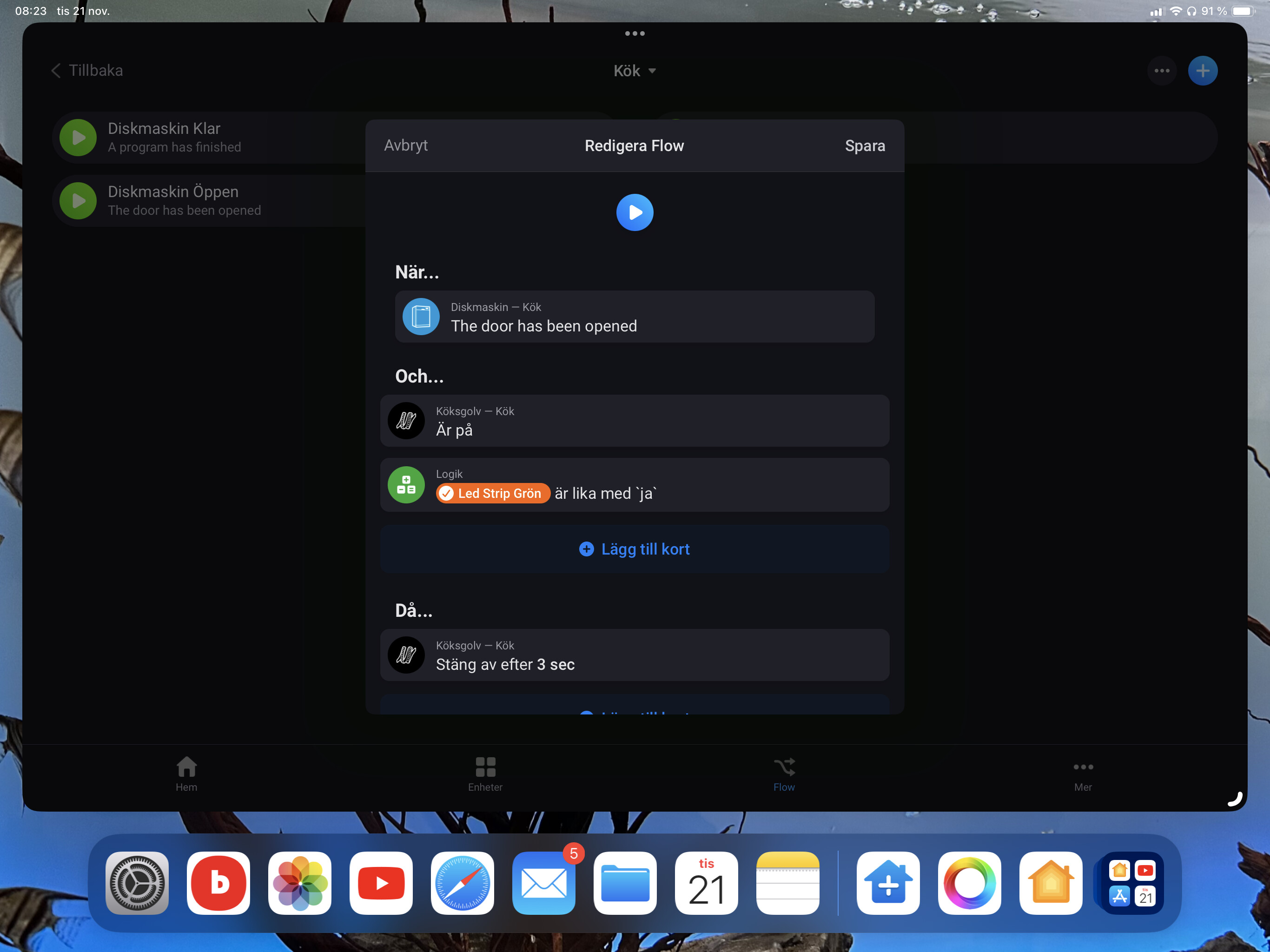
Thanks. I think I got it right now. Added a variable in a then section in one flow. In the next one I added the same variable in the AND section. So if that is not true it will not execute the action.

---
### Author:  [@Tobias\_Franzen](https://community.homey.app/u/Tobias_Franzen)
#### Post date: [November 21, 2023, 10:09pm UTC](https://community.homey.app/t/turn-off-led-strip-but-only-if-its-green/95218/8 "2023-11-21T22:09:09Z")
So when i finally get the flow right then I lost connection with my Siemens dishwasher.
I can turn it on with homey app. But it doesn’t report if it’s running, if it open or not. Therefore will all my flow stop working. Have anyone else tried Siemens-Bosch app and noticed the same problem?
It works for one or two dishes. Then I have to remove dishwasher from homey and add it again. Then It works again. I have been starting a couple of programs just to see how the flow works. How can I fix this?
---
### Author:  [@Peter\_Kawa](https://community.homey.app/u/Peter_Kawa)
#### Post date: [November 22, 2023, 4:49am UTC](https://community.homey.app/t/turn-off-led-strip-but-only-if-its-green/95218/9 "2023-11-22T04:49:38Z")
Email the developers I think
> 
---
### Author:  [@Claus\_Jacobsen](https://community.homey.app/u/Claus_Jacobsen)
#### Post date: [August 21, 2025, 3:46pm UTC](https://community.homey.app/t/turn-off-led-strip-but-only-if-its-green/95218/10 "2025-08-21T15:46:27Z")
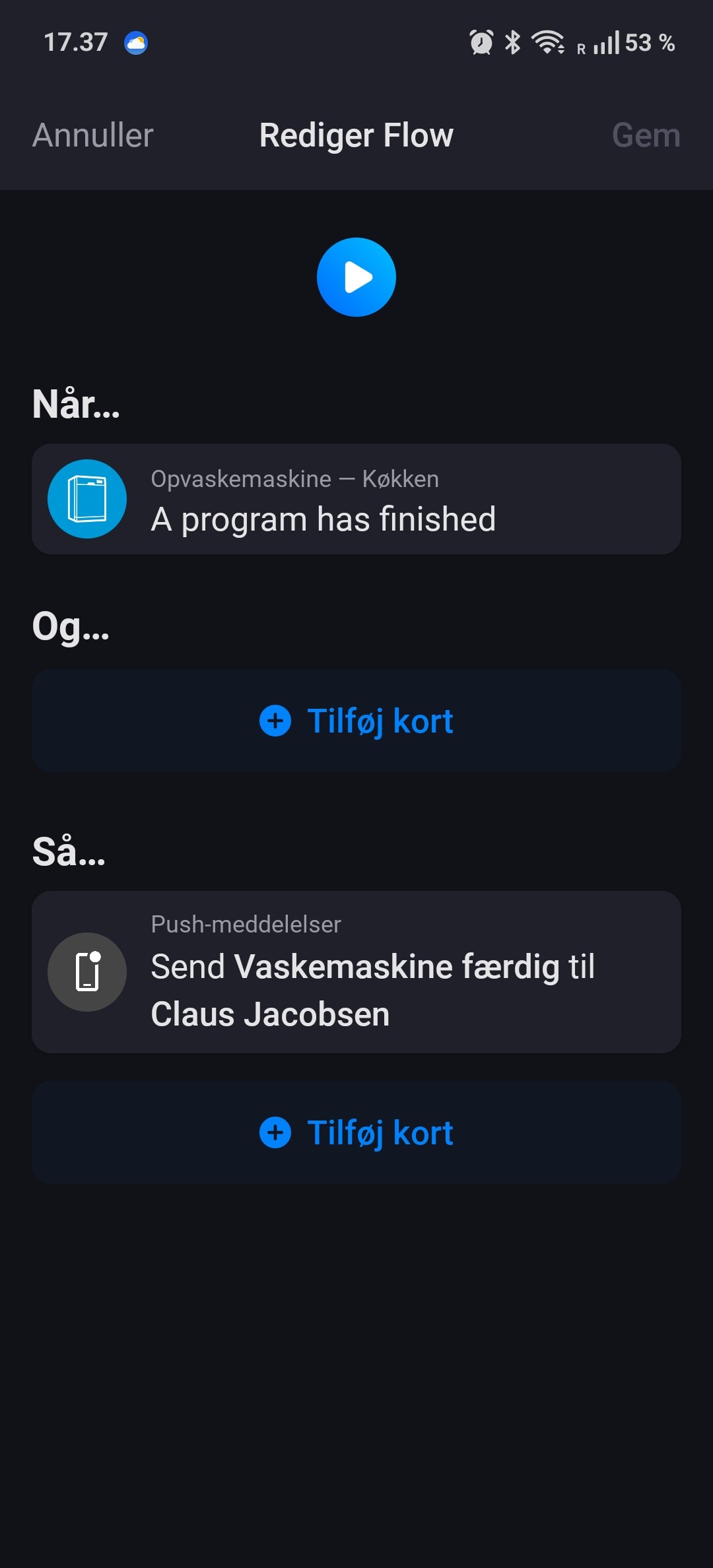
How do you get this flow to work?.
I have the exact same flow, but just an notification in the then, but it is not working when the program has finished 🤔