# Samsung smart tv source
**URL:** https://community.homey.app/t/samsung-smart-tv-source/120758
**Category:** Questions & Help
**Created:** [November 17, 2024, 11:36am UTC](https://community.homey.app/t/samsung-smart-tv-source/120758 "2024-11-17T11:36:17Z")
**Posts on this page:** 2
**Page:** 1
### Author:  [@Willem\_de\_Nie](https://community.homey.app/u/Willem_de_Nie)
#### Post date: [November 17, 2024, 11:36am UTC](https://community.homey.app/t/samsung-smart-tv-source/120758/1 "2024-11-17T11:36:17Z")
I have added te samsung smart tv app and device to homey. Homey lets me switch on and off, but not selecting of the source. How can I do that?
---
### Author:  [@Rogier\_Verheugen](https://community.homey.app/u/Rogier_Verheugen)
#### Post date: [November 17, 2024, 11:53am UTC](https://community.homey.app/t/samsung-smart-tv-source/120758/2 "2024-11-17T11:53:35Z")
Hi Willem
In the official Samsung app you see the following Then card:
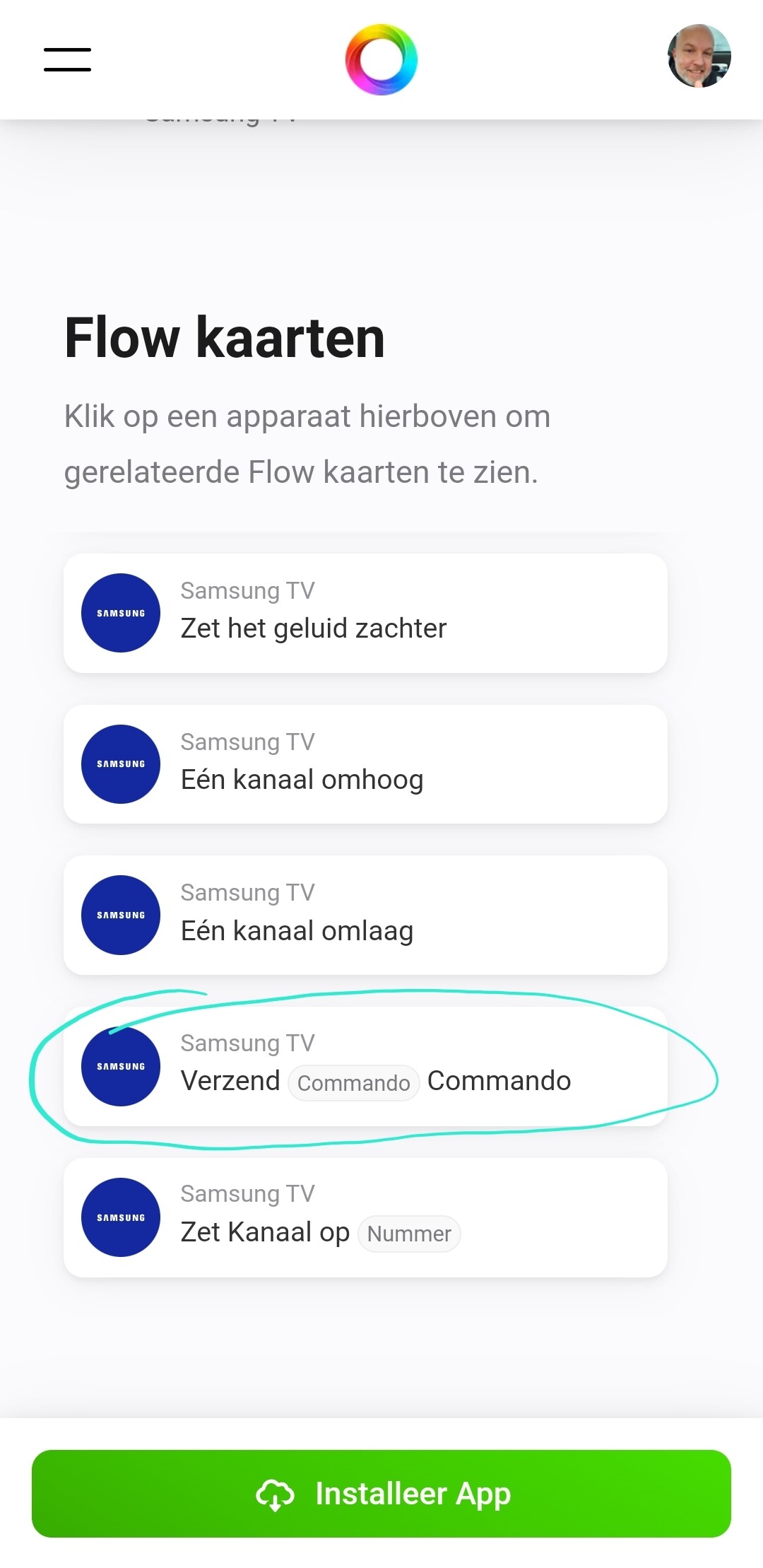
Then look for the HDMI source you need.
Assuming you want to use it in a flow
Rogier