# Problems with Sunset Flow Card
**URL:** https://community.homey.app/t/problems-with-sunset-flow-card/95283
**Category:** Questions & Help
**Tags:** flow, homey-pro
**Created:** [November 20, 2023, 9:48pm UTC](https://community.homey.app/t/problems-with-sunset-flow-card/95283 "2023-11-20T21:48:46Z")
**Posts on this page:** 20
**Page:** 1
### Author:  [@HLEAHY](https://community.homey.app/u/HLEAHY)
#### Post date: [November 20, 2023, 9:48pm UTC](https://community.homey.app/t/problems-with-sunset-flow-card/95283/1 "2023-11-20T21:48:46Z")
Hi,
I’m a new user of Homey Pro Early 2023 and I have successfully set up several z-wave devices and flows, but I can’t seem to get one of my flows to work. I want to turn on lights 60 mins before sunset.
My flow card looks like this;

None of my lights turn ON as expected 1hr before sunset, but they do turn on if I manually run the flow card.
What am I missing?
Thank you.
---
### Author:  [@Dijker](https://community.homey.app/u/Dijker)
#### Post date: [November 20, 2023, 9:58pm UTC](https://community.homey.app/t/problems-with-sunset-flow-card/95283/2 "2023-11-20T21:58:16Z")
Check your location
> **[My Homey](https://my.homey.app/settings/system/location)**
>
> Homey Web App
---
### Author:  [@HLEAHY](https://community.homey.app/u/HLEAHY)
#### Post date: [November 20, 2023, 10:01pm UTC](https://community.homey.app/t/problems-with-sunset-flow-card/95283/3 "2023-11-20T22:01:24Z")
Thanks for the quick reply. It shows a map with my correct location, which looks to be automatically detected. I don’t see a way to manually enter a City.
---
### Author:  [@Dijker](https://community.homey.app/u/Dijker)
#### Post date: [November 20, 2023, 10:09pm UTC](https://community.homey.app/t/problems-with-sunset-flow-card/95283/4 "2023-11-20T22:09:31Z")
And also check the Times in Tags

in the WebApp you can change by typing the address.

---
### Author:  [@HLEAHY](https://community.homey.app/u/HLEAHY)
#### Post date: [November 20, 2023, 10:23pm UTC](https://community.homey.app/t/problems-with-sunset-flow-card/95283/5 "2023-11-20T22:23:45Z")
Where do I check Tags? I don’t see it anywhere in the menus?
Just Variables which I have none?
---
### Author:  [@HLEAHY](https://community.homey.app/u/HLEAHY)
#### Post date: [November 20, 2023, 10:32pm UTC](https://community.homey.app/t/problems-with-sunset-flow-card/95283/6 "2023-11-20T22:32:13Z")
OK, I think I found Tags. When I open the flow and click on 60 there is a symbol at the right that opens a drop down box that appear to be tags. Sunset is not listed.
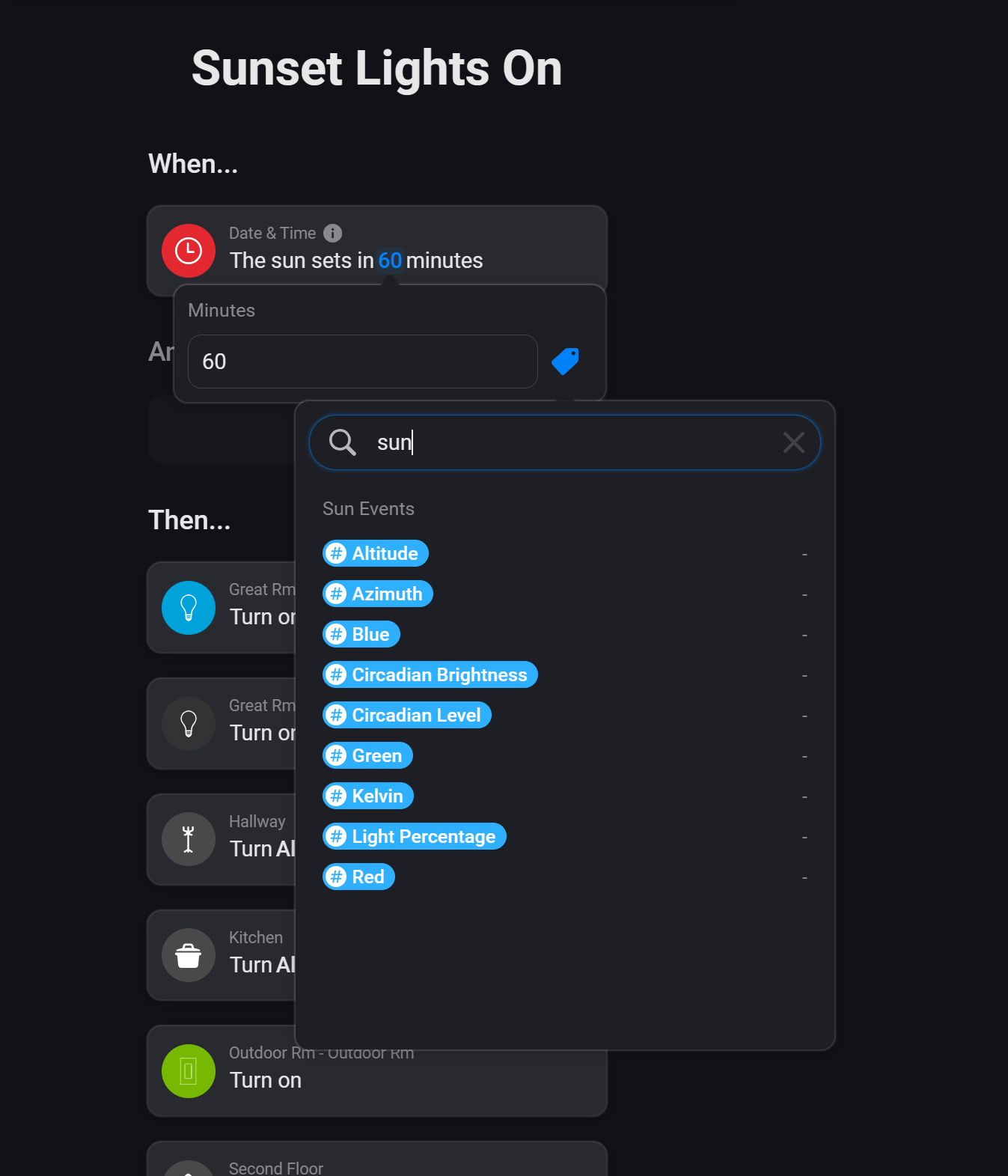
Various tags from a app called Sun Events is listed but I don’t think I’m using that. I’m trying to use the Homey built in function for sunset.
Is the When card I’m using a standard flow card in Homey? I’m a bit confused now.
If so, why wouldn’t Sunset be part of the tag list?
Thanks,
---
### Author:  [@Rmb](https://community.homey.app/u/Rmb)
#### Post date: [November 20, 2023, 11:01pm UTC](https://community.homey.app/t/problems-with-sunset-flow-card/95283/7 "2023-11-20T23:01:27Z")
It is a text field, Add a THEN cart, timeline message and search for sun set in your own language.
It is a standard tag, from Date & Time.
---
### Author:  [@HLEAHY](https://community.homey.app/u/HLEAHY)
#### Post date: [November 20, 2023, 11:19pm UTC](https://community.homey.app/t/problems-with-sunset-flow-card/95283/8 "2023-11-20T23:19:42Z")
Ok, thanks I found them and they’re wrong. They look like a fixed default.

Not sure why? The Developer System Information page shows the correct Date & Time, timezone, and country.

---
### Author:  [@Rmb](https://community.homey.app/u/Rmb)
#### Post date: [November 20, 2023, 11:56pm UTC](https://community.homey.app/t/problems-with-sunset-flow-card/95283/9 "2023-11-20T23:56:46Z")
It’s definitely wrong. It will get its value from the internet I suppose. So maybe you have to search in that direction?
---
### Author:  [@HLEAHY](https://community.homey.app/u/HLEAHY)
#### Post date: [November 21, 2023, 2:37am UTC](https://community.homey.app/t/problems-with-sunset-flow-card/95283/10 "2023-11-21T02:37:34Z")
I’ve checked my firewall and pihole add blocker and neither is blocking anything.
What else can I try? Are those tags dependent on a Official Homey App? Maybe I deleted it?
The only odd thing I noticed was in my account page it shows that I don’t have any addresses yet

BUT the map shows correctly in the Homey App;
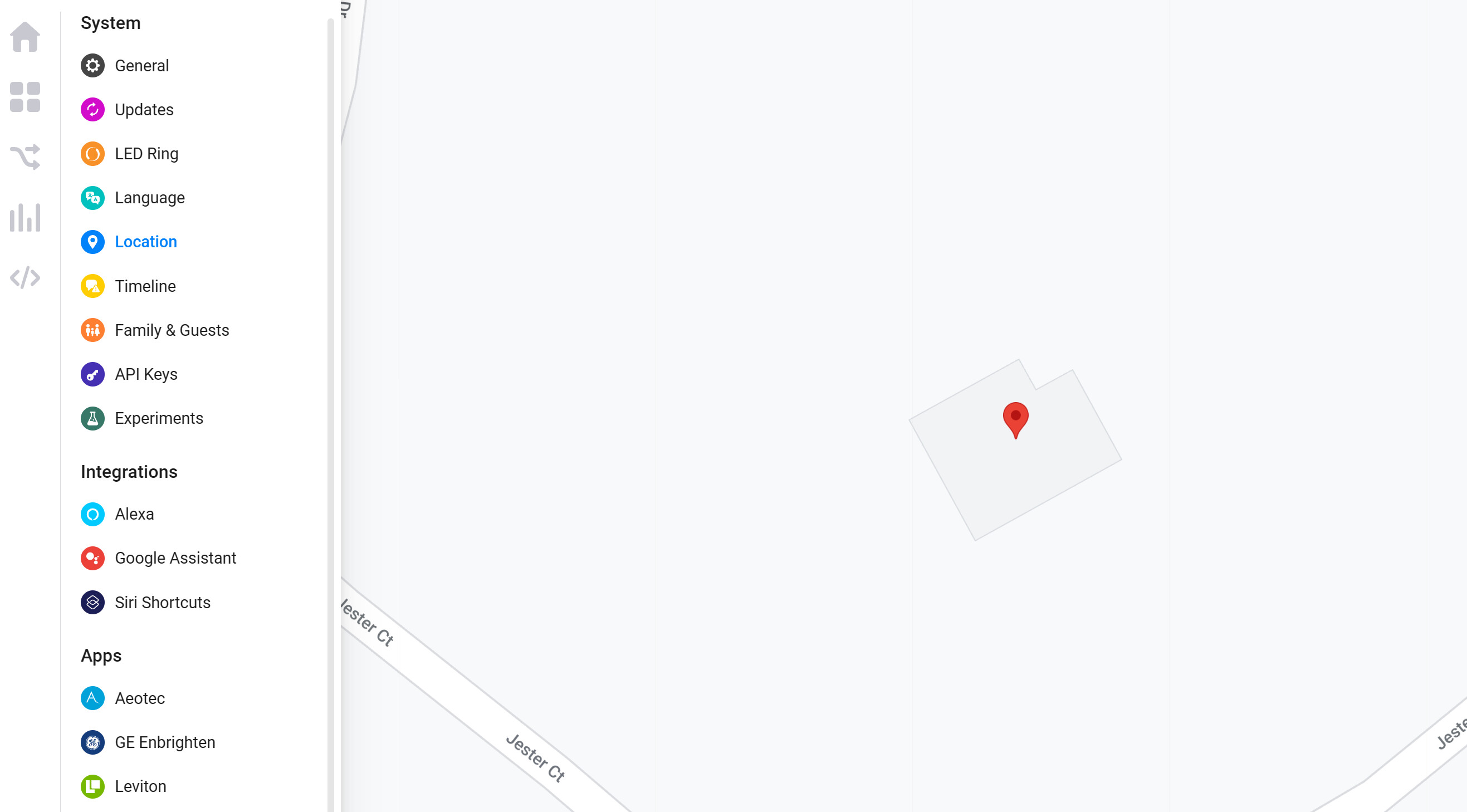
If I move the map around to a different house and return it shows the other house so it seems to “save”, but I don’t see an actual save button. Entering my address manually moves the map to the address.
I don’t know what else to try…
Thanks for your assistance!
---
### Author:  [@robertklep](https://community.homey.app/u/robertklep)
#### Post date: [November 21, 2023, 4:52am UTC](https://community.homey.app/t/problems-with-sunset-flow-card/95283/11 "2023-11-21T04:52:40Z")
> [@HLEAHY](#):
>
> I’ve checked my firewall and pihole add blocker
There’s a big chance one of those is the cause of your problems, even though they supposedly aren’t blocking anything.
---
### Author:  [@Rmb](https://community.homey.app/u/Rmb)
#### Post date: [November 21, 2023, 5:31am UTC](https://community.homey.app/t/problems-with-sunset-flow-card/95283/12 "2023-11-21T05:31:22Z")
> [@HLEAHY](#):
>
> Are those tags dependent on a Official Homey App?
No, they are part of the system, so even if you delete all your apps, they are there.
When I request this tag from Homey Cloud, using the web app, I get the same results, see picture. Could it be you are working with HomeyCloud and Homey bridge and not with Homey Pro? You are working with Homey web app?

---
### Author:  [@Peter\_Kawa](https://community.homey.app/u/Peter_Kawa)
#### Post date: [November 21, 2023, 6:18am UTC](https://community.homey.app/t/problems-with-sunset-flow-card/95283/13 "2023-11-21T06:18:39Z")
These seem to sample values, RMB? Odd…
Actually sending them to the timeline gives expected values here, also tested @ Homey cloud:

---
### Author:  [@Peter\_Kawa](https://community.homey.app/u/Peter_Kawa)
#### Post date: [November 21, 2023, 6:32am UTC](https://community.homey.app/t/problems-with-sunset-flow-card/95283/14 "2023-11-21T06:32:14Z")
> [@HLEAHY](#):
>
> The only odd thing I noticed was in my account page it shows that I don’t have any addresses yet
That’s different and not related to your Homey’s location.
> [@HLEAHY](#):
>
> If I move the map around to a different house and return it shows the other house so it seems to “save”, but I don’t see an actual save button. Entering my address manually moves the map to the address.
Almost there. To force set the correct time, temporary move the map to another timezone.
Wait for a minute, and move the map back to your location.
There’s no save button, which is a bit odd, but it gets saved after x secs.
About the time tags:
So, don’t look in the dropdown list for time & date values, but use a flow to send those tags to the timeline, to see the _actual_ values.
(It is what it is. I didn’t write the firmware 😅 )
About the offset:
I might be wrong, but sun-event with offset 60 triggers the flow 60 minutes after sun-event. Try -60
And if I were you I’d add a timeline or log card to those flows, so you can check afterwards what happened, or didn’t happen.
Note, there’s also the Sun Events app, which is more flexible imho.
---
### Author:  [@Rmb](https://community.homey.app/u/Rmb)
#### Post date: [November 21, 2023, 6:54am UTC](https://community.homey.app/t/problems-with-sunset-flow-card/95283/15 "2023-11-21T06:54:38Z")
When I use the mobile app on my iPad connected to my HP2023 they show the actual values.
Using the web app in my iPad browser, they show the default values for HP2023 as well for Homey Cloud.
A bit confusing.
---
### Author:  [@Peter\_Kawa](https://community.homey.app/u/Peter_Kawa)
#### Post date: [November 21, 2023, 7:01am UTC](https://community.homey.app/t/problems-with-sunset-flow-card/95283/16 "2023-11-21T07:01:16Z")
My mobile app (android v6.x) shows no values at all in the dropdown. That’s less confusing in this case… 😉
---
### Author:  [@HLEAHY](https://community.homey.app/u/HLEAHY)
#### Post date: [November 21, 2023, 1:32pm UTC](https://community.homey.app/t/problems-with-sunset-flow-card/95283/17 "2023-11-21T13:32:00Z")
Yes, Homey Web App, with Homey Pro Early 23. Not Homey Cloud.
---
### Author:  [@HLEAHY](https://community.homey.app/u/HLEAHY)
#### Post date: [November 21, 2023, 1:36pm UTC](https://community.homey.app/t/problems-with-sunset-flow-card/95283/18 "2023-11-21T13:36:45Z")
The location is definitely updating; I moved it to another time zone and the weather on the home page updated as expected, and then I moved it back to my address and it updated again, as expected.
I’ll add timeline as suggested.
---
### Author:  [@HLEAHY](https://community.homey.app/u/HLEAHY)
#### Post date: [November 21, 2023, 1:38pm UTC](https://community.homey.app/t/problems-with-sunset-flow-card/95283/19 "2023-11-21T13:38:47Z")
When I use mobile app on my iPad or iPhone, the tag values do not show.
When I use the Web App the values show, but are incorrect and are the defaults.
---
### Author:  [@Rmb](https://community.homey.app/u/Rmb)
#### Post date: [November 21, 2023, 1:54pm UTC](https://community.homey.app/t/problems-with-sunset-flow-card/95283/20 "2023-11-21T13:54:12Z")
If they are not there, might be the reason it does not trigger.
Using iPad, mobile App and HP23:

[Next page](https://community.homey.app/t/problems-with-sunset-flow-card/95283.md?page=2)