# Lock devices
**URL:** https://community.homey.app/t/lock-devices/19895
**Category:** Ideas & Suggestions
**Created:** [October 29, 2019, 4:43pm UTC](https://community.homey.app/t/lock-devices/19895 "2019-10-29T16:43:07Z")
**Posts on this page:** 5
**Page:** 1
### Author:  [@Kalle\_Kronbeck](https://community.homey.app/u/Kalle_Kronbeck)
#### Post date: [October 29, 2019, 4:43pm UTC](https://community.homey.app/t/lock-devices/19895/1 "2019-10-29T16:43:07Z")
I have been using Plugwise for many years.
The logg consumption and they can turn/off and on.
Tehay also work in Homey
But some units now stops working…
.So they are beeing replaced with other units.
One thing I miss in Homey is the possibility to lock devices.
That could be done in plugwise.
Is very good for example refrigiator, freezer etc
I want to turn of things like laundry, dryer and waterpump.
But not so easy like you just touching a icon in Homey app.
Maybe a pincode or someting would be nice
---
### Author:  [@Dijker](https://community.homey.app/u/Dijker)
#### Post date: [October 29, 2019, 4:49pm UTC](https://community.homey.app/t/lock-devices/19895/2 "2019-10-29T16:49:41Z")
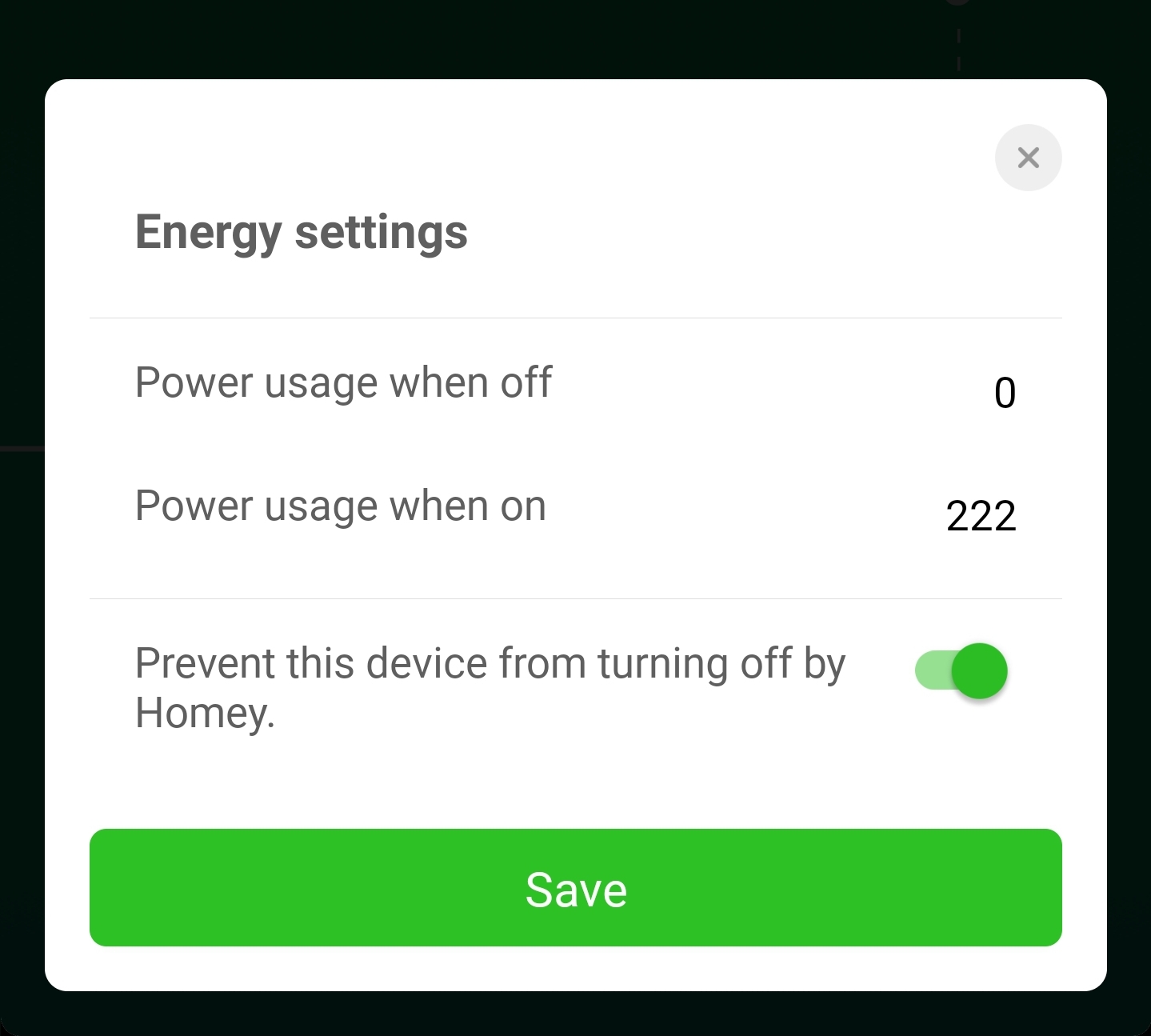
Something like
---
### Author:  [@JPe4619](https://community.homey.app/u/JPe4619)
#### Post date: [October 29, 2019, 5:21pm UTC](https://community.homey.app/t/lock-devices/19895/3 "2019-10-29T17:21:24Z")
Thanks for pointing out, hadn’t seen it before, great function.
---
### Author:  [@Kalle\_Kronbeck](https://community.homey.app/u/Kalle_Kronbeck)
#### Post date: [October 29, 2019, 9:13pm UTC](https://community.homey.app/t/lock-devices/19895/4 "2019-10-29T21:13:40Z")
Great, where do I find that ?
---
### Author:  [@Dijker](https://community.homey.app/u/Dijker)
#### Post date: [October 29, 2019, 9:18pm UTC](https://community.homey.app/t/lock-devices/19895/5 "2019-10-29T21:18:17Z")
In the updated Homey app version 3 after updating homey to firmware 3.0.0
Go to energy, the device, settings ( gear in upper right corner)
Or go to settings advanced there is a value for always on.