# How to changing from WiFi network to Homey Pro Ethernet Adapter
**URL:** https://community.homey.app/t/how-to-changing-from-wifi-network-to-homey-pro-ethernet-adapter/96189
**Category:** Questions & Help
**Tags:** homey-pro
**Created:** [November 29, 2023, 12:00pm UTC](https://community.homey.app/t/how-to-changing-from-wifi-network-to-homey-pro-ethernet-adapter/96189 "2023-11-29T12:00:58Z")
**Posts on this page:** 10
**Page:** 2
### Author:  [@Didier\_SmartHome](https://community.homey.app/u/Didier_SmartHome)
#### Post date: [October 16, 2024, 3:45pm UTC](https://community.homey.app/t/how-to-changing-from-wifi-network-to-homey-pro-ethernet-adapter/96189/21 "2024-10-16T15:45:54Z")
I read your message a few times and can’t get my head around it. Can you try to explain it differently?
To give you an example which I think is different to what you have:
My router is connected to internet using Ethernet port 1 (WAN). I also have an external adapter with a SIM card that is connected to Ethernet port 2. When my internet connection fails, the router does the failover job to Ethernet port 2 automatically (SIM card adapter). Because all my different Wifi networks remains the exact same, it does not make any difference for Homey or any other devices I decided should remain connected on 4/5G.
---
### Author:  [@dudu\_95](https://community.homey.app/u/dudu_95)
#### Post date: [October 16, 2024, 5:56pm UTC](https://community.homey.app/t/how-to-changing-from-wifi-network-to-homey-pro-ethernet-adapter/96189/22 "2024-10-16T17:56:19Z")
I’ll try to be clearer: I have an Orange Fiber box and a small independent device with a 4G SIM card provided by my telecom operator. This device allows, if my main box stops working, to connect all my devices via Wi-Fi to this small 4G box. It cannot and does not need to connect to the main box’s RJ45 port. The purpose of my request is that, if the Ethernet connection fails, Homey will automatically switch to the small 4G box by connecting to it via Wi-Fi. I’m not sure if this explanation is clearer, but here in France, our operator provides a small 4G Wi-Fi dongle so we can connect to it if our main box becomes inoperative.

n short, I think the situation should be visualized like this: for example, my box goes down, Homey detects it and connects to my neighbor’s Wi-Fi. In reality, it will be my 4G Wi-Fi dongle.
---
### Author:  [@Peter\_Kawa](https://community.homey.app/u/Peter_Kawa)
#### Post date: [October 16, 2024, 6:08pm UTC](https://community.homey.app/t/how-to-changing-from-wifi-network-to-homey-pro-ethernet-adapter/96189/23 "2024-10-16T18:08:51Z")
If I get Robert’s explanation right, your idea would only work when the wifi is connected to the same subnet, not to a different one (like your example “connecting to the neighbours network” ):
> [@robertklep](#):
>
> Ethernet has priority over wireless so Homey will use a (working) wired connection and fall back to wireless if it needs to (this does mean that your wired and wireless networks need to be in the same segment, which isn’t always the case and that’s a situation that Athom apparently never thought about).
---
### Author:  [@robertklep](https://community.homey.app/u/robertklep)
#### Post date: [October 17, 2024, 5:38am UTC](https://community.homey.app/t/how-to-changing-from-wifi-network-to-homey-pro-ethernet-adapter/96189/24 "2024-10-17T05:38:30Z")
The reason I said that is because any WiFi devices will need to be available through each interface using the same IP address.
I don’t really know what Homey will do if it falls back to WiFi that’s in a different segment, nor what the actual conditions are that will cause it to switch over (if the internet connection on the Ethernet side goes down, it doesn’t necessarily mean that Homey will switch to WiFi because it will still have a valid network on the Ethernet port; the switch-over to WiFi will, I think, only happen if the Ethernet network goes down completely).
---
### Author:  [@Robert\_Lewis](https://community.homey.app/u/Robert_Lewis)
#### Post date: [December 13, 2025, 9:02pm UTC](https://community.homey.app/t/how-to-changing-from-wifi-network-to-homey-pro-ethernet-adapter/96189/25 "2025-12-13T21:02:13Z")
So i have just setup my new Hoey Pro. It initially setup as Wirlesss. Even though i did have the ethernet pluged in. Did not think anything of it. But no i have tried EVERYTHINg in this post ans still it only uses wireless. How do I fix this.. It is getting very frustrating
---
### Author:  [@Peter\_Kawa](https://community.homey.app/u/Peter_Kawa)
#### Post date: [December 14, 2025, 12:45am UTC](https://community.homey.app/t/how-to-changing-from-wifi-network-to-homey-pro-ethernet-adapter/96189/26 "2025-12-14T00:45:26Z")
Hello Robert,
I wonder what makes you think it actively uses wifi instead of ethernet?
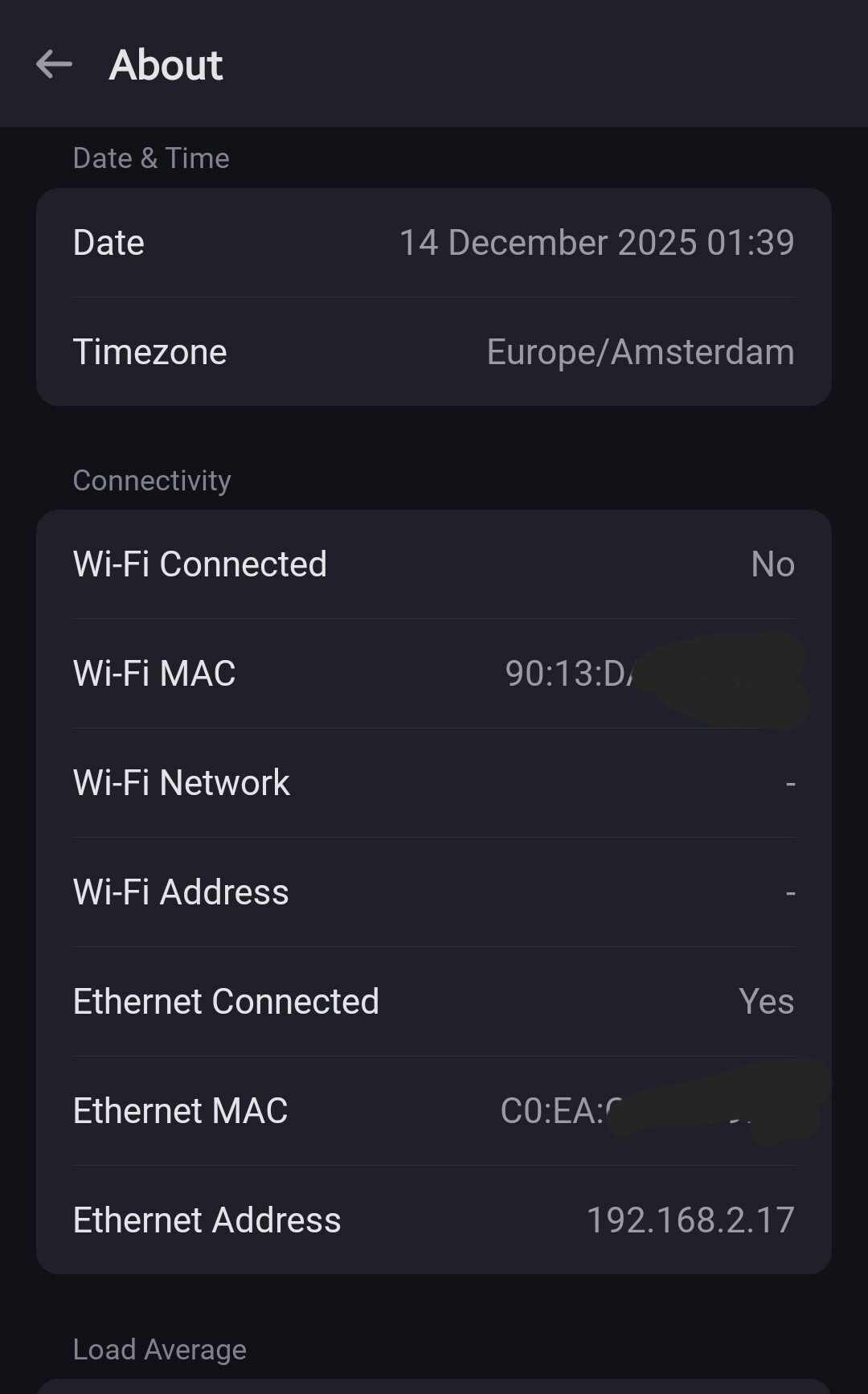
When you’ve connected the ethernet dongle correctly, the wifi connection stays connected, but isn’t actively used as long as ethernet is working correctly
> [@New Homey Pro 2023 goes offline with lan cable](https://community.homey.app/t/new-homey-pro-2023-goes-offline-with-lan-cable/81533/3):
>
> The ethernet must be connected in one specific way:
>
> 
Are you sure the USB-C cable is OK? You’d have found the #cablegate tag when you read this topic
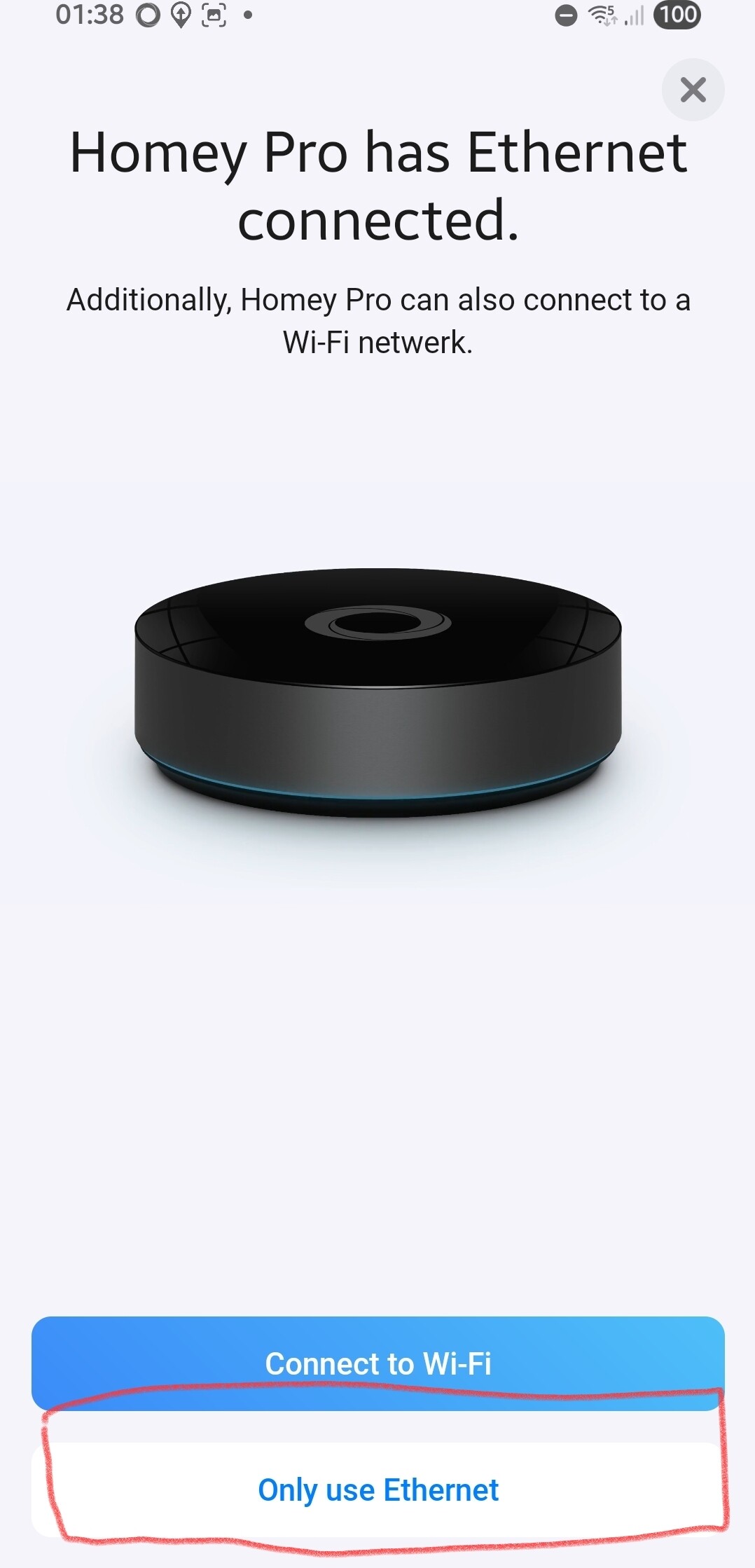
To disable wifi all in all, during setup you just had to pick Ethernet Only, but you pushed the blue button, right?
Or you connected the ethernet dongle later, during or after setup?
See, no wifi:
To disable wifi, just enter setup mode
> **[Activate Setup Mode for Homey Pro](https://support.homey.app/hc/en-us/articles/7263241090716-Activate-Setup-Mode-for-Homey-Pro)**
>
> Homey Pro features a Setup Mode that lets you change the Wi-Fi network, reset Homey Pro to its factory settings, or restore a cloud backup.While Homey Pro is in Setup Mode, all other tasks are disa...
and now just hit the “Ethernet Only” button.
---
### Author:  [@Arne\_Koning](https://community.homey.app/u/Arne_Koning)
#### Post date: [December 16, 2025, 7:51pm UTC](https://community.homey.app/t/how-to-changing-from-wifi-network-to-homey-pro-ethernet-adapter/96189/27 "2025-12-16T19:51:33Z")
I started last week with my new homey pro 2023. Today I received de ethernet adapter, but somehow Homey is not connecting via wifi.
I see green/orange led on the adapter.according to switch there is a connection.
I have tried the setup mode, but I only see a wifi option.
- restarted multiple times
- Tried different network cable
Any suggestions?
In settings of homey it shows

---
### Author:  [@Peter\_Kawa](https://community.homey.app/u/Peter_Kawa)
#### Post date: [December 16, 2025, 8:10pm UTC](https://community.homey.app/t/how-to-changing-from-wifi-network-to-homey-pro-ethernet-adapter/96189/28 "2025-12-16T20:10:05Z")
And you connected it the right way?
You’re not the first one not reading the fine manual 😉

---
### Author:  [@Arne\_Koning](https://community.homey.app/u/Arne_Koning)
#### Post date: [December 16, 2025, 8:50pm UTC](https://community.homey.app/t/how-to-changing-from-wifi-network-to-homey-pro-ethernet-adapter/96189/29 "2025-12-16T20:50:18Z")
🫣 🫢
Thx!!
---
### Author:  [@Peter\_Kawa](https://community.homey.app/u/Peter_Kawa)
#### Post date: [December 16, 2025, 8:55pm UTC](https://community.homey.app/t/how-to-changing-from-wifi-network-to-homey-pro-ethernet-adapter/96189/30 "2025-12-16T20:55:11Z")
It’s even printed on the dongle 😜
But it’s not that weird you probably assumed the dongle and network cable should be near Homey.
[Previous page](https://community.homey.app/t/how-to-changing-from-wifi-network-to-homey-pro-ethernet-adapter/96189.md?page=1)