# Homey Bridge and Homeylink
**URL:** https://community.homey.app/t/homey-bridge-and-homeylink/147794
**Category:** Homey Self-Hosted Server
**Created:** [December 24, 2025, 10:10pm UTC](https://community.homey.app/t/homey-bridge-and-homeylink/147794 "2025-12-24T22:10:47Z")
**Posts on this page:** 5
**Page:** 1
### Author:  [@Robert\_Lewis](https://community.homey.app/u/Robert_Lewis)
#### Post date: [December 24, 2025, 10:10pm UTC](https://community.homey.app/t/homey-bridge-and-homeylink/147794/1 "2025-12-24T22:10:47Z")
Installed Homey SHS. But even though I think I have installed Homey Link and can see my Homey Bridge it still says needs a Bridge to connect Zigbee devices.
I am really struggling to get this off the ground. Apps are always failing and basically at the moment I have a Homey Pro, Homey Bridge and Homey Self Hosted Server all running and not able to add a si glue device by Tuya or even Zigbee
I looked online and seems the educational stuff stopped years ago
If you want the Non technical community to embrace the platform, think it is time to up your game
---
### Author:  [@smarthomesven](https://community.homey.app/u/smarthomesven)
#### Post date: [December 25, 2025, 12:29am UTC](https://community.homey.app/t/homey-bridge-and-homeylink/147794/2 "2025-12-25T00:29:49Z")
HomeyLink and the Bridge “Satellite mode” are completely different things
HomeyLink: a Homey app that allows you to connect one Homey Pro/SHS to another Homey Pro/SHS. It makes the devices added in the one Homey available on the other Homey
Satellite mode: a feature that allows adding a Homey Bridge to a Homey Pro/SHS that adds additional communication protocols to Homey.
If you added HomeyLink, it can only import the devices from another Homey. You need to add the Bridge separately
---
### Author:  [@Peter\_Kawa](https://community.homey.app/u/Peter_Kawa)
#### Post date: [December 25, 2025, 12:48am UTC](https://community.homey.app/t/homey-bridge-and-homeylink/147794/3 "2025-12-25T00:48:32Z")
> [@Robert\_Lewis](#):
>
> If you want the Non technical community to embrace the platform,
It’s adressed to ‘nerds’ for a reason I guess.
With all due respect, SHS is not as ‘easy’ compared with a Pro in a box.

But I’ll try to explain stuff.
> [@Robert\_Lewis](#):
>
> I have installed Homey Link
You don’t need HomeyLink for a SHS + Bridge setup.
> [@Robert\_Lewis](#):
>
> and can see my Homey Bridge it still says needs a Bridge to connect Zigbee devices.
As I’m not a clairvoyant 😉 , what does “I can see my Homey bridge” mean exactly?
Please be specific;
Is it present/visible in the Homey app as device?
If true:
Is it present at the [zigbee/z-wave overview](https://tools.developer.homey.app/tools/zigbee).
If not:
When you logged in, can you select multiple Homeys?
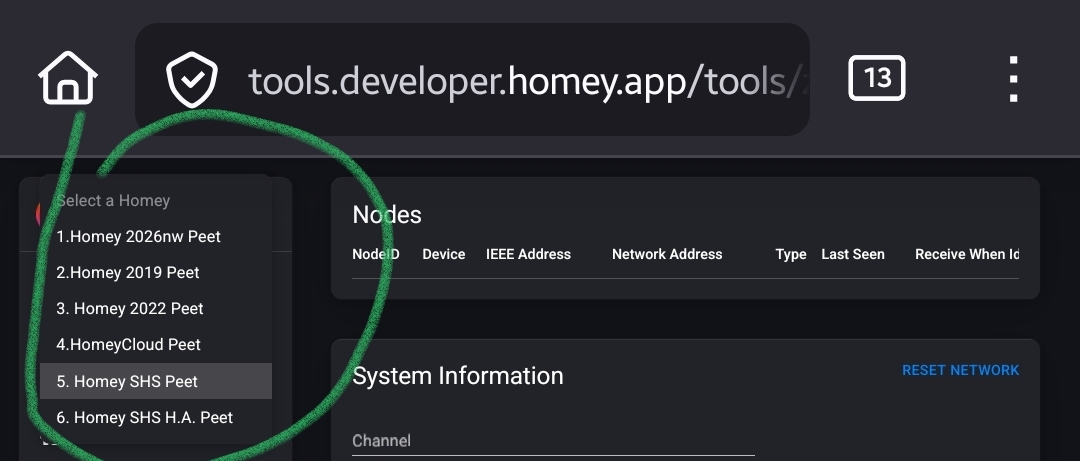
If true, you probably fired up a Homey Cloud instance, and added the bridge to that one →
you’re not the first one selecting / setting up the “wrong” Homey.
That’s the main reason the SHS Homey says:
> [@Robert\_Lewis](#):
>
> it still says needs a Bridge to connect Zigbee devices.

The differences are visible by the icons, and the name _you_ gave Homey SHS, and the description.
Example:
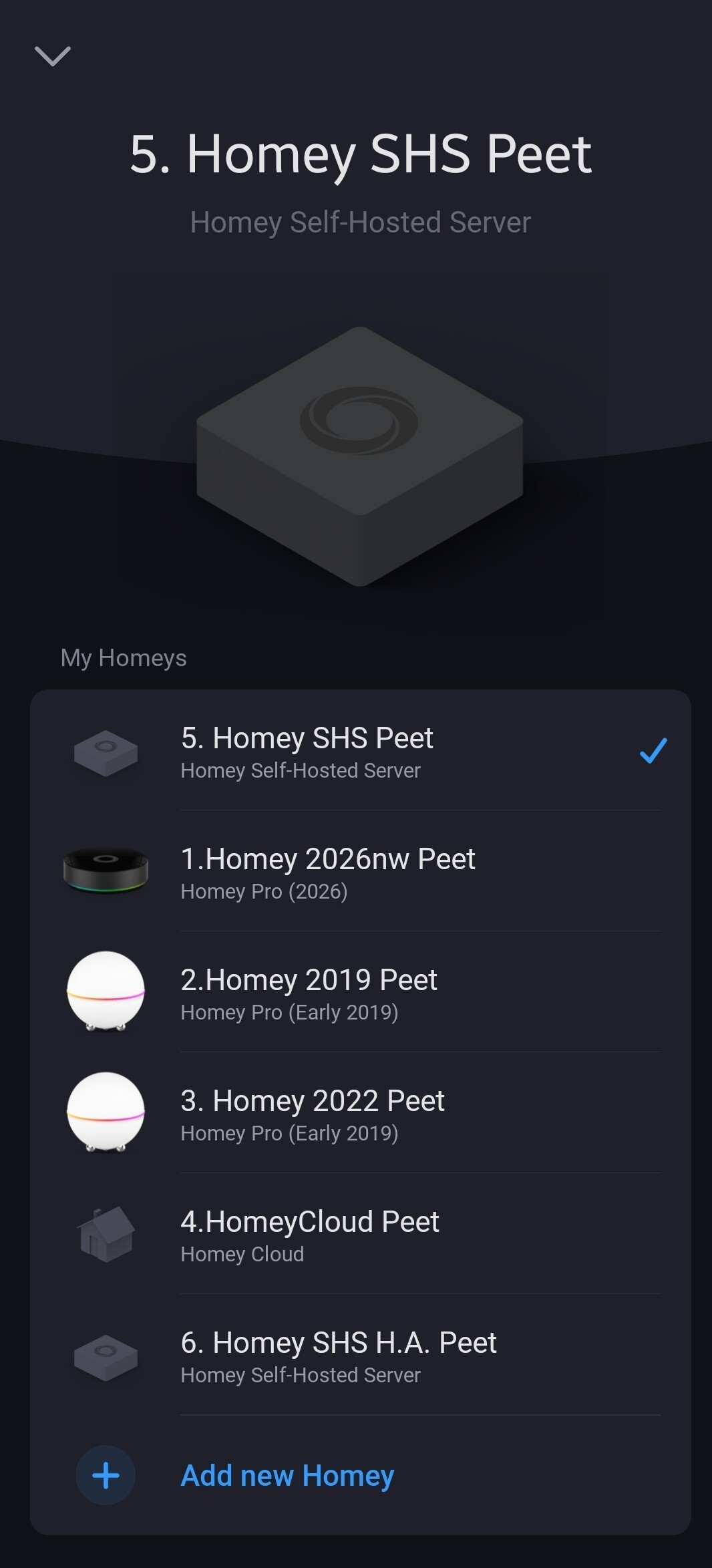
But it’s guessing from here.
> [@Robert\_Lewis](#):
>
> looked online and seems the educational stuff stopped years ago
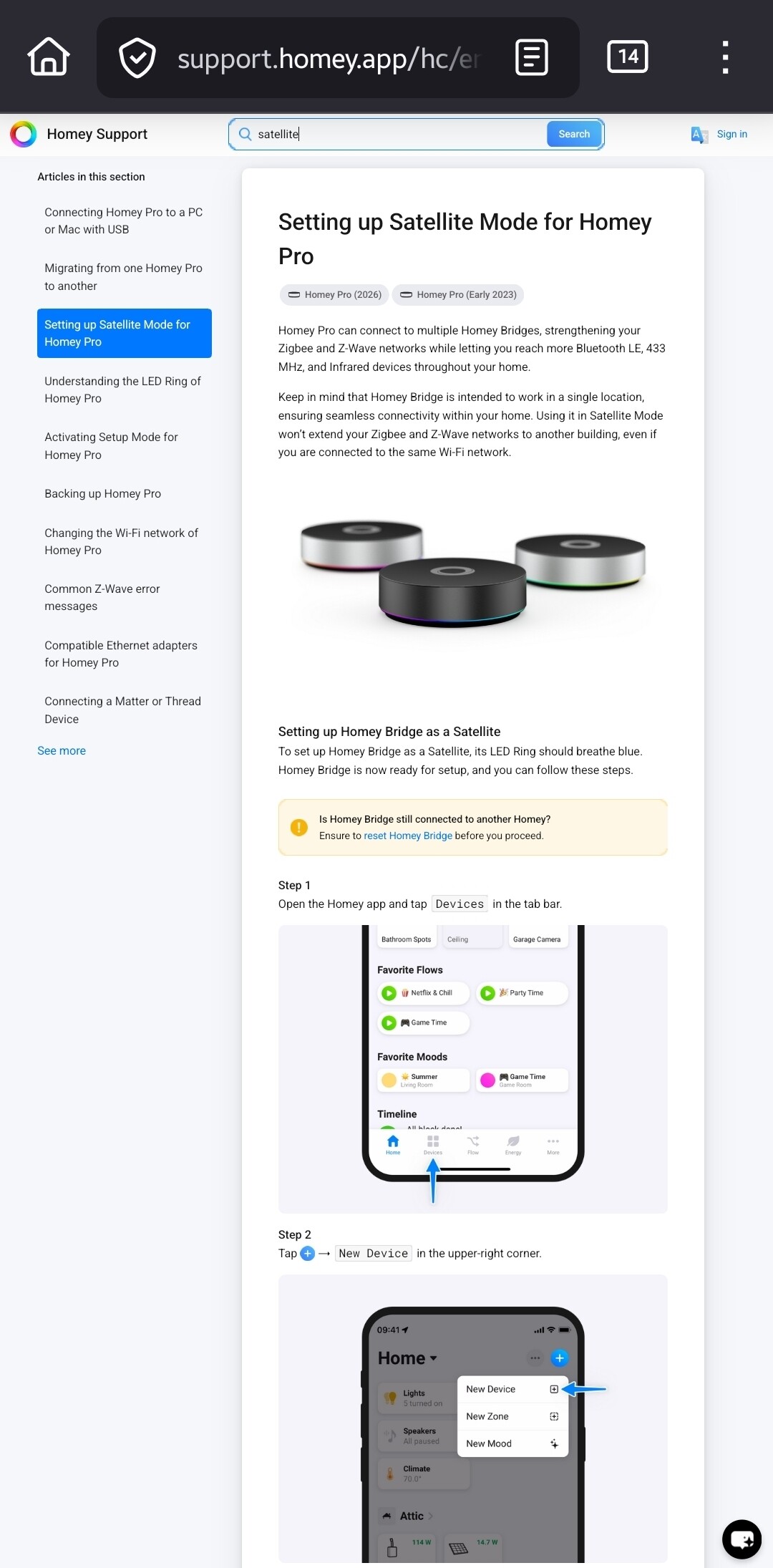
Please tell us _where_ you searched for info. The SHS knowledge base articles are just published:

> [@Robert\_Lewis](#):
>
> and not able to add a si glue device by Tuya or even Zigbee
si glue = _single_ I presume.
Again you don’t specify the error(s) returned by the system. When you’re actually try to install apps on Homey Cloud, many will fail because only a small number of apps is allowed to run @ Homey Cloud. But maybe it’s a NAT issue on your side, hard to tell.
“Even zigbee” … well that’s just because the bridge ain’t connected yet 🤷♂️
---
### Author:  [@Robert\_Lewis](https://community.homey.app/u/Robert_Lewis)
#### Post date: [December 25, 2025, 1:48am UTC](https://community.homey.app/t/homey-bridge-and-homeylink/147794/4 "2025-12-25T01:48:03Z")
So when i try to configure SHS using the app and add a Zigbee devide even though i haver the Homey Bridge is says it needs to be added

But when i try to configure through the local webpage it works fine.
So not sure what is going on there
---
### Author:  [@Peter\_Kawa](https://community.homey.app/u/Peter_Kawa)
#### Post date: [December 25, 2025, 1:53am UTC](https://community.homey.app/t/homey-bridge-and-homeylink/147794/5 "2025-12-25T01:53:15Z")
> [@Robert\_Lewis](#):
>
> But when i try to configure through the local webpage it works fine.
What, only now you say it works fine using the webpage? What is this crap…
What a waste of my time. Shame on you, and merry Xmas.