# \[help needed\] How to display a tile with multiple Status?
**URL:** https://community.homey.app/t/help-needed-how-to-display-a-tile-with-multiple-status/146960
**Category:** Questions & Help
**Created:** [December 15, 2025, 3:12pm UTC](https://community.homey.app/t/help-needed-how-to-display-a-tile-with-multiple-status/146960 "2025-12-15T15:12:42Z")
**Posts on this page:** 6
**Page:** 1
### Author:  [@ricercar](https://community.homey.app/u/ricercar)
#### Post date: [December 15, 2025, 3:12pm UTC](https://community.homey.app/t/help-needed-how-to-display-a-tile-with-multiple-status/146960/1 "2025-12-15T15:12:42Z")
Hi,
Sorry if this has been covered in the forum but after hours spent trying to dabble with Advanced Virtual Device and reading the forum I am still in the blue.
I have a Sonoff device (SNZB-02D) which displays the current temperature and humidity (+battery) and would like to create a virtual device where the tile displays both Temperature and Humidity (and battery ?).
I would appreciate a step by step “how-to” create that device/tile (preferably in English 😉
Thanks 🙏
---
### Author:  [@Adrian\_Rockall](https://community.homey.app/u/Adrian_Rockall)
#### Post date: [December 15, 2025, 4:16pm UTC](https://community.homey.app/t/help-needed-how-to-display-a-tile-with-multiple-status/146960/2 "2025-12-15T16:16:45Z")
It’s not possible in the mobile app, unless you add an Enhanced Device widget to a dashboard.
In the web app you can switch to the larger icons and that will display more the capabilities.
---
### Author:  [@DirkG](https://community.homey.app/u/DirkG)
#### Post date: [December 15, 2025, 4:28pm UTC](https://community.homey.app/t/help-needed-how-to-display-a-tile-with-multiple-status/146960/3 "2025-12-15T16:28:35Z")
You can create an AVD and, for example, “mirror” the humidity value from your sensor. Then you will have two separate devices, but you can see both values at a glance:

---
### Author:  [@Rmb](https://community.homey.app/u/Rmb)
#### Post date: [December 15, 2025, 8:29pm UTC](https://community.homey.app/t/help-needed-how-to-display-a-tile-with-multiple-status/146960/4 "2025-12-15T20:29:57Z")
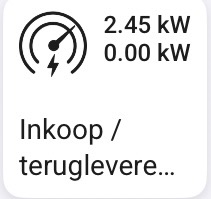
With an AVD you can combine two fields in one field. You have to experiment with adding extra spaces to have the line break at the right point.
---
### Author:  [@ricercar](https://community.homey.app/u/ricercar)
#### Post date: [December 15, 2025, 8:45pm UTC](https://community.homey.app/t/help-needed-how-to-display-a-tile-with-multiple-status/146960/5 "2025-12-15T20:45:02Z")
thanks but that’s just the result I’m expecting without knowing how to get there 😇
---
### Author:  [@Peter\_Kawa](https://community.homey.app/u/Peter_Kawa)
#### Post date: [December 15, 2025, 10:01pm UTC](https://community.homey.app/t/help-needed-how-to-display-a-tile-with-multiple-status/146960/6 "2025-12-15T22:01:59Z")
- Add an adv virtual device
- Add a text field to it, by right-clicking on the device tile, and click _ **Repair** _ (in the web app);
You’ll see a screen like this:
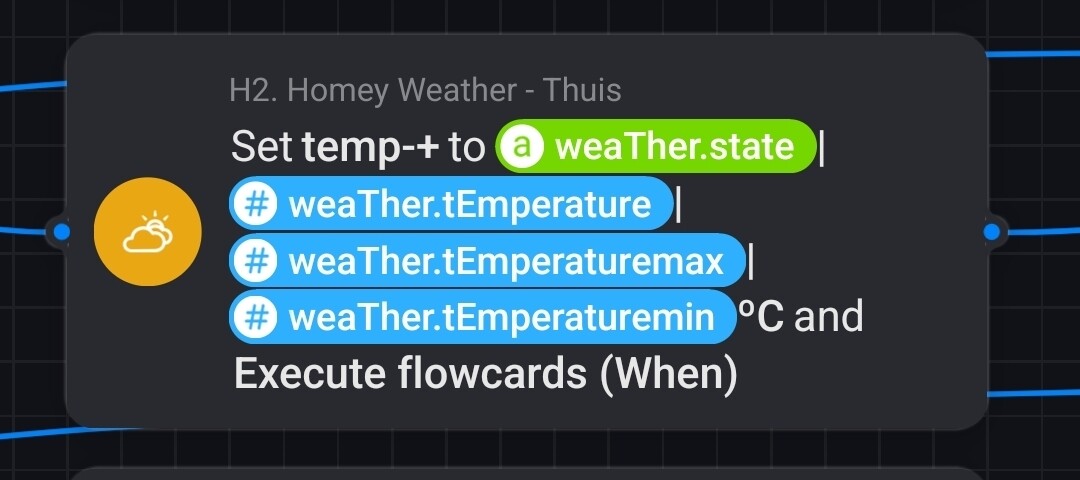
- Next, you can use a flow chart available for that particular device, and select the text field, fill in the text field with multiple values; you can mix and match everything.
-
- Use Shift + Enter to create a new line
however, space on the tile is limited, so you will need to experiment a little:

- Select the text field as “Status indicator”
- Next, it appears on the device tile
.
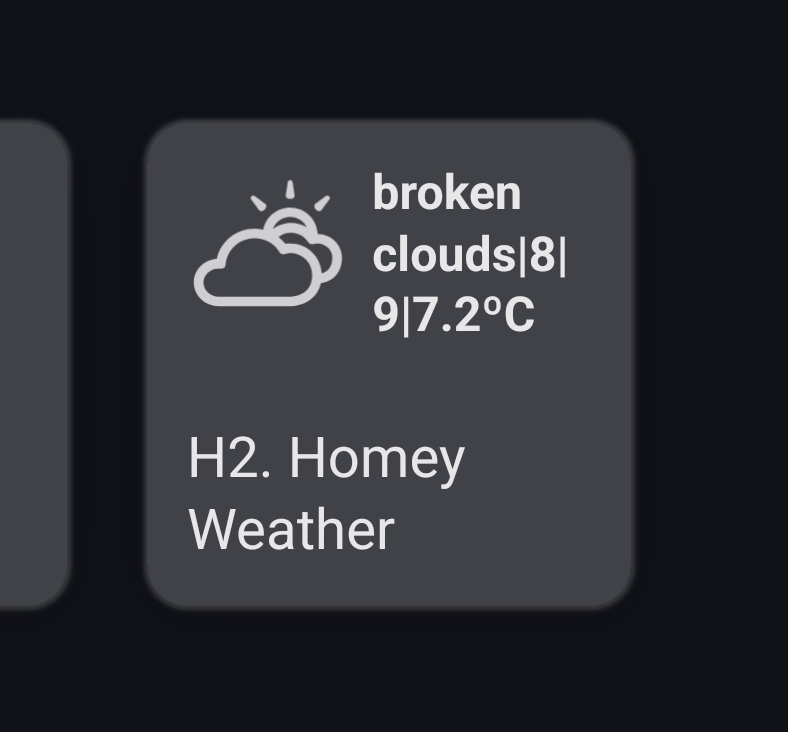
Another example, this one is for the weather: