# Disable or delete 1 device from Google Home (syncen via Homey)
**URL:** https://community.homey.app/t/disable-or-delete-1-device-from-google-home-syncen-via-homey/142504
**Category:** Questions & Help
**Created:** [September 2, 2025, 6:37am UTC](https://community.homey.app/t/disable-or-delete-1-device-from-google-home-syncen-via-homey/142504 "2025-09-02T06:37:44Z")
**Posts on this page:** 4
**Page:** 1
### Author:  [@Philippe\_Rosier](https://community.homey.app/u/Philippe_Rosier)
#### Post date: [September 2, 2025, 6:37am UTC](https://community.homey.app/t/disable-or-delete-1-device-from-google-home-syncen-via-homey/142504/1 "2025-09-02T06:37:44Z")
Hi,
I have a Homey Pro23, and it sync with Google Home/Assistant (+ 2 Google mini’s in the house). I have 5 shutters, and in the past I could say: Hey Google open all the shutters. Then 5 shutters opened. Worked fine.
Since this summer I have 3 new solar blinds (Brel). I have these now in Homey also. Work fine, but these screens are now also in Google Home.
When I say, Hey Google open all shutters (rolluiken), now all 5 shutters open but also the 3 screens open. I dont want the screens to open, only the shutters.
How can I fix this issue ? 😮
---
### Author:  [@Peter\_Kawa](https://community.homey.app/u/Peter_Kawa)
#### Post date: [September 2, 2025, 10:05am UTC](https://community.homey.app/t/disable-or-delete-1-device-from-google-home-syncen-via-homey/142504/2 "2025-09-02T10:05:40Z")
Create an automation which takes the voice command “open all shutters” as starter
(This should replace the automatic selection by Ghome of all shutters / blinds);
as action, select the shutters and select the ‘open’ command.

Alternative (less work but not tested):
Make sure, on Homey, to change the device ‘type’ for the solar blinds to `Blinds`, and check if the shutters device ‘type’ is set to `Shutter-blinds`:

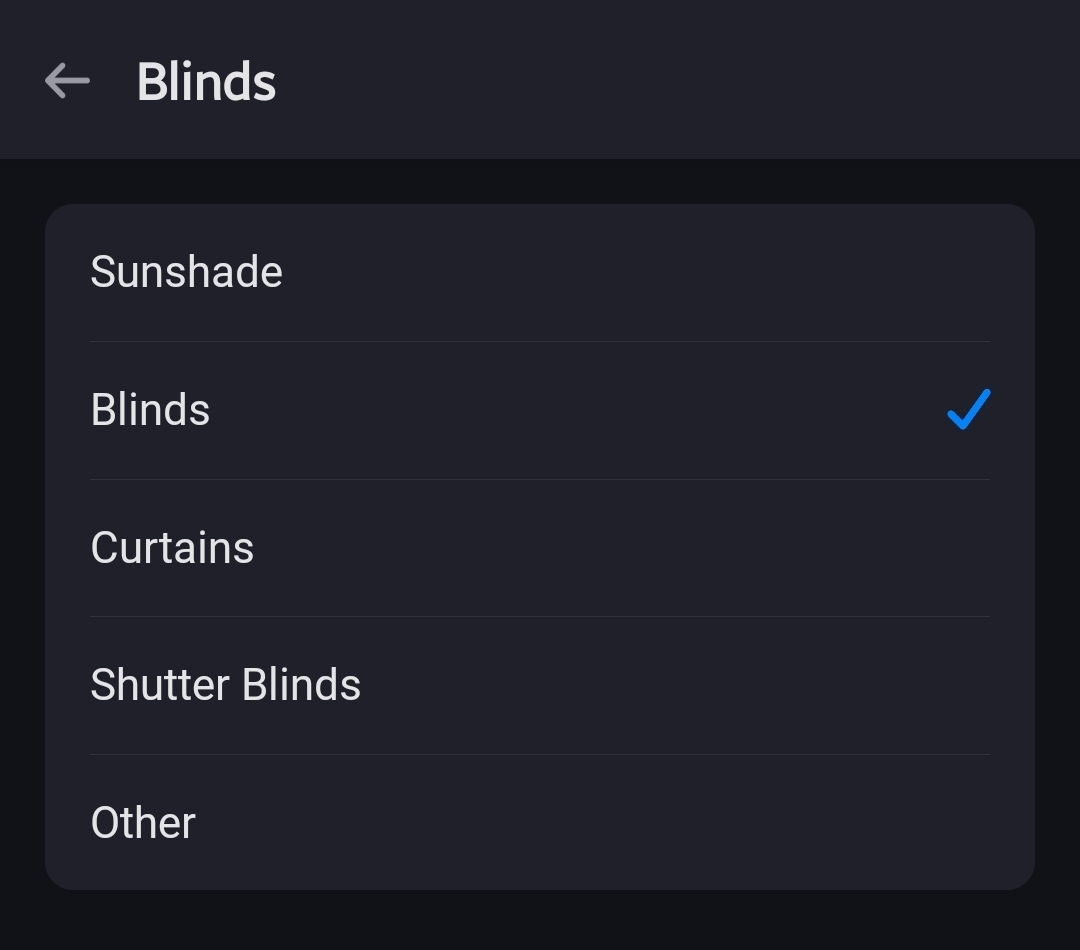
In theory, Ghome should not consider the blinds to be shutters anymore. This stuff you can fiddle with.
---
### Author:  [@Philippe\_Rosier](https://community.homey.app/u/Philippe_Rosier)
#### Post date: [September 2, 2025, 10:34am UTC](https://community.homey.app/t/disable-or-delete-1-device-from-google-home-syncen-via-homey/142504/3 "2025-09-02T10:34:52Z")
Thanks!
In Homey I cannot change the type of the screens. The Shutters are already at shutter. So I think I have to try your option 1.
If this does not work, can I create a second HOME and set the screens to the second home? Or does this effect also Homey…I dont want to mess things up. 🙂
---
### Author:  [@Peter\_Kawa](https://community.homey.app/u/Peter_Kawa)
#### Post date: [September 2, 2025, 2:40pm UTC](https://community.homey.app/t/disable-or-delete-1-device-from-google-home-syncen-via-homey/142504/4 "2025-09-02T14:40:37Z")
How you organise Homey based devices in Ghome doesn’t affect Homey.
AFAIK when you don’t add (new) devices to a home & room in Ghome, they’re excluded from voice commands like “close all shutters”, turn all lights on".
If that’s a wrong assumption, you’d move them to an other home to “exclude” them.
Because my Pro can’t disasble individual devices from sync, I use a second home to move devices to, which shouldn’t be in Ghome