My i4 events are working again after updating to the new version. Thanks for the quick resolution @Phuturist!
After the update everything is working again, thanks for the quick fix @Phuturist!!
Just tested this and it works fine when it’s configured as button for input mode (even with output type detached switch). Check the troubleshooting guide from the first post the fix the communication with Homey and/or try re-pairing the devices.
Hi, i have exactly the same issue with one of my shellys. All of my Plus 1PM are working fine in any kind of configuration scenarios. But after the App-Update today, my Plus 2PM is not working in homey anymore. I’ve checked everything with the shelly and the device itself is working fine. But since the update homey is not responding to this device (single, double, triple and long push).
Ok, sounds like it’s 2PM specific then. I’ll test that as well and see what the issue is.
[EDIT]
Yes, I see what’s going on and will fix it with the next release.
2 Likes
Apologies but yes it seems to be 2pm specific as i have a small number of 1PM and they are working fine, just the 2PM with the issue for me also. Sorry for not being specific earlier.
Jisy tested 3.22.2 and seems to be working now also for 2PM. Many thanks for super fast fix as always
I’m experiencing the same issues as mentioned above and would love to upgrade to the latest version (3.22.2), but the update doesn’t show up yet. Is there a way to force my homey to upgrade to the latest version?
Thanks for that fast fix! Everything works like a charm now!
I just had to be patient  Works like a charm! Thanks a lot!
So the Shelly app doesn’t work in Homey bridge again
they have no problem They say I should contact you
98dd8bdc-5bd5-43e8-a0f9-11f7a90b4a33
See the known issues in the first post. There is an issue with Homey Cloud that is causing these fall outs. Athom does not prioritise fixing this bug. You should report it to Athom, the more users so this the higher priority it gets. See the instructions in the first post as well.
(this is why you don’t want to use a cloud depended solution for your home automation if you ask me)
this puts me in a bad situation.
answer from Athom.
Hi Thomas,
Thank you for your reply.
Shelly has developed the app themselves and for some reason it stops working for your system. This can only be fixed by the Shelly Developers.
There’s no issue with the Athom-cloud service at the moment, there’s no fall-out of the app, the Shelly app is up-and-running on the server you’re using and there’s no downtime.
Thomas.
Yeah, most of the time support isnt even aware of long existing bugs on their end and just gives a default response. I already told them not to re-direct these issues to me. But I’ll tell them again and you should to the same. You can refer issue #78 from the verified developer support. I’ll add those instructions to the known issue as well.
Not that my comment really adds any value, but my 2PM in detatched mode is also not working. Output controll works just fine, but the input triggers and status (When, And) are not working. I just tried re-pairing… THEN found that you already know about an issue… Oh well, my fault for jumping to try to sort it myself. I eagerly await the fix. Thanks
As far as I’m aware there are no issues with the code at the moment on version 3.22.2. Only configuration issues on the user end.
I have not changed anything in my flows or shelly configuration for weeks. i noticed a couple of days ago that my garage lights were still on at night. I thought nothing of it and turned them off manually. Then again today. I investigated and found that my garage light control flow had a couple of cards in error. These cards are using the input status from my 2Pro (not 2pm as previously stated).
I tried to re-add the cards but i find that input status is not available at all on this device. another 2pro which I have, which has attached inputs DOES have these available.
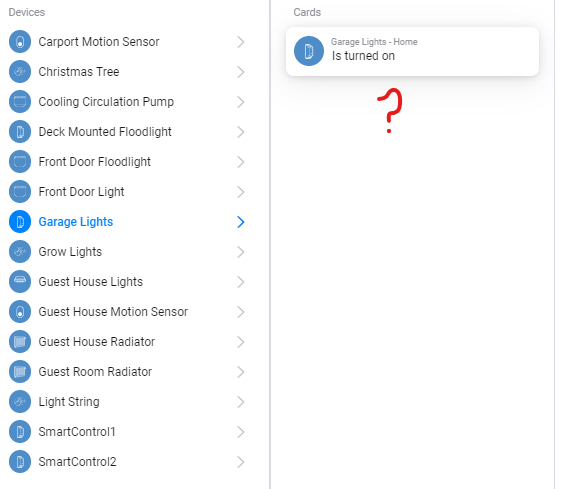

You probably have the input type configured as button. Since release 3.22.0 inputs are removed if the input type is set to button because the input will have value null and it wont change. See Input | Shelly Technical Documentation
I have one input configured as button, I have one input configured as switch. both detatched. both missing. Is there perhaps an issue with mixed input types on the same device?
Edit: I have tried changing both inputs to detatched switch, removed them from homey, restarted the shelly app then re-added them and the inputs are still missing
Further Edit: After a lot of restarting of homey, app and shelly device in different configurations I have observed the following:
Both inputs detatched, input 1switch, input 2 switch: inputs are both available in homey flows - OK as you described
Both Inputs detatched, input 1 button, input 2 switch: NOK neither input available, input 2 should be available as you describe
Both inputs detatched, input 1 switch, input 2 button: NOK both inputs are available, input 2 should not be available as you describe
Double checking the configuration of my device configured as intended and as has been working until 3.22:
GetConfig
{“id”:0,“name”:“Garage Wall Switches”,“type”:“button”,“invert”:false}
{“id”:1,“name”:“Garage Motion Sensor”,“type”:“switch”,“invert”:false}
GetStatus
{“id”:0,“state”:null}
{“id”:1,“state”:false}
It looks like you are only checking for input type on the first input then applying it to both?
I’ll look into it.
