Howto… use trigger event for snapshots:
The example above works in Advanced Flows. But in standard flows you can’t use the result of your action card.
But every time making a snapshot, the correcponding trigger (a snapshot was created) is executed.
So you can make a snapshot with your action card and react with the trigger. You can use this also to split your flow of if you have several places where you want to create a snapshot, but wants to have one place for the action.
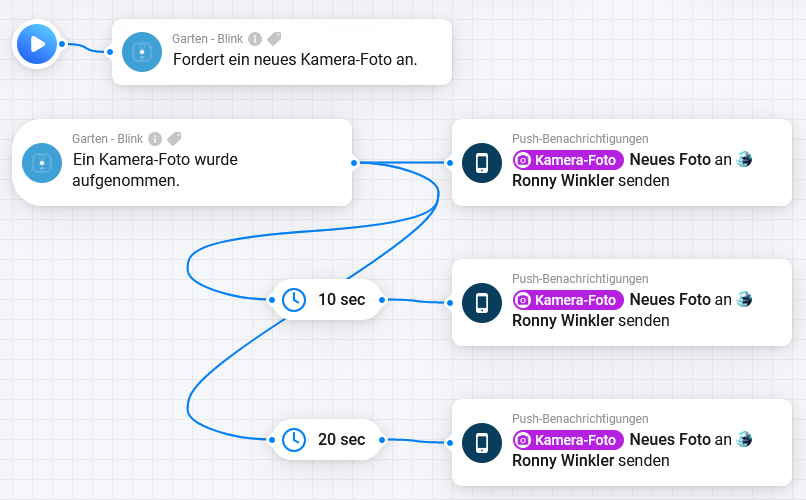
This example is designed in Advanced Flow canvas to show it in one picture. It works in both flow variants.
Using the flow action has the same advantages like the example above: The snapshot is retrieved once.
