# \[APP\]\[Pro\] Alfen - Optimal Charging, Smarter Homes: Powering Efficiency for You and the Grid
**URL:** https://community.homey.app/t/app-pro-alfen-optimal-charging-smarter-homes-powering-efficiency-for-you-and-the-grid/130683
**Category:** Apps
**Tags:** app, homey-pro
**Created:** [February 15, 2025, 11:23am UTC](https://community.homey.app/t/app-pro-alfen-optimal-charging-smarter-homes-powering-efficiency-for-you-and-the-grid/130683 "2025-02-15T11:23:15Z")
**Posts on this page:** 20
**Page:** 12
### Author:  [@Jan-Henk\_Kolkman](https://community.homey.app/u/Jan-Henk_Kolkman)
#### Post date: [October 10, 2025, 10:38am UTC](https://community.homey.app/t/app-pro-alfen-optimal-charging-smarter-homes-powering-efficiency-for-you-and-the-grid/130683/223 "2025-10-10T10:38:57Z")
```auto
Stijn, I controlled the Alfen post using load balancing, but it's now experiencing an outage (as I've seen before on the forum). I think it's because it's receiving data from the P1 meter and also from Homey, and it's experiencing stress. What's your load balancing setting on the post? Mine is set to "Meter," for example, but that probably needs to be changed. Can you help?
```
---
### Author:  [@Jan-Henk\_Kolkman](https://community.homey.app/u/Jan-Henk_Kolkman)
#### Post date: [October 10, 2025, 11:05am UTC](https://community.homey.app/t/app-pro-alfen-optimal-charging-smarter-homes-powering-efficiency-for-you-and-the-grid/130683/224 "2025-10-10T11:05:14Z")
Do you have already a solution, i have the samen problems
---
### Author:  [@Wouter\_K](https://community.homey.app/u/Wouter_K)
#### Post date: [October 10, 2025, 11:22am UTC](https://community.homey.app/t/app-pro-alfen-optimal-charging-smarter-homes-powering-efficiency-for-you-and-the-grid/130683/225 "2025-10-10T11:22:41Z")
No, i just gave up…. I think it might be a firmware thing (?) Eneco tried to push new firmware to my charger, but it did not install. I dont know what else it can be. If you fix it in the future, please let me know.
---
### Author:  [@JMH](https://community.homey.app/u/JMH)
#### Post date: [October 14, 2025, 10:28pm UTC](https://community.homey.app/t/app-pro-alfen-optimal-charging-smarter-homes-powering-efficiency-for-you-and-the-grid/130683/226 "2025-10-14T22:28:13Z")
Maybe I missed it, but is there also a trigger for scanning a RFID? Or plugging in a cable?
Would like to check howmuch energy my solarpanels putting into the net, so I can set the chargingstation to green or to standard if it is at night. After that I would like to start charging (or not).
Also I’m thinking of a dynamic contract for power. Scanning an RFID could turn on a flow to start charging at the lowest X-hours…
The (best?) trigger I can find now is Loading started. But that will start loading and has to be aborted then? Triggering on RFID (or plugging in a cable) would be nicer I think?!
---
### Author:  [@MrDutchfighter](https://community.homey.app/u/MrDutchfighter)
#### Post date: [October 15, 2025, 10:04am UTC](https://community.homey.app/t/app-pro-alfen-optimal-charging-smarter-homes-powering-efficiency-for-you-and-the-grid/130683/227 "2025-10-15T10:04:21Z")
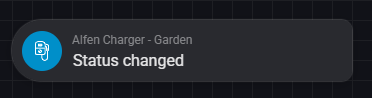
You are probably looking for this one:
---
### Author:  [@Patrick\_Van\_Deursen](https://community.homey.app/u/Patrick_Van_Deursen)
#### Post date: [October 15, 2025, 1:25pm UTC](https://community.homey.app/t/app-pro-alfen-optimal-charging-smarter-homes-powering-efficiency-for-you-and-the-grid/130683/228 "2025-10-15T13:25:50Z")
I use “cable plugged in” detection on the car side. on the alfen side you can use the car, “is charging”
I use measurement if my panels have started producing, together with a timing wrt dusk and dawn, to set to custom during the day to maximize consumption of the panels produced amount to the car with always the minimal amount, to solve when the sun is being blocked by clouds the system continuously starts switching on and off. using the calendar to check if I need the car is needed the next day to then set to default to charge at maximum during the night and ensure the car is full the next morning. in all other scenarios set to green - which is effectively off during the night.
I also check the battery level to the car so I can set the charging to 80%, except when I need to travel far, and then set the level to 100% full, and turn off the charging (setting to green) to stop the charging, iso setting that in the car every time.
The flow is complex and large, and if helpful I can post here, but be aware it is full of loops 😉
---
### Author:  [@Daderu](https://community.homey.app/u/Daderu)
#### Post date: [November 3, 2025, 7:06pm UTC](https://community.homey.app/t/app-pro-alfen-optimal-charging-smarter-homes-powering-efficiency-for-you-and-the-grid/130683/229 "2025-11-03T19:06:57Z")
I’ve got one installed recently and immediately connected it to homey with you app: lovely. Seems to work fine, although errors do pop-up: “ Missing Capability Listener: evcharger\_charging” wich are errors wich pop up out from cards such as “Start Charging” and “Stop Charging”, or “Status Changed”. Is this a known issue, or might I be doing something wrong (as said, works fine!).
---
### Author:  [@Daderu](https://community.homey.app/u/Daderu)
#### Post date: [November 3, 2025, 7:09pm UTC](https://community.homey.app/t/app-pro-alfen-optimal-charging-smarter-homes-powering-efficiency-for-you-and-the-grid/130683/230 "2025-11-03T19:09:07Z")
Also there doens’t seem to be a pause card (only charging status is pause). The charger does support it though in there own app. Is that card missing on purpose, or just overlooked?
---
### Author:  [@Marian\_Satko](https://community.homey.app/u/Marian_Satko)
#### Post date: [November 9, 2025, 11:23am UTC](https://community.homey.app/t/app-pro-alfen-optimal-charging-smarter-homes-powering-efficiency-for-you-and-the-grid/130683/231 "2025-11-09T11:23:31Z")
ZSE Drive told me it is impossible, as my Alfen (from ZSE Drive) is conected via SIM card and having said that, any LAN or Wifi would breake thier connection and monitoring of my Alfen box. Happy to see that it works for Wifi/LAN. Thank for this information
---
### Author:  [@Daderu](https://community.homey.app/u/Daderu)
#### Post date: [November 20, 2025, 4:40pm UTC](https://community.homey.app/t/app-pro-alfen-optimal-charging-smarter-homes-powering-efficiency-for-you-and-the-grid/130683/232 "2025-11-20T16:40:47Z")
To add to this; Start or stop don’t work (the give the error I mentioned)
---
### Author:  [@Daderu](https://community.homey.app/u/Daderu)
#### Post date: [December 7, 2025, 2:24pm UTC](https://community.homey.app/t/app-pro-alfen-optimal-charging-smarter-homes-powering-efficiency-for-you-and-the-grid/130683/233 "2025-12-07T14:24:15Z")
Due to the setup in Homey those cards are standard made. They howerever do not function. Found this out via Robert on GitHub. I figure this is also true for the pause card.
---
### Author:  [@MrDutchfighter](https://community.homey.app/u/MrDutchfighter)
#### Post date: [January 18, 2026, 12:12pm UTC](https://community.homey.app/t/app-pro-alfen-optimal-charging-smarter-homes-powering-efficiency-for-you-and-the-grid/130683/234 "2026-01-18T12:12:21Z")
With the help of @Henri_Apperloo now the app should also support the two-socket Alfen chargers. If you are one of the lucky owners of a two socket charger you can check out the test version here: [Alfen | Homey](https://homey.app/a/com.alfen/test/).
Next to that some additional flow cards and [requested](https://github.com/robertraaijmakers/com.alfen/issues/13) features (like Plug & Charge IDs) are added as well.
---
### Author:  [@JMH](https://community.homey.app/u/JMH)
#### Post date: [January 19, 2026, 10:59pm UTC](https://community.homey.app/t/app-pro-alfen-optimal-charging-smarter-homes-powering-efficiency-for-you-and-the-grid/130683/235 "2026-01-19T22:59:12Z")
Is there a way to check the way of loading?
I would like to check if it is on green-mode or normal-mode. With the app it is possible to set it, but I couldn’t find a variable with the actual setting yet…

For now I’m going to try the test-app, saw that there is a nice new possibility with ID’s 🤩
---
### Author:  [@Daderu](https://community.homey.app/u/Daderu)
#### Post date: [January 20, 2026, 5:45am UTC](https://community.homey.app/t/app-pro-alfen-optimal-charging-smarter-homes-powering-efficiency-for-you-and-the-grid/130683/236 "2026-01-20T05:45:23Z")
You can call out the number of value for “aandeel groen” (don”t know what it shows in English) for the % of green energie via Logic. At least that’s what I’ve used.
---
### Author:  [@Daderu](https://community.homey.app/u/Daderu)
#### Post date: [January 20, 2026, 5:51am UTC](https://community.homey.app/t/app-pro-alfen-optimal-charging-smarter-homes-powering-efficiency-for-you-and-the-grid/130683/237 "2026-01-20T05:51:46Z")
Nice to have these additions. I am a bit confused however with the ID part regarding RFD or Plug and Charge. I don’t have the situation on hand, but it the near future I think I will. I always thought:
- Plug and Charge (no verification needed, thus no ID)
- RFID (verification true tag of card needed, thus ID)
So that if I charge my business car a tag is needed. And when I switch to it Plug and Charge, and plug my wife’s car (non business) it is automatically charging. The GitHub post makes me think you’re using it the other way around or am I just misreading?
ID from tags or cards will be filled in automatically right?
---
### Author:  [@MrDutchfighter](https://community.homey.app/u/MrDutchfighter)
#### Post date: [January 20, 2026, 8:46pm UTC](https://community.homey.app/t/app-pro-alfen-optimal-charging-smarter-homes-powering-efficiency-for-you-and-the-grid/130683/238 "2026-01-20T20:46:43Z")
I dont know about the plug and charge id and how that is used, you can read here how two other users use it: [Change auth type is missing (optional) Plug And Charge ID · Issue #13 · robertraaijmakers/com.alfen · GitHub](https://github.com/robertraaijmakers/com.alfen/issues/13)
You can see on which value it is by looking at the properties of the device. Don’t think you can check via a card or something. But also think it is irrelevant as you can switch it to the value you want it to be. Don’t need to check upfront on which value it is, if you want to switch it, just switch it. You can also keep track in a custom variable if you really need to.
@Daderu you say there is a pause option in there own app. Do you have some screenshots or maybe the property values it is trying to set? Then I can see if I can add that as functionality as well.
---
### Author:  [@Daderu](https://community.homey.app/u/Daderu)
#### Post date: [January 27, 2026, 9:20pm UTC](https://community.homey.app/t/app-pro-alfen-optimal-charging-smarter-homes-powering-efficiency-for-you-and-the-grid/130683/239 "2026-01-27T21:20:40Z")
Yeah I read that topic, and got confused, therefor I asked. Maybe it will become clear to me when the update is available.
I think the app for the Alfen Charger is also not quite on par. Because there is a “start button”, but no “pause button”. Maybe this is the reason a pause button in the Homey app isn’t possible yet?
Strangely if I set the power down to 1A via homey to stop/pauze charging (e.g. if the electricity price is high) the Alfen app states “Gepauzeerd” (Paused) under status.

---
### Author:  [@remcodk](https://community.homey.app/u/remcodk)
#### Post date: [January 28, 2026, 9:25am UTC](https://community.homey.app/t/app-pro-alfen-optimal-charging-smarter-homes-powering-efficiency-for-you-and-the-grid/130683/240 "2026-01-28T09:25:17Z")

This is how I use it.
---
### Author:  [@Daderu](https://community.homey.app/u/Daderu)
#### Post date: [January 28, 2026, 12:42pm UTC](https://community.homey.app/t/app-pro-alfen-optimal-charging-smarter-homes-powering-efficiency-for-you-and-the-grid/130683/241 "2026-01-28T12:42:39Z")
So if i understand correctly:
For plug & charge, you **need** a Plug and Charge ID from the car you want to plug? Wich means that:
1. You need a car that supports this?
2. You’re unable to Plug and Charge any car, without verification?
For RFID, Plug & Charge ID needs to be empty, in oder for the ID to be filled via RFID and to be checked with the authorised ID’s?
---
### Author:  [@remcodk](https://community.homey.app/u/remcodk)
#### Post date: [January 28, 2026, 2:14pm UTC](https://community.homey.app/t/app-pro-alfen-optimal-charging-smarter-homes-powering-efficiency-for-you-and-the-grid/130683/242 "2026-01-28T14:14:51Z")
The Alfen does not know any ID of the car. There is no communication between charger and car about ID’s.
The ID is the secret ID of the chargecard you want to be billed at. This ID can be found in the alfen logs after scanning a tag on the RFID scanner. So every car you plug in will be charged on the same card. Like a preset card for people that are always charging on the same chargecard and don’t want to present (scan) it every charge session.
On RFID mode the charger will start after scanning a valid card with the card reader on the charger. So in that case the charge ID field is empty and the presented card will be used.
[Previous page](https://community.homey.app/t/app-pro-alfen-optimal-charging-smarter-homes-powering-efficiency-for-you-and-the-grid/130683.md?page=11)
[Next page](https://community.homey.app/t/app-pro-alfen-optimal-charging-smarter-homes-powering-efficiency-for-you-and-the-grid/130683.md?page=13)