# \[App\] Eurotronic Technology App (Stable: v3.0.1)
**URL:** https://community.homey.app/t/app-eurotronic-technology-app-stable-v3-0-1/5771
**Category:** Apps
**Tags:** app, z-wave, official, homey-bridge
**Created:** [December 22, 2018, 1:25pm UTC](https://community.homey.app/t/app-eurotronic-technology-app-stable-v3-0-1/5771 "2018-12-22T13:25:33Z")
**Posts on this page:** 20
**Page:** 14
### Author:  [@Caseda](https://community.homey.app/u/Caseda)
#### Post date: [September 27, 2020, 11:10am UTC](https://community.homey.app/t/app-eurotronic-technology-app-stable-v3-0-1/5771/263 "2020-09-27T11:10:48Z")
> [@Rob\_van\_der\_Poel](#):
>
> ppm (negative?) VOC figure
That value seems like an “invalid value” value, so yeah, definitely not going to be able to fix that without the device.
Good to see the normal values to come in, now just the custom values…
VOC is just like PM2.5 (particulate matter 2.5µm) and PM10 (particulate matter 10µm) one of the bad airborne things in your house, too high = bad for you, VOC is probably the most lethal one, as those substances can easily burst into flames.
Already had asked Eurotronic why they choose VOC over PM2.5/PM10, but never got an answer on that, it is at least a unique one, you usually see PM2.5.
---
### Author:  [@Rob\_van\_der\_Poel](https://community.homey.app/u/Rob_van_der_Poel)
#### Post date: [September 27, 2020, 11:34am UTC](https://community.homey.app/t/app-eurotronic-technology-app-stable-v3-0-1/5771/264 "2020-09-27T11:34:36Z")
Ok. Thanks for your reply. I don’t see any remark in the guidelines about calibration of the sensor of something like that. I mean by example the device needs 24 hours to show finally some reliable figures.
For now I notice by example the figures, in the two rooms I am using these devices, are max to high(two or three degrees Celsius).
---
### Author:  [@Rob\_van\_der\_Poel](https://community.homey.app/u/Rob_van_der_Poel)
#### Post date: [September 28, 2020, 6:00am UTC](https://community.homey.app/t/app-eurotronic-technology-app-stable-v3-0-1/5771/265 "2020-09-28T06:00:14Z")
I hope it’s possible to do something about the measurements of the figures. Because these are not good. See the attachment. With this example we can see the temperature of the air quality sensors is two degrees to high. I compared them with netatmo devices. And some external devices. The figures of the netatmo devices are right.

---
### Author:  [@Caseda](https://community.homey.app/u/Caseda)
#### Post date: [September 28, 2020, 6:10am UTC](https://community.homey.app/t/app-eurotronic-technology-app-stable-v3-0-1/5771/266 "2020-09-28T06:10:22Z")
The air quality and temperature/humidity sensors have no native calibration parameters (offset), so unless i find a fault in the code (which is kinda (highly) unlikely for the temperature), not sure I can do much/want to do about it.
I know the sensing sensor inside, which is of very high quality, so that isn’t the problem.
Perhaps try changing the decimal setting in the device’s settings, see if that changes anything.
You do know that this is of course like finding a needle in a hay stack, in the dark, currently right… Without a reference device for myself at all.
Like do they update the value at all?
---
### Author:  [@Rob\_van\_der\_Poel](https://community.homey.app/u/Rob_van_der_Poel)
#### Post date: [September 28, 2020, 6:33am UTC](https://community.homey.app/t/app-eurotronic-technology-app-stable-v3-0-1/5771/267 "2020-09-28T06:33:55Z")
I just say something about what I see. I changed the temperature parameter, but that has nothing to do with good/bad measurements of the figures(but with the response of the sensors). Yes the sensors does update the figures. I checked that with insights reports. If the sensors measure temperature in two different rooms and the figures are both 2 degrees to high, in each room, I guess there is something wrong. I also have my doubts about the CO2 figures. Again, telling what I see. For now…I had expect more for a 70 euro sensor. But that’s the risk I guess when you buy a new sensor. Never the less I guess you can atleast expect some good figures… but I guess(and I hope) my conclusion is too soon.
---
### Author:  [@Caseda](https://community.homey.app/u/Caseda)
#### Post date: [September 29, 2020, 8:35pm UTC](https://community.homey.app/t/app-eurotronic-technology-app-stable-v3-0-1/5771/268 "2020-09-29T20:35:12Z")
I have good news, and some bad news.
I’ll start with the _good news_, i’ve finally received my devices! (YAY!) and have fixed pretty much all open issues.
I only need a bit more testing time before i send in the fixes.
the _bad news_, it indeed seems the temperature is a little on the high side, for both the temperature/humidity sensor ( ~~+0.5C~~ , accurate now after 1 hour) and the quality sensor (+1.8C), and also the the CO2 measurement is little on the low side, like it only wants to show +/-400 ppm, but kinda have a feeling that it isn’t really measuring CO2 🤔
humidity is within range of error here (-1%).
I’ll keep on eye on them whats up, and ask Eurotronic if this might be a firmware bug.
Or netatmo, that I currently also use to compare with is just bad 😛
definitely could use a highly calibrated temperature sensor.
I did find it a little odd that the CO2 isn’t taken along with the air quality status, it is just the VOC measurement.
---
### Author:  [@Rob\_van\_der\_Poel](https://community.homey.app/u/Rob_van_der_Poel)
#### Post date: [September 29, 2020, 9:30pm UTC](https://community.homey.app/t/app-eurotronic-technology-app-stable-v3-0-1/5771/269 "2020-09-29T21:30:46Z")
I recognize the remark you made about the temperature of the quality sensor (1,8C). Sometimes a bit more maybe. The figures of Netatmo are pretty good. By example I can see this when I compare them with another sensors I am using, and one external CO2 device. About the CO2 figures of the air quality sensor I can say I noticed higher figures than 400 ppm(up to 1000). But also there a differences when I compare the figures with Netatmo device. Atleast it is good you have finally your devices:-)
---
### Author:  [@Hans-Jochen\_Nissen](https://community.homey.app/u/Hans-Jochen_Nissen)
#### Post date: [October 2, 2020, 5:04pm UTC](https://community.homey.app/t/app-eurotronic-technology-app-stable-v3-0-1/5771/270 "2020-10-02T17:04:40Z")
I sent an email on September 17 about my problems with Spirits to [info@eurotronic.org](mailto:info@eurotronic.org)
I have not heard anything from them! Yesterday I found on their website ([https://eurotronic.org/service/support/](https://eurotronic.org/service/support/)) a form that I filled out.
Today I received the following answer.
Hallo,
ich habe Ihren Fall an unser Service Center Teknihall weitergegeben.
Vielen Dank im Voraus. Bei Fragen stehe ich Ihnen gerne zur Verfügung.
_ **Mit freundlichen Grüßen / Best regards** _
i. A. Selina Rüffer
Auszubildende/Trainee
---
### Author:  [@Caseda](https://community.homey.app/u/Caseda)
#### Post date: [October 2, 2020, 8:27pm UTC](https://community.homey.app/t/app-eurotronic-technology-app-stable-v3-0-1/5771/271 "2020-10-02T20:27:28Z")
The app (test) has been updated to [v2.3.4](https://homey.app/a/org.eurotronic/test), this should fix any open issues that can be fixed in the app.
I do have an open ticket currently at Eurotronic about the too high temperature, so hopefully I will get an answer (soon) from their technical staff.
If nothing serious comes up it will be promote it to Stable.
---
### Author:  [@Rob\_van\_der\_Poel](https://community.homey.app/u/Rob_van_der_Poel)
#### Post date: [October 2, 2020, 9:12pm UTC](https://community.homey.app/t/app-eurotronic-technology-app-stable-v3-0-1/5771/272 "2020-10-02T21:12:37Z")
Thanks for the update. I installed v2.3.4. I have also my doubts, about humidity and CO2 figures. I really don’t understand why it is possible to buy(for that price) this kind of devices with these kind of bad measurements.
---
### Author:  [@Rob\_van\_der\_Poel](https://community.homey.app/u/Rob_van_der_Poel)
#### Post date: [October 3, 2020, 5:39am UTC](https://community.homey.app/t/app-eurotronic-technology-app-stable-v3-0-1/5771/273 "2020-10-03T05:39:42Z")
(1)Since yesterday I noticed one of the sensors has a little sound tone. That’s gone when I disconnect if from the power. So I am sure the sound comes from the sensor. (2) Have to make a command on remark 1. The sensor with a little sound tone, was connected directly to extension power unit with two usb ports on it. I just changed this by using ac adapter between the sensor and the power unit, and now the sound seems to be gone. I still wonder why I did not hear this sound tone before, because I was already using the sensor directly to the power unit(without ac adapter) for days. Anyway let’s hope it’s ok now.
---
### Author:  [@Eternity](https://community.homey.app/u/Eternity)
#### Post date: [October 3, 2020, 11:56am UTC](https://community.homey.app/t/app-eurotronic-technology-app-stable-v3-0-1/5771/274 "2020-10-03T11:56:14Z")
> [@Hans-Jochen\_Nissen](#):
>
> Yesterday I found on their website ([https://eurotronic.org/service/support/](https://eurotronic.org/service/support/)) a form that I filled out.
> Today I received the following answer.
You are luckier. I used that form 3 times and never receiven an answer. Perhaps because it was in English? Did you write in German?
---
### Author:  [@Hans-Jochen\_Nissen](https://community.homey.app/u/Hans-Jochen_Nissen)
#### Post date: [October 3, 2020, 9:40pm UTC](https://community.homey.app/t/app-eurotronic-technology-app-stable-v3-0-1/5771/275 "2020-10-03T21:40:00Z")
I wrote in both German and English!
---
### Author:  [@Francois\_Amichaud](https://community.homey.app/u/Francois_Amichaud)
#### Post date: [October 7, 2020, 8:56pm UTC](https://community.homey.app/t/app-eurotronic-technology-app-stable-v3-0-1/5771/276 "2020-10-07T20:56:47Z")
Hello, I am using V2.2.0 app with Spirit Z-Wave thermostat. I have 2 issues. I have to investigate more on the first one but it seems that when the thermostat is set up with an external room temperature, when I put the thermostat in off mode, it is closed immediately and opens 1 minute after. As I said I have to check deeply.
The second issue is that when the thermostat is NOT in comfortable mode, the temperature screen and the tile will not change, they behave as they are still in comfortable mode. Let’s say room temperature is 20, target temp is 22. Temperature display is orange and so is the little bullet in the tile. But when I switch to off mode, the screen and tile remain the same. It should be black. If I switch to eco mode where the target temp is 18, all remain orange whereas it should be blue… It is very misleading that those displays do not reflect the real status of the thermostat.
 
---
### Author:  [@Caseda](https://community.homey.app/u/Caseda)
#### Post date: [October 7, 2020, 10:21pm UTC](https://community.homey.app/t/app-eurotronic-technology-app-stable-v3-0-1/5771/277 "2020-10-07T22:21:07Z")
1. Never heard this one before 🤔.
2. This is by design, I’ve mentioned this before in this topic, that screen will always show comfortable mode (temperature), not any of the other modes, to stop any confusion, and it is really hard (practically impossible) to implement properly in Homey otherwise.
I have no control over the background color, this done by Homey, so even if the thermostatic is “off” it won’t turn black (that is only when measured and target temperatures are the same), it will turn blue, it will never be accurate to “real life” unless Athom makes a separate gui for thermostatics.
---
### Author:  [@Francois\_Amichaud](https://community.homey.app/u/Francois_Amichaud)
#### Post date: [October 8, 2020, 3:40pm UTC](https://community.homey.app/t/app-eurotronic-technology-app-stable-v3-0-1/5771/278 "2020-10-08T15:40:42Z")
Thank you for your quick answer.
1. I still trying to understand when it occurs.
2. I understand but it is a pity the app and tile do not reflect the real status.
---
### Author:  [@Francois\_Amichaud](https://community.homey.app/u/Francois_Amichaud)
#### Post date: [October 10, 2020, 4:36pm UTC](https://community.homey.app/t/app-eurotronic-technology-app-stable-v3-0-1/5771/279 "2020-10-10T16:36:35Z")
Hello
I have another question because I am not sure of how it works. I have set the parameter “external room temperature” on yes and then sent the room temp with a dedicated flow. In he app the temperature is well set. Do the thermostat really use it ? I ask because the thermostat should have tried to reach a lower temp as the one in the room but it was opened every time. When I set the external room temp to no, I can see that the “inernal” temp is lower which can explain why it is in heat mode…
So is the external room temp really usefull for temperature and thermostat regulation ? It is the precise characteristic I wanted when I bought this product !
Regards
---
### Author:  [@Caseda](https://community.homey.app/u/Caseda)
#### Post date: [October 10, 2020, 5:27pm UTC](https://community.homey.app/t/app-eurotronic-technology-app-stable-v3-0-1/5771/280 "2020-10-10T17:27:54Z")
As far as I have tested the thermostatic does respond to the room temperature you send, yes.
There is nothing magical going on with how it works, it is all things the thermostatic has integrated into their firmware that we are able to set (parameters), and the temperature send is just a standard z-wave thing, and don’t have any other ability to do more with the valve, it will close and open on its own. (in a certain batch this closing doesn’t even go entirely correct shooting over the target temperature)
> [@Francois\_Amichaud](#):
>
> So is the external room temp really usefull for temperature and thermostat regulation ?
That completely depends on the temperature measuring device(s) you use to calculate/measure your room temperature, if they are not right with their readings, then the thermostatic will receive those incorrect readings and respond to it.
---
### Author:  [@Eternity](https://community.homey.app/u/Eternity)
#### Post date: [October 11, 2020, 9:19am UTC](https://community.homey.app/t/app-eurotronic-technology-app-stable-v3-0-1/5771/281 "2020-10-11T09:19:55Z")
What can I do to get the Spirit valves to be more reliable?
To change the setpoint, I have made flows that send the temperature 3 times, with a delay between the three card. Still, that is not reliable.

My house is filled with z-wave devices, all mains powered. Is this still a mesh issue? The thing is, only my Spirit’s miss commands…
@Erwin_De_Jong
**UPDATE**
I checked the route of another Spirit:

If I ‘test’ it, I get:

If i ‘heal’ it, I get:
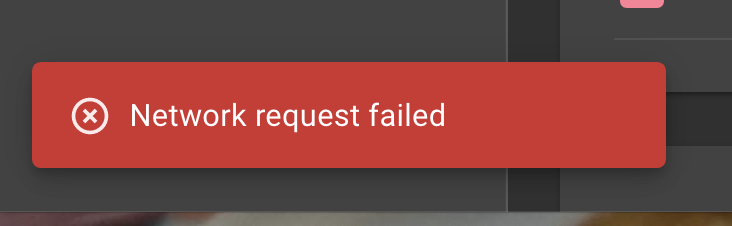
Tried this with all four Spirits. All will ‘test’, only one will ‘heal’. Odd…
---
### Author:  [@Erwin\_De\_Jong](https://community.homey.app/u/Erwin_De_Jong)
#### Post date: [October 11, 2020, 10:59am UTC](https://community.homey.app/t/app-eurotronic-technology-app-stable-v3-0-1/5771/282 "2020-10-11T10:59:44Z")
Looks like only the Kraan bureau cv is not accesible. Did you check the zwave settings to see which route the Kraan bureau cv is using ?
> **[Homey Developer](https://developer.athom.com/tools/zwave)**
i assume the devices for the cv are not powered so depend on a zwave router device.
I you would have a zwave powerplug or a bulb you can maybe test it in the same area as where the Kraan bureau cv is.
can you read the device’s temperature ?
[Previous page](https://community.homey.app/t/app-eurotronic-technology-app-stable-v3-0-1/5771.md?page=13)
[Next page](https://community.homey.app/t/app-eurotronic-technology-app-stable-v3-0-1/5771.md?page=15)