# \[APP\]\[Cloud & Pro\] Somfy Tahoma & Connexoon (v4.0.124, test v4.0.152)
**URL:** https://community.homey.app/t/app-cloud-pro-somfy-tahoma-connexoon-v4-0-124-test-v4-0-152/35206
**Category:** Apps
**Tags:** official, homey-pro
**Created:** [September 29, 2020, 3:01pm UTC](https://community.homey.app/t/app-cloud-pro-somfy-tahoma-connexoon-v4-0-124-test-v4-0-152/35206 "2020-09-29T15:01:37Z")
**Posts on this page:** 20
**Page:** 31
### Author:  [@Adrian\_Rockall](https://community.homey.app/u/Adrian_Rockall)
#### Post date: [January 5, 2021, 5:32pm UTC](https://community.homey.app/t/app-cloud-pro-somfy-tahoma-connexoon-v4-0-124-test-v4-0-152/35206/605 "2021-01-05T17:32:02Z")
I think I have received your device log. I can see the enocean:EnOceanOnOffLight in there. They don’t seem to have a status so I can add support to turn them on and off via two buttons but you won’t be able to see the current state.
Hope that’s OK.
---
### Author:  [@Thore\_Bens](https://community.homey.app/u/Thore_Bens)
#### Post date: [January 5, 2021, 5:43pm UTC](https://community.homey.app/t/app-cloud-pro-somfy-tahoma-connexoon-v4-0-124-test-v4-0-152/35206/606 "2021-01-05T17:43:59Z")
That would be the same i have it in tahoma. Would be really nice.
---
### Author:  [@Adrian\_Rockall](https://community.homey.app/u/Adrian_Rockall)
#### Post date: [January 5, 2021, 7:39pm UTC](https://community.homey.app/t/app-cloud-pro-somfy-tahoma-connexoon-v4-0-124-test-v4-0-152/35206/607 "2021-01-05T19:39:35Z")
Do you know what the range and units are for the On with timer?
I can add an action card so that could be used.
---
### Author:  [@Thore\_Bens](https://community.homey.app/u/Thore_Bens)
#### Post date: [January 5, 2021, 8:10pm UTC](https://community.homey.app/t/app-cloud-pro-somfy-tahoma-connexoon-v4-0-124-test-v4-0-152/35206/608 "2021-01-05T20:10:53Z")
the range is permanent and from 1,2,3 up to 10 minutes.
---
### Author:  [@Adrian\_Rockall](https://community.homey.app/u/Adrian_Rockall)
#### Post date: [January 5, 2021, 10:02pm UTC](https://community.homey.app/t/app-cloud-pro-somfy-tahoma-connexoon-v4-0-124-test-v4-0-152/35206/609 "2021-01-05T22:02:42Z")
I have added the support for enocean:EnOceanOnOffLight to the new test version.
The device option in the add devices list is the Two button On / Off.
The device capabilities have two buttons, one for On and one for Off. There is also a slider that turns the light on for a time determined by the slider position. The slider range is 0 to 10 minutes. To operate in this mode just slide it to the approximate time position and the light should comer on. I have also set it up so the slider moves down as the time expires but this is a pseudo timer.
Also, tapping on either the On or Off buttons cancels the timer.
---
### Author:  [@Thore\_Bens](https://community.homey.app/u/Thore_Bens)
#### Post date: [January 6, 2021, 7:53am UTC](https://community.homey.app/t/app-cloud-pro-somfy-tahoma-connexoon-v4-0-124-test-v4-0-152/35206/610 "2021-01-06T07:53:50Z")
Good morning! This works very smooth.
Thanks for your work!
---
### Author:  [@Daniel\_S](https://community.homey.app/u/Daniel_S)
#### Post date: [January 6, 2021, 5:06pm UTC](https://community.homey.app/t/app-cloud-pro-somfy-tahoma-connexoon-v4-0-124-test-v4-0-152/35206/611 "2021-01-06T17:06:27Z")
Hi Adrian. All the best in 2021! Could you please explain the io remote device? I do not have it in tahoma. It probably works directly with blind motors. How should i get it to Homey than? Thanks
---
### Author:  [@Adrian\_Rockall](https://community.homey.app/u/Adrian_Rockall)
#### Post date: [January 6, 2021, 5:51pm UTC](https://community.homey.app/t/app-cloud-pro-somfy-tahoma-connexoon-v4-0-124-test-v4-0-152/35206/612 "2021-01-06T17:51:35Z")
> [@Daniel\_S](#):
>
> All the best in 2021! Could you please explain the io remote device?
All the best to you as well. Unfortunately, I have no idea how the remote is added to Tahoma as I don’t have one.
Looking in the web control panel I guess it would be under the IO tab, add, devices, or controls?
---
### Author:  [@Daniel\_S](https://community.homey.app/u/Daniel_S)
#### Post date: [January 6, 2021, 6:46pm UTC](https://community.homey.app/t/app-cloud-pro-somfy-tahoma-connexoon-v4-0-124-test-v4-0-152/35206/613 "2021-01-06T18:46:18Z")
Ok dont worry about it. My question only arised because I haveio remotes attached directly to motors. They dont appear in tahoma so your app cant see it. I will figure it out.
---
### Author:  [@Erwin\_BRONNER](https://community.homey.app/u/Erwin_BRONNER)
#### Post date: [January 7, 2021, 5:54pm UTC](https://community.homey.app/t/app-cloud-pro-somfy-tahoma-connexoon-v4-0-124-test-v4-0-152/35206/614 "2021-01-07T17:54:06Z")
Facing issues with status of door sensor. For instance, a door can be flagged as open will closed for 20hrs.
Looking at the sequence of events, it seems that the Homey plug-in doesn’t capture the last status in case of 2 updates in very short time. For instance, Homey records only open door while the door was opened and then closed within the same minute.
Adrian, do you think that something could be done there, please?
---
### Author:  [@Adrian\_Rockall](https://community.homey.app/u/Adrian_Rockall)
#### Post date: [January 7, 2021, 6:26pm UTC](https://community.homey.app/t/app-cloud-pro-somfy-tahoma-connexoon-v4-0-124-test-v4-0-152/35206/615 "2021-01-07T18:26:24Z")
Somfy have put a minimum period of 30 seconds on the polling. But the polling gets the history of all events that have occurred since the last request. So, in theory, it should see the open and close events, albeit with a possible delay.
I will look into why it’s missing events.
One thing to check is that you don’t have a high polling interval as the session can timeout if there is no activity and that seems to cancel the event registration.
---
### Author:  [@Erwin\_BRONNER](https://community.homey.app/u/Erwin_BRONNER)
#### Post date: [January 7, 2021, 6:41pm UTC](https://community.homey.app/t/app-cloud-pro-somfy-tahoma-connexoon-v4-0-124-test-v4-0-152/35206/616 "2021-01-07T18:41:33Z")
30 sec intervalle. Should be fine, shouldn’t it?
---
### Author:  [@Dracoignis](https://community.homey.app/u/Dracoignis)
#### Post date: [January 10, 2021, 7:55am UTC](https://community.homey.app/t/app-cloud-pro-somfy-tahoma-connexoon-v4-0-124-test-v4-0-152/35206/617 "2021-01-10T07:55:27Z")
Are you talking about the nina remote? I also had some troubles when i first tried it ti connect with my connexoon. You have to use the app and send the io key from tahoma to your remote( first you must let your remote be able to receive the code, its in advanced settings), afterwards you send the code from your remote to your tahoma. If that is done you have to wait a bit (take an hour to be sure) and then add device to tahoma, choose the 2wayremote and follow instrutions, this way your blinds i stalled on tahoma and remote will sync and you can control everything from both.
IMPORTANT: whatever you do, DONT TOUCH the generate new key for the instation, my i staller suggested this because everything was new to him too, and i had to reset all my motors and programming because of that…
Keep in mind that this way you can control the blinds with your remote and the tahoma, but your tahoma and remote are 2 separate controllers, so you cant add the remote to homey
---
### Author:  [@cyberbizo](https://community.homey.app/u/cyberbizo)
#### Post date: [January 11, 2021, 5:44pm UTC](https://community.homey.app/t/app-cloud-pro-somfy-tahoma-connexoon-v4-0-124-test-v4-0-152/35206/618 "2021-01-11T17:44:13Z")
Hello, and thank you for this app, i will not buy homey if they don’t exist!
First i apologies for my English (i’m french).
I’m a new homey user and i got many somfy equipment with a tahoma box.
- I can’t associate my navilink a59 whitch manage my atlantic heat pump. (and indoor / outdoor temperature)
- homey doesn’t found My smoke detector.
- My somfy outdoor camera can just put on or off, no view no option.
- i can’t see my energy consumption.
Maybe you already know that trouble…
I hope you can solve it in the futur.
So have a good day.
---
### Author:  [@Adrian\_Rockall](https://community.homey.app/u/Adrian_Rockall)
#### Post date: [January 11, 2021, 6:11pm UTC](https://community.homey.app/t/app-cloud-pro-somfy-tahoma-connexoon-v4-0-124-test-v4-0-152/35206/619 "2021-01-11T18:11:47Z")
Hi, welcome to Homey. There is no problem with your English.
> [@cyberbizo](#):
>
> I can’t associate my navilink a59 whitch manage my atlantic heat pump. (and indoor / outdoor temperature)
> [@cyberbizo](#):
>
> i can’t see my energy consumption.
In the App - Configure App section, there is a part to see the Device Log. Tap on that tab and then tap on Get Log. Once the list is displayed, tap on the Send Log button.
This will provide me with the information I need to add support for devices.
If you could then get back to me via a PM and let me know the names of the devices that are missing, as you see them in the Tahoma system, so I can locate them in the log. I will then do my best to add them to the app.
> [@cyberbizo](#):
>
> homey doesn’t found My smoke detector.
Can you install the current test version (2.1.36) as I have already added support for some smoke detectors in there. If that doesn’t find them then let me know the names of them as well.
> [@cyberbizo](#):
>
> My somfy outdoor camera can just put on or off, no view no option
Unfortunately, Somfy has not provided access to the cameras image outside of their systems yet. I also have some Somfy cameras and I have asked for this feature so if they allow access I will add support. Be aware that Homey can only show a still snapshot and is not capable of showing video so even if Somfy add support it will be limited by Homey.
---
### Author:  [@ProofofD3ath](https://community.homey.app/u/ProofofD3ath)
#### Post date: [January 13, 2021, 11:03pm UTC](https://community.homey.app/t/app-cloud-pro-somfy-tahoma-connexoon-v4-0-124-test-v4-0-152/35206/620 "2021-01-13T23:03:26Z")
Hi Adrian,
I’m hoping in combination with this app and Homey you don’t need some kind of hub from Somfy products to work or is this still necessary?
---
### Author:  [@Adrian\_Rockall](https://community.homey.app/u/Adrian_Rockall)
#### Post date: [January 14, 2021, 4:50am UTC](https://community.homey.app/t/app-cloud-pro-somfy-tahoma-connexoon-v4-0-124-test-v4-0-152/35206/621 "2021-01-14T04:50:23Z")
You still need either a Tahoma or Connexoon hub. That does the physical communication with devices and this app talks to the account API.
The Homey RTS app will allow Homey to talk directly to RTS devices but it’s not possible for Homey to talk to Io devices.
---
### Author:  [@TKroon](https://community.homey.app/u/TKroon)
#### Post date: [January 18, 2021, 7:42pm UTC](https://community.homey.app/t/app-cloud-pro-somfy-tahoma-connexoon-v4-0-124-test-v4-0-152/35206/622 "2021-01-18T19:42:39Z")
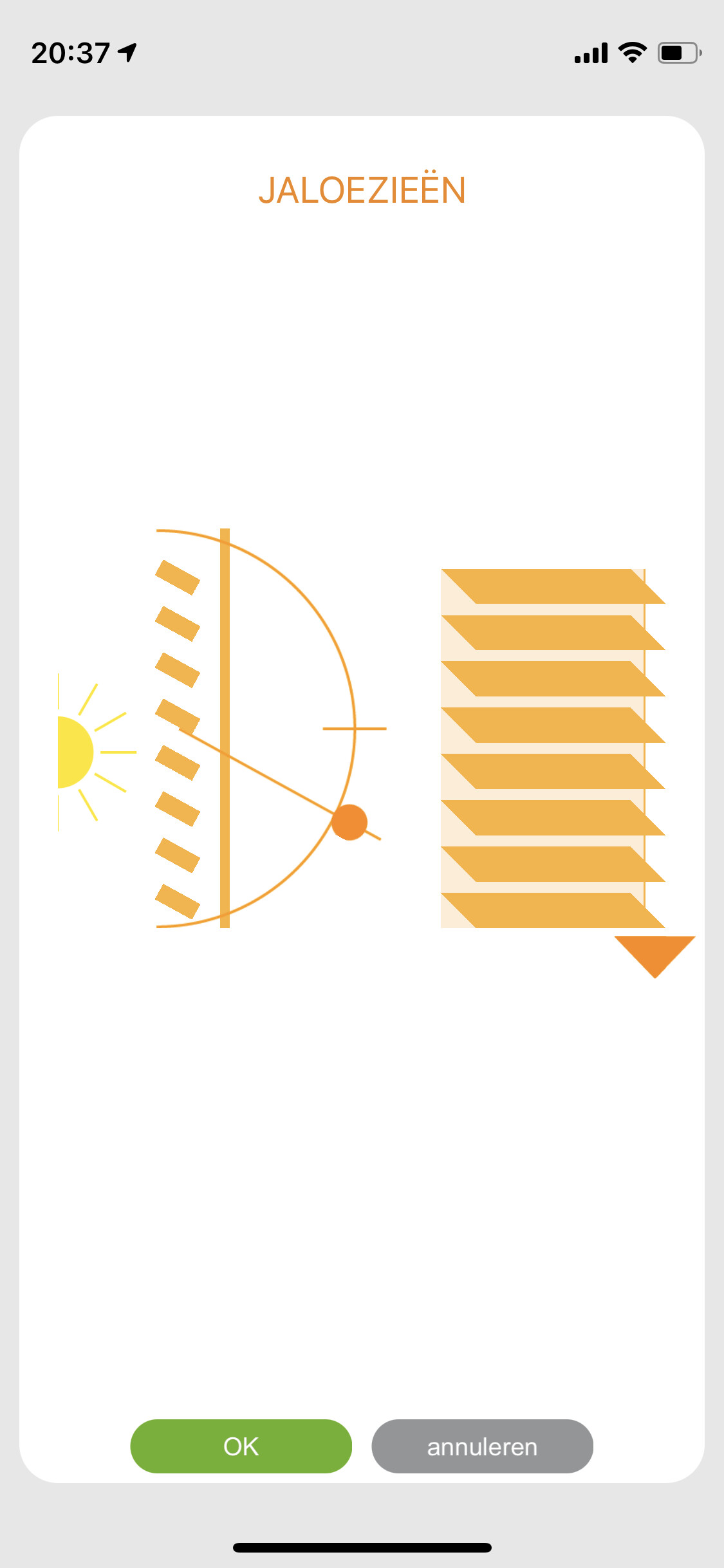
Hi Adrian,
Recently my horizontal blinds got installed and added to my Connexoon. In the Connexoon I can tilt and lift them, and see the current status as well. In Homey I can only see the lift status (0-100%), but I can’t see the tilt. Is there a way to do this?
Currently I can set them to some presets using the scenes I created in the Connexoon. But since we tilt them with the remote too, I can’t use a variable in Homey to determine the current tilt status.
Thanks in advance!
---
### Author:  [@Adrian\_Rockall](https://community.homey.app/u/Adrian_Rockall)
#### Post date: [January 18, 2021, 8:09pm UTC](https://community.homey.app/t/app-cloud-pro-somfy-tahoma-connexoon-v4-0-124-test-v4-0-152/35206/623 "2021-01-18T20:09:34Z")
Can you send me the device log so I can check the capabilities that are returned by the API?
---
### Author:  [@TKroon](https://community.homey.app/u/TKroon)
#### Post date: [January 18, 2021, 9:09pm UTC](https://community.homey.app/t/app-cloud-pro-somfy-tahoma-connexoon-v4-0-124-test-v4-0-152/35206/624 "2021-01-18T21:09:46Z")
Thanks for your quick reply! I’ve sent the device log. The mentioned device is called “Jaloezieën”.
[Previous page](https://community.homey.app/t/app-cloud-pro-somfy-tahoma-connexoon-v4-0-124-test-v4-0-152/35206.md?page=30)
[Next page](https://community.homey.app/t/app-cloud-pro-somfy-tahoma-connexoon-v4-0-124-test-v4-0-152/35206.md?page=32)